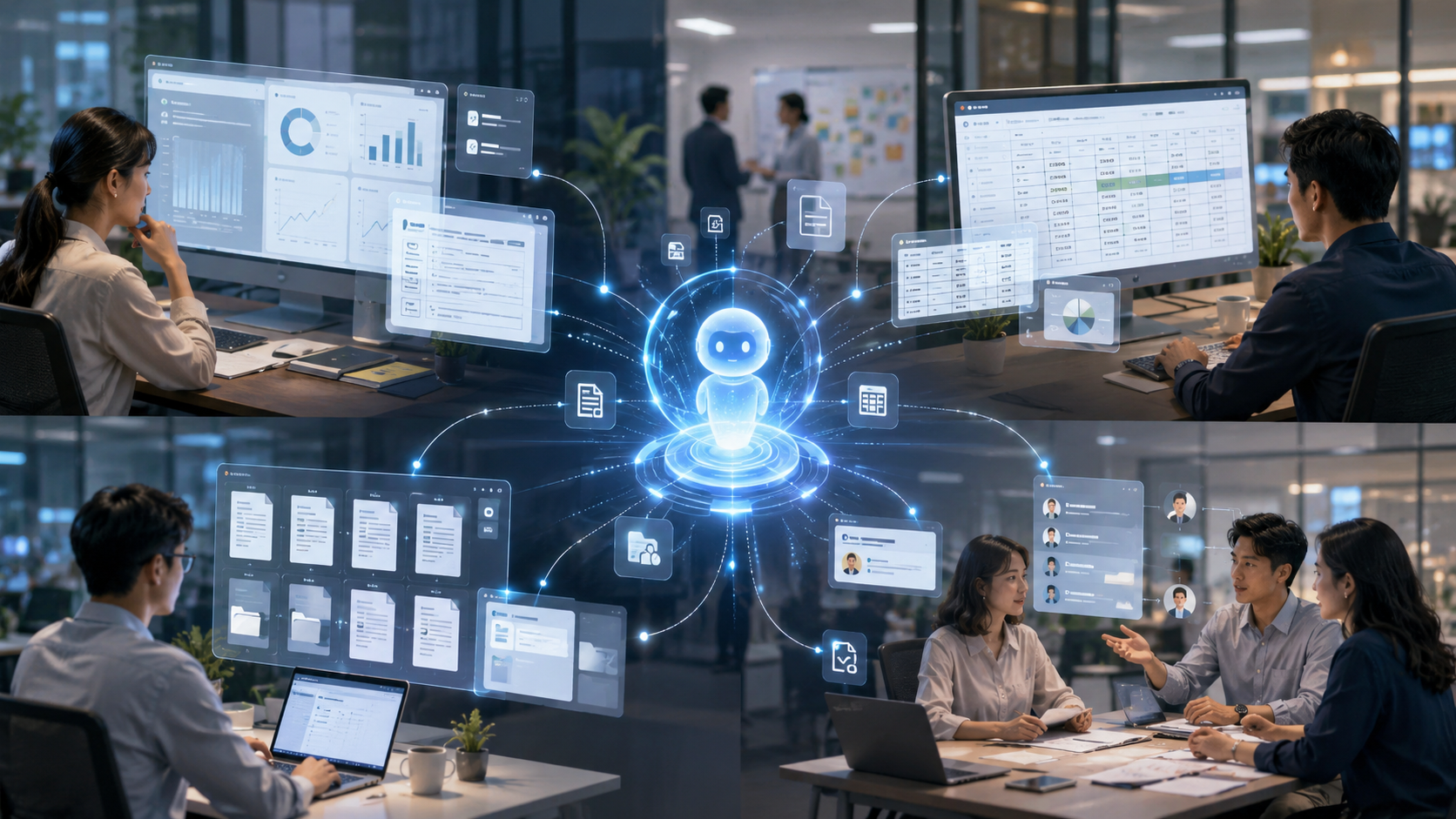
When we see the progress of AI collaboration tools in the news, the image often is of a programmer typing away in a terminal with a black background, while AI instantly generates hundreds of lines of code or automatically fixes a complex bug. This geeky narrative shapes the stereotype of AI tools in the public's perception: it seems inherently designed as a code generator for tech people, far removed from the desks of ordinary individuals.

Data source: Anthropic official blog "How people are using Claude Cowork"
However, a recent set of data disclosed by Anthropic directly shatters this filter.
According to sampling data disclosed by the Anthropic official blog, based on 1.2 million anonymous conversation samples collected from May 11 to May 31, 2026, the highest usage scenario for Claude Cowork is not software development, which accounts for only 8.7%. The top spot is taken by business processes and operations, accounting for as much as 33.4%, with typical tasks including report organization and form verification; content creation and copywriting follow closely, making up 16.4%, covering tasks such as drafting documents and creating presentations.
This means that in over 90% of usage scenarios, people are not writing code. Instead, they are using cutting-edge AI collaboration tools to handle the oldest and most trivial daily office tasks. Why are people using AI most commonly not for coding, but for organizing reports and verifying forms? What does this data reveal about AI's role in the real workplace?
The "AI = Writing Code" Filter Broken
To understand this contrasting data, one must first grasp why the public has the illusion that "AI primarily writes code."
In the past two years, AI programming assistants have been the first mature and widely deployed form of AI application. Whether it's GitHub Copilot or various code generation models, they have caused a huge stir in the developer community. Writing code itself is highly logical and has clear standards of right and wrong, making it very suitable for large language models to excel. Therefore, media coverage of AI breakthroughs often uses code generation as the most persuasive case.
However, programmers only account for a small proportion of the global workforce. The truly large workforce consists of finance, administration, HR, legal, sales, and various operational personnel. These individuals' daily work hardly involves any coding, but the workload they generate and their desire for efficiency improvement far exceed that of tech personnel.
The 33.4% share of business processes and operations is a reflection of the genuine needs of this vast group. When the threshold for AI tools is lowered to the extent that they can be used without understanding programming, non-technical positions quickly become the main force. They do not need AI to restructure system architecture; they require AI to help them compile last week's progress updates scattered across five chat groups into a weekly report, or to verify discrepancies in three different formatted Excel spreadsheets.
Software development only accounts for 8.7%, not because programmers do not use AI, but because the base for non-technical positions is so large, and their daily tasks are filled with a multitude of repetitive labor that AI can take over. AI collaboration tools are shedding their labels as geek toys, transforming into "digital interns" for the ordinary office crowd.
What Exactly is the 33.4% "Business Process" Busy With?
In the official classification, business processes and operations occupy one-third of the share. This somewhat abstract term corresponds to extremely specific and laborious scenes in the real workplace.
Organizing reports is one of the most typical tasks. In any moderately sized organization, reports are the lifeblood that keeps operations running. Weekly reports, monthly reports, project progress reports, competitive analysis reports—there are many types. However, the process of writing reports is often excruciating. A project manager tasked with writing a weekly report must first pull task statuses from Jira, then inquire about pending matters in various department groups, check the latest customer feedback in the email, and finally weave these fragmented pieces of information into a Word document, adjust the formatting, and include charts. This process may consume half a workday, but the output itself doesn’t create new business value; it’s merely for information synchronization. What’s more torturous is that if a leader suddenly requests a different dimension of statistics, this half-day’s effort must be started all over again.
Verifying spreadsheets is also a nightmare for office workers. When finance personnel reconcile accounts at the end of the month, they face three sheets: bank statements, internal accounts, and reimbursement documents. Even a one-cent discrepancy requires meticulous line-by-line inspection. In the dense cells, they must continue to scrutinize despite fatigue because any error in reconciliation can stall the entire department's closing process. Administrative personnel verifying attendance records must look for relationships between various leave requests, overtime applications, and clock-in records. Some people forget to clock in, and others are on business trips without the system recording it; these exceptions rely solely on manual sorting. Such tasks are a significant test of vision, patience, and concentration, but any mistake can have severe consequences.
When these tasks are handed over to AI collaboration tools, the process undergoes a fundamental transformation. Users only need to export the records from five chat groups and throw them to AI, instructing it to "extract each person's progress categorized by department and generate a weekly report outline." Seconds later, a clearly structured draft appears. If a leader wants to change dimensions, a simple directive to AI allows for immediate reorganization. Finance personnel can upload three spreadsheets and instruct AI to "find the entries with inconsistent amounts among the three sheets and list the details." AI does not find the task monotonous and will accurately identify decimal points, quickly pinpointing those few anomalous rows from massive amounts of data.
Behind the 33.4% data is the sense of relief experienced by countless professionals freed from meaningless mechanical labor. They do not require AI to tackle scientific research puzzles; they just need AI to take over those exhausting, "dirty and tiring" tasks that consume their life.
16.4% "Content Creation" and Overcoming Blank Document Fear
Following business processes, content creation and copywriting account for 16.4%. This scenario is also filled with workplace pain points.
Many people mistakenly believe that content creation is a task only for writers or self-media individuals, but in modern enterprises, almost every position involves writing. Sales need to write proposals, product managers need to write requirement documents, HR needs to write job postings, and even engineers must write technical solution descriptions. For non-professional writers, facing a blank Word document or PowerPoint slide can often lead to a phenomenon known as "blank document syndrome." They don’t know how to write the first sentence, how to structure the document, and find themselves staring at a blinking cursor for half an hour while the screen remains empty.
Creating slides is particularly grueling. Stuffing a pile of text into a limited layout, adjusting font sizes, aligning graphics, and selecting colors often takes a time several times longer than writing the content itself. Many people stay up late the night before a report just tweaking the formatting of the PowerPoint, sacrificing the perfect alignment of an image or adjusting a text box by two pixels. After the report, these meticulously formatted slides often just sit in a folder never to be opened again.
In this scenario, AI collaboration tools play the role of "icebreakers." Users do not need to start from scratch; they only need to input a few key points, and AI can generate a draft. For slides, users can provide a topic and rough content, and AI directly generates a presentation with formatting and colors. Although the initial draft is often imperfect, it provides a base that can be modified. Human work shifts from "creating something out of nothing" to "editing and refining," significantly reducing psychological pressure and actual workload. You only need to tell AI to "change the background on this page to blue and bold the key points," and it can instantly accomplish that, saving you the time searching for buttons in the menu bar.
This proliferation of content creation shows that AI is helping to level the disparity in expression abilities among office workers. Those who are logical but not good at formatting and phrasing can generate professional-level documents and presentation materials with AI's assistance.
Underestimated "Connectivity Work"
In interpreting this data, Anthropic defined the top two high-frequency scenarios as "connectivity work." This is an incredibly precise and insightful concept.
What is connectivity work? It refers to tasks that drive projects forward but rarely appear in core job descriptions. A lawyer's core responsibilities are to provide legal advice and defense, but they may spend large amounts of time on document formatting and archiving. A recruitment manager's core responsibility is to identify talent, but they dedicate extensive time arranging meetings and summarizing feedback from multiple rounds of interviews.
These tasks do not generate direct business value and are not recorded in performance summaries, but without them, projects would stagnate, and teams would become chaotic. They serve as lubricants for workplace operations and are also invisible black holes that exhaust workers' energy.
In the traditional workplace narrative, we always focus on enhancing core skills but seldom consider how to optimize connectivity work. Many workers feel fatigued not because core tasks are too difficult but because they are drained by these trivial connectivity tasks. Writing code may require intense concentration, but verifying spreadsheets just requires mechanical repetition; such mechanical repetition often takes a greater mental toll on individuals. This is also why, when AI collaboration tools come into play, users are most inclined to outsource this type of work.
AI has not replaced lawyers' legal judgment or HR's talent intuition. It takes over the dirty work of "assembling and structuring information." It fills in the information gaps in cross-team collaboration, allowing lawyers to focus on case analysis and HR on candidate evaluations. AI becomes the glue that fills gaps in teams, enabling everyone to reserve their energy for the parts of the work that truly require human wisdom and experience.
Lawyer's Documents and HR's Feedback: Restoring Real Scenarios
To intuitively understand this collaborative model, we can look at two typical cross-team connection scenarios listed by the official sources.
The first scenario involves a lawyer handling documents. In the legal industry, there are extremely high requirements for document formatting and specifications. Different courts have specific requirements for the typesetting, fonts, and even line spacing of lawsuits. After completing a legal advisory document, a lawyer may spend one or two hours verifying whether the format matches the standards, whether quoted articles are correctly cited, and whether headers and footers are consistent. This task doesn't require legal logic but rather patience and meticulousness; for a lawyer who has just been through back-to-back hearings, this tedious verification can feel like mental torture.
Now, lawyers can hand documents to AI collaboration tools, instructing them to "check and adjust this document according to the standard format of a certain court." AI will automatically identify any non-compliance in the formatting and rectify it, even detecting formatting errors in the cited legal articles. Lawyers retain the most critical legal judgment and defense strategies while delegating the mechanical formatting checks to a digital intern. This not only saves time but also reduces the risk of formatting errors causing documents to be rejected by the court due to human negligence.
The second scenario involves a recruitment manager summarizing feedback from multiple rounds of interviews. In a typical recruitment process, a candidate may go through initial HR interviews, technical interviews, business interviews, and final interviews. Each interviewer leaves feedback in free text form in the system. Some interviewers provide detailed comments, some only write a few sentences, some focus on technical skills, and others on communication style. Before making the final decision, the recruitment manager needs to read through this fragmented feedback and extract key information, such as the candidate's technical strengths and cultural fit risks, and compile it into a report for executives. If there are many candidates, just looking at the feedback can be overwhelming, making it easy to miss crucial details.
Now, recruitment managers can import all interview feedback into AI, asking it to "extract each interviewer's evaluation of the candidate's technical abilities and summarize the consensus and disagreements." AI can provide a structured summary within seconds, for example, "All three interviewers agree on the candidate's database skills, but there are differences in team management styles." The recruitment manager still retains the final judgment on talent evaluation and hiring decisions, but the information processing has been greatly streamlined. They no longer need to read through lengthy feedback word for word but can directly judge based on the points distilled by AI.
These two scenarios collectively reveal a pattern: the implementation of AI in non-technical positions is not to take away their jobs, but to help clear obstacles in their workflows, enabling them to swiftly reach the core aspects that require human wisdom and experience.
From "Staring at the Screen Waiting for Replies" to "Cloud Running Overnight"
This change in usage tendencies also places new demands on the form of AI products. If AI is only used to handle highly interactive tasks like writing code, a dialogue box is sufficient. But if AI is to handle time-consuming tasks like organizing reports and verifying spreadsheets that do not require constant monitoring, the traditional dialogue box model appears cumbersome.
Non-technical users do not need to stare at the screen waiting for AI to output word by word. What they need is an "asynchronous workflow where tasks are assigned, and then they can attend to other matters before returning to see the results." Just like instructing an intern to organize materials, one does not stand behind them watching them type but allows them to present the finished work.
Users can set a task for AI before leaving work, such as "extract core data from the ten industry reports gathered this week and generate a summary table." Then they can close their computers and go have a meal or take a break. AI will execute this task on the cloud backend without needing the device to be online.
When encountering nodes requiring human judgment, AI will pause and send a confirmation request to the user's phone. For instance, if AI detects conflicting data sources while processing spreadsheets, it will inquire about which one to prioritize. The next morning, the user can approve it via their phone on the subway commute, and a perfectly prepared table is already ready. This evolution from "dialogue box" to "background agent" allows AI to truly integrate into the daily rhythm of office workers. It no longer remains a tool that requires special time allocation for use, but rather a silent helper that works seamlessly in the background.
This asynchronous mechanism is particularly important for non-technical positions. Their work is often filled with interruptions and meetings, making it difficult to set aside large blocks of time to interact frequently with AI. Background execution and mobile approval reduce the mental load of using AI, making getting help from AI as easy as sending a WeChat message.
An Imperfect Data Illustrative Guide and Insights for Ordinary People
Of course, this data from 1.2 million conversations does not provide a perfect panoramic view of the workplace. The officials also acknowledge some limitations of the data.
First, the data is categorized by task type rather than user job titles. This results in uncertainty regarding how many of the 33.4% business processes are performed by HR and how many by finance. The automated system may inaccurately categorize functions such as marketing, HR, and finance under a unified label of "business processes."
Second, the sampling method imposes a fixed hourly limit rather than a fixed proportion of traffic. This means that usage rates during peak periods might be slightly underestimated. Additionally, about 5% of conversations are for personal non-work purposes, such as personal assistant tasks, hobbies, or even companion-style chatting, rather than purely workplace scenarios.
Nevertheless, even with these blind spots, this data offers extremely valuable real-world insights.
For the average office worker, the greatest revelation lies in re-examining their workflow. Instead of asking whether AI can replace your core skills, consider how much of your workflow consists of connectivity work that must be done but no one wants to do.
If you spend over 20% of your time daily on information transfer, formatting adjustments, and spreadsheet verification, you are the most precise target audience for AI collaboration tools. You don’t need to learn complex prompt engineering; you only need to describe that repetitive task you dislike the most to AI and see if it can help you draft an initial version.
The demystification of AI collaboration tools lies in their transition from the pedestal to the workstation. They are not meant to tackle research problems that require high intelligence; they are designed to address the trivial daily tasks that demand immense patience and effort. When 33.4% of usage is dedicated to handling business processes, it indicates that people have found the most practical use for AI today: liberating individuals from mechanical labor to focus on what humans should be doing.
免责声明:本文章仅代表作者个人观点,不代表本平台的立场和观点。本文章仅供信息分享,不构成对任何人的任何投资建议。用户与作者之间的任何争议,与本平台无关。如网页中刊载的文章或图片涉及侵权,请提供相关的权利证明和身份证明发送邮件到support@aicoin.com,本平台相关工作人员将会进行核查。


