Author: BruceBlue
I previously recommended the connection of Claude Code PC end to the MiniMax model, but in the spirit of a low-cost mentality and a frugal nature, I am recommending everyone a hardcore, completely free remote interconnection solution:
Tailscale + Termux/Termius (keeping tmux alive on PC, zero-cost SSH control on phone)
For the PC, you can set up the MiniMax as described in the previous article, it takes about 5 minutes to command MiniMax to write code, fix bugs, and run tests on your phone, with all code executed locally on your computer, very secure.
Step 1: Prepare a "never disconnect" session on PC
Install Tailscale (zero port forwarding, global direct connection)
Download URL:
After installation, log in with Google/Apple/email, remember your Tailscale IP (format similar to 100.x.x.x, also visible on phone)
Install tmux (keep Claude Code alive in the background)
Mac: Open Terminal and type “brew install tmux”
Windows/WSL or Linux: Open PowerShell and type “sudo apt install tmux”
Start Claude Code with tmux

(After entering Claude, cd to the project folder and use it normally) You can lock the computer screen or close the terminal, and the tmux session will remain alive!
Step 2: Turn your phone into a super command center (Android main solution: Tailscale + Termux)
Android users (highly recommended)
Install two apps (both free):
Tailscale (search directly in Google Play, official version)
Termux (must download from F-Droid! The Play Store version is no longer updated, F-Droid link:
https://f-droid.org/packages/com.termux/
or search directly for “Termux”)
Open Tailscale, log in with the same account → automatically connect to the computer (you can see the green light indicating the computer is online)
Open Termux, execute the following in order (wait a few seconds the first time):

Connect to the computer (replace 100.x.x.x with your computer's Tailscale IP and yourusername with your computer username):

(The first time it will prompt for a fingerprint; type yes; it is recommended to set up SSH keys on the computer beforehand for convenience)
Once connected, type:

Done! You are now operating Claude Code on your phone in real-time! Input any Chinese prompt, and MiniMax will respond immediately, reading and writing files, terminal commands, npm run dev, all executed locally.
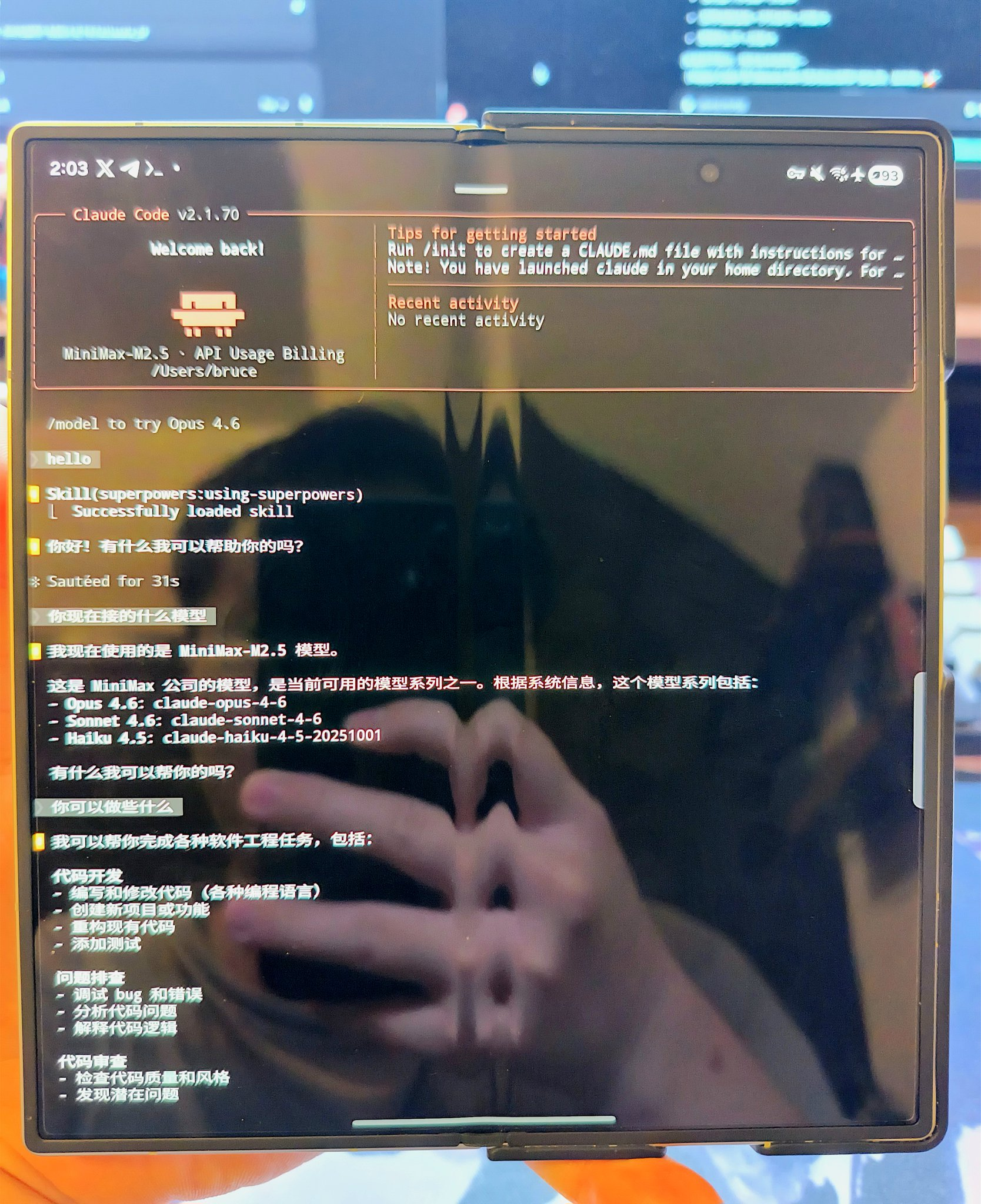
iOS user solution (also free)
Using Tailscale App (App Store) + Termius (or Blink Shell) is similar to the Android steps, just replace the SSH client with Termius (the free version is sufficient), and after connecting, you can similarly type “tmux attach -t claude.” The effect is almost the same.
Useful Tips & Advanced Play
Maximize security: Tailscale encrypted throughout + Zero Trust, code never leaves, safer than any cloud service.
One-click script (recommended to add to your computer's ~/.zshrc):
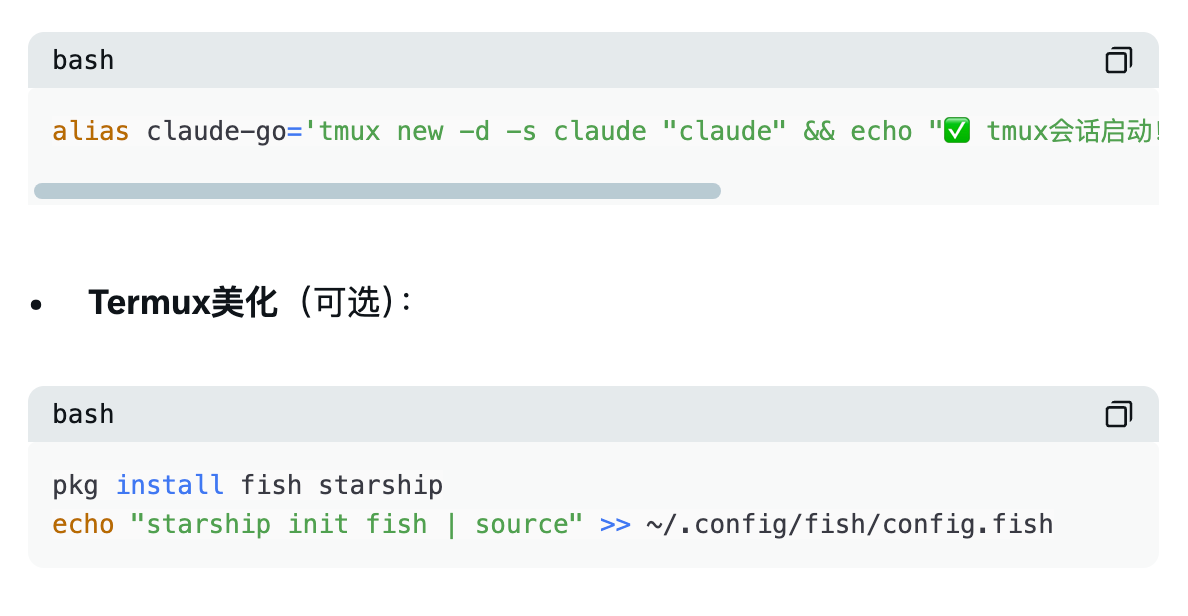
Multi-device sharing: Phone + tablet can simultaneously attach to the same tmux session.
Solving minor issues:
Tailscale unable to connect? Restart the app on both the computer and phone.
SSH unable to connect? “tmux ls” to confirm the session exists; or allow SSH through the computer firewall.
Termux lagging? “pkg install termux-api” can add vibration/notification reminders.
Do you not want to spend money on Claude Pro and want to command MiniMax anytime, anywhere? Tailscale + Termux/Termius is the ultimate free solution for 2026!
From now on: You can write code while taking kids out on weekends, fix bugs while shopping, and run tests directly on the commute!
MiniMax's low-cost full-blooded coding + local execution + phone command = true programming freedom!
免责声明:本文章仅代表作者个人观点,不代表本平台的立场和观点。本文章仅供信息分享,不构成对任何人的任何投资建议。用户与作者之间的任何争议,与本平台无关。如网页中刊载的文章或图片涉及侵权,请提供相关的权利证明和身份证明发送邮件到support@aicoin.com,本平台相关工作人员将会进行核查。


