Author: @scemgtfo
Compiled by: Shenchao TechFlow
Introduction: Those who missed the first wave of the $SKR large airdrop as Seeker (Solana's second-generation phone) holders need not regret, as the ecosystem's second season (S2) interactive activities officially kicked off last week. Compared to the first season, the task threshold for S2 has been significantly lowered, shifting the focus from mere "volume" to "sustainability," and introducing a highly weighted SKR staking mechanism.
This article is a detailed S2 interactive guide, providing step-by-step instructions on how to unlock future reward weights through diagnostics, on-chain interaction level cultivation, app store exploration, and utilizing a 24% high annualized staking rate. For players looking to position themselves in the Web3 mobile ecosystem, now is the best time to enter.
The main text is as follows:
Do you regret not completing more activities on the Solana Seeker (second-generation phone) to earn more points for the $SKR airdrop? Don't worry, you're not too late! The second season (S2) activities just started last week. Here’s the ultimate guide on how to maximize developer and user rewards for the Solana Seeker second season.
In summary (TL;DR): The second season is easier than the first, activity progress resets every 30 days, sustainability is more important than transaction volume, and SKR staking has now become the main loyalty signal.
Solana Seeker Second Season Ultimate Guide
Last week, the Solana Seeker (Chapter 2) ecosystem officially launched the second season (S2) activities. While it shares many similarities with the first season, this time it introduces some key updates, including the removal of some of the highest difficulty tasks, making it more accessible for participants.
1. What are Seeker Season Activities?
Season activities are a tracking system located in the far-right tab of your native Seeker wallet, titled "My Seeker Activity." It determines your "rank" in the ecosystem by tracking your engagement across multiple categories, which is widely expected to influence future airdrops (such as $SKR).
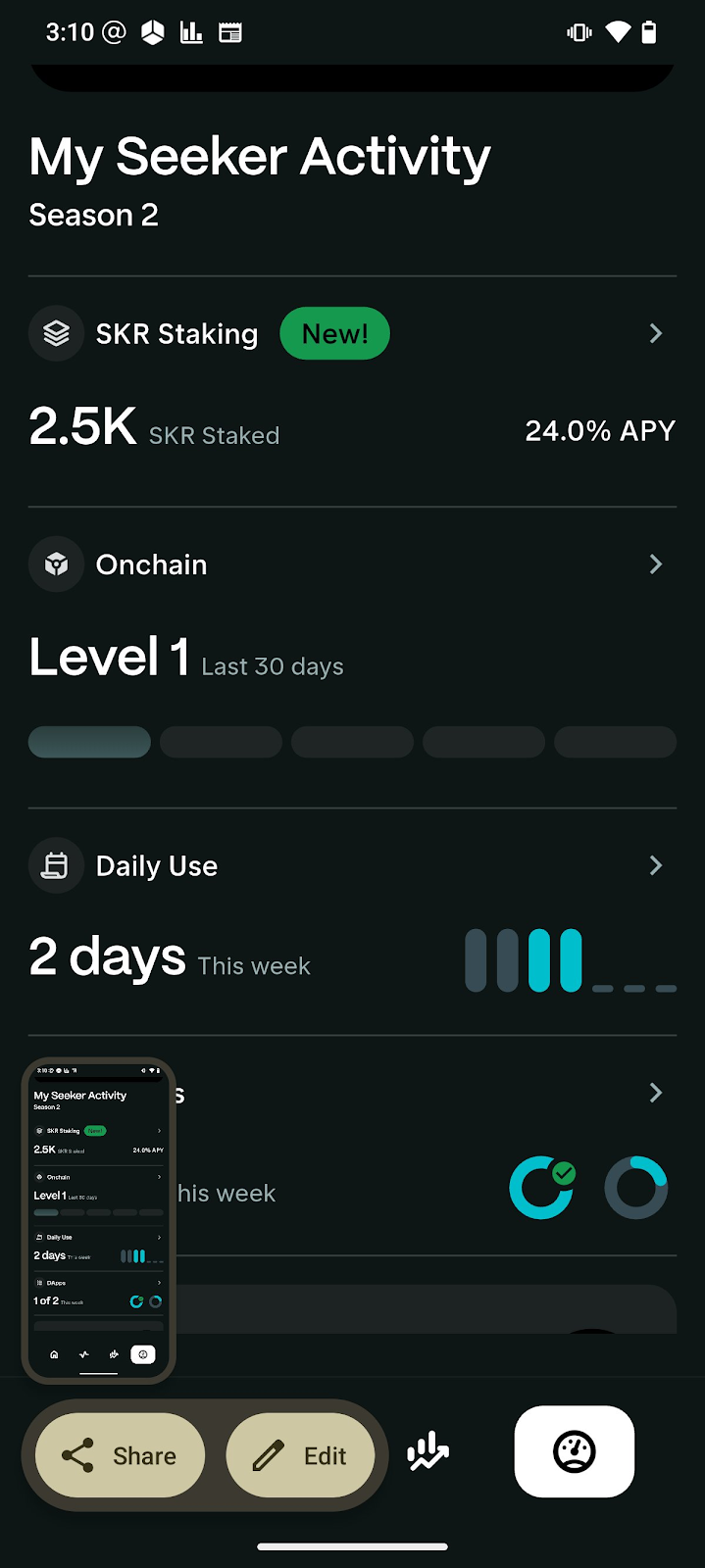
If you are a new user of Seeker, please follow these two key steps to ensure your activities are successfully tracked:
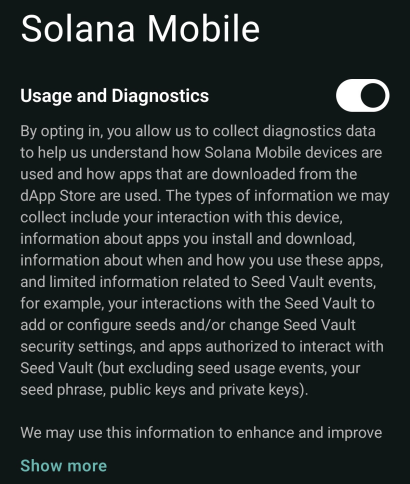
Enable Diagnostics: Go to Settings -> Solana Mobile -> Turn on Usage & Diagnostics. Note: This allows the system to measure your engagement. Please avoid using automation tools (like auto-clickers), as this data is visible to the system.
Update your wallet: Go to the dApp Store, swipe left on the top banner, and ensure your wallet is updated to the latest version. The activity tab will not display on older versions.
2. Four Core Activity Categories
I. On-chain Activity
This measures the extent of your wallet's interaction with the Solana blockchain, including swaps, staking, decentralized finance (DeFi), and trading.
Ranking System: Progress is displayed in levels (with a maximum of level 5). The higher the level, the higher the perceived airdrop weight.
30-Day Rule: Your level is calculated based on the total activity over the past 30 days. If you stop interacting for a few days, your level will drop.
Strategies:
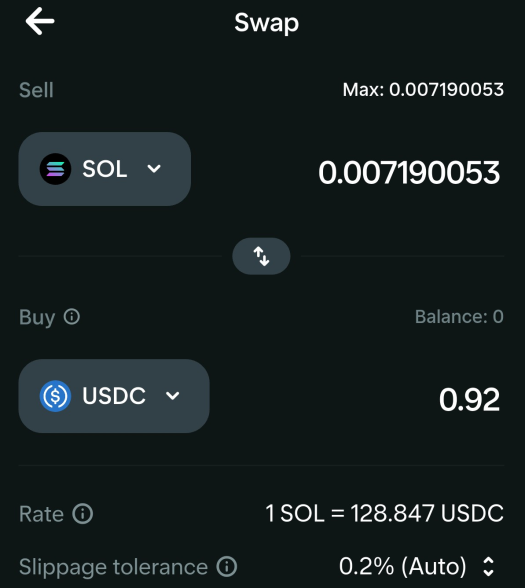
Low-cost trading: Make small swaps daily (e.g., swapping 0.001 SOL for USDC). To save on fees, it is recommended to use the Jupiter web version or the Jupiter wallet extension.
Trading frequency matters: In the first season, approximately 50 swaps per day were the basis for reaching level 4. The requirements for the second season seem slightly higher.
Diversify: Mix your activities (e.g., staking + daily swaps + occasional NFT minting).
II. Daily Use
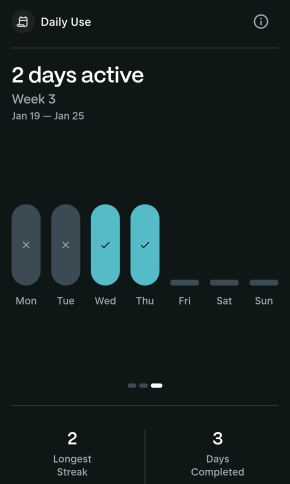
This measures the frequency with which you actually use the device.
Strategy: This is the easiest task to complete. Just open a few different applications daily.
Advanced Tip: Maintain a streak of consecutive usage days, as long-term consistency is likely to yield multiplier bonuses.
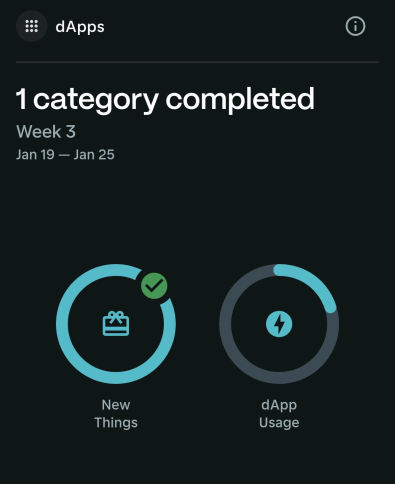
III. DApps App Exploration
This tracks your exploration and usage of the Solana dApp Store.
S2 Update: The most challenging metric from the first season—"In-Store" tracking—has been removed. Now you only need to fill two rings:
New Discoveries: Download new applications from the store each week. If you have downloaded all new apps, you can delete existing apps and re-download them.
DApp Engagement: Actively use the applications you have downloaded.
Timing: Aim to complete these tasks at the beginning of each week. If you wait until the weekend, progress may not sync in time to meet the weekly deadline.
IV. SKR Staking
The second season of the Solana Seeker ecosystem introduces a high-yield SKR staking feature, offering users up to a 24.0% annualized yield (APY) for locking tokens to support network growth. This new activity category allows for instant staking and provides a flexible 48-hour unstaking period, balancing generous rewards with liquidity.
In addition to passive income, staking plays a strategically core role in the second season's reward program. It is viewed as a "loyalty" indicator and is likely to carry significant weight in future $SKR airdrops. By combining this activity with daily on-chain swaps and DApp exploration, you can maximize your developer and user points before the final snapshot of this season.
Conclusion: Your Path to the $SKR Airdrop
In summary, to maximize your $SKR airdrop potential in the second season, the core lies in three pillars: maintaining a high level of on-chain activity (by daily swapping to reach level 5), consistently using the Seeker device, and keeping up with weekly DApp store updates. Don't forget, the newly launched SKR staking offers up to a 24.0% annualized yield with only a 48-hour exit delay, making it a significant loyalty signal in the ecosystem.
I have already started my level sprint journey, and the best part is that the second season has just begun. You still have plenty of time to accumulate points and secure your position in the next wave of rewards.
Join me now! You are still early! This is not investment advice (NFA), please do your own research (DYOR).
免责声明:本文章仅代表作者个人观点,不代表本平台的立场和观点。本文章仅供信息分享,不构成对任何人的任何投资建议。用户与作者之间的任何争议,与本平台无关。如网页中刊载的文章或图片涉及侵权,请提供相关的权利证明和身份证明发送邮件到support@aicoin.com,本平台相关工作人员将会进行核查。


