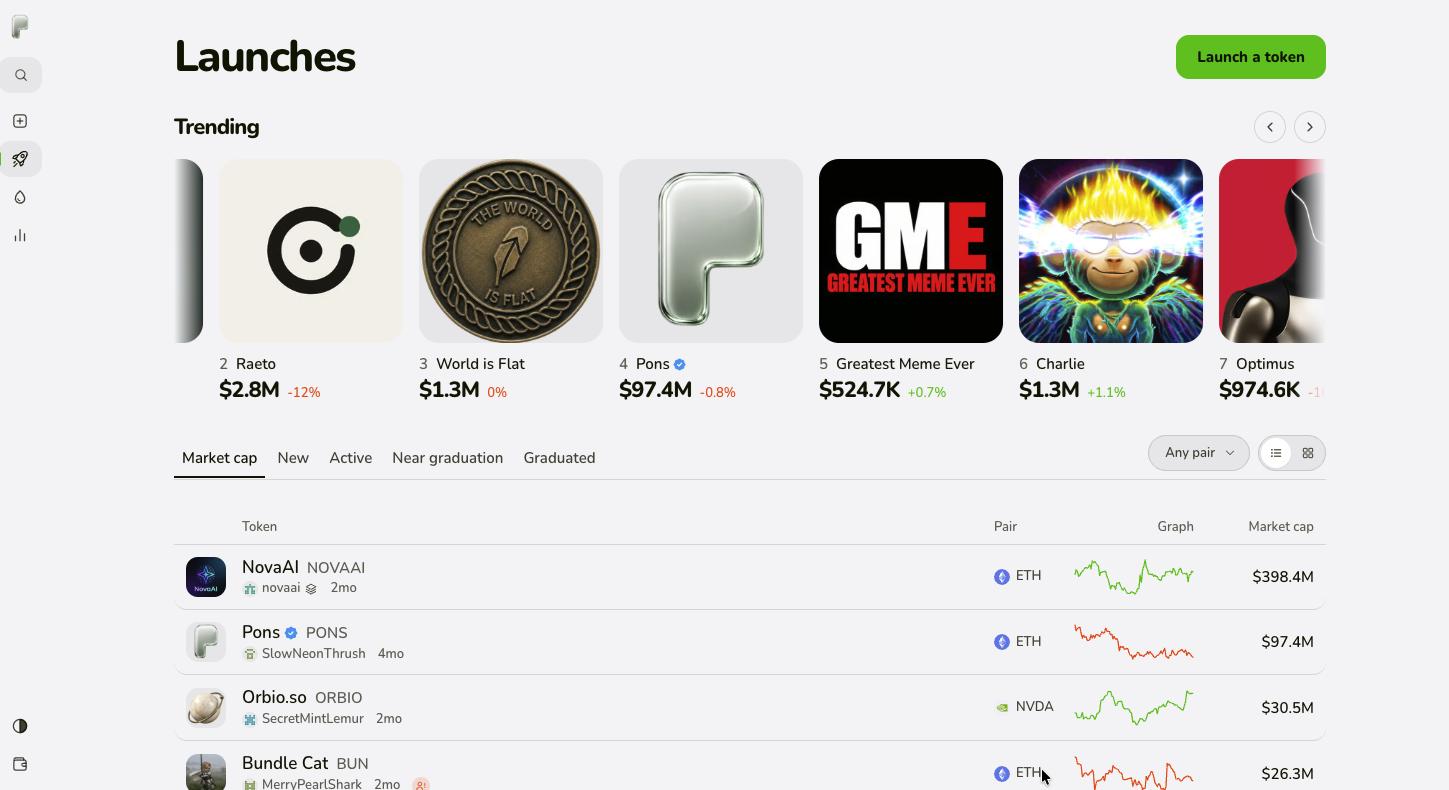
As the Robinhood Chain ecosystem continues to develop, more and more token issuances and trading activities are beginning to appear on-chain. Among them, Pons Launchpad provides users with token creation and trading features, making it one of the token launchpads worth paying attention to on the Robinhood Chain.
For users participating in the Pons ecosystem, managing trades after the tokens are launched is equally important.
When users need to participate in the internal trading of the same Pons Token through multiple wallets, switching wallets one by one and manually executing buy orders not only increases operational costs but also complicates multi-wallet management.
With CiaoTool Pons Multi-Address Buy, users can configure multiple wallets and concurrently execute Pons V2 internal purchases on the Robinhood Chain, simplifying the multi-wallet trading process.
This article will introduce the basic mechanisms of Pons Launchpad, the characteristics of Pons V2 internal trading, and how to use CiaoTool to complete the bulk purchase of Pons Tokens.
What is Pons Launchpad?
Pons is a third-party token launchpad deployed on the Robinhood Chain, primarily used for creating and trading on-chain tokens.
Users can create new tokens through Pons and trade them in the corresponding markets.
Pons uses a smart contract-driven token issuance and trading mechanism. According to the design of Pons V2, each newly created token has its own bonding curve, and users can complete token buying and selling during the internal phase through this curve.
Once the preset conditions are met, the token can enter the graduation process and migrate to the corresponding Uniswap V4 liquidity pool.
Pons operates on the Robinhood Chain, and the basic information of the network is as follows:
Blockchain: Robinhood Chain
Chain ID: 4663
Gas Token: ETH
Launchpad: Pons
Trading Mechanism: Bonding Curve (V2)
It should be noted that Pons is a third-party protocol and is not an official trading product of Robinhood.
What are PonsLaunchFactory and PonsLauncherToken?
When searching for information related to Pons Launchpad, users may encounter the following keywords:
PonsLaunchFactory
PonsLauncherToken
Pons V2 Launch Factory
Pons V2 Launcher Token
These names are related to the smart contract architecture of Pons.
PonsLaunchFactory is the token issuance factory contract for Pons V1, responsible for deploying new tokens.
PonsLauncherToken is the contract name for tokens issued under V1, with each token corresponding to an independent token contract.
In Pons V2, the protocol adopts an updated contract architecture including PonsV2LaunchFactory and PonsV2LauncherToken, and introduces independent bonding curves and subsequent graduation mechanisms.
For users wishing to participate in trading on the Pons ecosystem, understanding the different versions of contract names can help identify target tokens and their corresponding trading mechanisms.
Why is Pons Multi-Address Buy needed?
On the Pons Launchpad, users can participate in token trading directly via wallets.
However, if multiple wallets are required for buying, the traditional operation method usually requires:
Preparing multiple Robinhood Chain wallets.
Preparing ETH for each wallet.
Switching wallets one by one.
Entering the target token address.
Setting the purchase amount.
Confirming and sending transactions separately.
As the number of wallets increases, repeating the operation takes more time and adds to the complexity of wallet management.
CiaoTool's Pons Multi-Address Buy feature is primarily used to simplify this process.
By importing multiple wallets and configuring trading parameters in a centralized manner, users can manage multiple address buying tasks on the same operational page, reducing the need to operate wallets one by one.
It is mainly suitable for:
Users who need to participate in Pons V2 internal trades through multiple wallets.
Users who wish to centrally manage multiple trading addresses.
Users who need to reduce repetitive wallet switching operations.
Users who wish to configure multi-wallet purchase tasks through a unified interface.
How to use CiaoTool Pons Multi-Address Buy?
CiaoTool provides a dedicated Pons Multi-Address Buy function, helping users manage multiple wallets' Pons V2 internal purchase actions on the Robinhood Chain.
Step 1: Open the Pons Bulk Buy Page
First, visit the CiaoTool Pons Multi-Address Buy page:
CiaoTool Pons Multi-Address Buy
After entering the page, prepare your Robinhood Chain wallet and related trading information according to the page instructions.
Step 2: Import Multiple Wallets
Prepare the wallet addresses needed for the buy operation.
Import the wallets to be used into CiaoTool and complete the multi-wallet configuration.
By centrally managing multiple wallets, users can reduce the need to switch addresses one by one and repeatedly fill in trading information.
Ensure each wallet has sufficient ETH balance to cover the buying funds and network gas fees.
Step 3: Select the Target Pons V2 Token
Determine the Pons Token you need to purchase.
Enter the target token contract address and verify the token information to ensure you have selected the correct Pons V2 token.
Since different tokens may have similar names or symbols, it is recommended to confirm the target asset first via the contract address and not to rely solely on the token name.
Step 4: Configure Bulk Buy Parameters
After setting up the wallet and target token, configure the buying task according to the options provided on the page.
Prior to submission, key checks need to be made:
Whether the target token contract address is correct.
Whether the wallets participating in the trade are correct.
Whether the buying amounts for each wallet meet expectations.
Whether each wallet has sufficient ETH balance.
Whether the network and transaction fees meet expectations.
After confirming the configuration, you can proceed to the transaction execution process.
Step 5: Execute Bulk Buy and Check Transaction Status
After confirming the transaction configuration, complete the authorization and transaction submission according to the page prompts.
CiaoTool will concurrently broadcast the transactions of multiple wallets, reducing the need to submit transactions one by one.
As Robinhood Chain currently does not have a bundle service provider available for this function, authorizations, transactions, and service fee transfers will be sent separately.
Transactions from each wallet are limited to concurrent broadcasting, which does not guarantee transaction order or that all transactions will be atomically completed.
After submission, it is recommended to check the actual execution status of each transaction through transaction records and block explorers.
How CiaoTool Pons Bulk Buy Works
CiaoTool Pons Multi-Address Buy is primarily designed around multi-wallet trade management.
Unlike traditional single wallet trading methods, users can prepare multiple operational wallets in advance and configure purchase tasks through a unified interface.
The overall process can be summarized as follows:
Import multiple Robinhood Chain wallets.
Select the target Pons V2 token.
Configure the buying parameters for each wallet.
Complete the necessary authorizations and submit transactions.
Concurrently broadcast transactions from each wallet.
Check the on-chain transaction results.
It should be particularly noted that concurrent broadcasting does not mean atomic execution.
Each wallet transaction remains an independent on-chain transaction, which may be affected by factors such as gas, network status, transaction ordering, and bonding curve price changes.
Therefore, bulk buying can simplify multi-wallet operations but does not guarantee that all wallets will complete trades simultaneously or achieve the same transaction price.
What are the limitations of Pons V2 Multi-Address Buy?
Before using CiaoTool Pons bulk buying functionality, it is necessary to understand the current access scope and execution limitations.
1. Supports only Pons V2 internal trading
This access only covers Pons creation and V2 internal trades.
Does not execute the following operations:
Pons V2 graduation.
Migration of liquidity after graduation.
Transactions on external DEXs like Uniswap V4.
Thus, users need to confirm that the target token is in the Pons V2 internal trading phase supported by this function.
2. Does not support Bundle atomic trading
Currently, Robinhood Chain does not have a bundle service provider available for this function.
Therefore, authorizations, transactions, and service fee transfers will be sent separately.
Transactions from multiple wallets will only be concurrently broadcast, without guaranteeing execution order or that all succeed.
3. Transaction prices may fluctuate
Pons V2 uses bonding curves for internal trading.
When multiple wallets submit buy transactions simultaneously, the state of the curve may change due to other transactions, thereby affecting subsequent transaction prices and actual obtained quantities.
Thus, bulk buying does not imply that each wallet will transact at exactly the same price.
4. Pay attention to wallet balances and network fees
Each wallet participating in the transaction must have sufficient ETH prepared.
In addition to the buying funds, considerations need to be made for network gas, authorization transactions, and related service fees.
It is recommended to check wallet balances one by one before launching to avoid transaction failures due to insufficient funds.
Safety Recommendations Before Using Pons Launchpad for Bulk Buying
Pons is a third-party on-chain protocol, and necessary risk checks should be performed before participating in trades.
The following matters should be prioritized:
Verify contract addresses: Confirm that the target token belongs to the correct Pons V2 contract to avoid purchasing incorrect assets.
Check authorization permissions: Before signing authorization transactions, confirm the authorization targets and scope of permissions.
Manage wallet private keys: Only import the necessary wallets for trading to avoid transferring private keys through insecure channels.
Check gas balances: Ensure each wallet has enough ETH to pay for transaction fees.
Understand protocol risks: Before investing real funds, verify Pons contract addresses, permission settings, and the latest audit status.
On-chain transactions are irreversible. Fluctuations in token prices, changes in liquidity, and risks in smart contracts can all lead to financial losses.
Start Using CiaoTool Pons Multi-Address Buy
As the Robinhood Chain ecosystem develops, Pons Launchpad offers users new on-chain token issuance and trading scenarios.
For users who need to manage multiple trading wallets, finding ways to reduce repetitive operations and increase trading configuration efficiency is an important issue when participating in Pons V2 internal trades.
CiaoTool Pons Multi-Address Buy provides multi-wallet bulk buying functionality, helping users centrally configure trading tasks and concurrently broadcast buy transactions from multiple wallets.
If you are looking for Pons Launchpad Batch Buy or Robinhood Chain multi-wallet trading tools, you can experience them through the following entry:
Start Using CiaoTool Pons Multi-Address Buy Now
Frequently Asked Questions (FAQ)
What is Pons Launchpad?
Pons Launchpad is a third-party token launchpad deployed on the Robinhood Chain, supporting users in creating and trading on-chain tokens. Pons V2 uses a bonding curve mechanism, and tokens can enter the graduation process once preset conditions are met.
What is PonsLauncherToken?
PonsLauncherToken is the name of the token contract for Pons V1. Pons V2 uses an updated PonsV2LauncherToken contract architecture. The contract names and trading mechanisms differ between different versions.
What is PonsLaunchFactory?
PonsLaunchFactory is the token issuance factory contract for Pons V1, responsible for deploying related tokens. Pons V2 uses PonsV2LaunchFactory as the issuance factory for the new version.
On which blockchain is Pons Launchpad deployed?
Pons operates on the Robinhood Chain, with a network chain ID of 4663, using ETH as the gas token.
How to bulk buy Pons Tokens?
Users can use the CiaoTool Pons Multi-Address Buy function to import multiple Robinhood Chain wallets, select target Pons V2 tokens, configure buying parameters, and submit trades.
Does CiaoTool support Pons V2 internal trading?
Yes. CiaoTool currently provides Pons V2 internal bulk buy functionality, supporting concurrent buy transactions through multiple wallets.
Does CiaoTool Pons bulk buy support Bundle?
No. Robinhood Chain does not have a bundle service provider available for this function. Authorization, transactions, and service fee transfers will be sent separately, and transactions from each wallet are limited to concurrent broadcasting, with no guarantee of order or atomic completion.
Does CiaoTool Pons bulk buy support token trading after graduation?
No. This access only covers Pons creation and Pons V2 internal trading, and does not execute token graduation, liquidity migration, or external DEX trading.
免责声明:本文章仅代表作者个人观点,不代表本平台的立场和观点。本文章仅供信息分享,不构成对任何人的任何投资建议。用户与作者之间的任何争议,与本平台无关。如网页中刊载的文章或图片涉及侵权,请提供相关的权利证明和身份证明发送邮件到[email protected],本平台相关工作人员将会进行核查。