In the ever-changing, 24-hour non-stop cryptocurrency market, capturing market fluctuations in real-time and strictly controlling risks is the key to victory for every trader. AiCoin provides a comprehensive and multi-layered intelligent warning system to help users achieve automated market monitoring around the clock, saying goodbye to mindless screen watching.
This article will systemically outline AiCoin's warning function's core categories, specific application scenarios, multi-end settings entrance and methods, as well as member rights and quota explanations, assisting you in creating an efficient trading warning system.
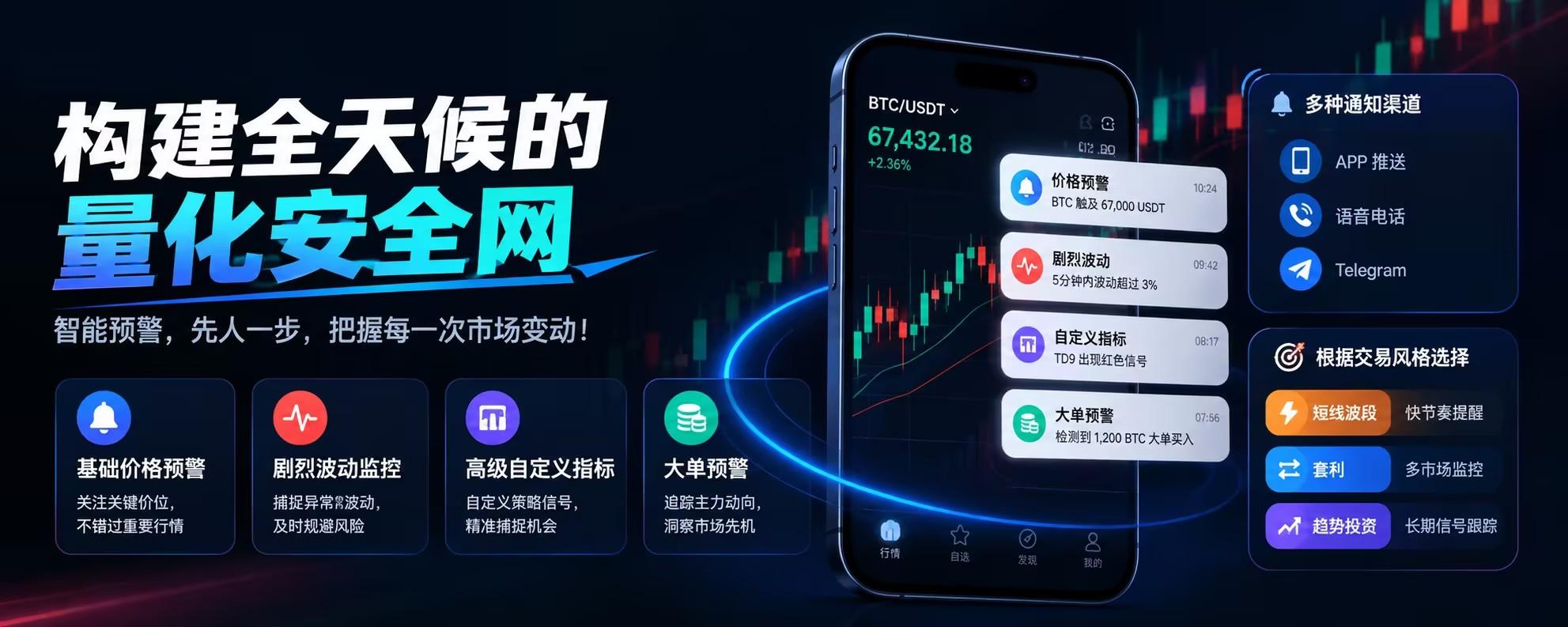
1. Overview of Warning Types, Functions, and Application Scenarios
AiCoin's warning function is primarily divided into the following 5 core categories based on data type, monitoring dimension, and trigger conditions:
1. Basic Market Alerts
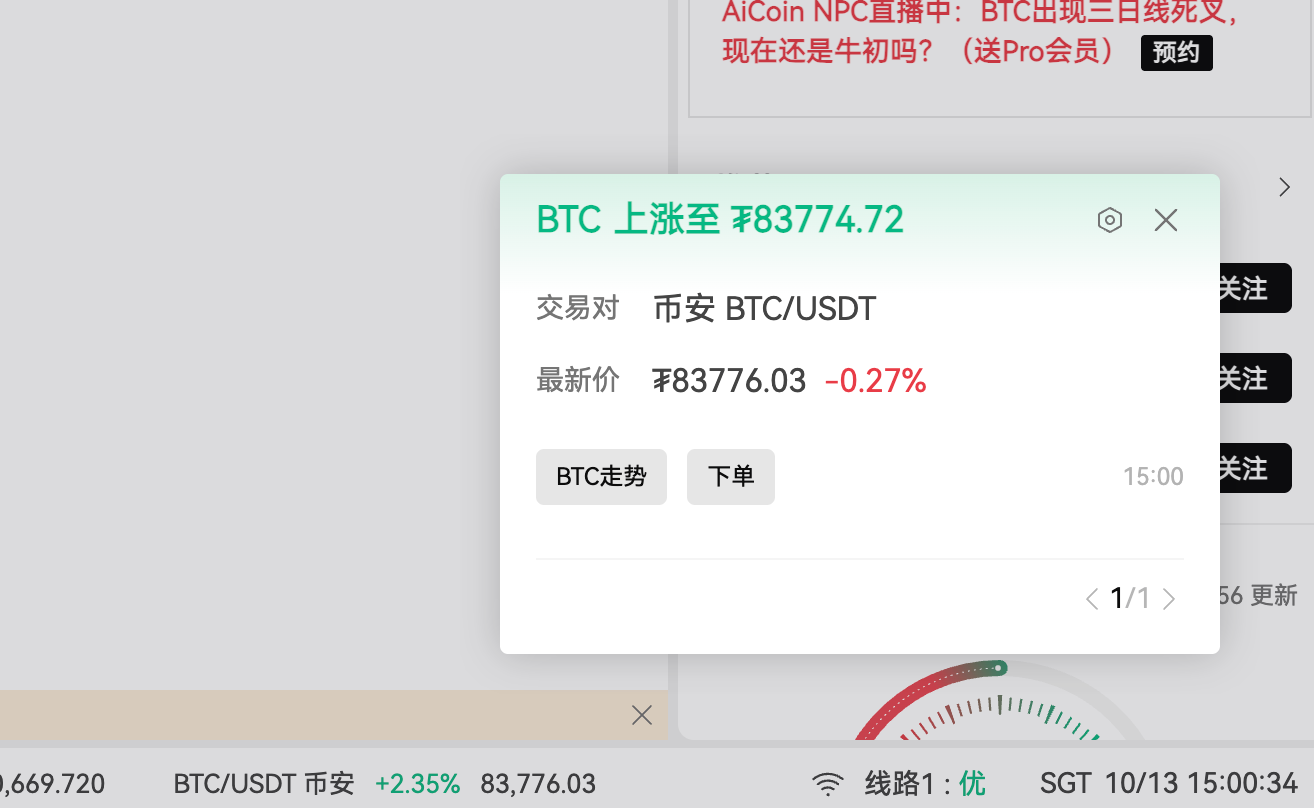
- Price Alerts
Function: Accurately monitor the price rise and fall of specific trading pairs, triggering alerts immediately when the price or volatility reaches the set values.
Application Scenarios: Alerts for breaking key resistance/support levels, monitoring stop-loss and take-profit prices, and tracking specific target buy/sell points.
- Volatility Alerts
Function: The system's algorithm automatically monitors market volatility within a short time frame (within 5 minutes).
Application Scenarios: Preventing sudden extreme market risks, capturing short-term explosive trading opportunities brought by high volatility.
2. Indicator and Signal Alerts
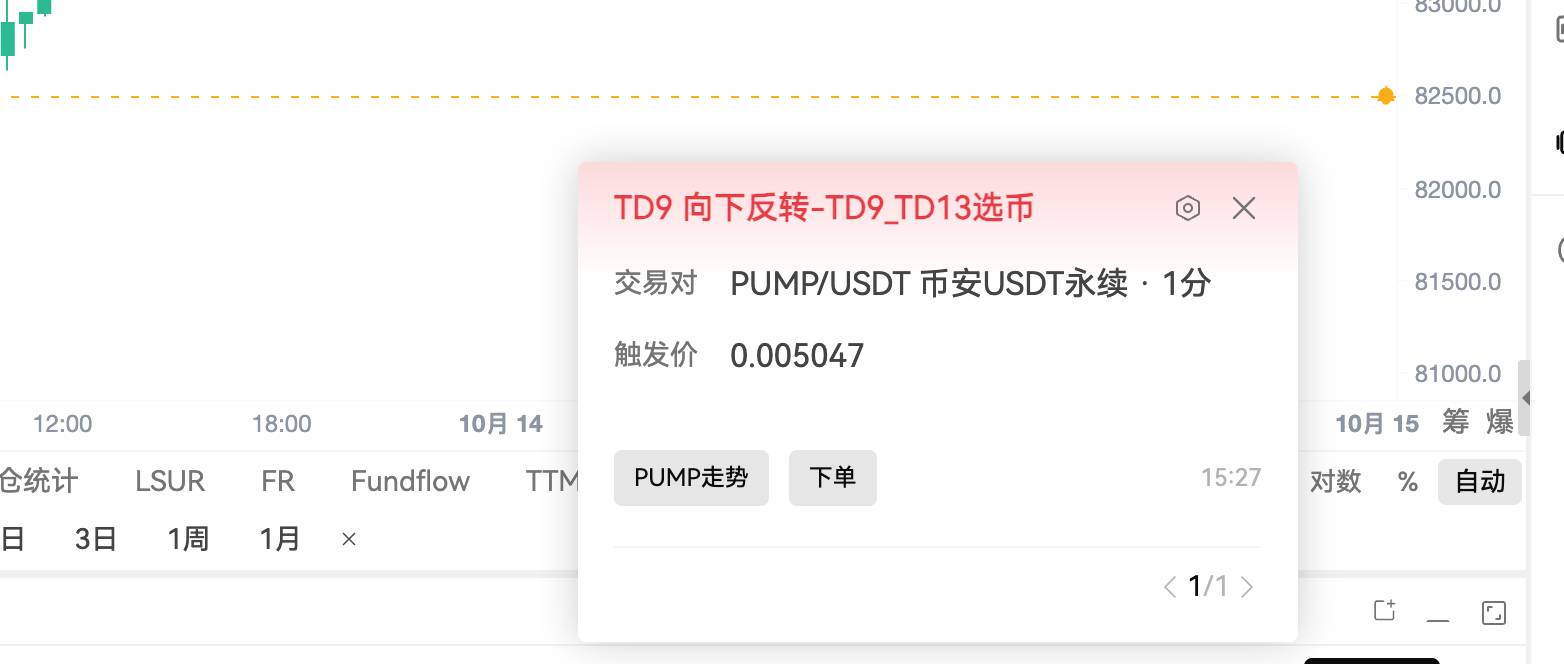
- Custom Indicator Alerts
Function: Supports users to write indicators through AiCoin's self-developed script language, combining with the alertcondition() function to set any composite condition alerts.
Application Scenarios: Multi-condition combination triggers (e.g., CCI > 100 and RSI overbought), moving average golden/dead crosses, specific candlestick patterns (like pin bars), volume breakouts, and other personalized strategy tracking.
- Classic Signal Alerts
Function: Built-in classic technical analysis signal alerts, such as MACD divergence, moving average golden/dead crosses, classic candlestick patterns (three soldiers, hammer, morning/evening star, etc.).
Application Scenarios: No coding required, a one-click activation of mainstream technical pattern alerts, suitable for quickly capturing technical turning points.
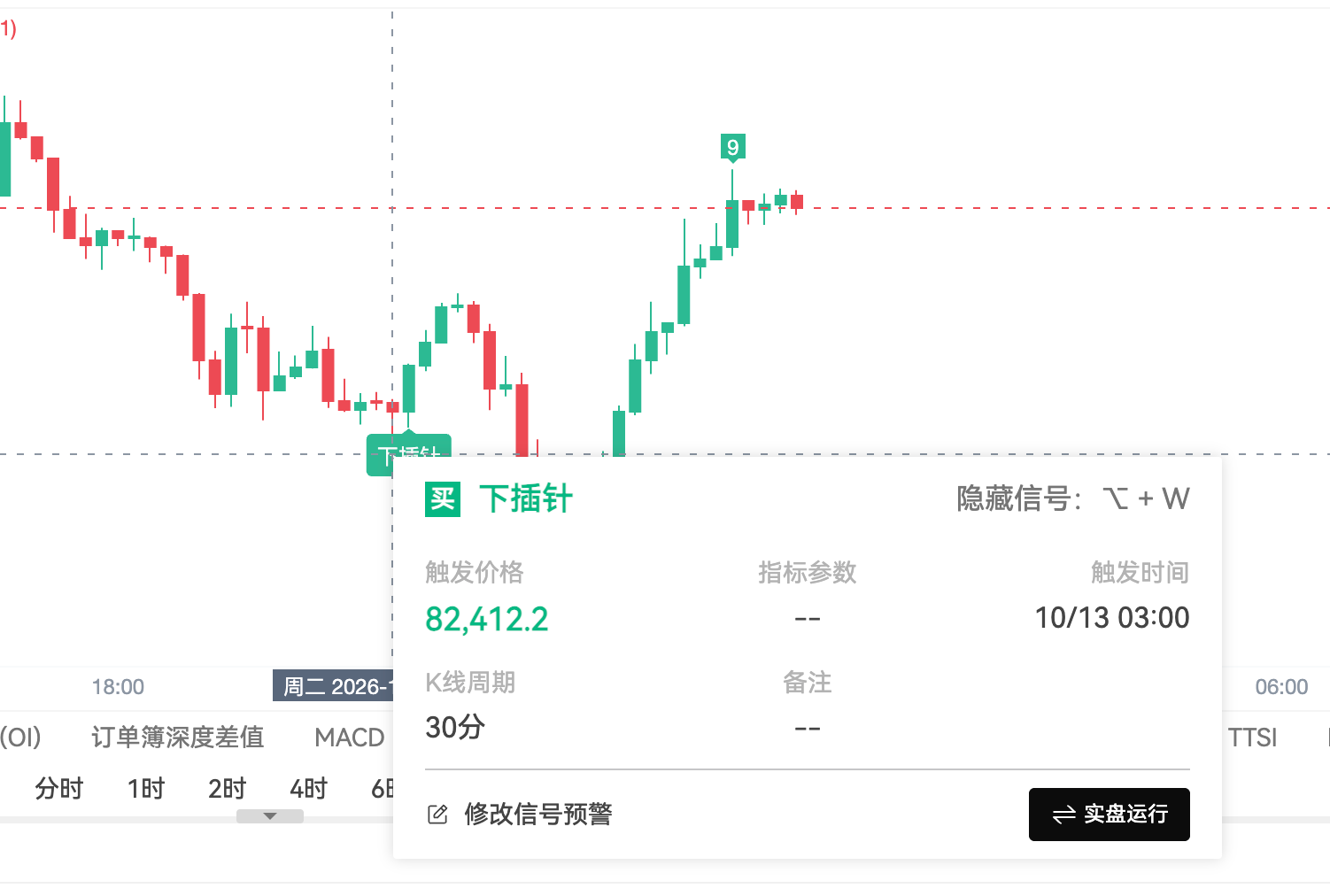
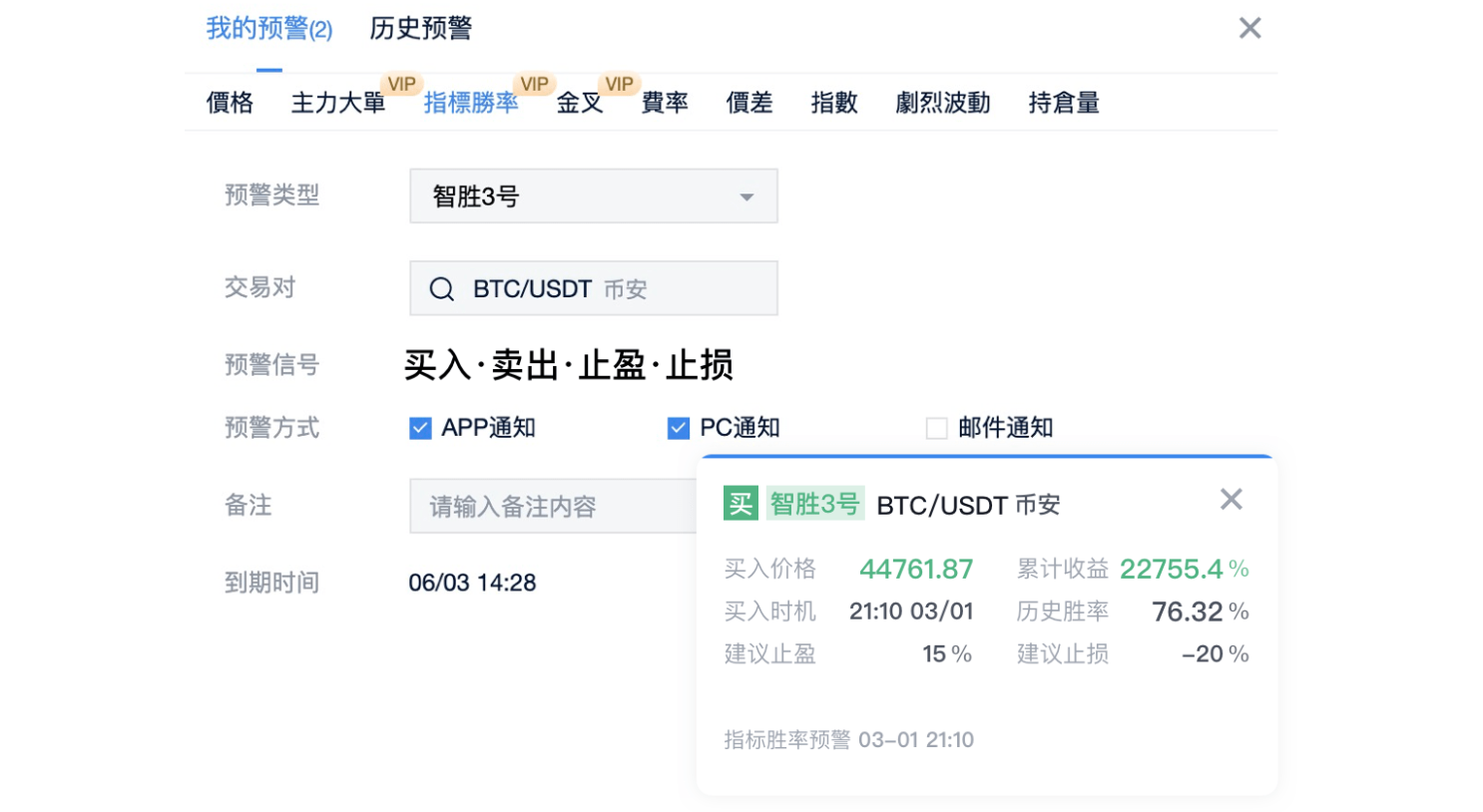
- Indicator Win Rate Alerts
Function: Strategy signal alerts based on historical backtesting win rates. Once activated, the system supports real-time alerts while displaying buy/sell signals on the candlestick chart.
Application Scenarios: Assisting buy/sell decisions based on high win rate strategies, receiving objective buy/sell point prompts.
3. On-Chain and Fund Flow Alerts
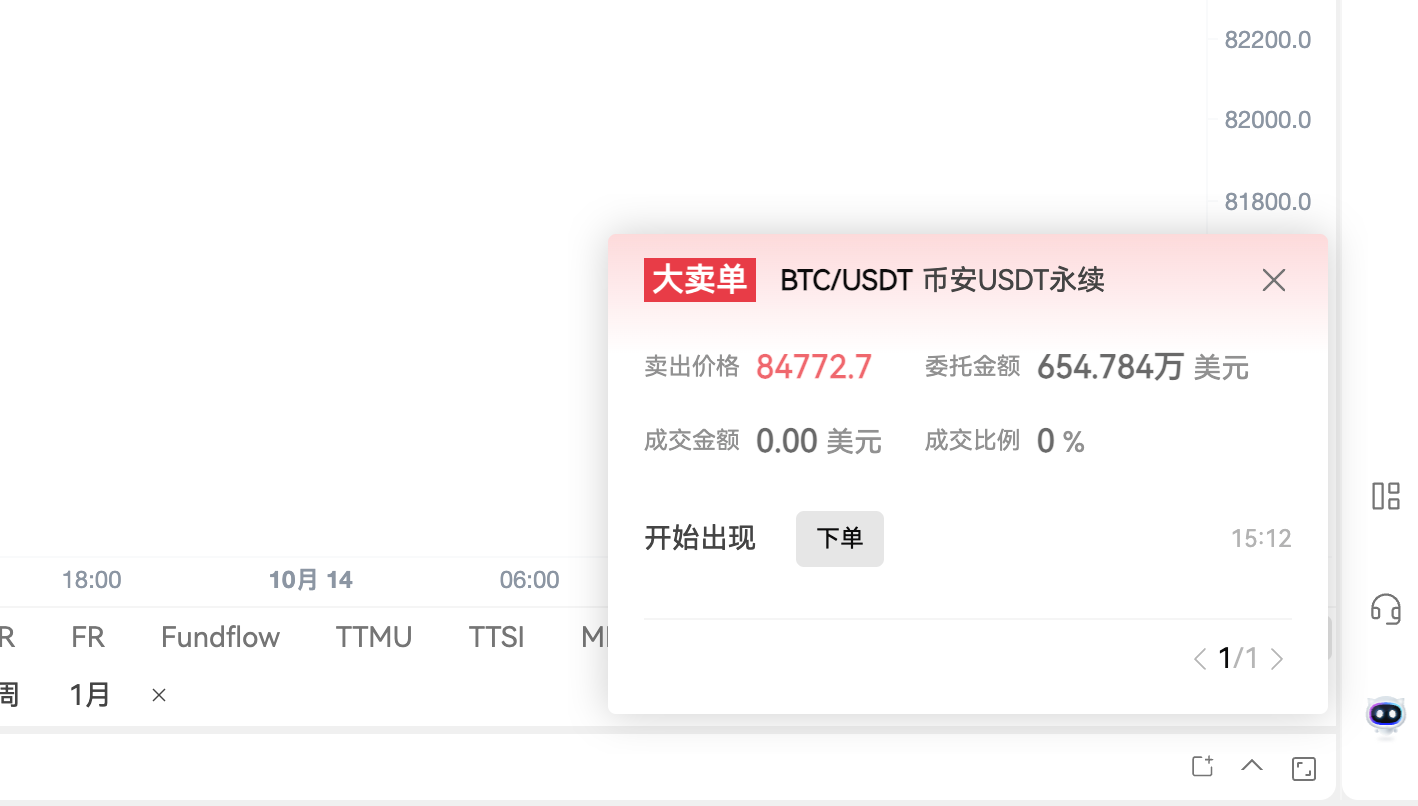
- Large Institutional Order Alerts
Function: Monitor the main orders and large order execution trends on mainstream exchanges.
Application Scenarios: Real-time awareness of whether capital is supporting or dropping the market, helping to judge short-term buying/selling strength and breakthrough directions.
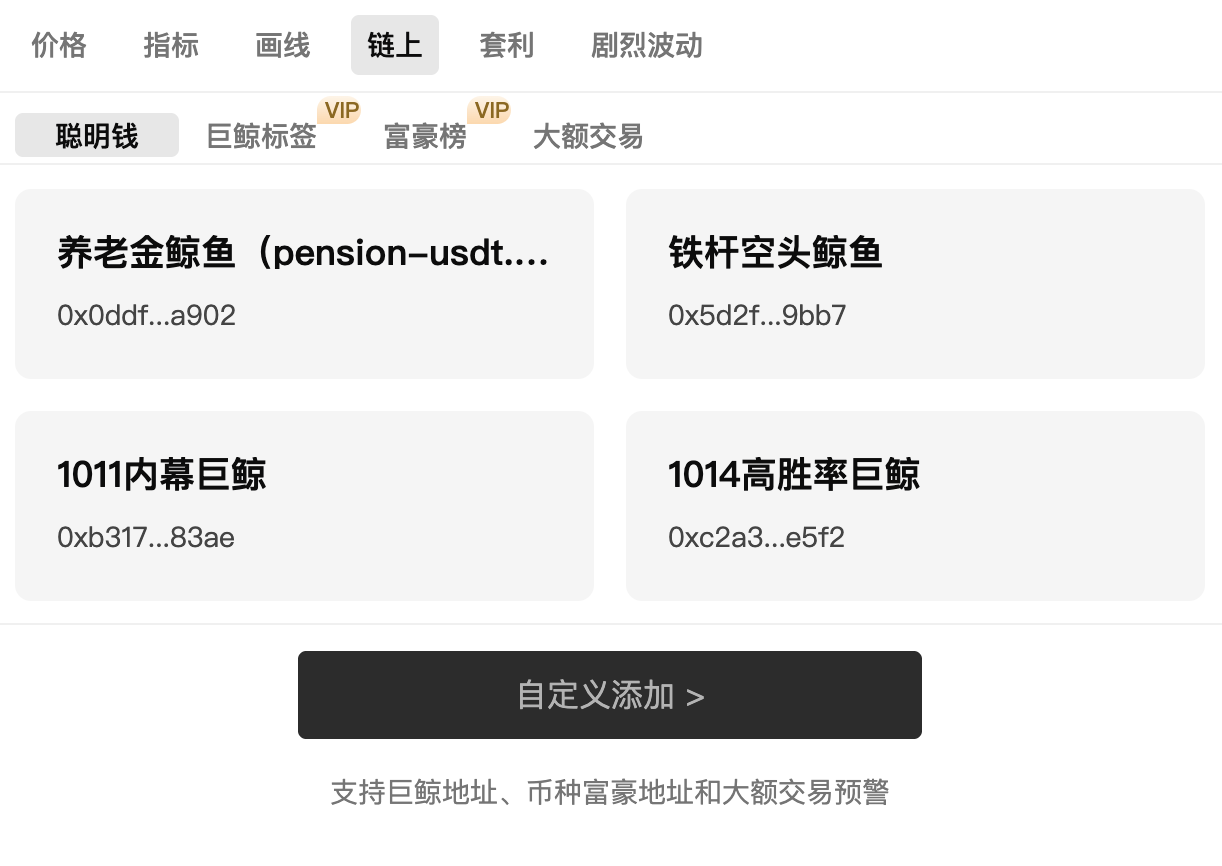
- On-Chain Large Transaction Alerts
Function: Real-time monitoring of large transfers and trading actions by whales/institutions on-chain, supporting filtering by large order direction.
Application Scenarios: Discovering on-chain capital movements early, following large capital flow directions for positioning, or serving as a leading indicator of market sentiment.
4. Trend Line and Arbitrage Alerts
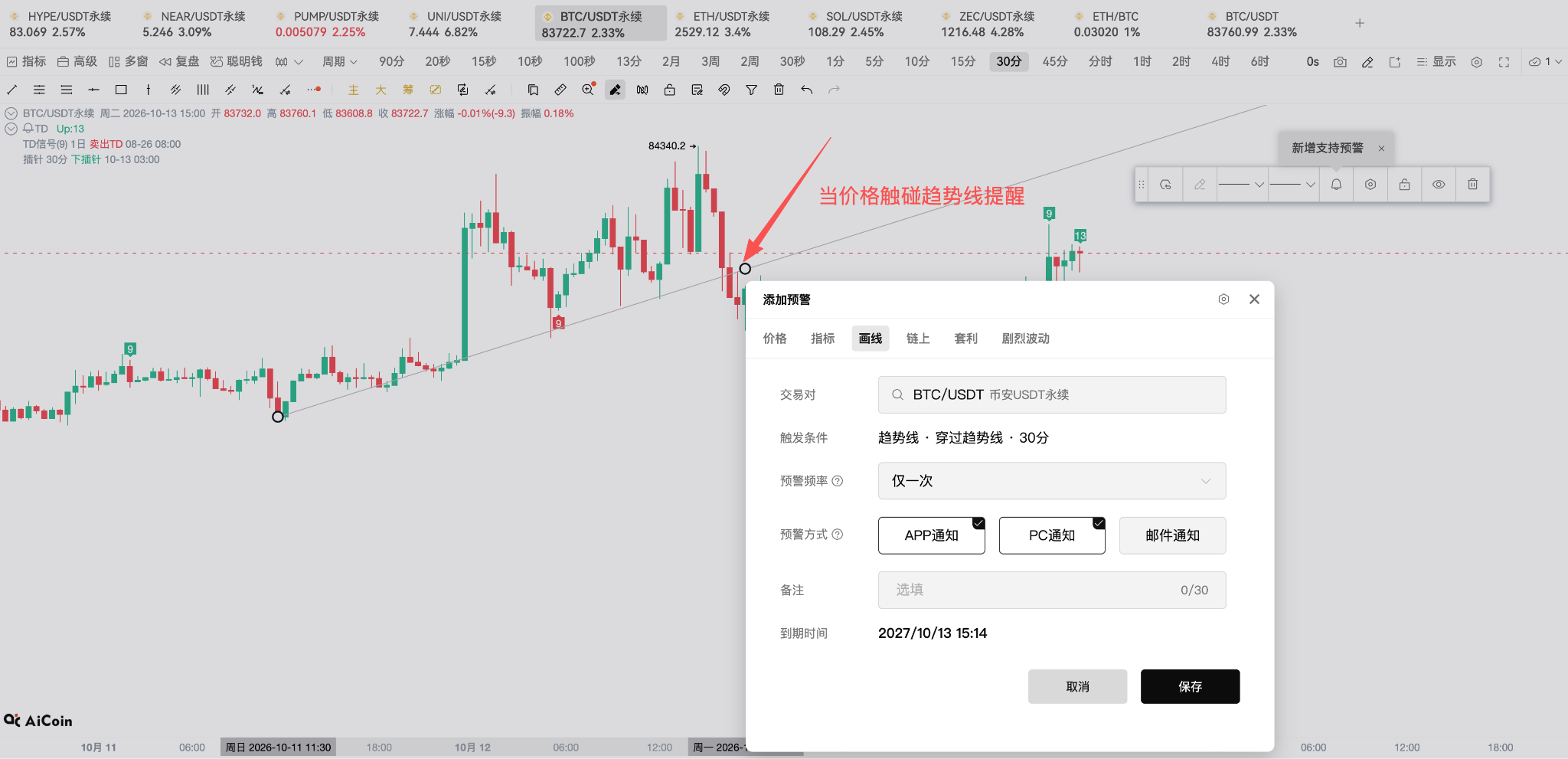
- Trend Line Alerts
Function: Monitoring of manual trend lines drawn on the candlestick chart when touched.
Application Scenarios: Breakout alerts or rebound alerts when the price touches key trend lines.
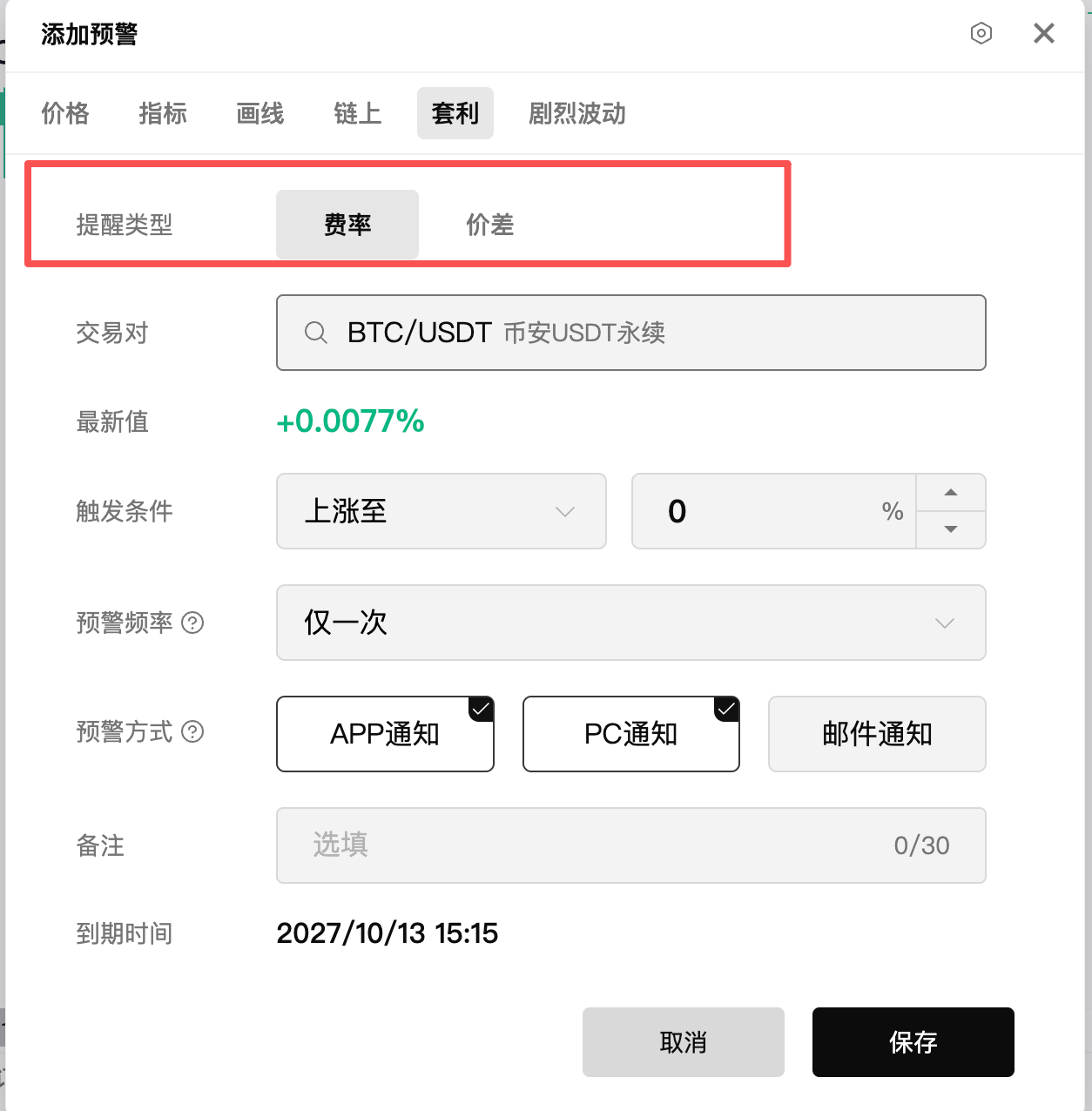
- Price Difference/Rate Alerts (Arbitrage Alerts)
Function: Monitoring price differences between contracts/spot across different exchanges, or the funding rate of perpetual contracts.
Application Scenarios: Capturing arbitrage opportunities for spot and futures, as well as extreme funding rate arbitrage alerts.
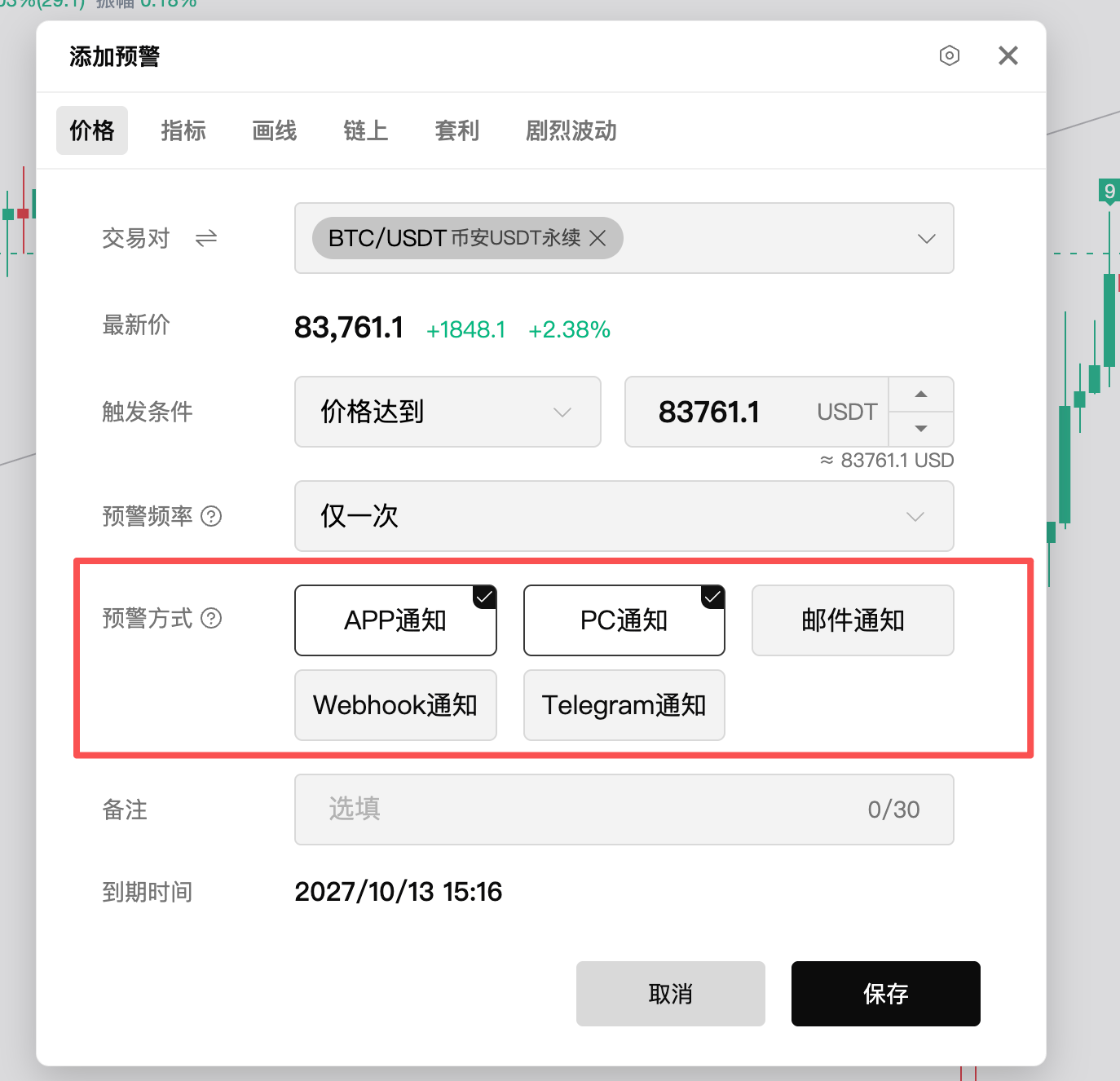
5. Diversified Alert Notification Methods
- Software Alerts: Popup and sound reminders from the software itself, ensuring immediate reach.
- Email Alerts: Sends warning information to the linked email account for easy cross-platform review.
- Voice Alerts: The system automatically makes voice calls to remind you, ensuring you don’t miss important market movements when the screen is off, on silent, or running in the background.
- Webhook Alerts: Push alert signals to a custom URL for integration with third-party bots or automated quantitative trading systems.
- Telegram (TG) Alerts: One-click to push warning information to the linked Telegram account, convenient, fast, and free.
2. Alert Setup Entrance and Operation Methods
AiCoin's warning function supports multi-end linkage between PC and APP, with specific setting paths as follows:
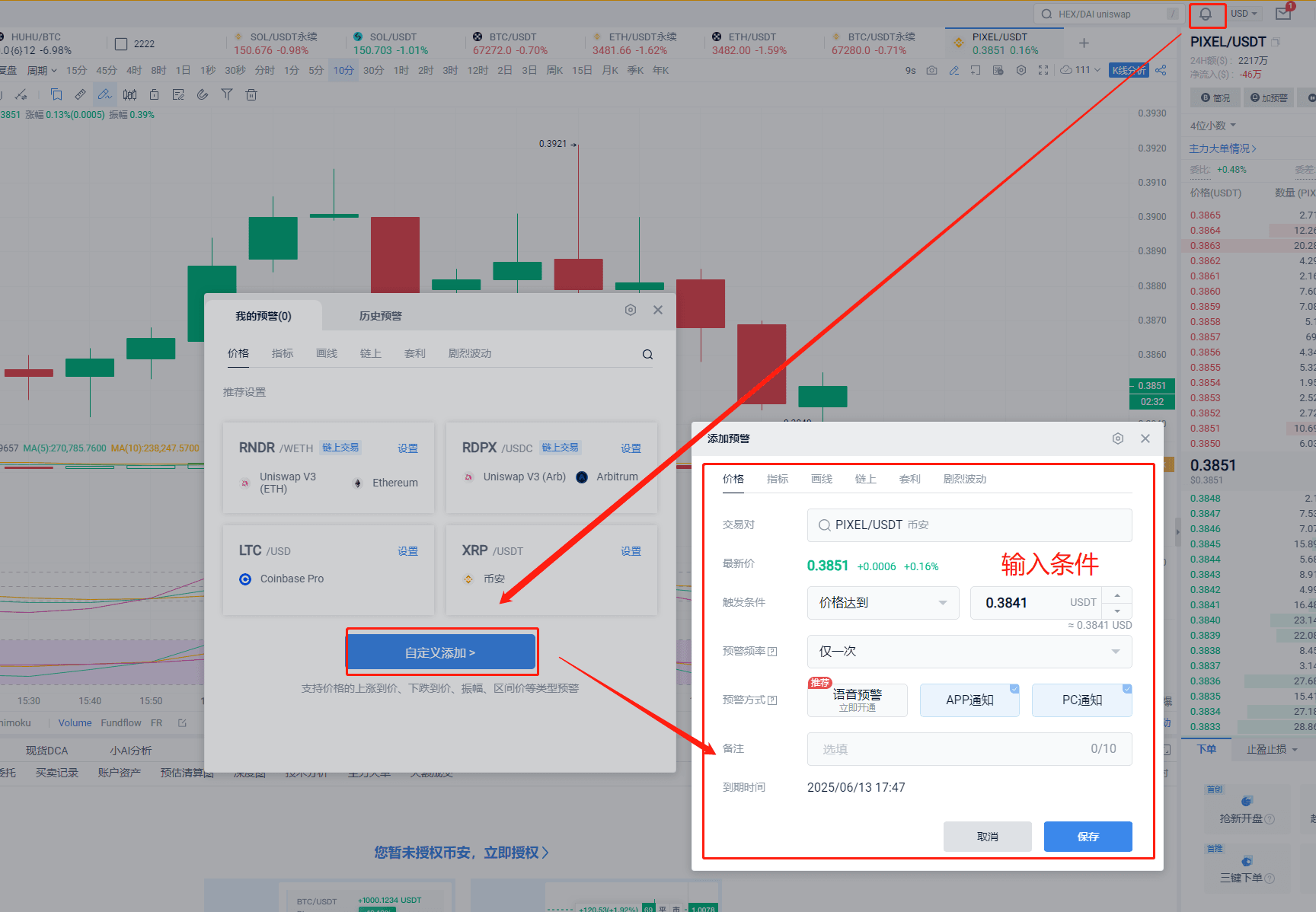
1. General Alert Setup Entrance
- PC: Click the bell icon on the top right ➔ Click Add Alert ➔ Select alert type (price/indicator/on-chain, etc.) ➔ Set specific values and conditions ➔ Click Save.
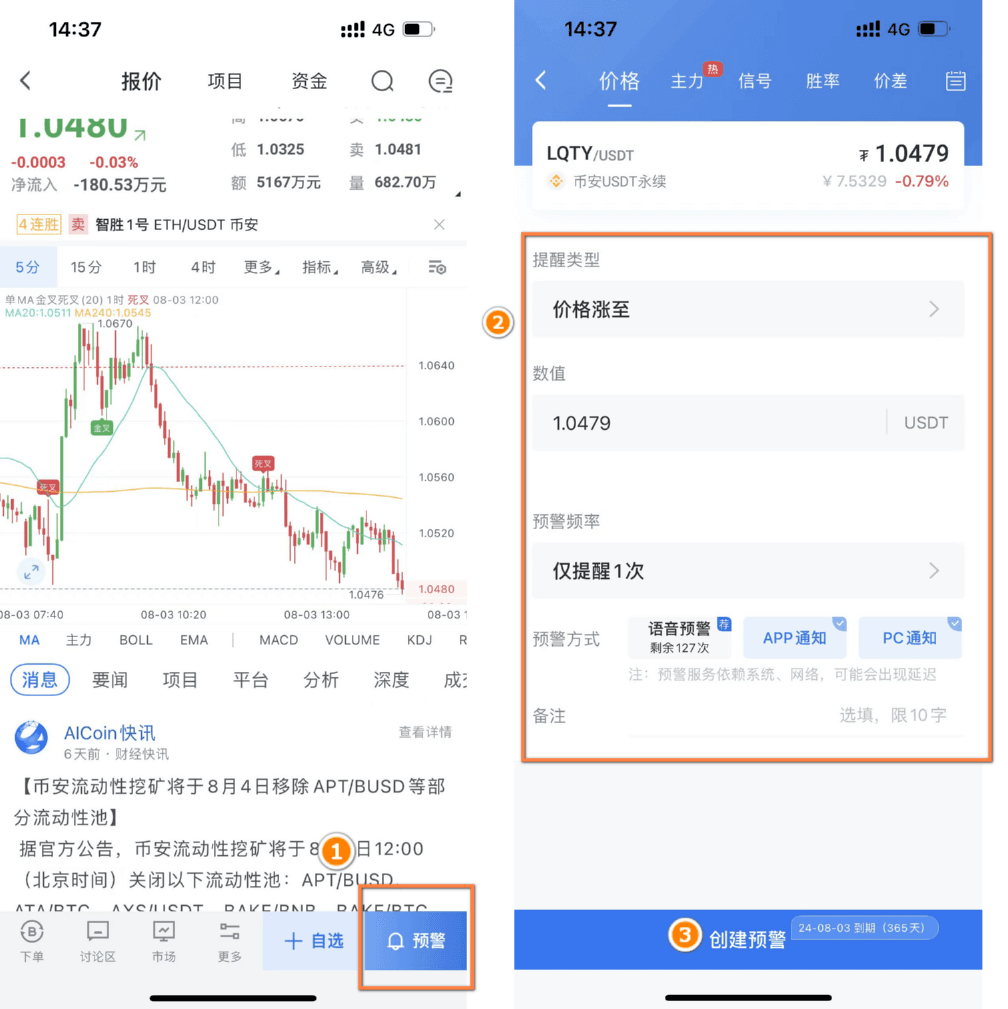
- APP: Go to any trading pair's K-line page ➔ Click the “Alert” icon at the bottom ➔ Create Alert ➔ Select type and adjust conditions ➔ Click Save.
2. Special Setup Paths for Various Feature Alerts
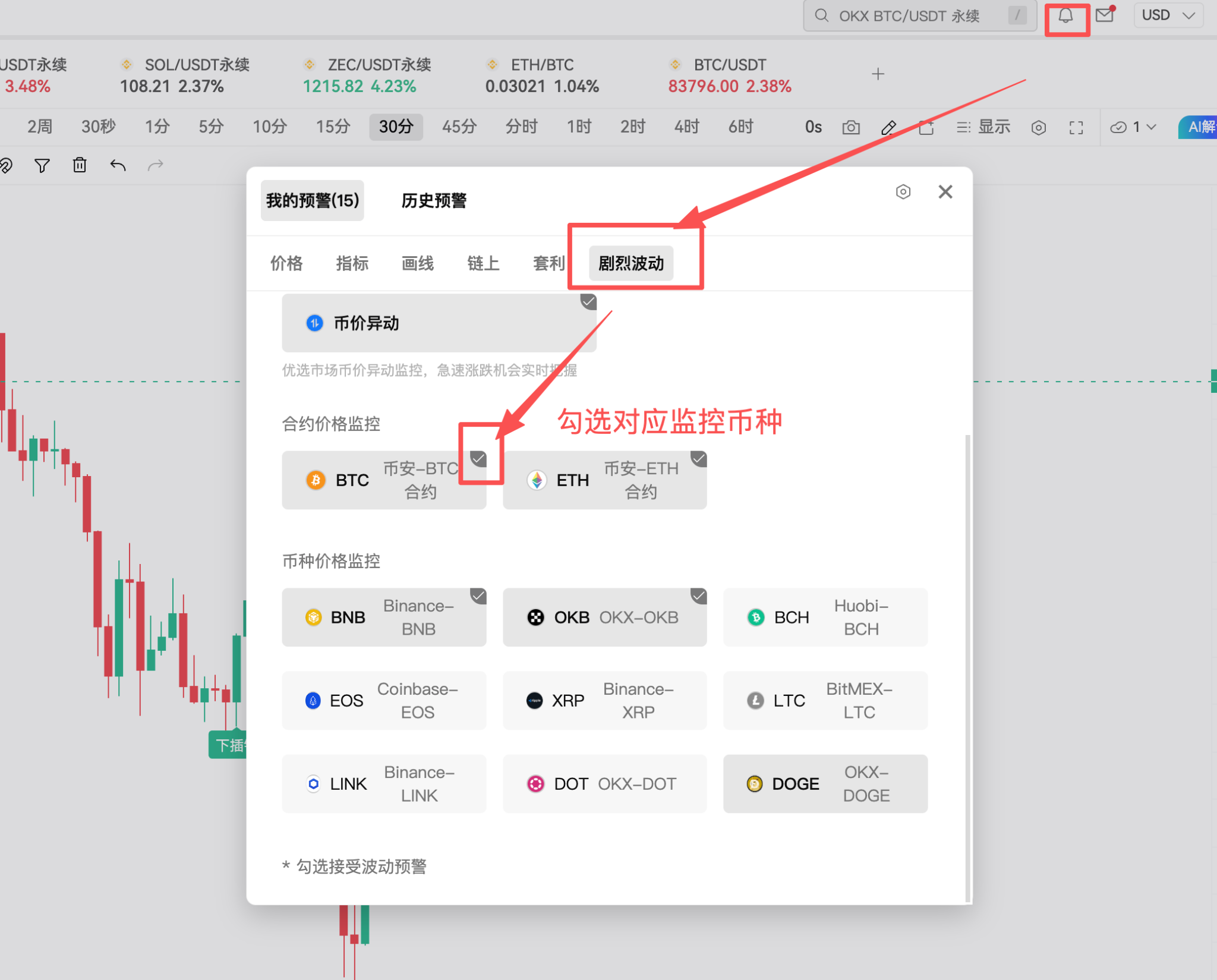
- Volatility Alerts
PC: Click the bell icon ➔ My Alerts ➔ Volatility Alerts ➔ Check the target currency.
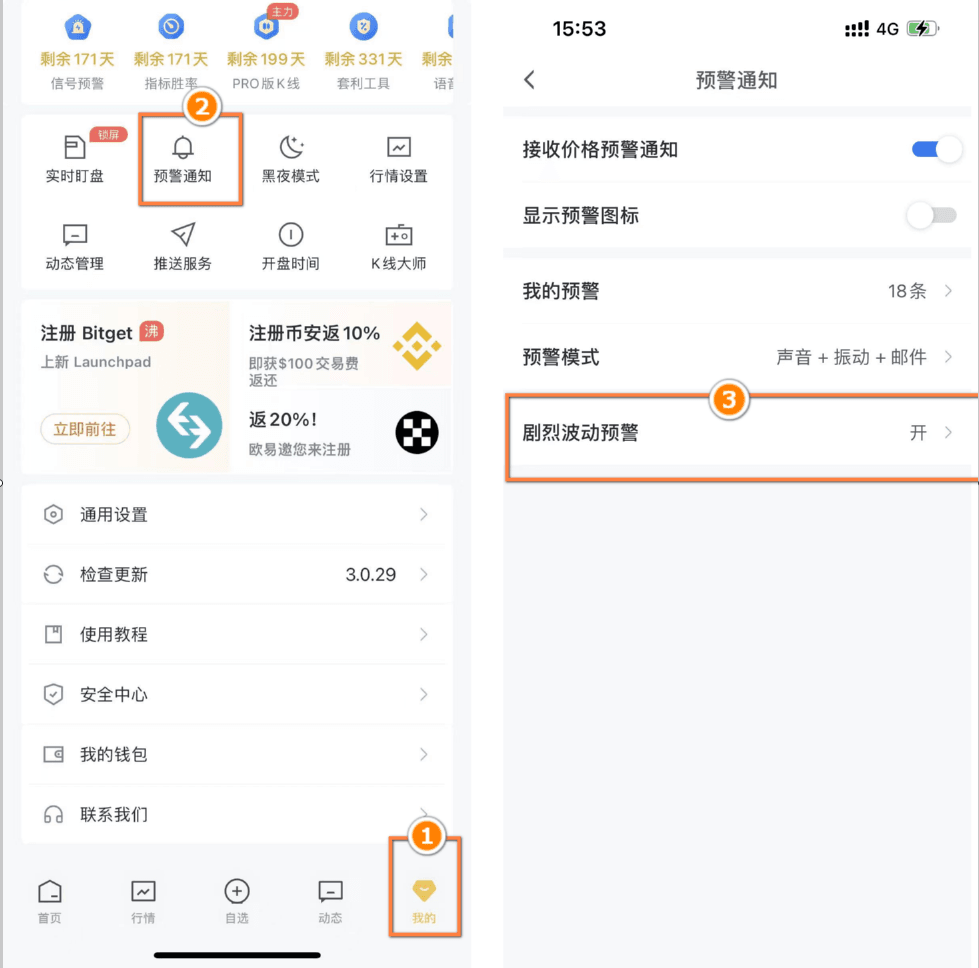
APP: Personal Center (My) ➔ Alert Notifications ➔ Volatility Alert Settings.
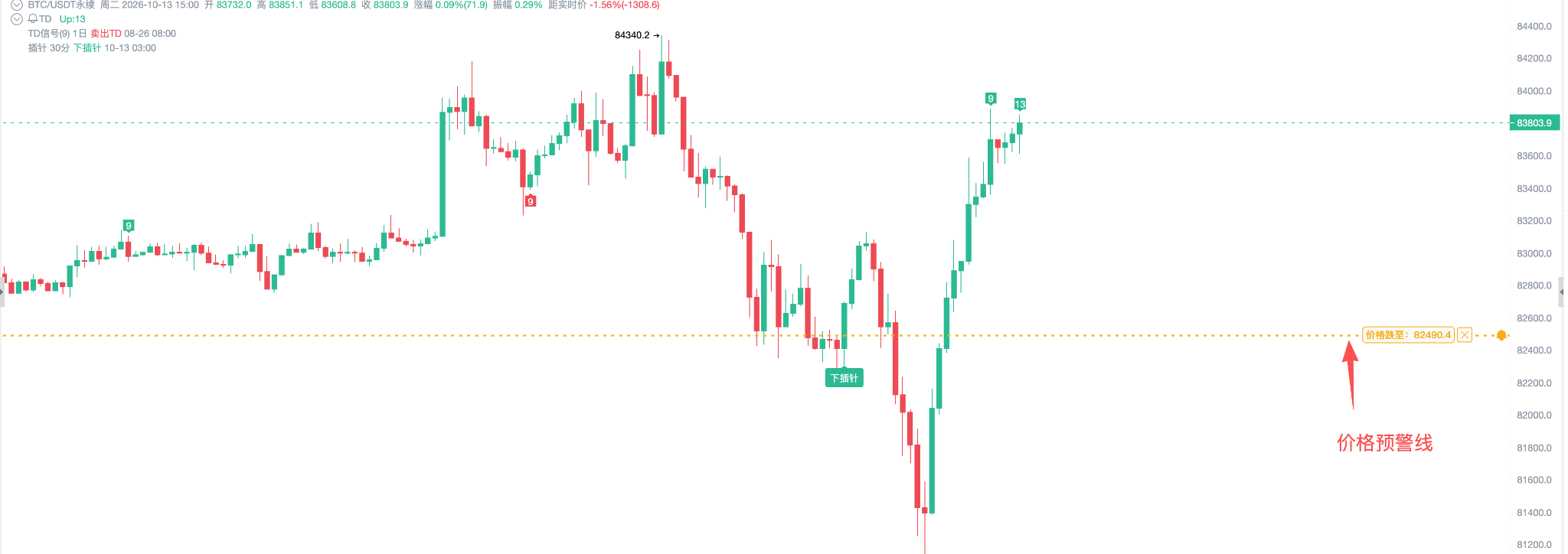
- Price Alert Line Display (Bell and Lines on Candlestick Chart)
PC: Top right corner of the K-line ➔ K-line Settings ➔ Alert Line ➔ Check display style (or click "Show" on the top right of the K-line ➔ Price Alert Line).
APP: K-line interface ➔ Top right corner settings ➔ Turn on display of price alert lines.
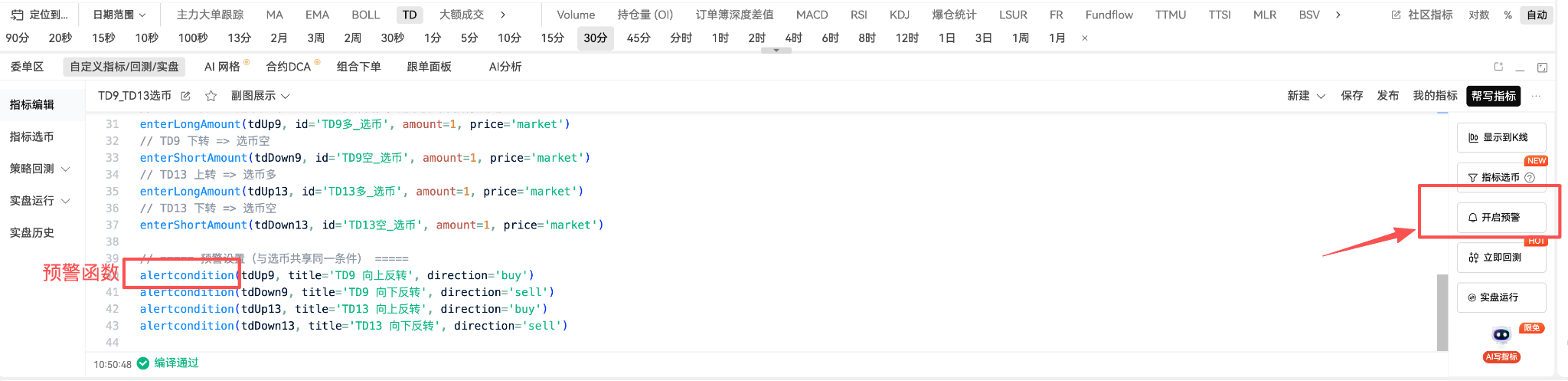
- Custom Indicator Alerts
PC: Below the K-line 【Custom Indicator】 ➔ Write code and add alertcondition() ➔ Turn on alerts.
APP: K-line interface ➔ Bottom right alert ➔ Custom Indicator ➔ Add Alert ➔ Save.
3. Alert Mode, Sound, and Notification Management
- Turn On/Off Push, Pop-ups, and Sounds
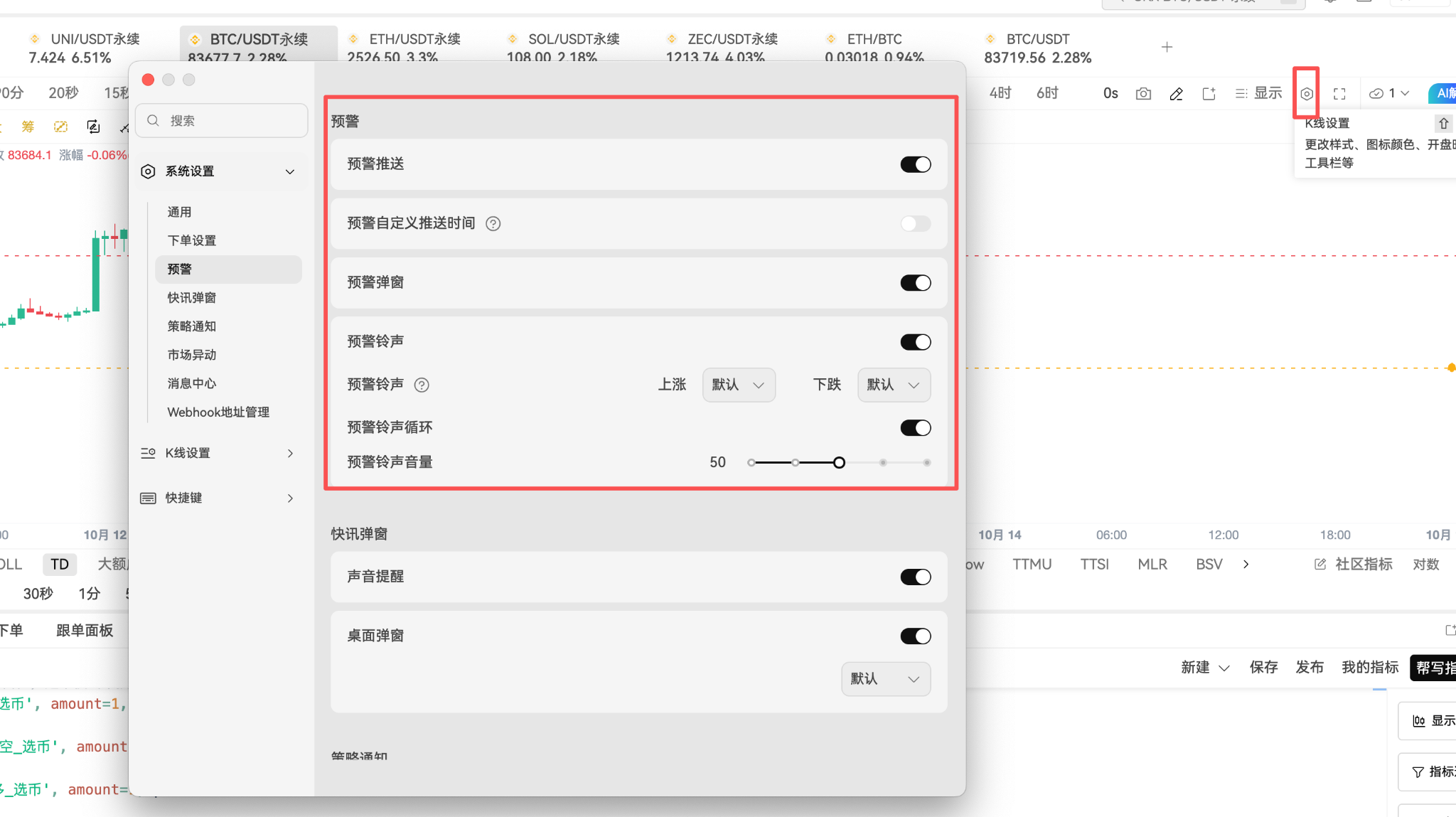
PC: Settings button above the K-line ➔ System Settings ➔ Alerts ➔ Check or uncheck Push, Pop-ups, Sounds.
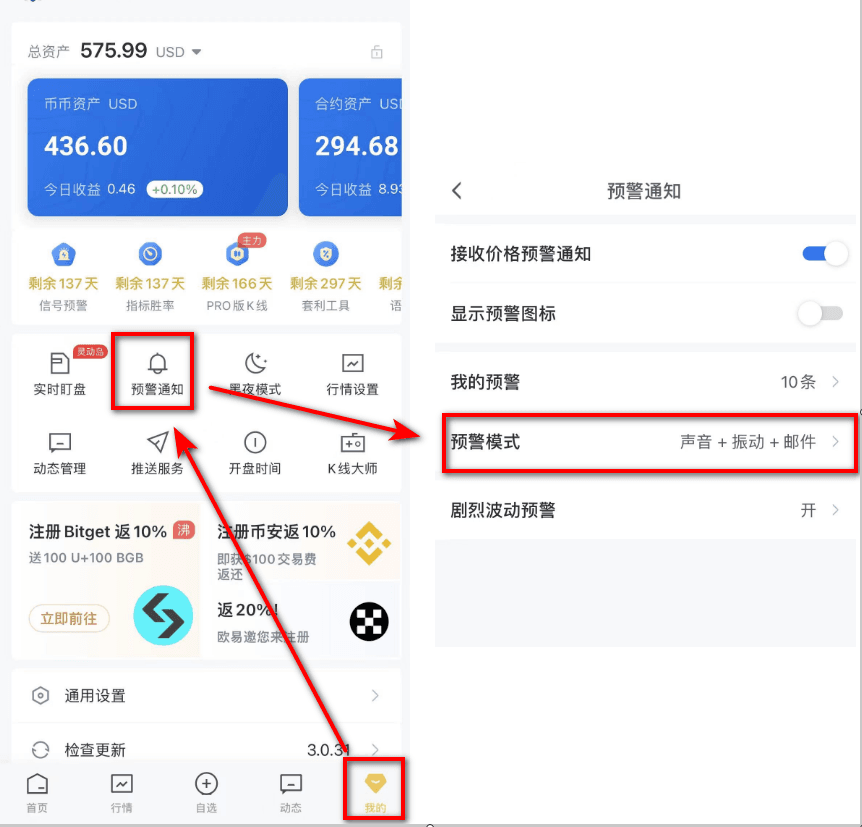
APP: My ➔ Alerts and Dynamics ➔ Alert Mode ➔ Turn on corresponding settings (supports custom sounds and vibration modes).
- Custom Push Time Periods
PC: System Settings ➔ Alerts ➔ Custom Alert Push Time (multiple time periods can be set; during non-push time periods, PC will block pop-ups/sounds but will not affect alerts in the APP).
- View and Review Historical Alerts
PC: Bell symbol ➔ My Alerts / Historical Alert Panel.
APP: My ➔ Alerts and Dynamics ➔ My Alerts ➔ View untriggered alerts / historical trigger records.
3. Alert Quota and Member Rights Explanation
AiCoin's warning function implements a tiered quota system, with basic functions partially open for free. Higher-level deep monitoring can be accessed through membership subscription for more quotas and privileges:
- Ordinary Users (Free Version):
Enjoy 100 price alert quotas (price alerts are not limited to trading pairs).
Support creating 5 custom indicators and 5 custom indicator alerts.
- PRO / Signal / Indicator Win Rate Annual Members:
The total limit of alerts is significantly increased to 700 alerts.
Including: 300 price alerts, 200 custom indicator alerts, 100 trend line alerts, 90-120 classic signal alerts.
- Voice Alert Privileges:
The system automatically dials the phone to remind you when triggered.
Charging Rules: Each call counts towards the quota; charges are incurred when the system dials (regardless of whether the user answers). Ordinary users do not have access to this until they subscribe to an annual membership to obtain this privilege.
- Webhook Notifications:
As an extended feature of price alerts, all users supporting alerts can connect and use it for free, with no additional costs.
Conclusion
By reasonably combining AiCoin's basic price alerts, volatility monitoring, and advanced custom indicators and large order alerts, traders can break free from the tedious mindless screen-watching, establishing a quantifiable safety net around the clock. It is recommended to choose suitable notification channels (such as combining APP push and voice calls) based on your trading style (short-term scalping, arbitrage, or trend investing), so that every market movement stays under your control!
免责声明:本文章仅代表作者个人观点,不代表本平台的立场和观点。本文章仅供信息分享,不构成对任何人的任何投资建议。用户与作者之间的任何争议,与本平台无关。如网页中刊载的文章或图片涉及侵权,请提供相关的权利证明和身份证明发送邮件到support@aicoin.com,本平台相关工作人员将会进行核查。


