Finally, after a long wait, the Nubia launch event has concluded this afternoon.
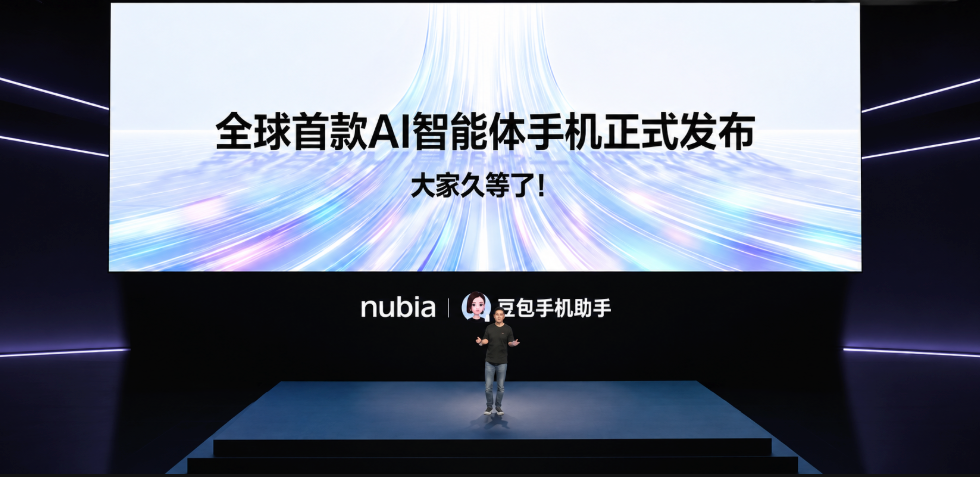
At the event, the Nubia Navix Ultra, equipped with the consumer version of the Doubao Mobile Assistant, was officially released for sale.
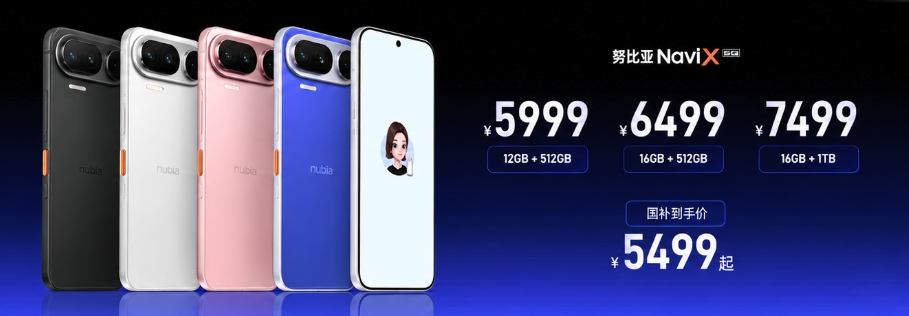
The 12+512GB configuration is priced at 5999, and after national subsidies, it can be obtained for 5499.
The 16+512GB is priced at 6499, and the 16GB+1TB is priced at 7499.
Last December, when the technical preview version of the Doubao Mobile Assistant was released, I also conducted initial testing of it and this is the pinnacle of today's mobile agents..
Although it faced some challenges later on, at that time, I still considered it the best mobile agent.
More than nine months have passed, and the Doubao Mobile Assistant has finally reached the consumer version.
The phone that carries it has also transitioned from the previously limited engineering machine Nubia M153 to a truly consumer-facing, more refined mass-produced device, the Nubia NaviX Ultra.
As before, the Doubao Mobile Assistant is responsible for the AI assistant experience inside, while Nubia is responsible for the hardware engineering and the phone itself.
This time, I am also very honored to have received the real device a few days ago.
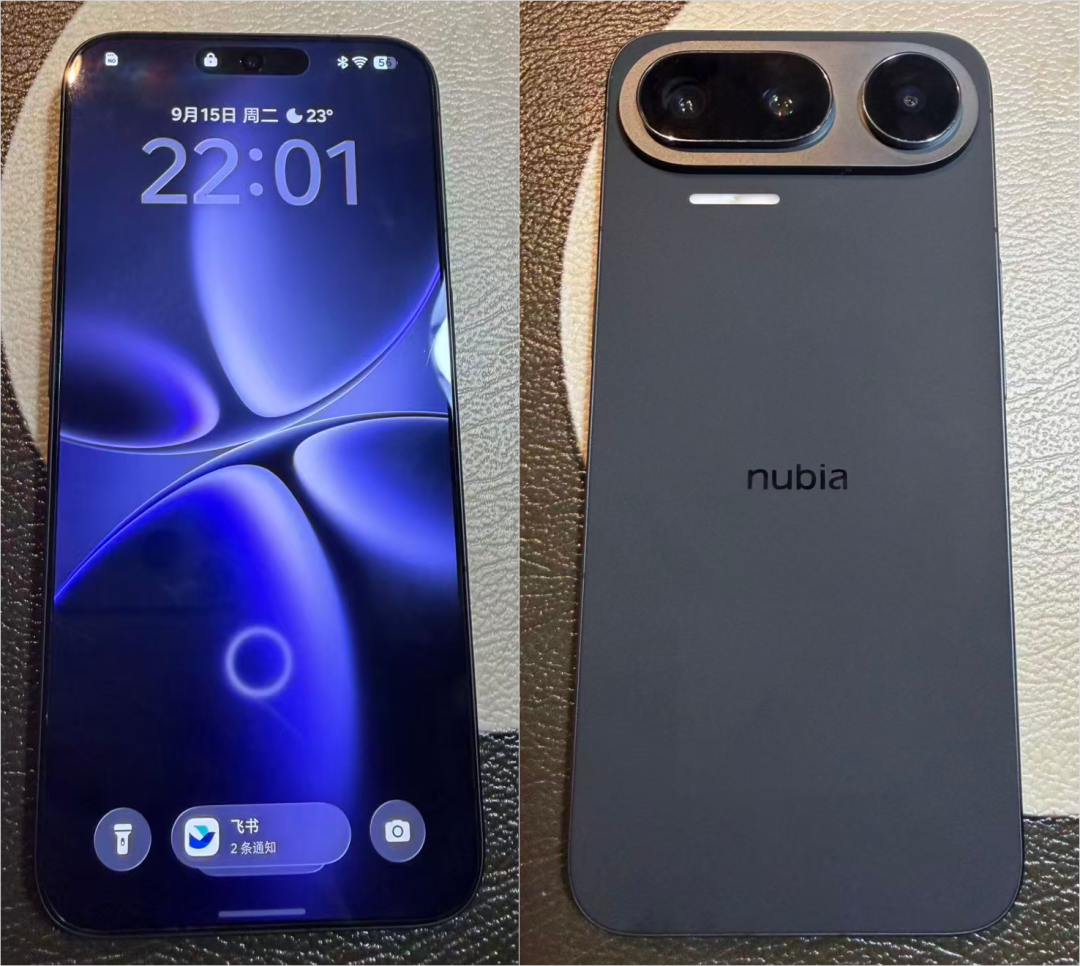
The overall quality has finally become very solid, completely different from the texture of the previous engineering machine.
First, let's talk about the phone itself.
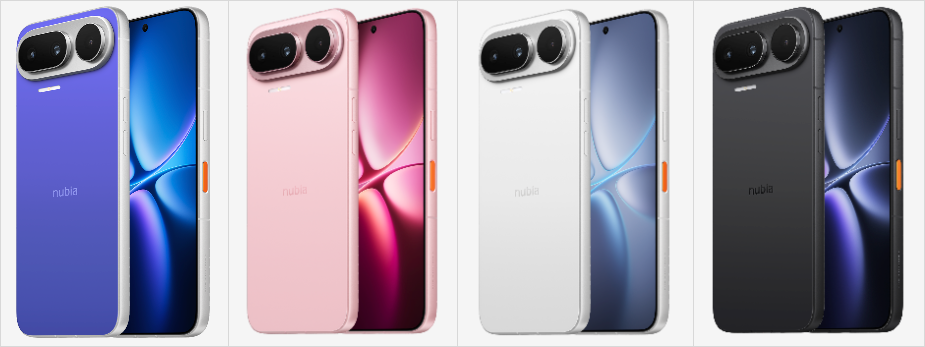
The color options have increased from a single white to four colors: black, white, pink, and blue, with a four-edged flat screen on the front and a horizontal three-camera module on the back. The model we received is the black version.
The body thickness is 7.62mm, the battery capacity has increased to 7100mAh, and the entire series starts at 512GB, with the main camera now featuring a 200 million-pixel sensor, quadrupling from before.
In simple terms, on the hardware level, this time it has been fully upgraded in terms of appearance, battery life, and imaging.
Beyond the improved appearance, I believe the most special hardware feature is the very conspicuous orange AI button on the side.
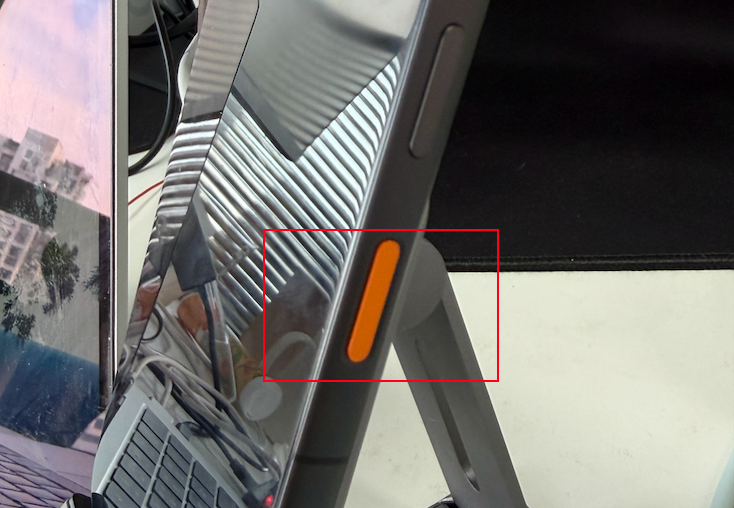
I believe the most noteworthy aspect of the consumer version starts with this button.
1. The AI key now has fingerprint authentication
The AI key itself is no longer surprising; many phones now have a dedicated entry to wake AI.
The basic operation of this key is the same as the previous generation, pressing it once brings up the function bar.
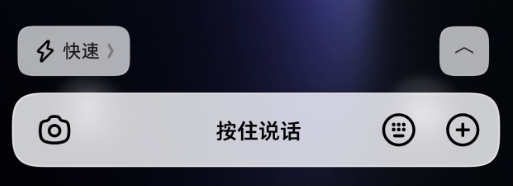
A long press can directly ask a question, and double-pressing lets you enter a Doubao real-time video call.
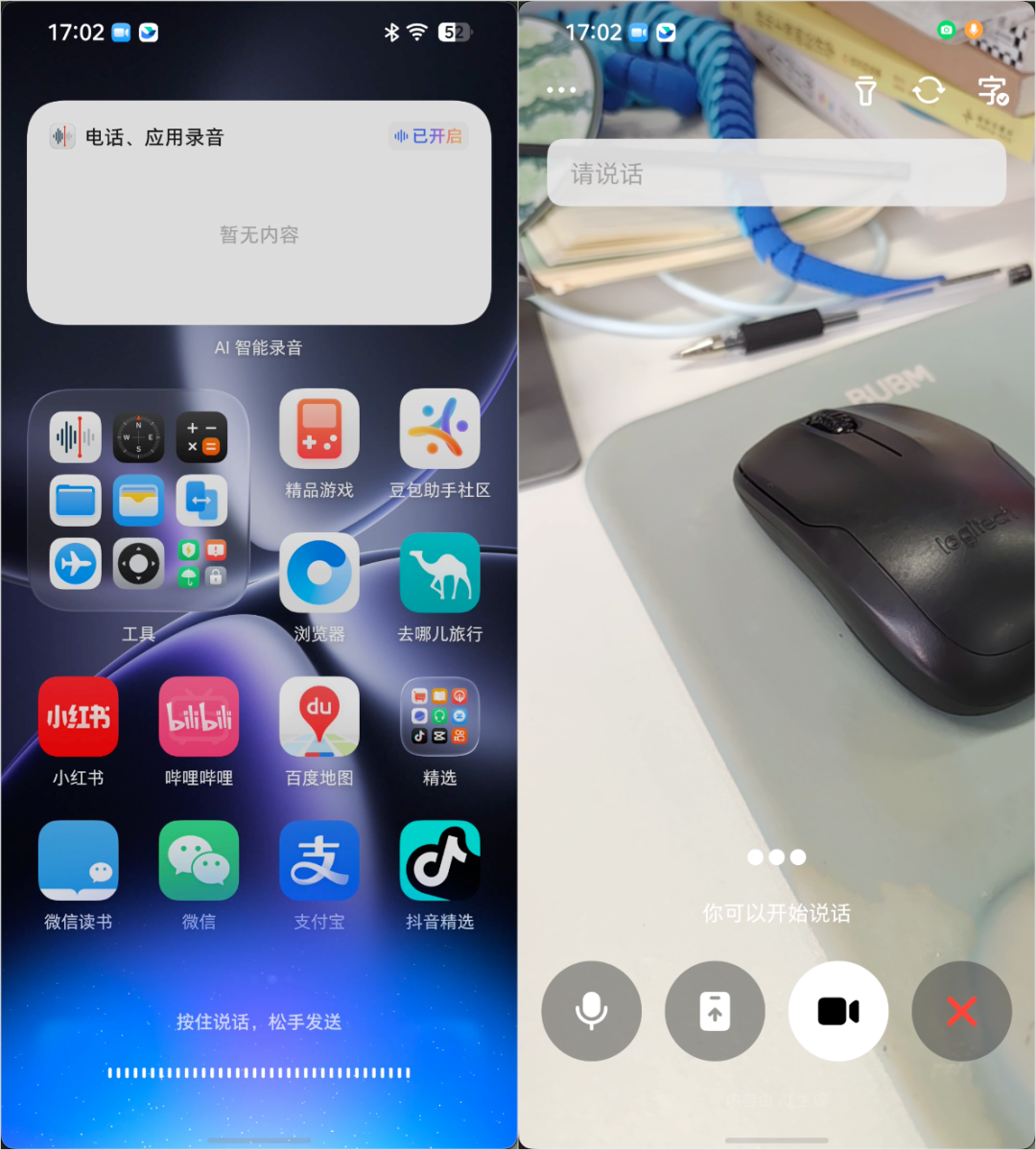
However, the most important change in the consumer version is the addition of fingerprint authentication for this AI key.
I specifically had others try to use this phone while it was locked.
They could directly press the AI key to activate the Doubao Mobile Assistant and ask about the weather or other common questions, and it would respond normally without any issues.
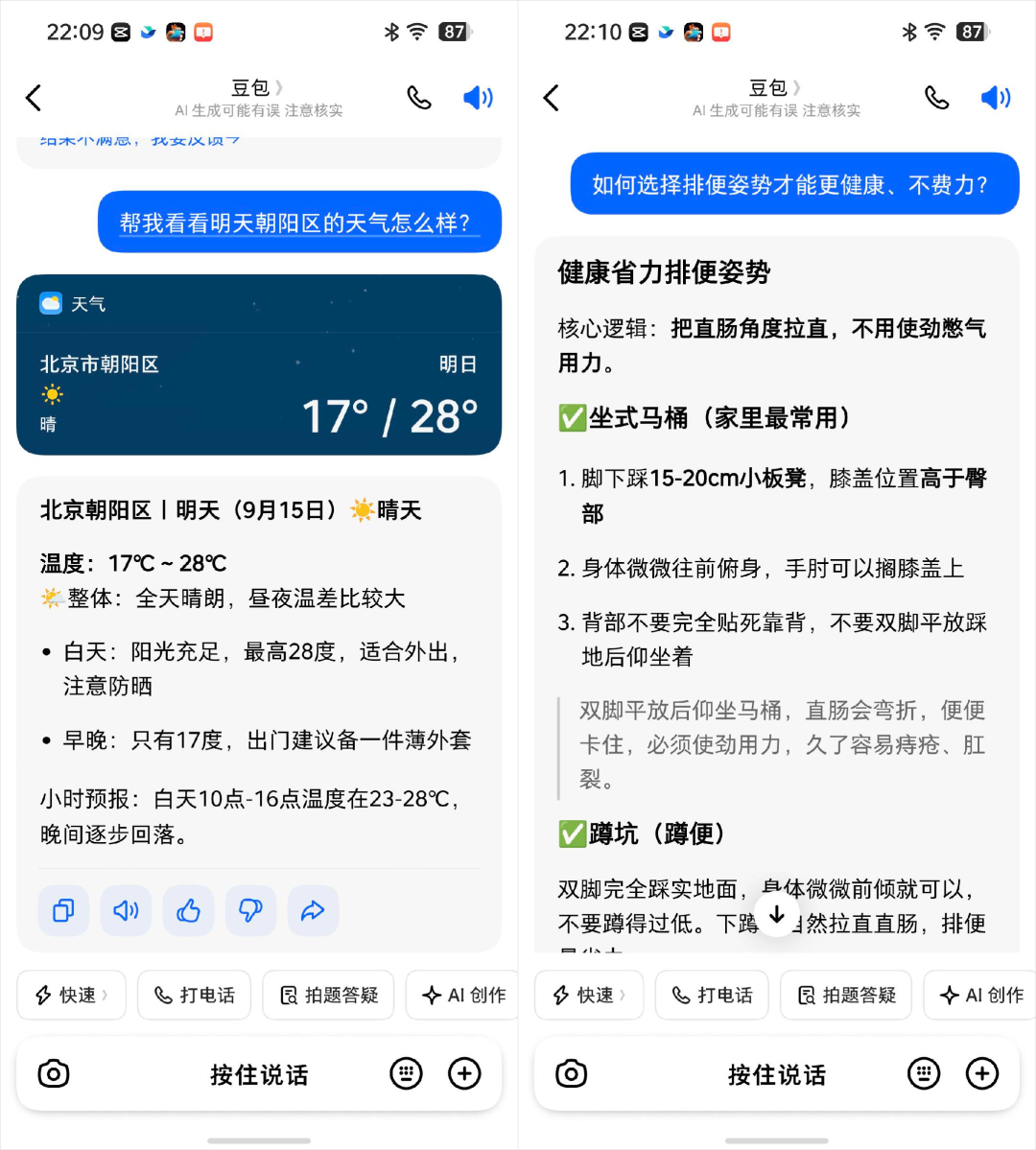
However, if they attempted to ask personal information related to me or to operate my phone for any tasks, it would require fingerprint authentication to determine if the person operating the phone was me.
If the fingerprint is registered, it would show that the system authentication was successful, while the Doubao assistant also activated without needing to unlock the phone first.
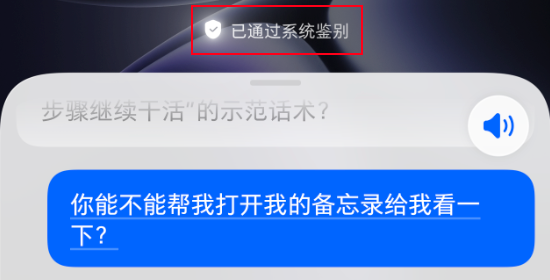
At that moment, all content or operations related to myself could be accessed normally.
But if the fingerprint does not match and it determines the user is not me, it will prompt for a password to unlock or use other unlocking methods you set up, such as under-screen fingerprint recognition.
If the user cannot unlock correctly, it will cancel the task and refuse to engage in conversation.
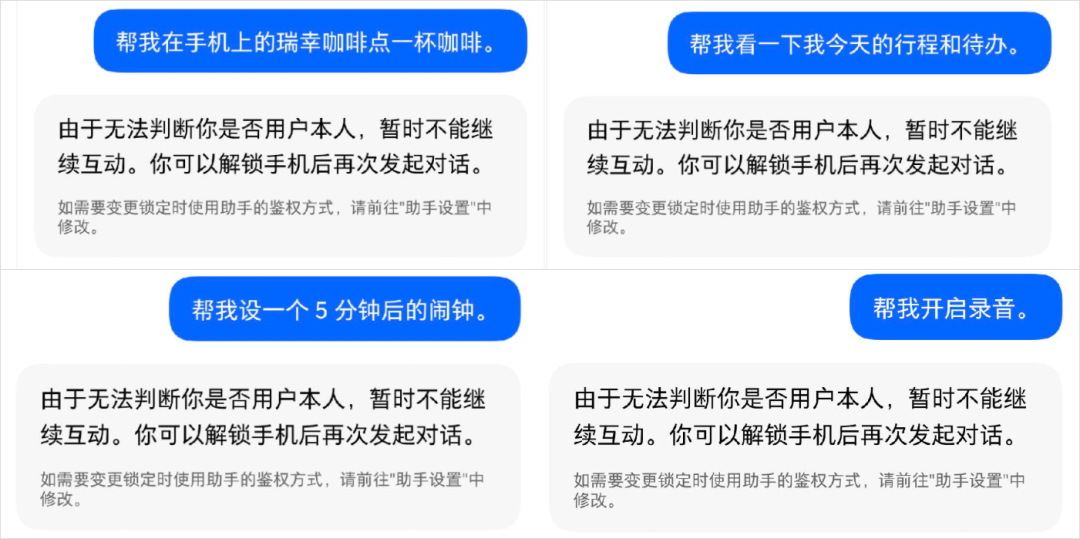
Besides the AI key, like the previous generation, it also supports voice activation.
These are steps forward in protecting user privacy and security for a device like this mobile agent.
Moreover, this version has added continuous dialogue; once activated, it can carry on a conversation without needing to wake it up for every question.
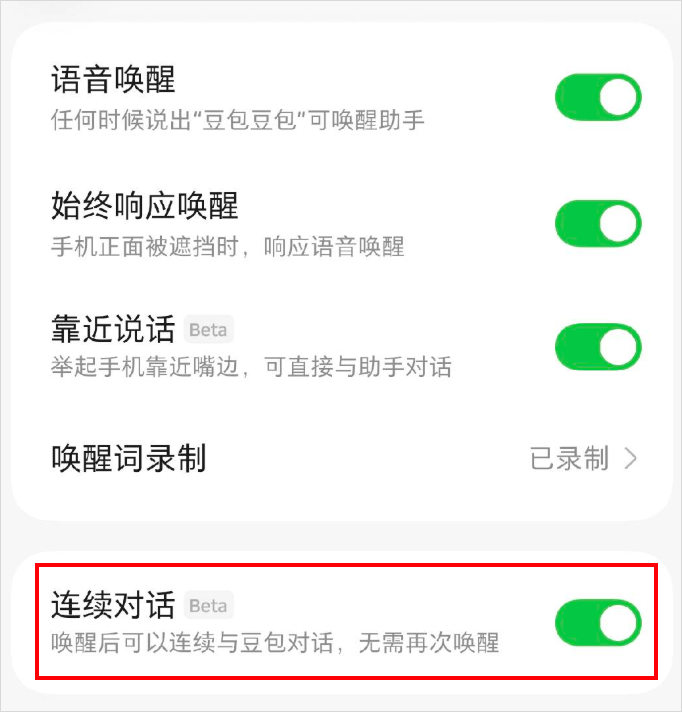
With these two methods, during my testing, I no longer had to manually open the Doubao App on my phone.
But, as I mentioned above, the convenience of the agent makes the AI key’s identity verification extremely important.
2. Enhanced capabilities for complex long-distance tasks
After discussing the AI key, the Doubao Mobile Assistant also showed improved capabilities for complex long-distance tasks this time.
For example, I personally enjoy using the mobile agent to process our company’s Feishu expense reimbursements.
The process for Feishu reimbursements can be quite complicated.
You need to know what type this invoice expense belongs to, then open the reimbursement template, fill in the content and amount into the corresponding fields, save the table and invoice, enter the Feishu approval, and upload the information, table, and invoice, and finally submit.
Not to mention the even more complex future scenarios, where I need to extract invoices from various apps or emails, collect them from my inbox, and then submit for reimbursement; reimbursement is truly my lifelong adversary...
However, when it comes to simple invoice reimbursement, it actually completed the task all in one go. Let me show you the complete process at 10 times speed.
Compared to the capabilities I felt during my previous testing of the preview version, the consumer version could indeed handle longer and more complex processes this time.
Additionally, while it works in the background, you can continue to perform other tasks.
This time, it has also added task queuing and priority processing.
So while it is working, you can continue to issue new tasks.
You can choose to queue the new tasks or to jump the queue right away.
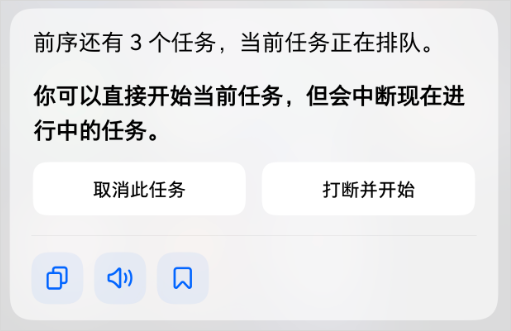
This is much more convenient.
You can assign all your tasks at once, and if something urgent comes up, you can intervene in the queue to handle it promptly.
However, a downside of jumping the queue is that the previous task will be terminated, and you cannot continue with the progress of what you were doing.
So for lengthy processes like reimbursement, it is not recommended to immediately jump the queue if there's no urgency.
3. Memory and shortcut commands
Once long processes can be completed, there’s another practical issue.
Some tasks that need to be repeated and our preferences; if we have to explain everything from scratch to the AI each time, that would be too tedious, and this actually relates to memory...
The preview version was released quite early, so memory functionality wasn't performed well during actual usage.
However, the consumer version has significantly improved memory functionality and has shortcut commands that efficiently address this.
First, let’s talk about memory.
You can have it remember all information related to your life, such as regularly used addresses for food delivery and ride-hailing, preferences, habits, and any other information you want it to remember.
You can directly instruct it, for example, "remember that I like all products co-branded with KunKun," and it will store that information.
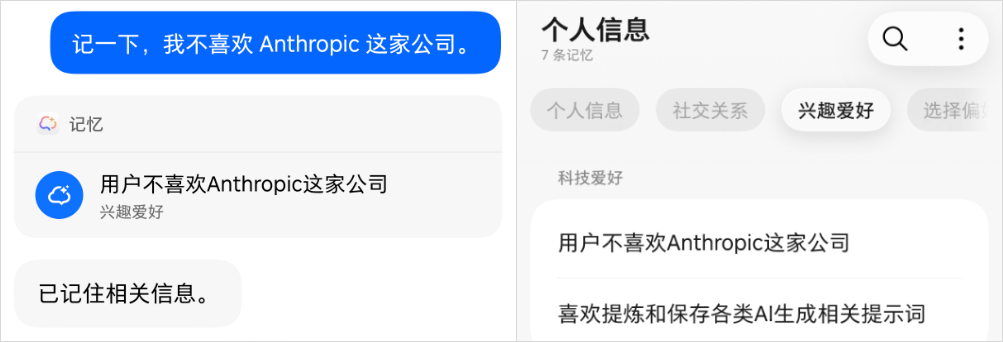
For example, I can tell it, "remember that I dislike the company Anthropic, it's such a big XX."
It will save this note in personal information and categorize it under technology interests.
While browsing a particular page, you can also swipe up with three fingers and it will save the information in memory.
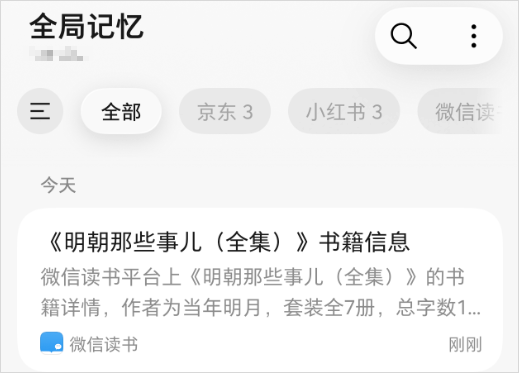
The information stored in memory can be called upon when executing future tasks.
For example, I regularly order cat food for home delivery, but I always order the same brand.
This kind of repetitive task can be managed by it; I just need to press the AI key and say, "buy a bag of the cat food I often buy from Douyin Mall and have it delivered to my home."
It can check which model and specification I often purchase on Douyin. Although my default address is the office, it will automatically change that to my home, navigating through to the payment page.
I just need to confirm the payment, and that’s it, very convenient.
Another feature that pleasantly surprised me is the ability to save completed operations as shortcut commands.
Our video team colleagues often generate a lot of videos and test various prompts in different applications.
When they encounter a material they like, they will store the video and the prompts in the company’s AI-generated material library and share it with colleagues.
They implemented this process with this phone.
For example, when they quickly browse their phones and come across a liked AI video, they can directly press the AI key and voice their needs.
Then the Doubao Mobile Assistant can copy the video’s generation prompts and download the video to local storage. Following that, it opens Feishu, finds the AI-generated material library spreadsheet, fills in the content name, content type, prompts, and so on, and uploads the video.
After this round of operations, it will find the corresponding colleagues in Feishu, send them the video and prompts, and inform them that it has been added to the library.
The whole process is quite smooth; halfway through, it just needs to confirm submission after filling out the form, and the rest is up to it.
From the length of the prompts, you can see that explaining this process is actually quite lengthy, and saying it out loud is quite a task.
So the consumer version has also added a shortcut command.
After completing a task, for processes that can be reused, Doubao will provide an option to save them as shortcut commands.
By clicking in, you can set short commands, such as "store prompt words."
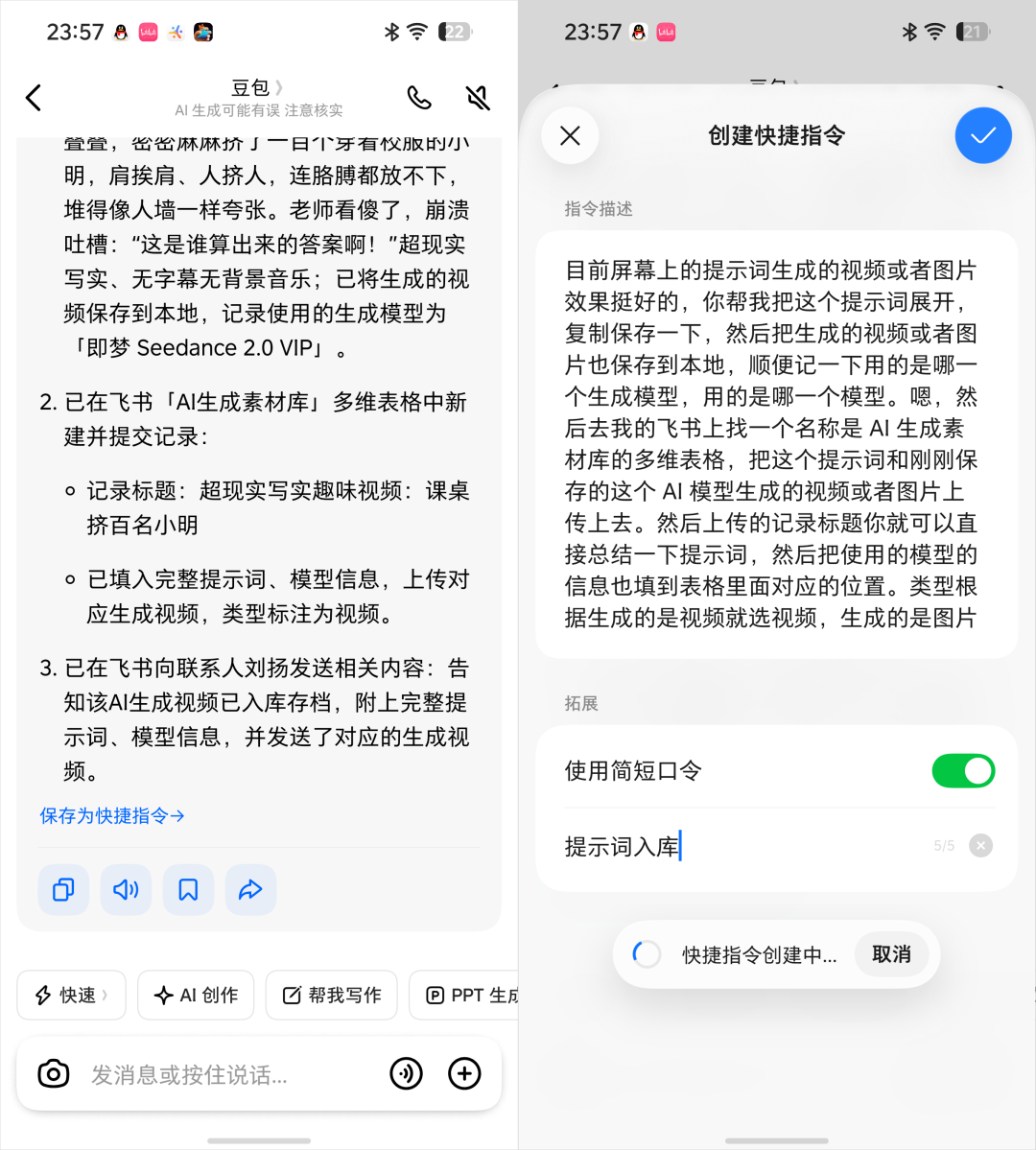
The next time you say this short command, it can replicate the entire process, saving a lot of effort.
4. Understanding screen content and executing tasks
Moreover, there’s a past operation that has been quite troublesome.
Frequently, the information is already on the screen, but you need the AI to work; you have to take a screenshot each time before waking it up and putting that screenshot into the AI...
Now the consumer version has finally resolved this problem.
For example, during the Mid-Autumn Festival and the National Day holiday, when everyone is basically having a continuous holiday of over ten days due to online work, some people planned to travel to Chengdu, and one person was crazily writing a guide document...
However, online guides are always scattered; you might discover a recommended shop in one post and a scenic spot in another.
So assembling this information can take ages; they complained that they saved a multitude of posts, but sorting them individually is exceedingly troublesome.
However, if you use this phone, you can simply browse through the guides and tell the Doubao Assistant to edit your document whenever you see something you like.
Take a shop as an example; you can directly use the current page to have Doubao search for related guides and edit the document correspondingly. Then share it with traveling companions through Feishu.
5. Doubao Mobile Assistant delves deeper into the system
Apart from the above, camera, voice recording, and other system applications have also integrated more AI capabilities this time.
The points here are fairly granular, but they are features that we commonly use on our phones.
First, let’s talk about something we likely do every day: taking photos.
The camera directly has an AI photo editing function built in.
You can change an action figure’s outfit with just one sentence.
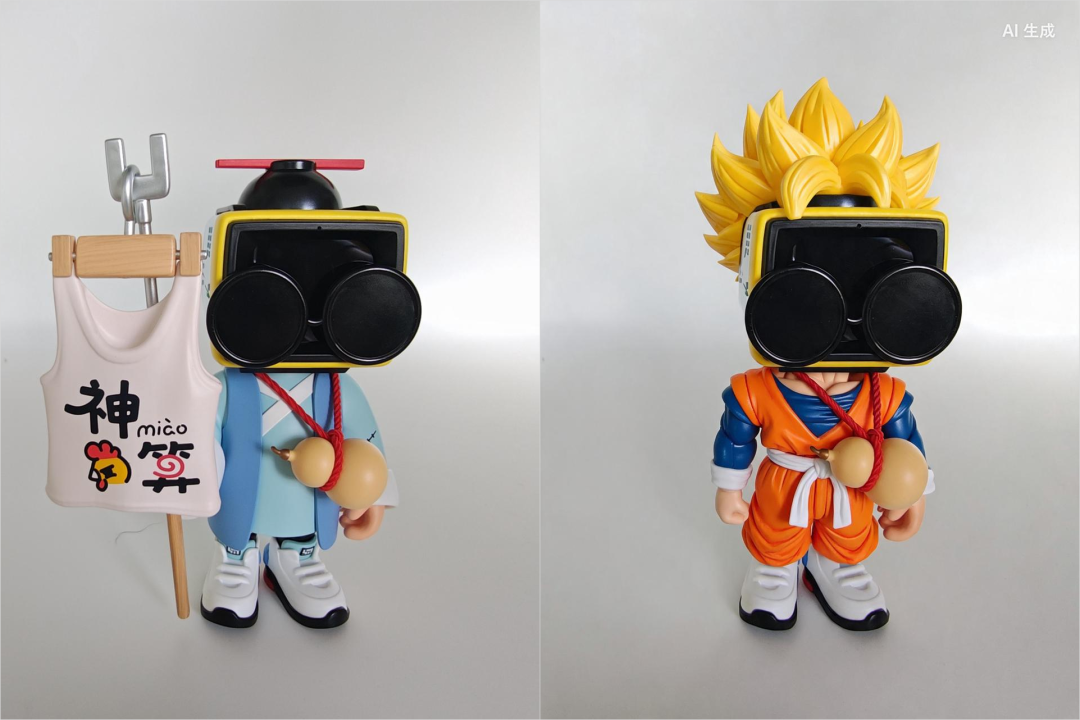
There’s also an interesting auxiliary shooting mode.
During shooting, clicking the little magic wand in the lower left corner will cause composition tips and focus guides to appear in the frame. When the two points overlap, the camera will automatically adjust the zoom and take the shot.
You can see the results; shooting according to the guides produces a composition that's much more aligned than the original frame.

The consumer version has also integrated Feishu Miaoji into system voice recording and phone calls, allowing transcription, speaker differentiation, summarization, and information retrieval.
During meetings, activate the recording, and after Miaoji generates, it will allow it to create schedules or tasks on Feishu or arrange other meetings with a simple command.
For instance, I previously held a Q3 company strategy sharing session.
Just open the phone for recording, and afterwards, it generates a Feishu Miaoji.
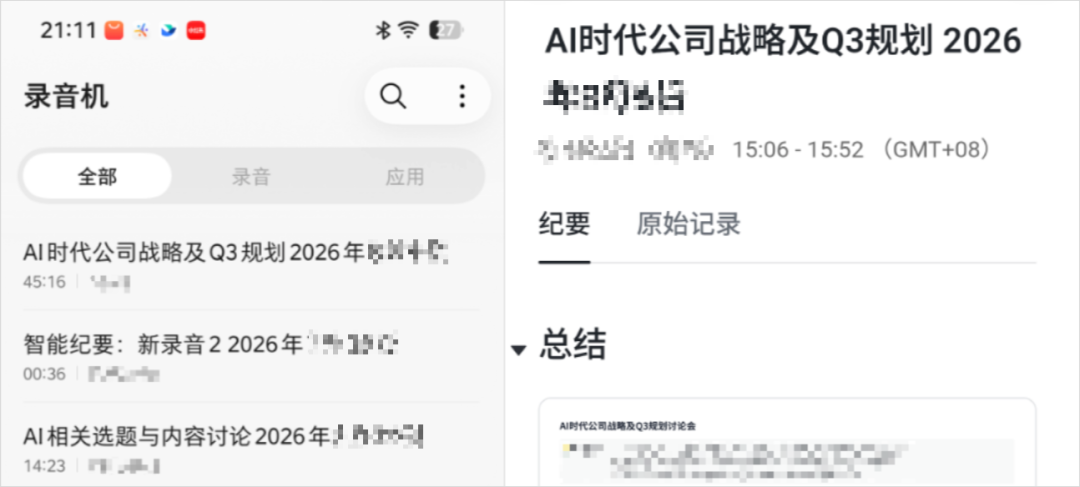
After the meeting, if I want to summarize specific Q3 responsibilities for the respective colleagues, I can just convey that to it.
Finally, since we received a test machine and the version is relatively new, all the cases mentioned above might differ slightly from what everyone will see when they get their hands on the actual version; you might want to pay attention to system upgrades.
From last December until now, more than nine months have gone by.
The preview version showcased the potential of mobile agents with a touch of recklessness.
Building on that, the consumer version has refined user habits and product experiences.
Now, it can truly be said to be a phone meant for everyone.
This is likely the true significance of the words 'consumer version.'
Of course, it still has some limitations.
One is that the current free quota for task operations on mobile is limited. Buying the phone with Doubao Assistant does not mean it can be used freely.
The second limitation is ecological; the current functions for operating the phone mainly support system apps, ZTE apps, ByteDance apps, and some integrated third-party apps.
However, this time, the Doubao Mobile Assistant has launched the SAEP statement of automated screen operations and is implementing a 30-day public rule.
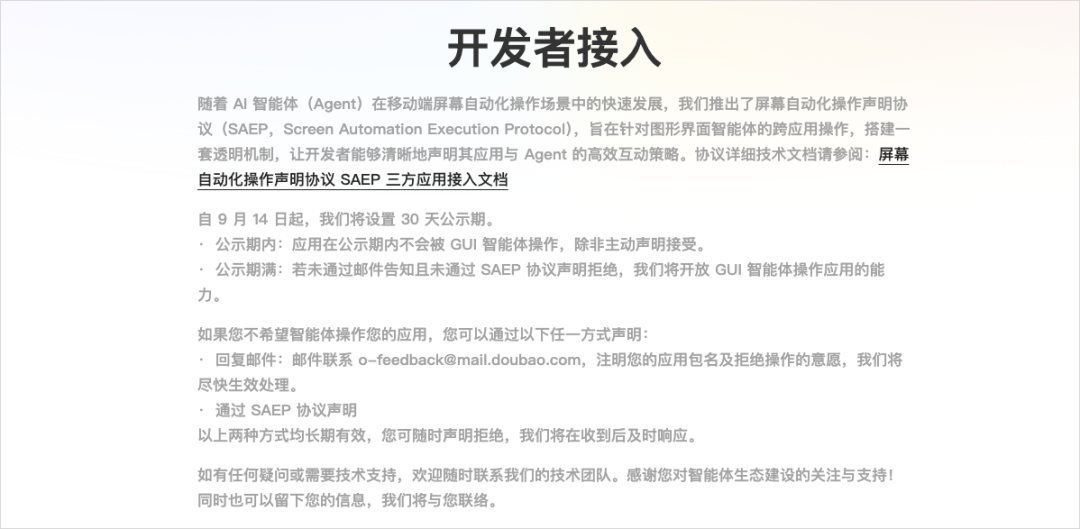
In simple terms, third-party apps can choose whether to allow the Doubao Assistant to perform GUI operations within the application.
They can accept or decline.
This is quite interesting; I am also very much looking forward to seeing how many applications are willing to integrate with it.
One could say this marks the transition from the old era to the new.
What remains to be seen is whether this era will measure up to the summer we are looking forward to.
免责声明:本文章仅代表作者个人观点,不代表本平台的立场和观点。本文章仅供信息分享,不构成对任何人的任何投资建议。用户与作者之间的任何争议,与本平台无关。如网页中刊载的文章或图片涉及侵权,请提供相关的权利证明和身份证明发送邮件到support@aicoin.com,本平台相关工作人员将会进行核查。


