Author|Wang Zhaoyang
WeChat|Geisterspiele
The consumer version of the Doubao Mobile Assistant is officially released today.
The mobile phone that pairs with it looks like this:
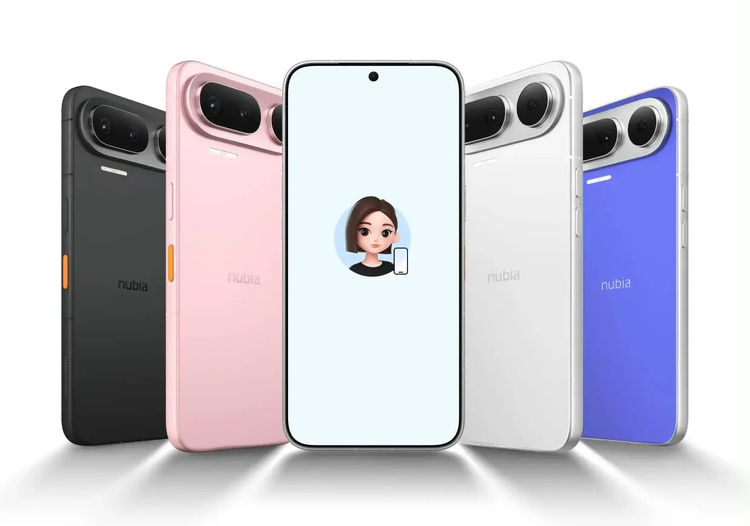
The Nubia NaviX Ultra paired with the Doubao Mobile Assistant Consumer Edition will be released on September 16
Compared to the preview version, the official positioning of this assistant has obviously changed: it is now a product aimed at mass production and a broader consumer base. In other words, it is no longer just a prototype.
When it first made its debut, the Doubao Mobile Assistant stirred quite a stir. Its GUI-centric technical approach brought new ideas to everything existing, prompting everyone to think about what phones might become as models become stronger, and how the app-centric interaction methods we've become accustomed to will evolve.
So when a friend from Doubao asked me if I wanted to experience this product in advance, I immediately agreed. I was curious about it; unlike the experimental attributes of the first generation, this product is meant for genuine mass production and wide availability to users—just how far has it come?
Now that it has been officially announced, I can finally share my feelings from the time I spent using it in advance.
1
Universal Intercom
The consumer version of the Doubao Mobile Assistant has integrated many design elements with hardware. For example, when I first received the device, the most apparent feature was the AI button on the side. Yes, you can use it to call up the Doubao Assistant.
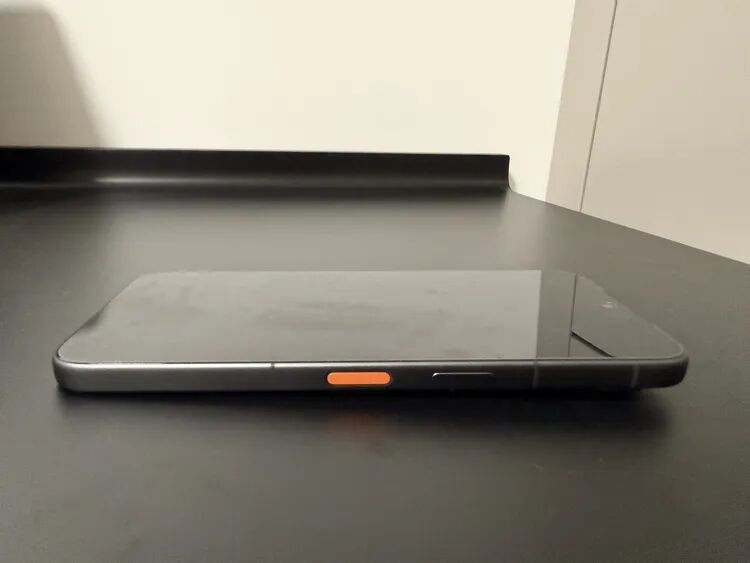
In all my subsequent uses, this AI button became my primary means of interacting with the device.
For instance, when I asked Doubao to automatically send a meeting invitation via Feishu, my process was to press and hold the AI button in a locked state to directly summon Doubao, then voice-command it to send a meeting invitation to our Feishu group.
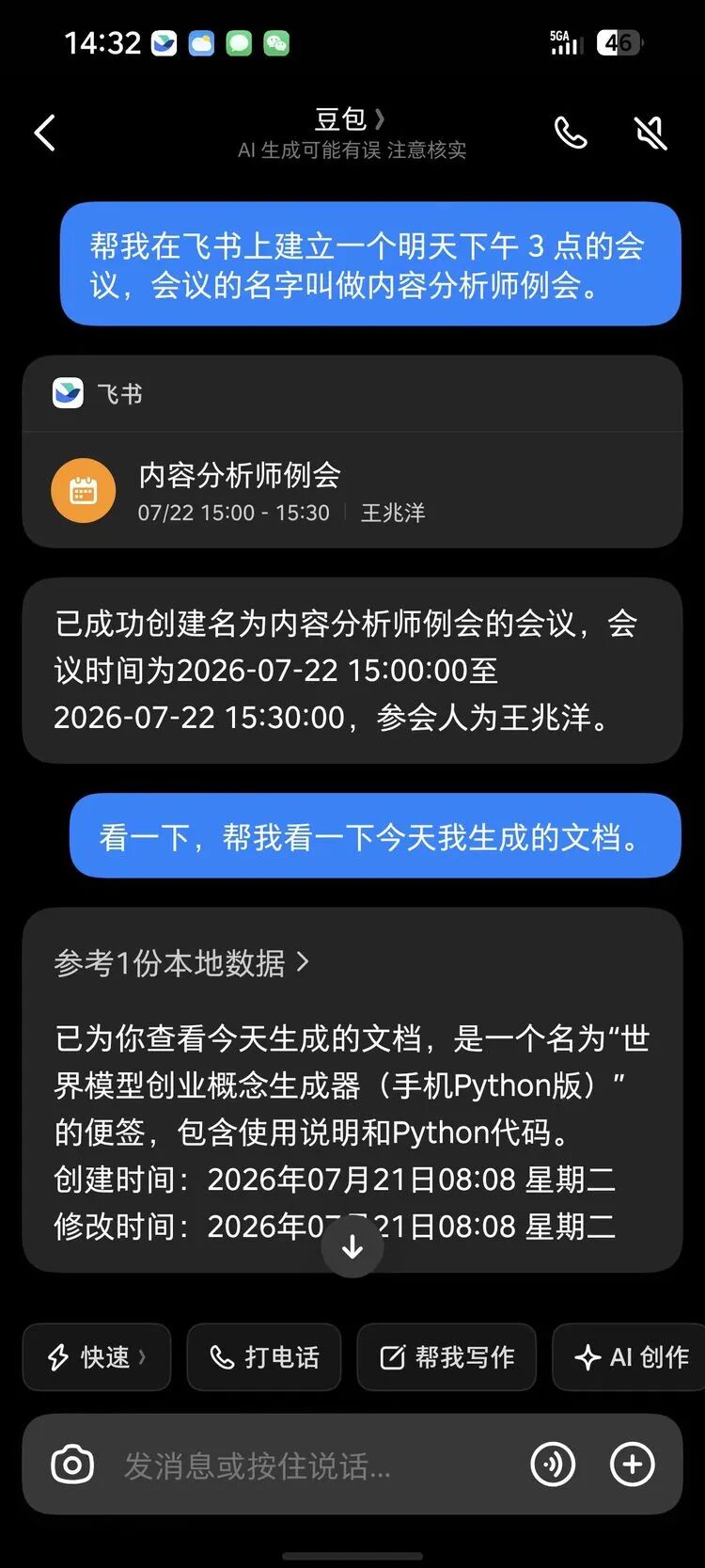
Because this tiny AI button is configured with fingerprint recognition, after the phone recognizes your fingerprint, it can grant the Doubao Assistant higher permissions. Therefore, there is no need to unlock the screen; as long as the AI button recognizes your fingerprint, it starts operating in the background and quickly completes the task.
Later, I also asked it to check the records from several core work groups in the content department on Feishu from the previous day and provided me with a to-do list. These are commonplace in many people's daily work, and the entire process was smooth and seamless.
This feeling of pressing to speak and having tasks completed before you does indeed change people's expectations of how they interact with their phones.
Moreover, after using it for some time and handling various similar tasks this way, it became my subconscious method of interaction.
The higher the completion rate of task resolution, the smoother the development of this new interaction "habit." The frequency with which I subconsciously press this button may truly rival the speed at which people accepted the iPhone's "invention" of swipe touch interaction.
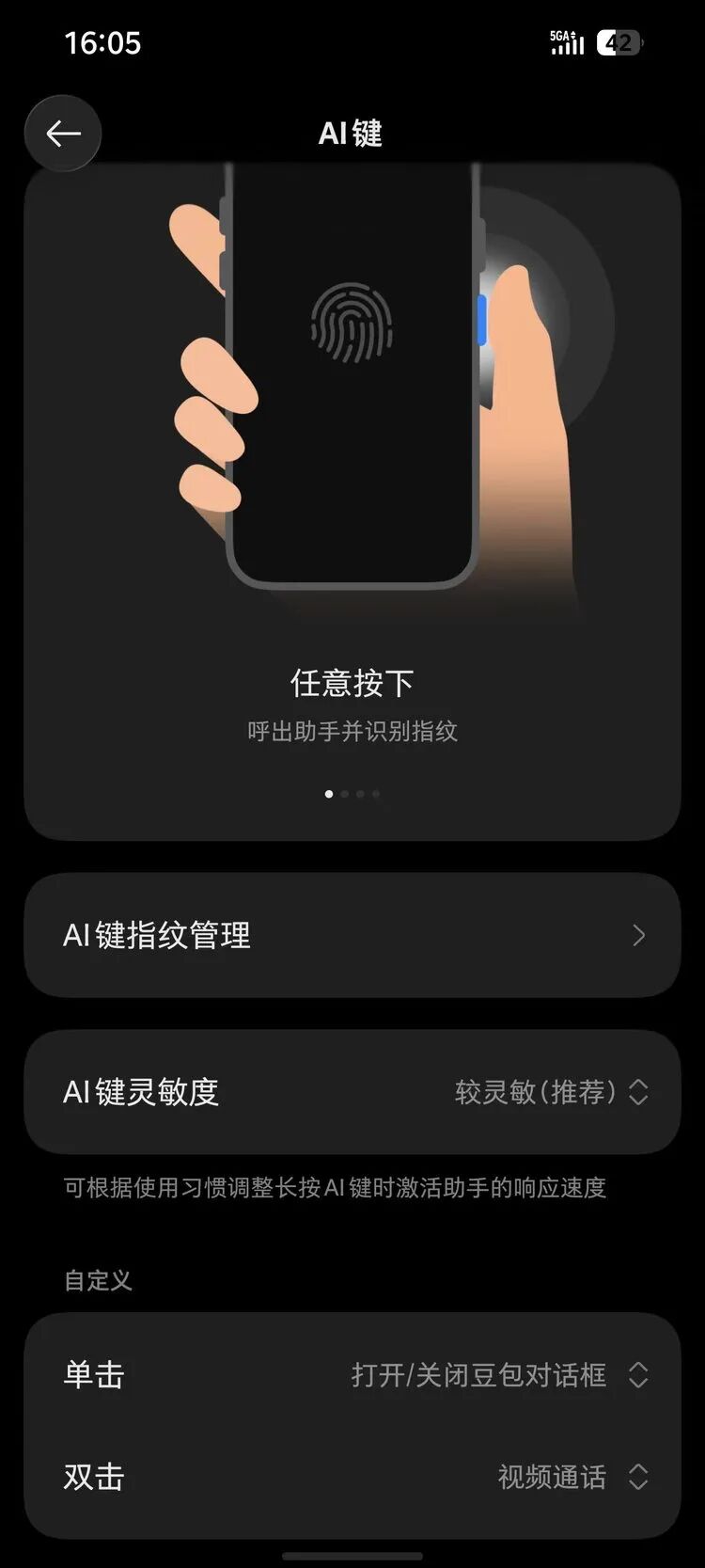
This is an AI interaction integrated with hardware. This inevitably brings to mind when Apple early placed a "shutter" button on the side of the iPhone 17, claiming a stake for Apple Intelligence, but the story that followed turned a bit into a joke.
I feel that what people expect Apple to develop for this button should be like the Doubao 2nd generation.
This pressing to speak interaction feels like I’m holding a universal intercom.
This will make people want to explore the things this intercom can accomplish endlessly.
I also tried several capabilities I always wanted to achieve, "complete various agent tasks with a single sentence."
For example, I directly used voice to ask the Doubao Assistant to operate the phone on its own, calling low-level capabilities and performing cross-app operations to complete a vlog editing task.
My spoken prompts (which were just thoughts expressed as they came) were quite simple:
Take the videos in my photo album that are no longer than 20 seconds and edit them into a vlog using the opening combination of "Midnight in Paris," keeping the original sound of the video itself and adding a similarly styled BGM.
Here are the results it produced for me:
You can see this command involves several complex steps, which include understanding a vague expression from a film, judgment of my intent, selection of apps that can be called on the phone, and the ability to operate the phone automatically.
I observed the process it carried out, and all these challenges were smoothly implemented one by one.
This was something I always wanted to do but never accomplished because I had never used Jianying and hadn’t edited videos much. Now, as long as I had the raw material on my phone, I could truly accomplish it just by "speaking a phrase."
After these experiences, it's hard not to feel like this phone is like a universal intercom pulled straight out of a Doraemon pocket.
Additionally, in this task, you can also see many core design approaches of the Doubao Mobile Assistant at the AI level.
The most striking feature of the Doubao Mobile Assistant preview version was its ability to operate the phone automatically. However, this capability also sparked the most controversy. This generation introduced methods similar to MCP while operating different apps. Based on the integration of hardware and software design, the underlying connectivity of the Doubao Mobile Assistant is deeper, allowing the large model to utilize low-level tools like the phone, calendar, alarm, and Feishu to accomplish tasks.
The ability to operate the phone automatically continues to be retained in beta form. When you enable it in settings, it can help you operate various applications on your phone through simulated clicks and calling tools for certain tasks. Operations can occur in the background without affecting normal phone usage.
In this task, one can see its underlying access to the phone’s photo album and GUI clicking operations for apps. Currently, these capabilities primarily support specific applications and ByteDance’s related products.
This is one of the capabilities that has garnered the most external interest, and with this release, the Doubao Mobile Assistant also introduced a new protocol: SAEP, which stands for Screen Automation Execution Protocol.
It provides third-party applications with the option to decide whether to allow or refuse the AI assistant to perform screen automation operations within the application.
Simultaneously, it also allows developers to apply for and integrate the protocol.
From the day of the release, the Doubao Mobile Assistant also started a 30-day public notice period:
“During the public notice period, the Doubao Mobile Assistant will only perform automated operations on system applications, applications under ByteDance, and third-party applications that have explicitly agreed to integrate through SAEP or email. Other applications will default to not being operated.”
I also tested the Doubao's "answer calls for you" feature:
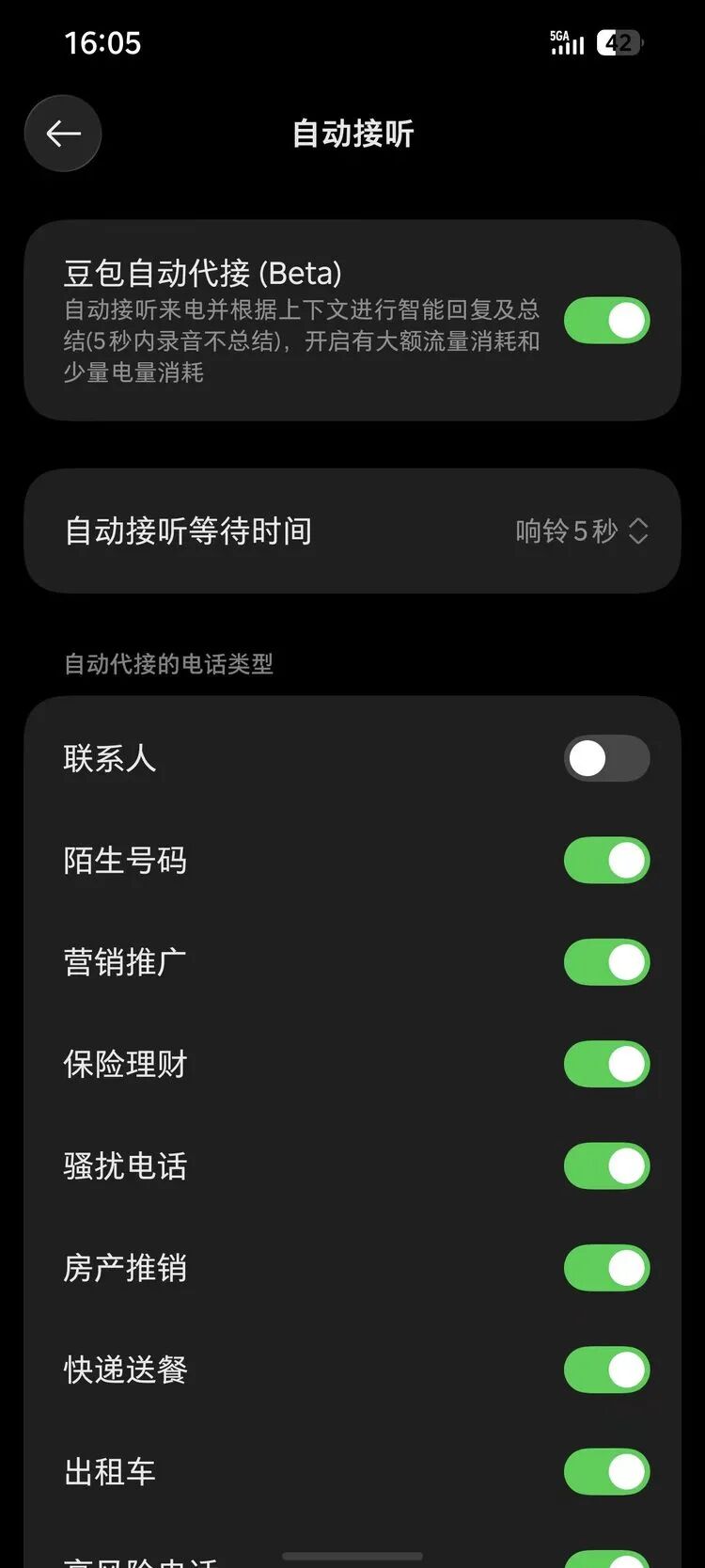
In settings, you can configure the range and strategy of call answering. I granted it all permissions, then tested it with another number of mine, and then I… forgot that I had activated this setting.
Until one day in the car, I suddenly saw my phone starting to converse on its own and looked down to find out that Doubao was answering the call for me.
Interestingly, during that call, I only realized later that the other party was also AI.
After using it intensively for some time, I found that many of its features have become quite powerful and stable. And this is a prerequisite for any ambitious product aiming to completely establish a new set of interaction habits.
The official data indicates that this generation has increased the overall usability rate to 80% compared to previous versions.
These capabilities are already quite magical, but after a rapid penetration of personal agent products among users in recent times, they seem somewhat "common." My greater expectation and curiosity for this product is whether it can come closer to being a true personal assistant, or even a private assistant.
That is, it starts to delve deeper into your personal context beyond these routine tasks and addresses some needs that you define yourself.
As I explored the innovations in technical engineering while using it, I suddenly realized that there was a feature I had been mumbling about for a year but had never achieved, which could finally be realized.
1
Hu Shi Diary AI
In 2025, I posted a moment on social media.
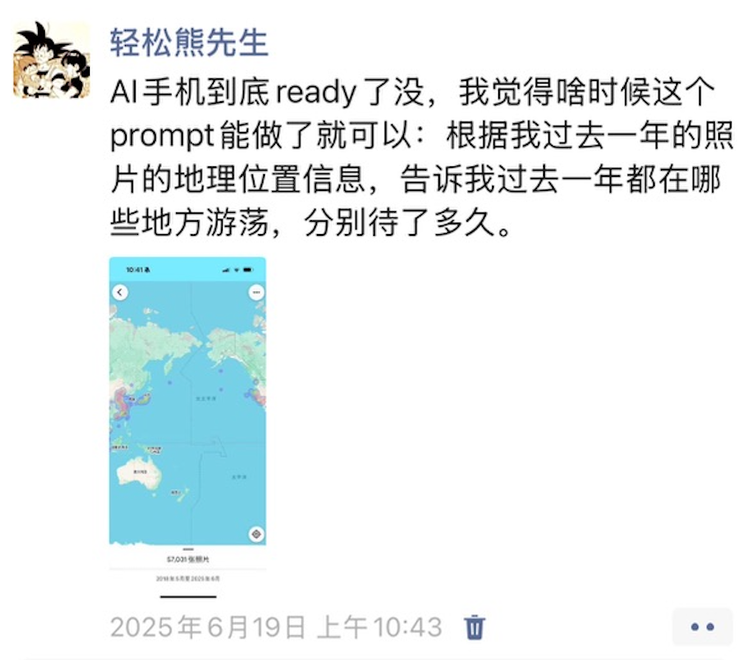
To complete the task of "telling me where I wandered based on the geographical location information of my photos from the past year and how long I stayed in each place," every component is actually readily available. The photos have EXIF data, which contains latitude, longitude, and timestamps; maps can convert latitude and longitude into place names; models can turn these structured data into human language. None of these steps require new technology.
I have been running around for years, visiting many cities and meeting numerous people, but by the end of the year, all is forgotten. Yet all this information lies within this device—thousands of photos with GPS and timestamps, a calendar filled to the brim, ticket screenshots stuffed in notes, and casual jottings.
But previously, all this information was "dead."
In the past year, I have tried third-party apps and cloud models, all stuck at the same hurdle: accessing the data. No third-party application can seamlessly read through the location information of your entire photo album; you have to upload them one by one; no assistant can jump to your calendar, jump to your notes, or jump into your reading apps to gather the materials. Trying to conduct a complete review means spending two or three hours copying and pasting among dozens of apps—might as well not do it at all.
The model has long been adequate. What is stuck is permission and interfaces. What has not been done is the specific engineering work.
Back then, many AI hardware products were chasing a certain kind of "model fundamentalism," trying to allow the model to take over all phone and hardware operations.
However, my need is not to have the model handle it alone; rather, it requires a collaborative design solution involving models, underlying hardware, engineering, and more.
So after using the Doubao Mobile Assistant Consumer Version for some time, I finally threw this demand at it.
The first version of the command was simple: Tell me where I was and what I did in the past two days based on the pictures in my album.
Results came back in seconds. Accurate, complete, and verifiable. No previous device had done this for me. The album, the location, the timestamps—this was the first time a helper had really read through everything for me, without needing me to upload, import, or fuss between dozens of software.
But as I looked at the results, I realized that fundamentally, it was just reading my data back to me.
The biggest problem after reading is that I didn’t feel it understood me better. What it did was still retrieval and listing, while I actually wanted understanding and presentation.
So how to handle this? The direct method that comes to mind is simply to modify the prompt. However, past experiences suggest that operating this way can be quite random; sometimes the results are good, and sometimes they're not.
How to make this phone's AI assistant understand you better? The best way is to have a safe and controllable memory system.
To put it plainly, the memory layer sits between you and the model. The model itself does not remember; every task begins from scratch; while the data on the phone is just too much and too mixed to be all dumped on it without use. This time, Doubao categorized what could be remembered into three types.
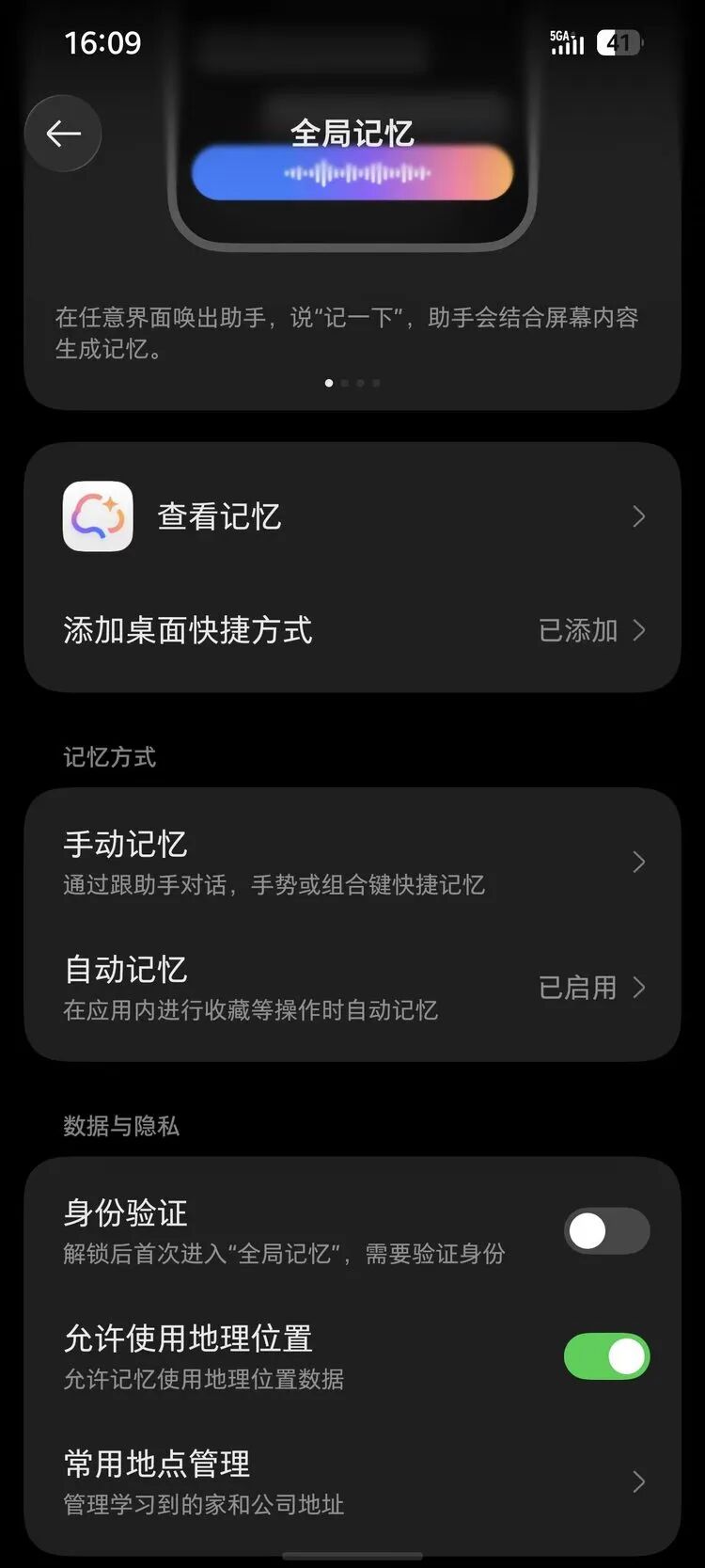
The first type is the existing data already on your phone—recordings, contacts, albums, text messages, notes, and calendars. These have always existed but have never been read in full. After granting authority, the assistant can call on them, for which they have equipped a local search tool dedicated to retrieving and recovering from this stockpile.
The second type is what you actively tell it to remember. Sending a memory command to the assistant suffices—ideas, shopping lists, to-dos all count.
The third type is what you casually "collect" while using your phone. The Doubao Mobile Assistant offers numerous entry points: voice (telling the phone assistant to remember something), AI buttons, combination keys, quick gestures (three-finger swipe up to save screen content to memory), screenshots (press "memory" after taking a screenshot, long screenshots are also supported), etc.
Additionally, there is a separate layer, which is personal context.
This has two sources: first, information that you actively provide and wish to be remembered, such as frequently used addresses; second, preferences learned by Doubao during conversations with you, such as tastes and habits. These will not be presented as lines of "memory" for you to see but will be settled in and used as context in subsequent task execution.
I feel that Doubao has treated this phone itself as a large model, creating a complete new harness system for it.
So I decided to experiment with this memory system.
I considered how I wanted it to record or describe me; I thought maybe like having Samantha from "Her" describe Theodore.

Then I thought of Hu Shi and his diaries.
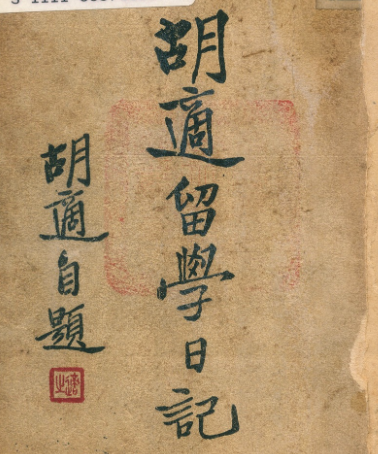
Since this function carries a bit of the diary meaning, when you want to record today’s life, looking at all the world continuously witnessing historic events, AI making leaps, while at the same time, everyone is living their own daily lives, it always makes me think of Hu Shi and his diary.
In the chaotic times of the Republic, the world was turned upside down, yet he seemed to play cards or read books as normal. During the fiercest moments of World War I, he reflected in his diary about playing cards too often lately. The crashing waves of a grand era intertwined with a person's mundane daily life create a moving read.
Thus! The requirement was complete:
Have the Doubao phone understand the content of the photos and geographical information in the album, and then use Hu Shi's style to stitch my daily details and significant industry events into a single "diary," recording daily life in the most understanding way.
I first let it search the internet for Hu Shi's diaries and incorporate the sentences that best fit the feelings I described into long-term memory as a writing reference. At the same time, it has already recorded quite a bit about my personal context based on its understanding, and I was curious what the "mix" would produce as a "diary."
Then I casually issued a lengthy and somewhat complicated verbal command:
Could you look at the photos I took yesterday, then based on the information from those photos and especially using the geographical location information stored on my phone, combine them to determine what I did yesterday? At the same time, also search for the most important news that happened globally that day, and then using the style of Hu Shi's diary, which I previously saved and really liked, record a few of my activities from yesterday, it can be a small diary, not too lengthy, and then save it in my notes.
After saying this, I put down my phone and went to pour a glass of water. Before I even finished drinking, three minutes later, my phone popped up a notification: Task completed, saved to notes.
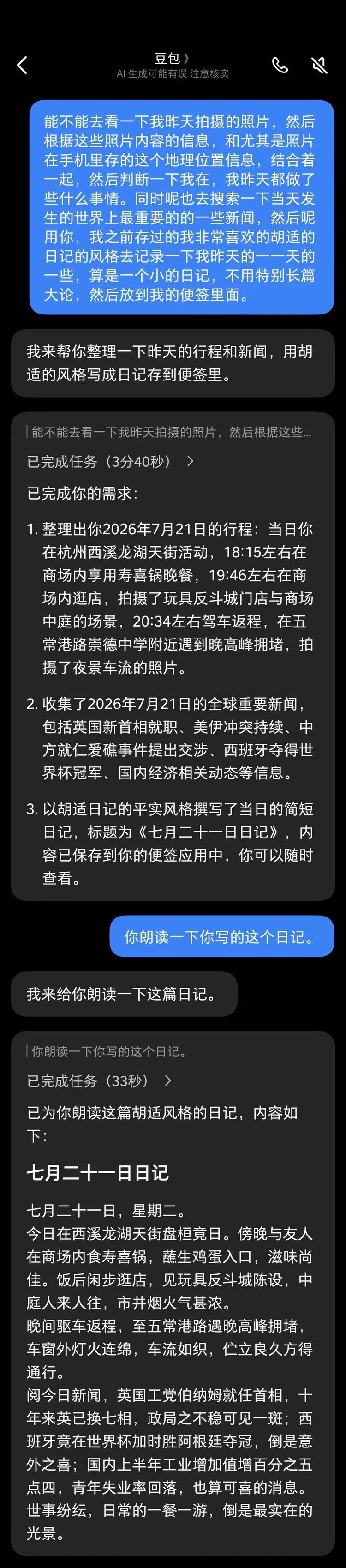
I opened this pop-up:
July 21, Tuesday
Today spent all day at Xixi Longhu Tianjie. In the evening, I had sukiyaki with a friend at the mall, dipping raw egg for a nice taste. After dinner, took a leisurely stroll through the shops, saw a display at Toys "R" Us, and the bustling atmosphere in the courtyard was quite rich.On the way back in the evening, encountered congestion at Wuchang Port Road during rush hour, with lights stretching outside the car window and traffic flowing like a weave, stood for a long while before passing through.Read today's news, Burnham of the UK Labour Party assumed office as Prime Minister, the UK has changed seven Prime Ministers in ten years, showing signs of political instability; surprisingly, Spain won the World Cup by defeating Argentina in extra time, which was quite a pleasant surprise; domestically, industrial added value grew by 5.4% in the first half of the year, and the youth unemployment rate decreased, which is also good news.The world is full of complexities, but the most genuine scenery comes from the daily meals and excursions.
I was stunned for a moment after reading. Sukiyaki, the evening rush hour at Wuchang Port Road, the UK changing Prime Ministers, and Spain winning the championship.
My private life and the significant world events of that day were placed side by side.
1
The only thing that has always been by your side is probably your phone
After "developing" this Hu Shi Diary AI, I make it write something every day at the end of the day.
After a few operations, Doubao proactively suggested that it could be done as a fixed task.
Thus, a feature I had always wanted to implement was realized, and it indeed made me feel for the first time how much a "phone" can understand you.
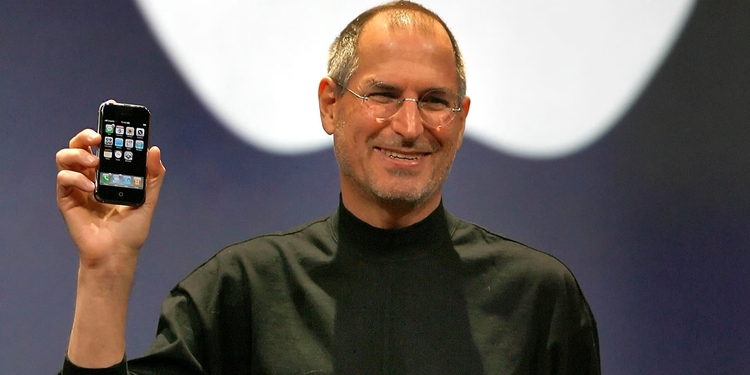
At the press conference nearly 20 years ago when the iPhone was born, Jobs said the iPhone is the synthesis of three things: a widescreen iPod, a phone, and an internet device.
What he did not say, and perhaps could not predict, was the fourth role of the phone.
Over the next decade and more, because this device was indeed too user-friendly, people began to bring it everywhere—with them while eating, walking, and placed beside their pillows when sleeping. Over the years, billions of people have continuously poured into it everything they filmed, wrote, said, bought, and places they went.
It is the phone that has truly made today’s AI possible.
Over the years, in fact, we have always been writing into these devices. In most cases of everyone’s life, the only thing that has always been by your side is probably your phone. It has recorded every location, every meal, and every late-night search for you. But there has never been a reader.
So the part of that diary that stunned me was not because it was well-written but because these things were understood for the first time. The phone has been a recording device for more than a decade, and now it has taken on an additional identity; it has begun to become a reader.
Of course, no one is willing to exchange thousands of photos, all trip itineraries, and call logs for a well-written diary. The reason it can stand today is largely because this retrieval and understanding happen within the device itself rather than at an invisible location. On the second-generation Doubao Mobile, these AI buttons with fingerprint recognition, the local setting for global memory, and the local search tool designed to search within the device data are all addressing this privacy and security issue. Whether all of this can be well secured is a prerequisite for turning the phone into the AI assistant that truly understands you.
When the operation of these functionalities is safe enough and they can be defined, invented, and implemented by you on your phone, I feel we will truly not return to the past experience of using phones.
Our perspective on phones will also change rapidly. For over a decade, we have used them to record this world. Now it is their turn to record us.
免责声明:本文章仅代表作者个人观点,不代表本平台的立场和观点。本文章仅供信息分享,不构成对任何人的任何投资建议。用户与作者之间的任何争议,与本平台无关。如网页中刊载的文章或图片涉及侵权,请提供相关的权利证明和身份证明发送邮件到support@aicoin.com,本平台相关工作人员将会进行核查。


