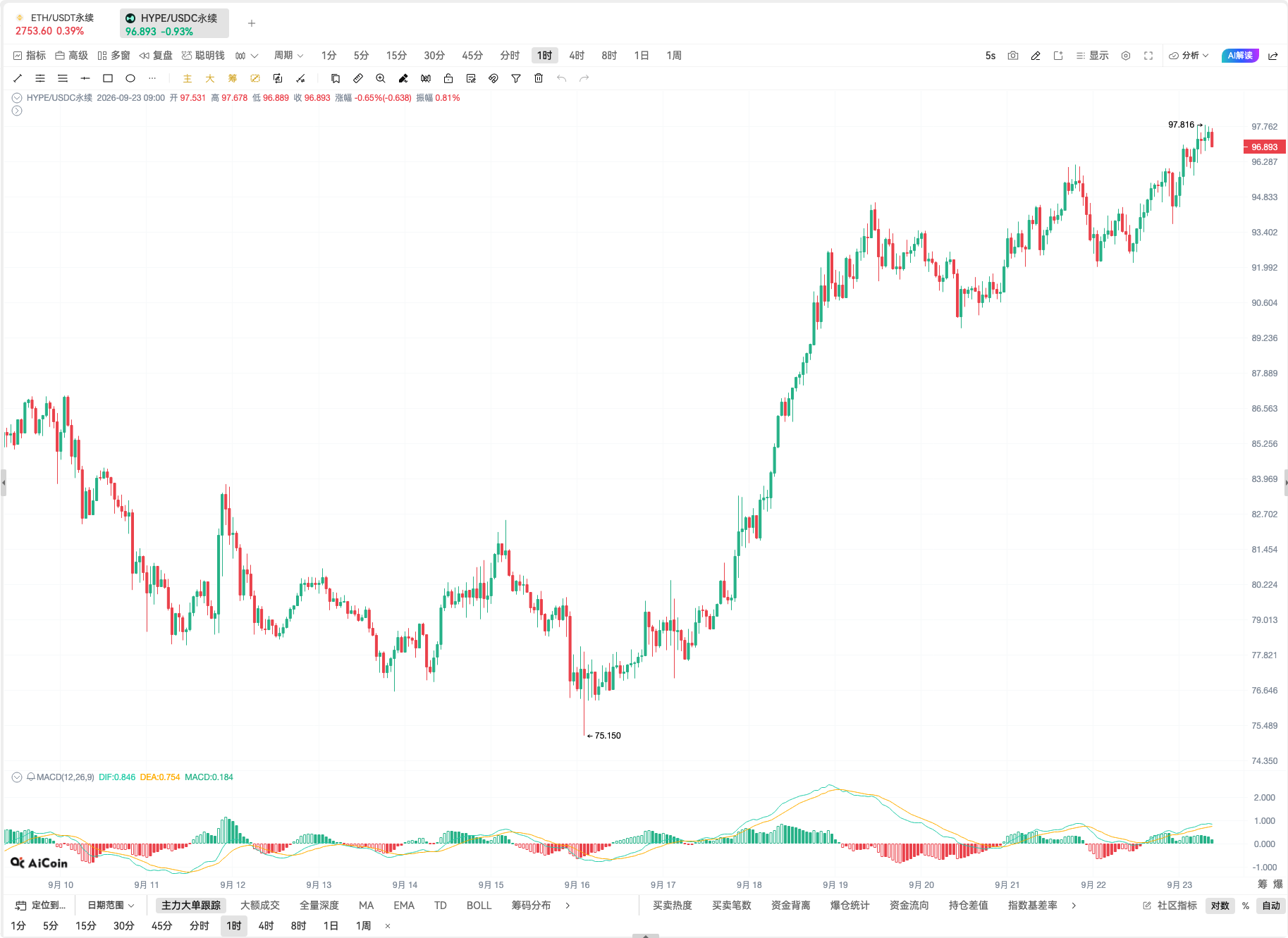
When trading, many judgments come from comparisons.
Analyzing BTC requires combining long-term trends with short-term changes; looking for market opportunities while switching between BTC, ETH, and multiple altcoins. The more frequently the pages are switched, the easier it is to disrupt the observation rhythm, and the details seen just now need to be re-located when switching to another window.
The AiCoin multi-window function allows you to concentrate the K-lines you need to observe on one screen, making multi-period analysis and multi-coin comparison more intuitive.
▌How to enable multi-window on the same screen?
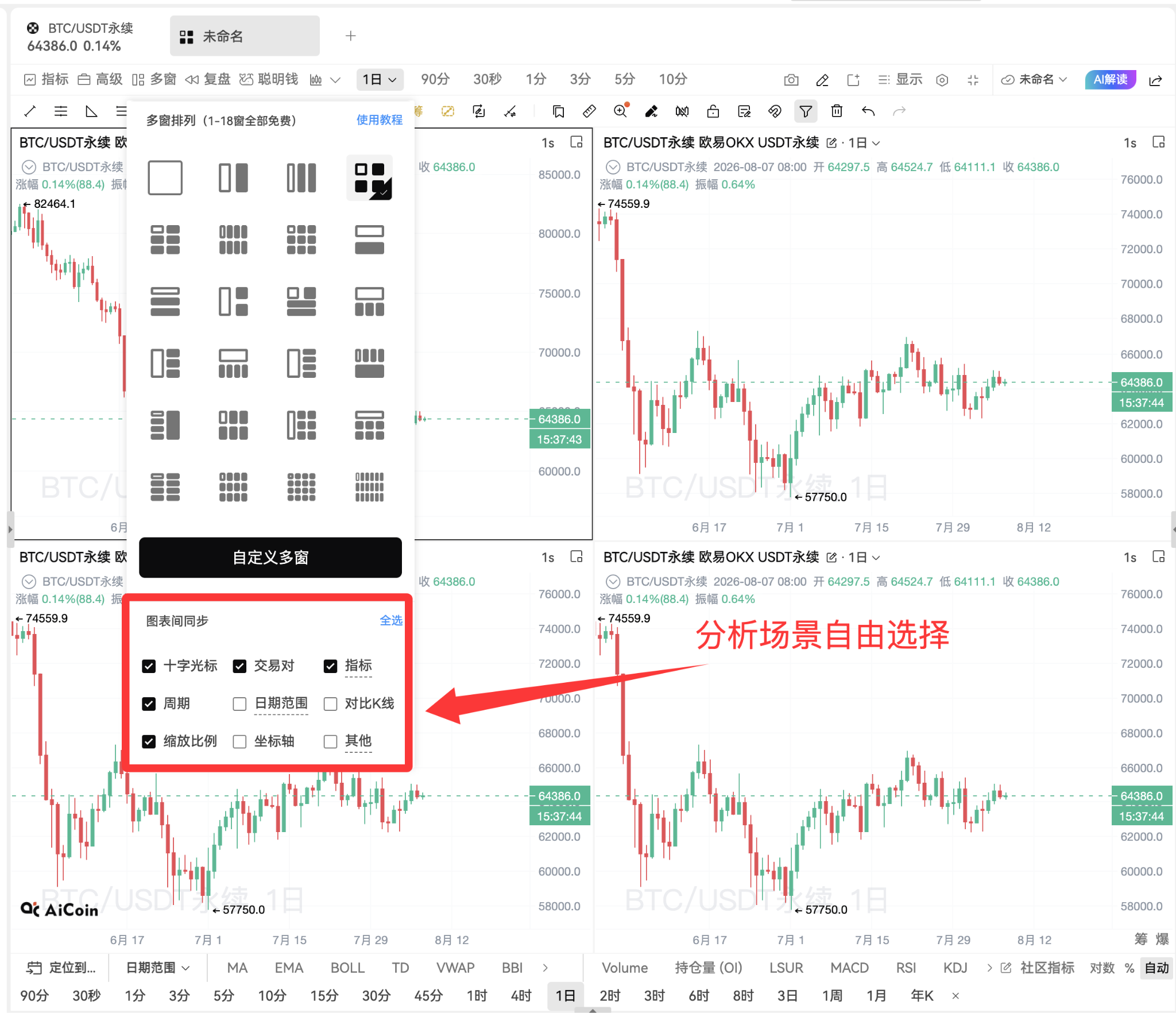
Open the AiCoin PC K-line, find the【Multi-window】option at the top of the page, click it, select the number of windows and arrangement method you need, and you will enter the mode for observing multiple screens at once.
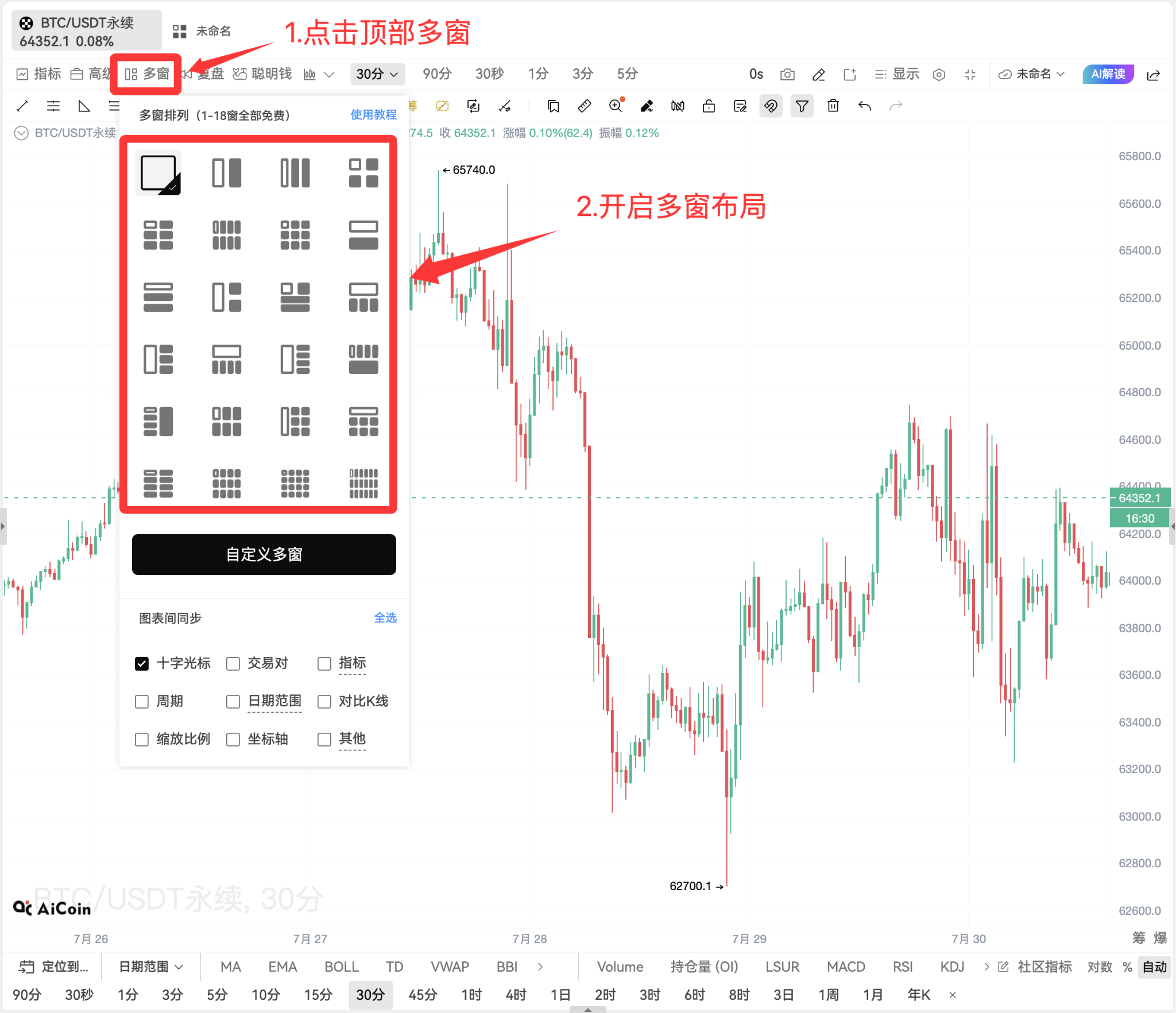
PS: The multi-window feature supports 1 to 18 windows for free use, and the system provides various arrangement templates. You can also click【Custom Multi-window】to adjust the layout according to your screen and observation habits.
▌Look at multiple periods of the same trading pair together
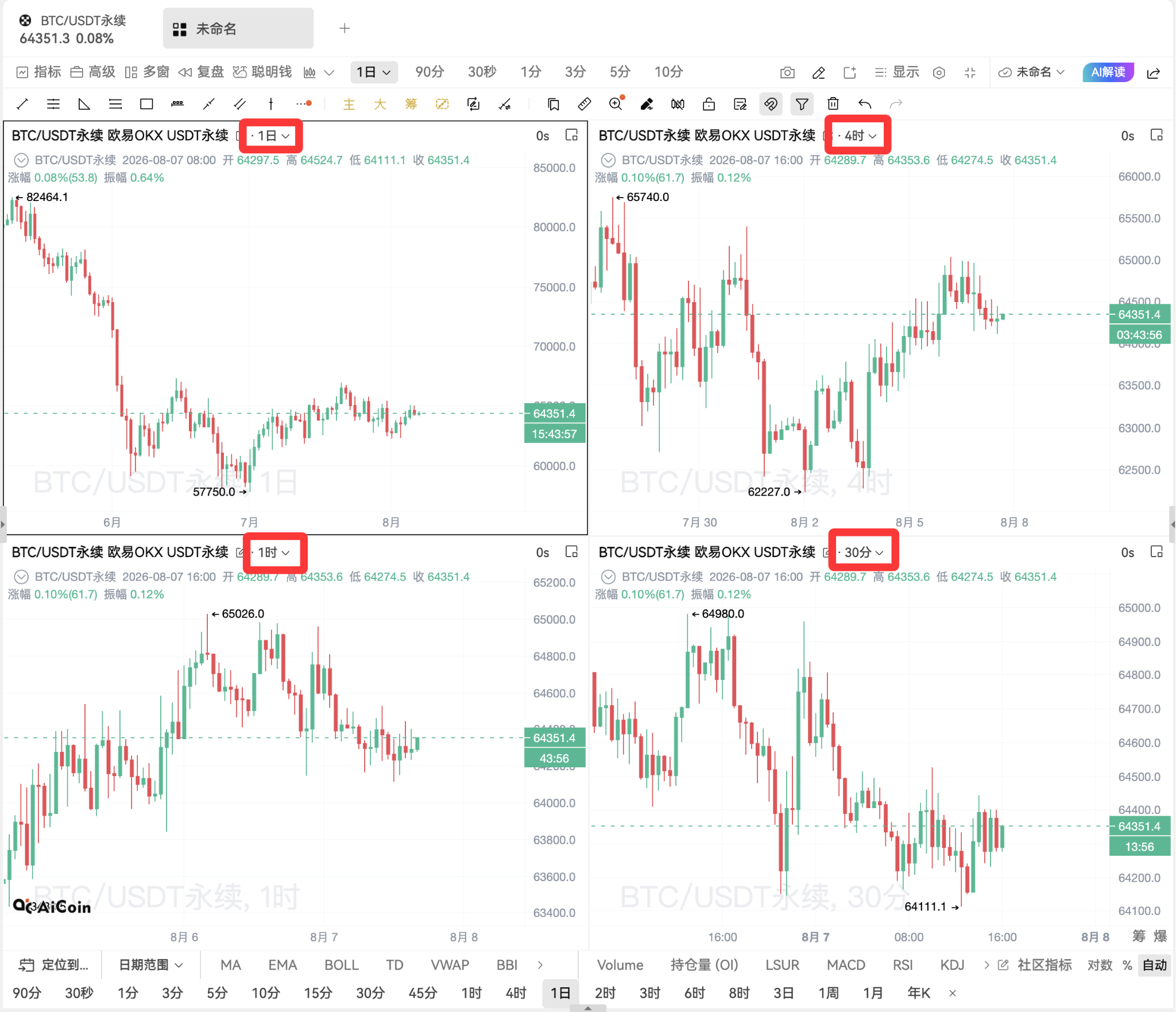
Multi-window can be used to observe different periods of the same trading pair.
For example, putting the daily, 4-hour, 1-hour, and 30-minute K-lines of BTC on the screen at the same time. The daily line is used to judge the overall direction, the hourly line is used to observe market structure, and the minute line can present more detailed price changes.
When the market approaches a key position, whether there is a coordination between the periods can be directly observed through on-screen comparison, making the analysis process more coherent.
[Comparing multiple periods of the same trading pair, using the long term to see trends and the short term to observe rhythm.]
▌Compare the strength and weakness of multiple trading pairs at a glance
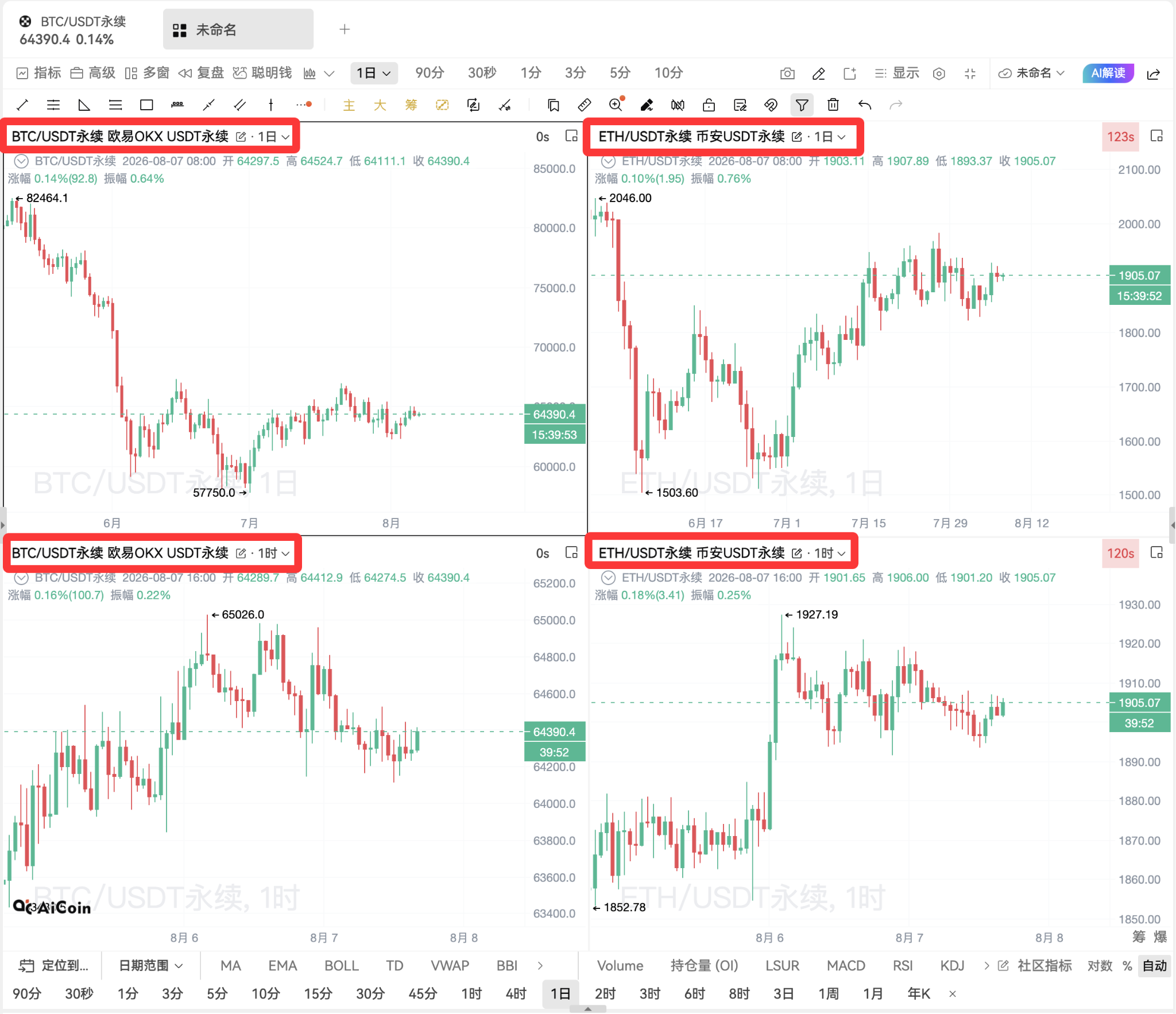
In addition to multi-period analysis, you can also add multiple trading pairs in different windows.
By placing BTC, ETH, and other coins of interest on the same screen, you can quickly observe who breaks through first, who is following, and which coins are showing strong changes. When the market enters a rotation phase, the strength-weakness relationship between multiple trading pairs will be clearer.
[Observe multiple trading pairs on the same screen to timely discover market linkages and rotations.]
▌Enable chart synchronization for easier review
The multi-window feature supports synchronization of crosshairs, trading pairs, indicators, periods, date ranges, comparative K-lines, scaling ratios, and coordinates.
If you want to compare market performance in the same time frame, you can enable synchronization of【Crosshair】and【Date Range】. When moving one chart, other windows will follow the location, making it easier to find the corresponding position when reviewing key market movements.
If you need to adjust all windows uniformly, you can also enable synchronization of trading pairs, periods, or indicators, allowing multiple charts to switch simultaneously.
[Choose synchronization items freely based on analysis scenarios to reduce repetitive operations.]
On one screen, you can observe multiple periods and compare multiple trading pairs.
Open the AiCoin PC K-line, click the top【Multi-window】, select a layout that suits you, and activate a more efficient way to observe multiple screens.
Market opportunities are often hidden in comparisons. Seeing more completely provides a more solid basis for judgment.
免责声明:本文章仅代表作者个人观点,不代表本平台的立场和观点。本文章仅供信息分享,不构成对任何人的任何投资建议。用户与作者之间的任何争议,与本平台无关。如网页中刊载的文章或图片涉及侵权,请提供相关的权利证明和身份证明发送邮件到support@aicoin.com,本平台相关工作人员将会进行核查。