Many beginners feel a certain way when they open the trading page for the first time:
There are many buttons, the terms are unfamiliar, but they hesitate to click indiscriminately.
This article will clarify the essence of the order page from a beginner's perspective.
1. Spot Order Page
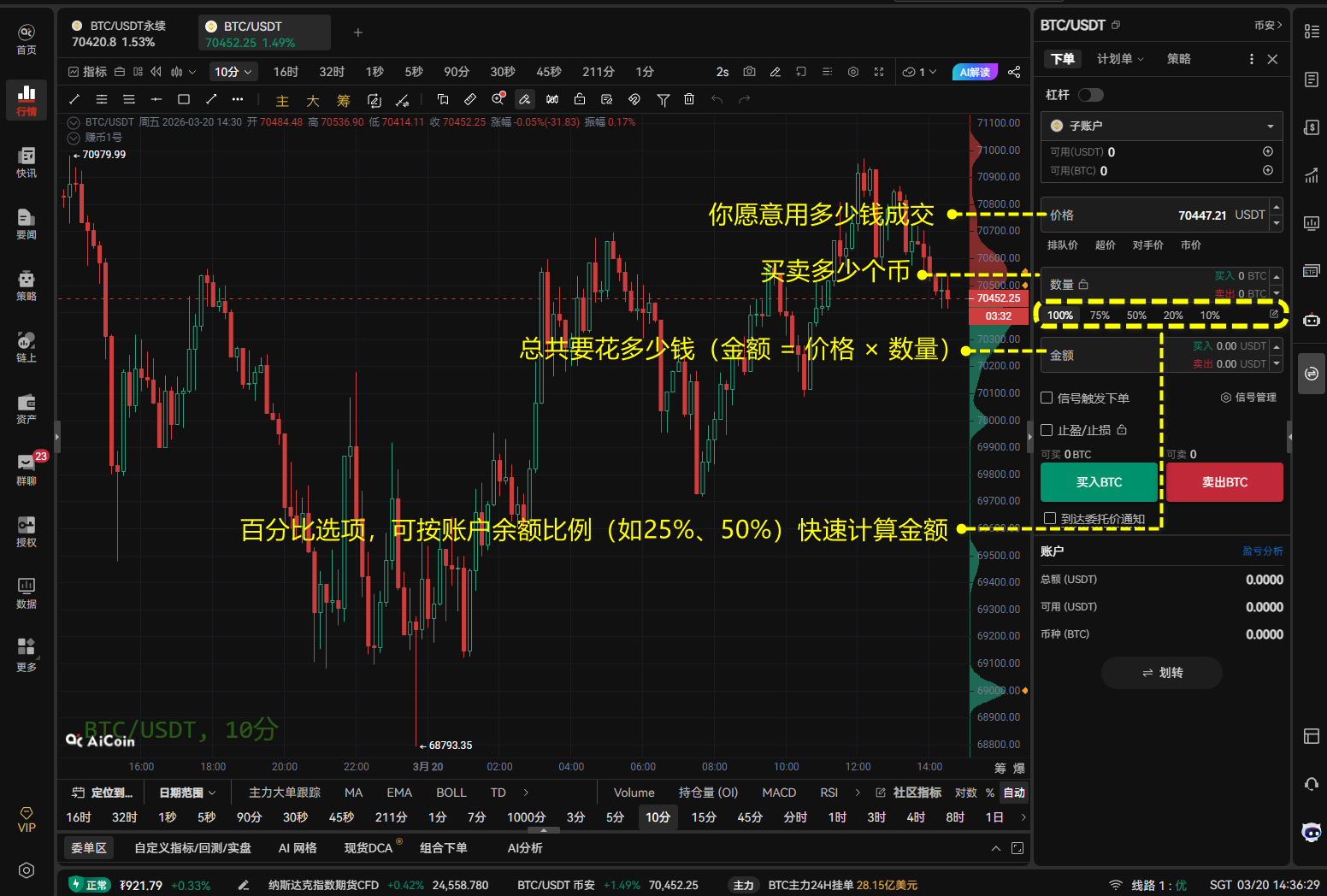
Spot trading essentially means: using USDT (or fiat currency) to directly buy assets like BTC / ETH. The core of the page consists of three elements:
- Price: How much you are willing to spend
- Amount: How many coins you want to buy or sell
- Total: How much money you will spend in total (Total = Price × Amount).
Assuming the current BTC price is $60,000 USDT. If you enter an amount of 0.1, the total will automatically display as $6,000 USDT. Click buy, and you will actually have 0.1 BTC in your wallet.
2. Contract Order Page
If spot is buying assets, then contracts are: using leverage to amplify rises and falls, going long or short.
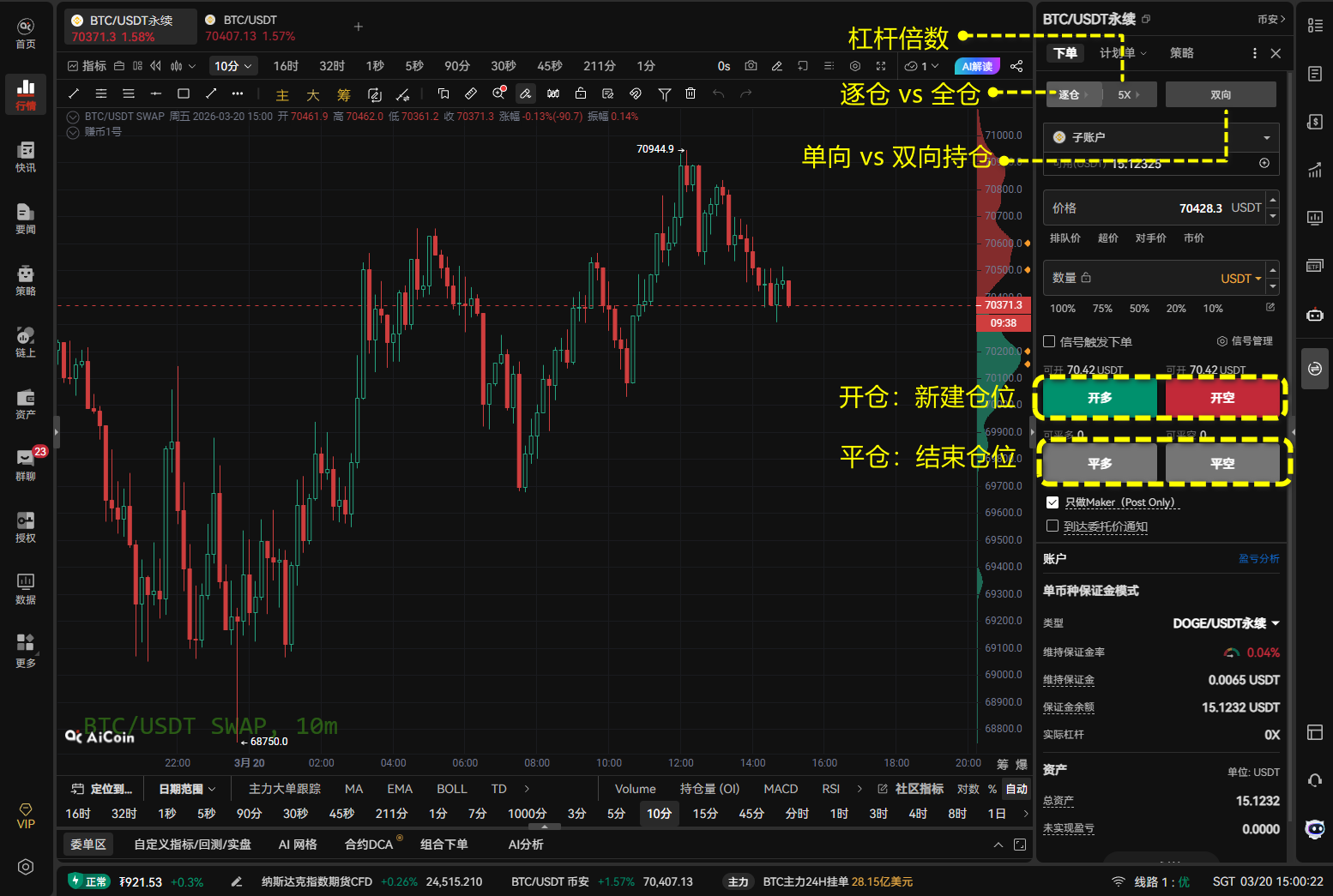
Compared to spot, the contract page adds these key parameters:
1. Margin Mode: Cross vs Isolated
- Cross: All positions share the same margin, one liquidated order can drag down the entire account.
- Isolated: Only the money for this order bears the risk. If you lose, you only lose this amount, which does not affect other funds in the account. It's recommended that beginners start with isolated.
Assuming you have $1,000 USDT in your account and opened a long position using $100 as margin. The cross scenario means that the $1,000 is used as collateral; while the isolated example means that only $100 USDT is used for the collateral.
2. Leverage
This is the profit-loss amplifier. Common values: 1x / 5x / 10x / 20x …
10x leverage means that if the price changes by 1%, your profit/loss is 10%.
Assuming you only have $1,000 USDT and choose 10x leverage, you can trade Bitcoin worth $10,000 USDT. If BTC increases by 1%, your profit is $10,000 * 1% = 100 USDT. Relative to your principal of $1,000, your return on investment instantly becomes 10%! Conversely, if it drops by 10%, your principal would be wiped out.
3. Position Mode: One-way vs Two-way
- One-way: You can hold only one direction for a currency (either long or short).
- Two-way: Allows you to hold both a "long" and a "short" position for the same currency simultaneously, usually used for hedging risks.
4. Open/Close Position Buttons
- Open Long/Open Short: Create a new position (buying up or selling down).
- Close Long/Close Short: Lock in profits or cut losses.
3. Price Types
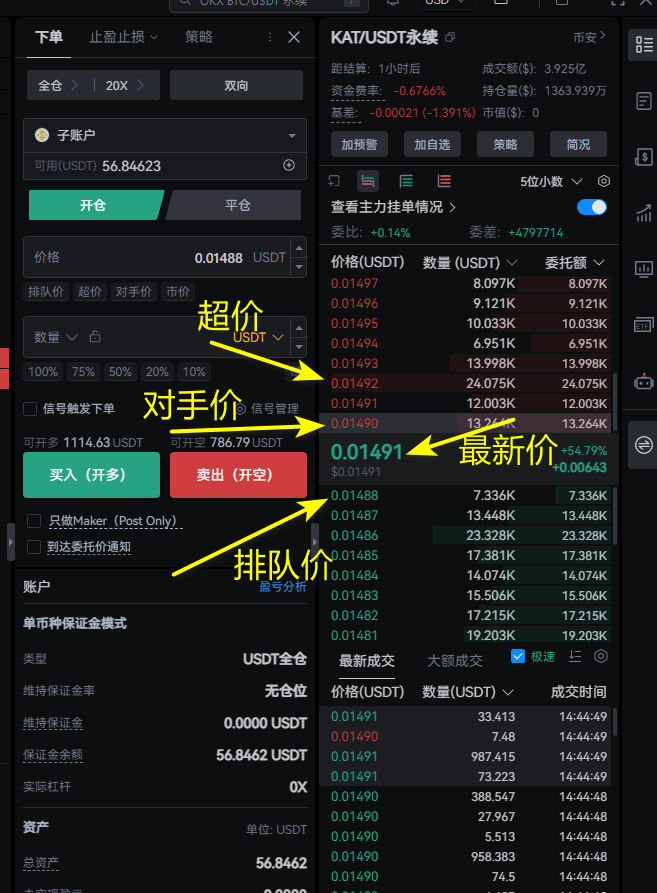
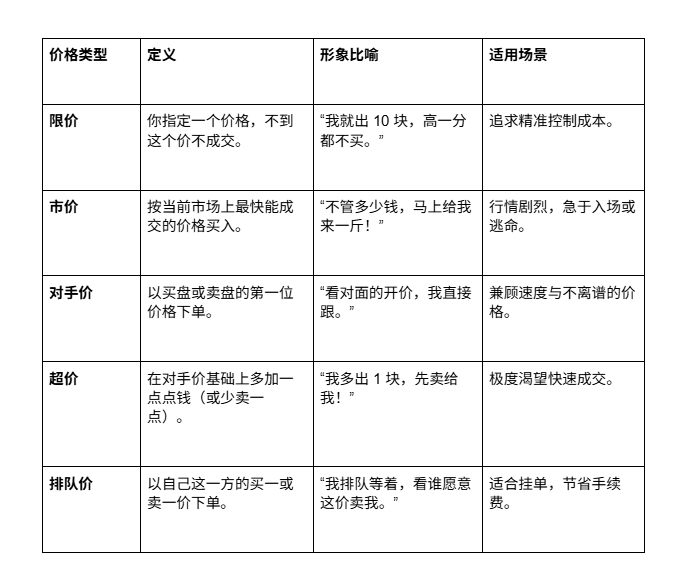
When placing an order, you will notice many options below the price box, which determine the speed of your transaction.
Taking buying as an example, the market data is as follows:
4. Quantity Units: What is the relationship between lots, coins, and USDT?
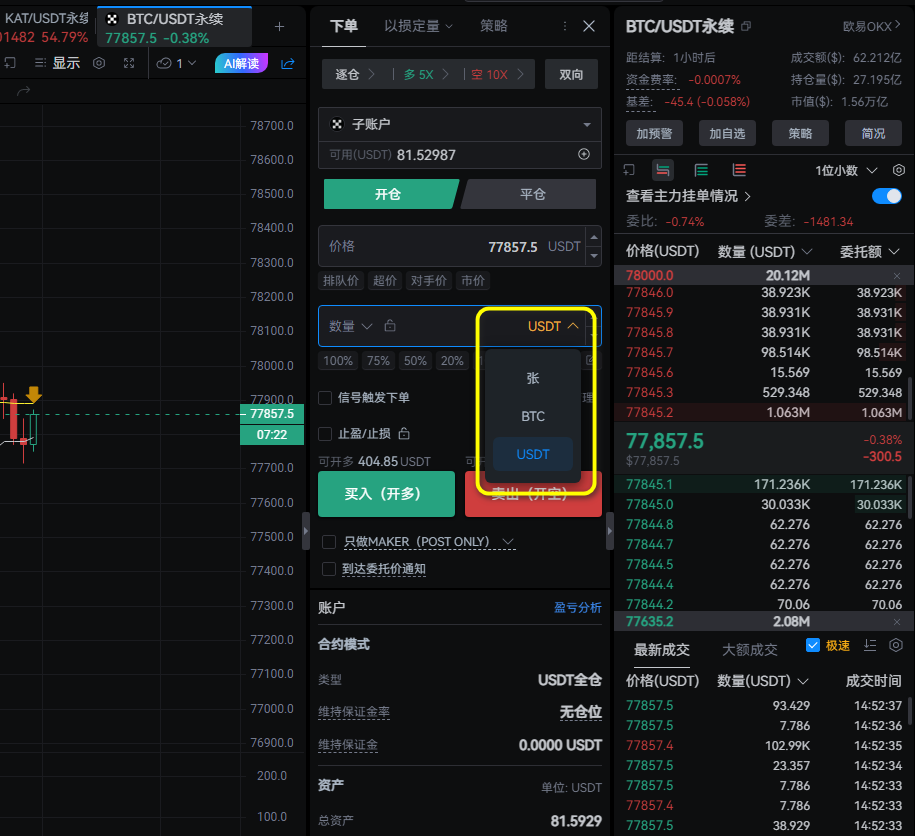
In contracts, when entering a quantity, you can choose different units:
- Coins: The most intuitive. For example, entering 0.1 BTC means you are trading 0.1 bitcoins.
- USDT: Calculated by amount. For instance, entering 1000 USDT, the system will automatically convert it to coins based on the current price.
- Lots: Each lot represents a fixed value. The meaning of "one lot" differs between exchanges. For example, on some platforms 1 lot of BTC = 100 dollars, while on others 1 lot = 0.001 BTC. Always check before placing an order.
This issue concludes here. In the next installment, I will introduce you to take profit and stop loss, line drawing orders, planned delegations and other advanced order types to make your trading smoother!
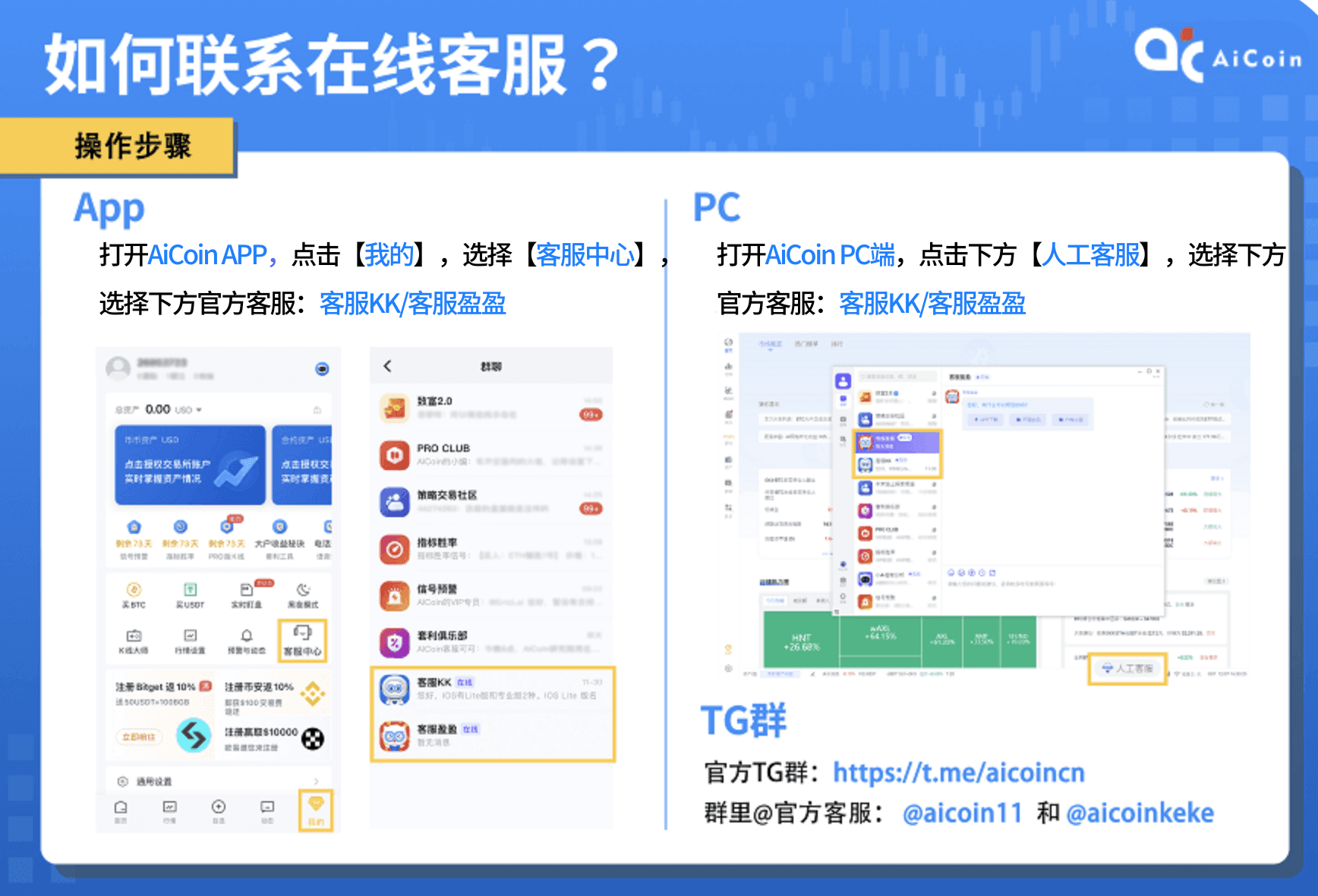
🎁 Benefit drop: Friends who have read the full text can contact customer service and show this link to enjoy a 10% exclusive discount when activating membership. Limited quantity~
免责声明:本文章仅代表作者个人观点,不代表本平台的立场和观点。本文章仅供信息分享,不构成对任何人的任何投资建议。用户与作者之间的任何争议,与本平台无关。如网页中刊载的文章或图片涉及侵权,请提供相关的权利证明和身份证明发送邮件到support@aicoin.com,本平台相关工作人员将会进行核查。