New User Registration Guide: Web Version
Step 1:
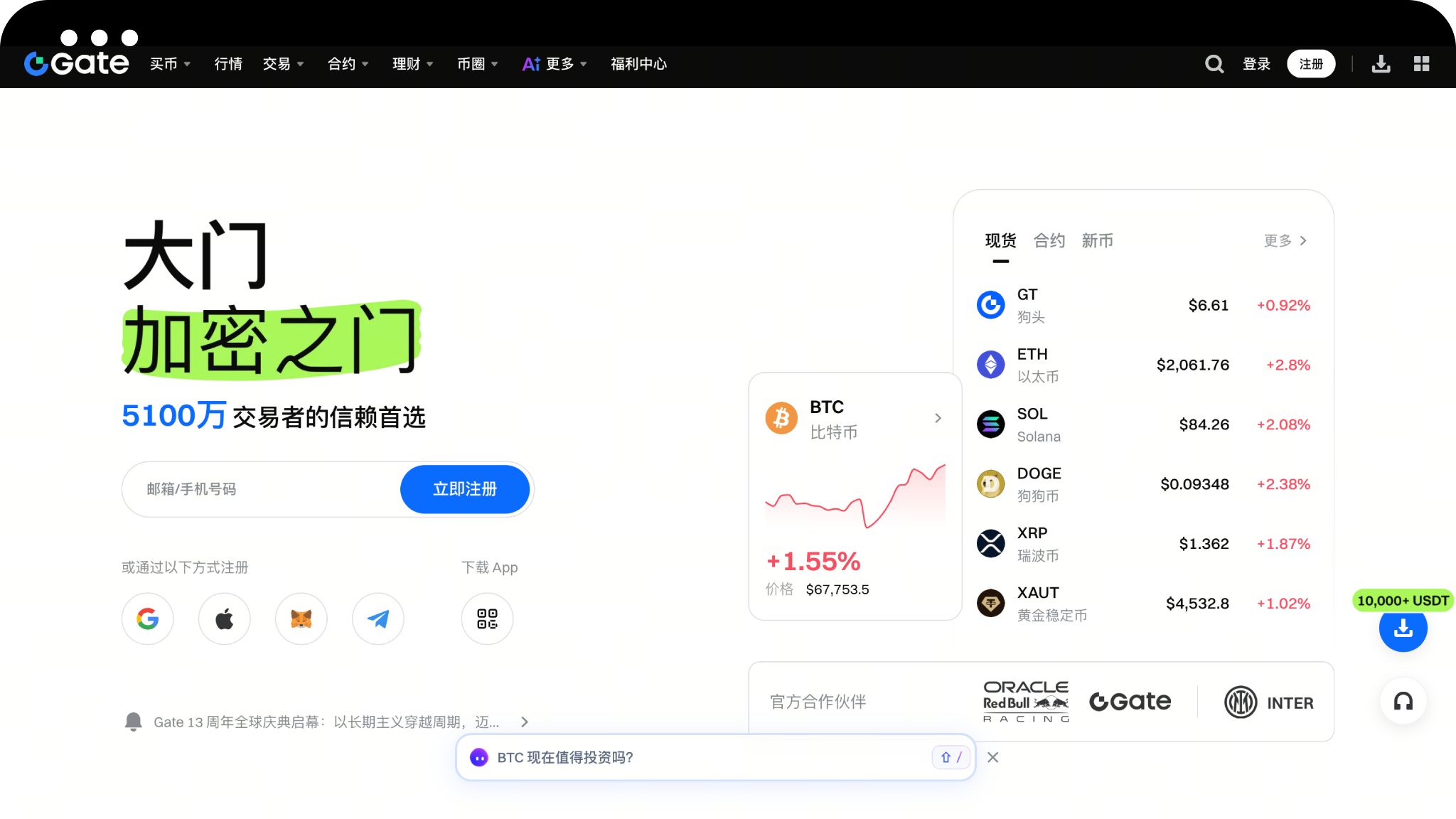
Open the browser, visit the Gate official website, and click the [Register] button in the upper right corner of the page to enter the registration page.
Exclusive AiCoin registration link:
https://jump.do/zh-Hans/xlink-proxy?id=5
Step 2:
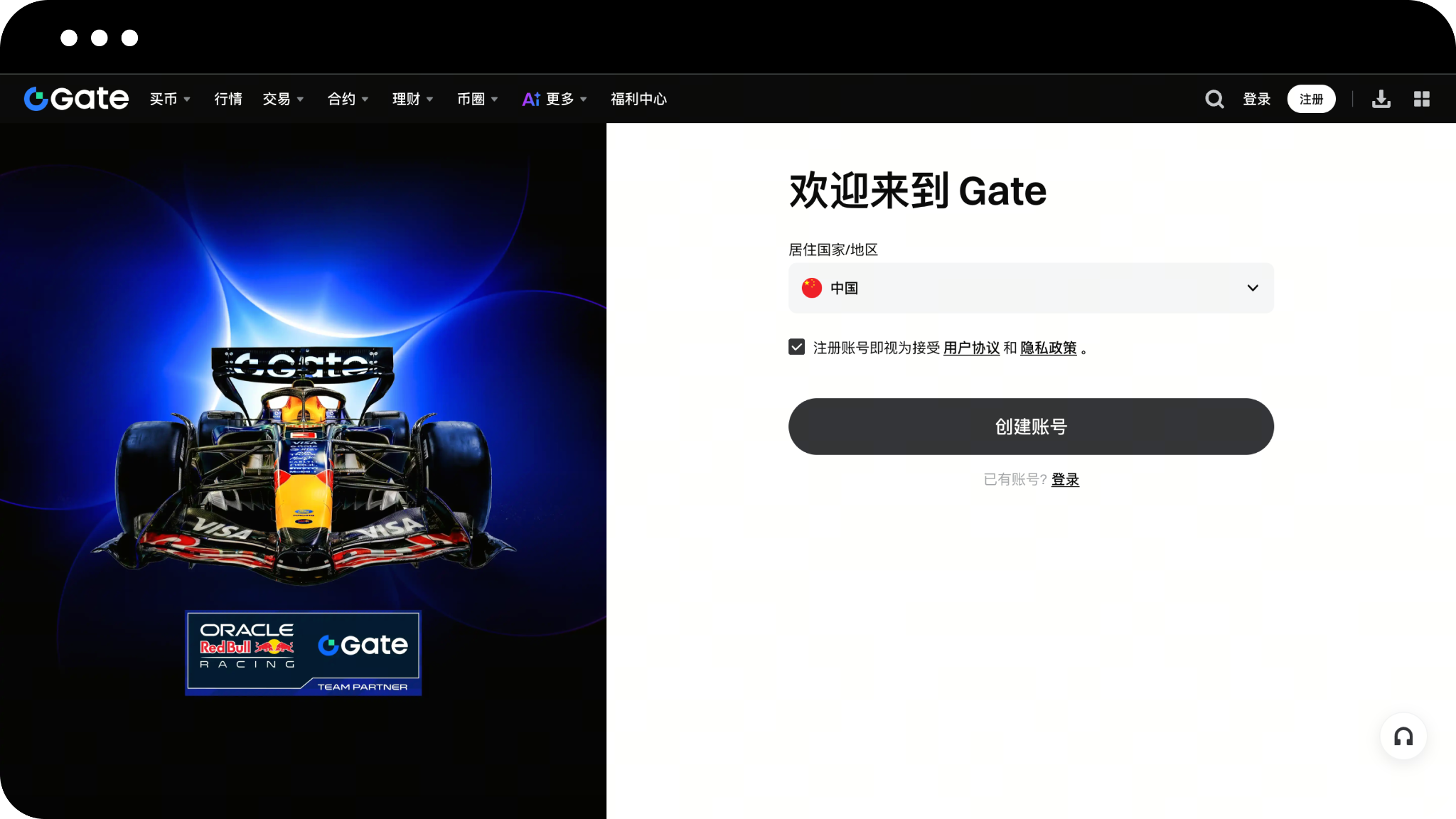
On the registration page, select "Country/Region of Residence" as prompted, check "Registering an account is considered acceptance of the User Agreement and Privacy Policy", and click the button to start creating an account.
Step 3:
On the account creation page, select Registration Method (Email or Phone Number), enter Email Address or Phone Number, and click [Next].
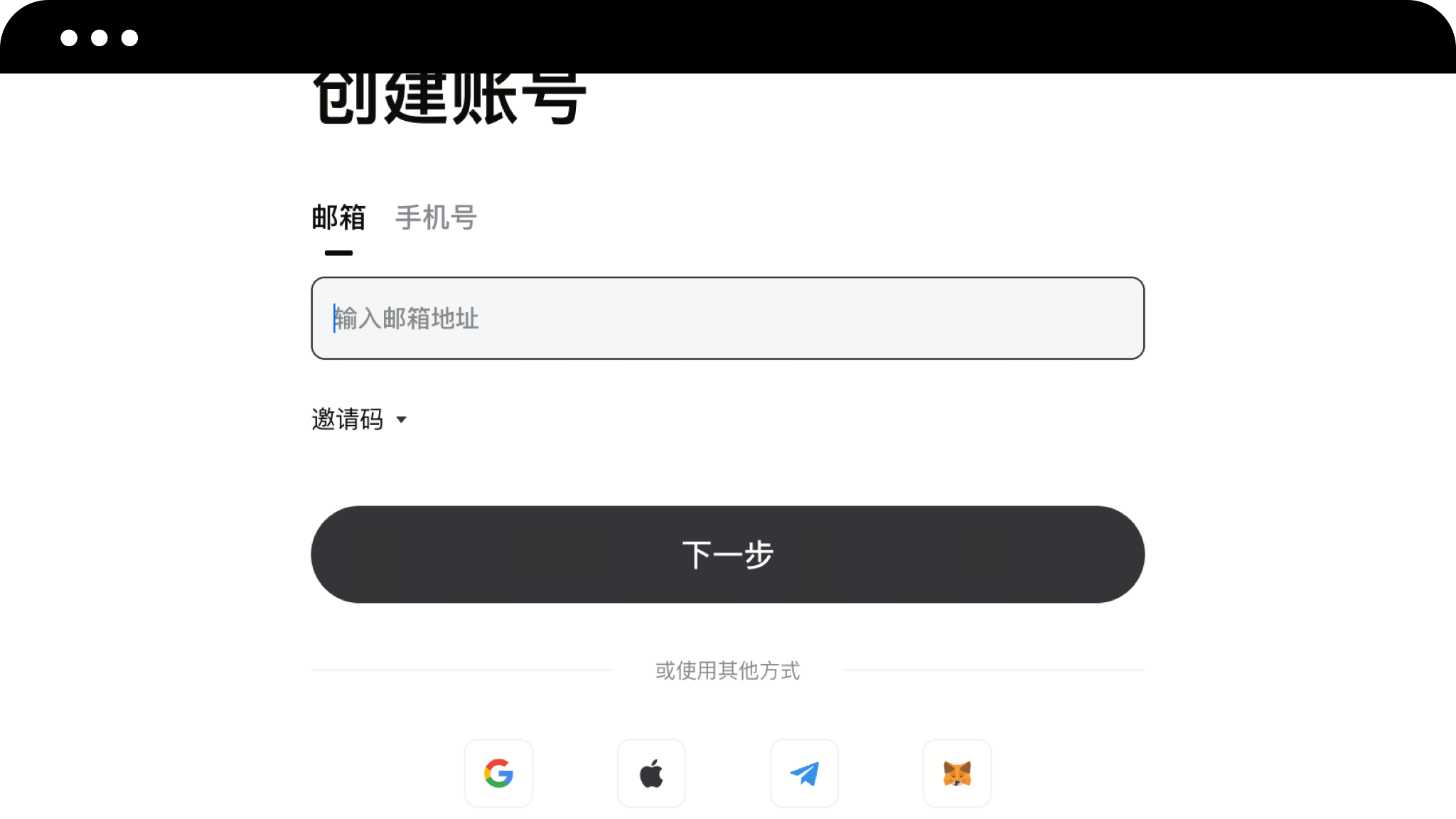
Step 4:
The system will send a verification code to your email or phone, please pay attention to check it. On the email/phone verification page, enter your Email/Phone Verification Code and click [Next].
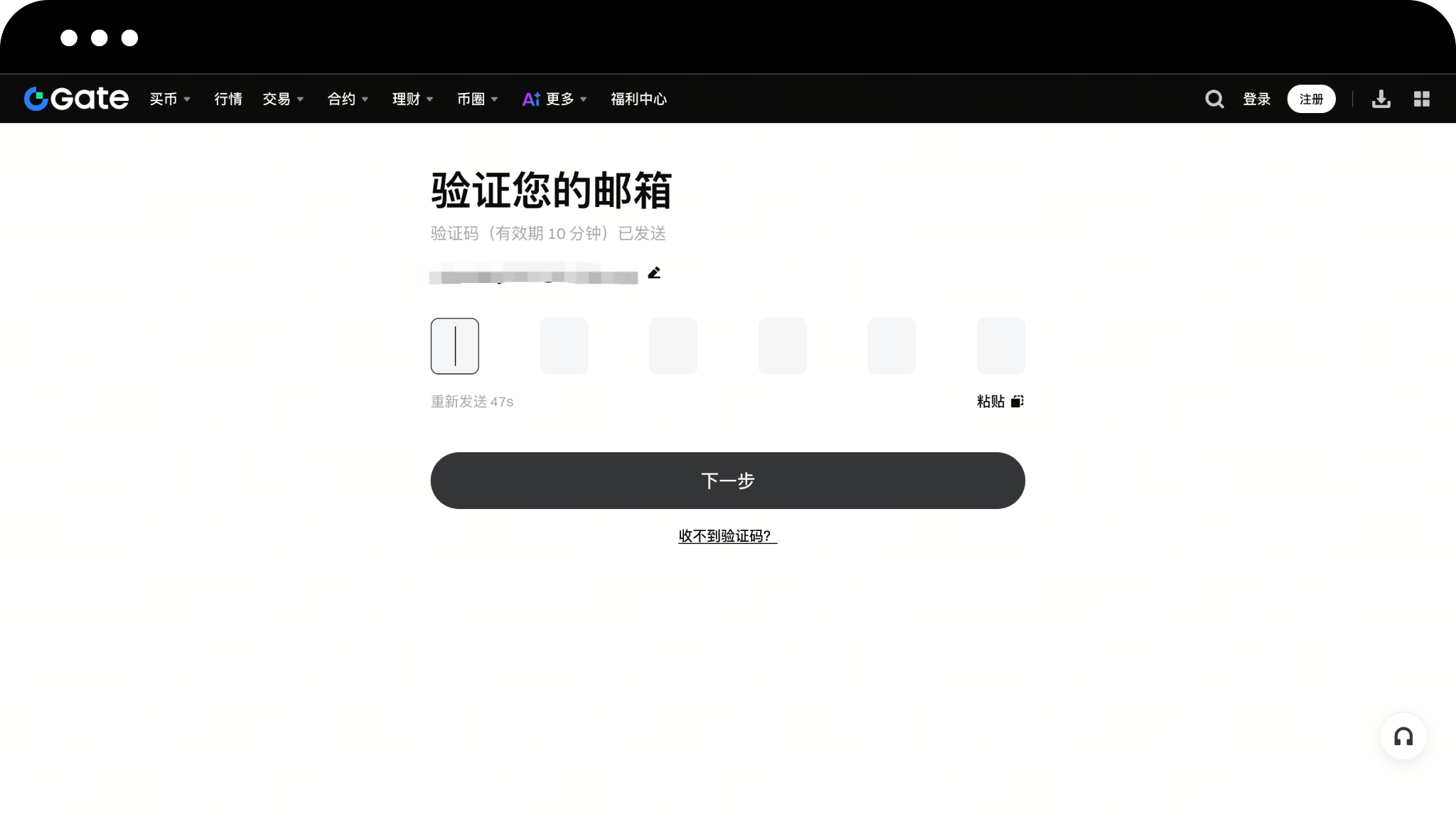
Step 5:
Set your Login Password as required and click the [Confirm] button to complete your account registration.
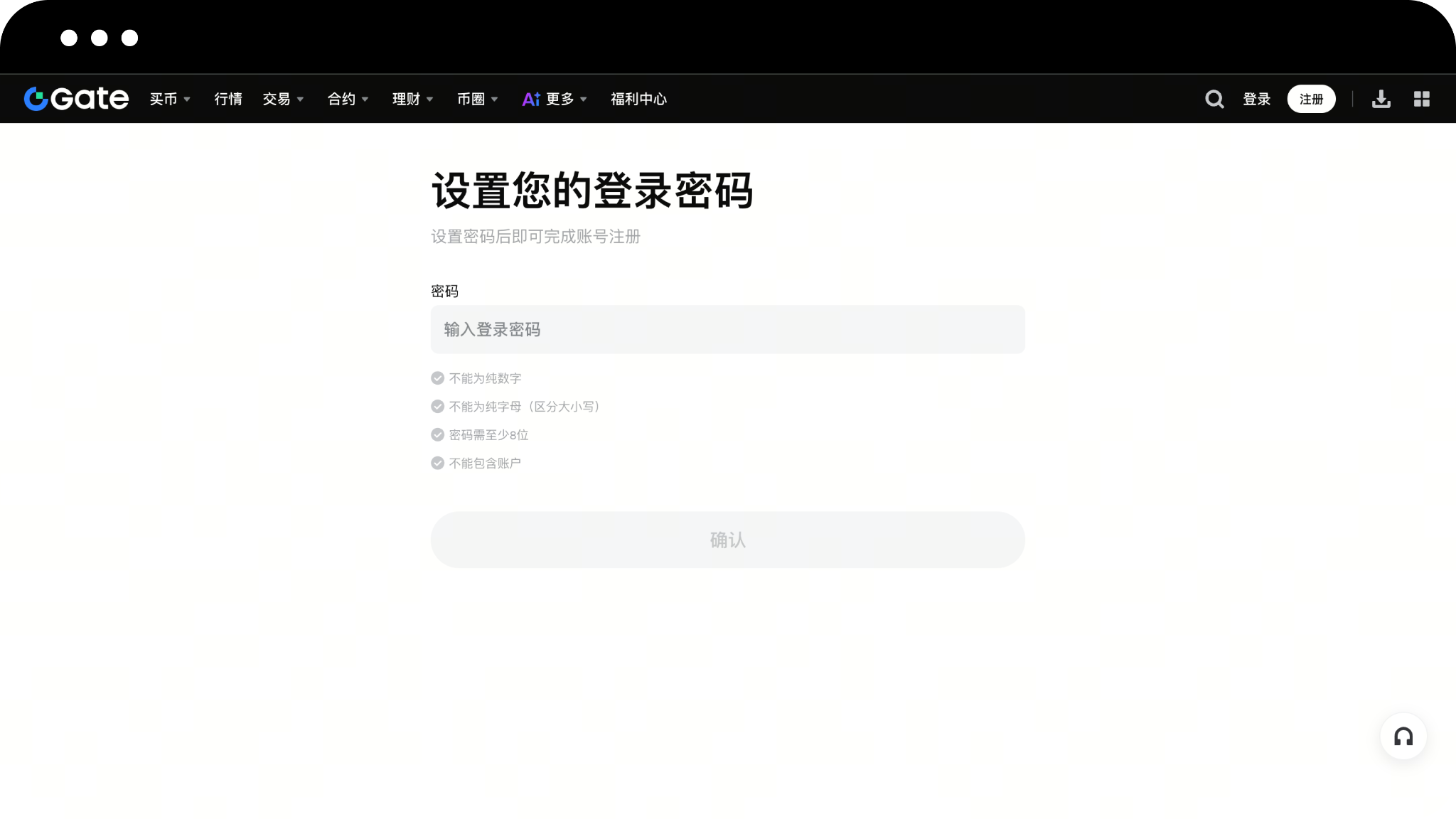
Step 6:
Log in to your Gate personal account, click Avatar - Verification, and enter the Verification Center page.
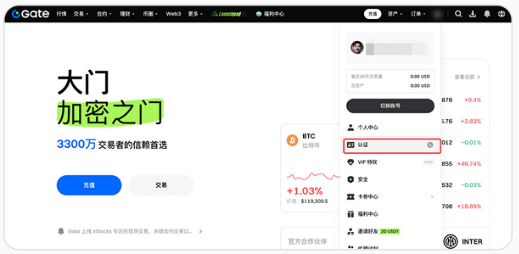
Step 7:
On the Verification Center page, click to go to verification.
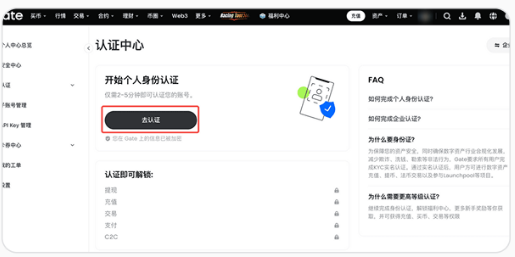
Step 8:
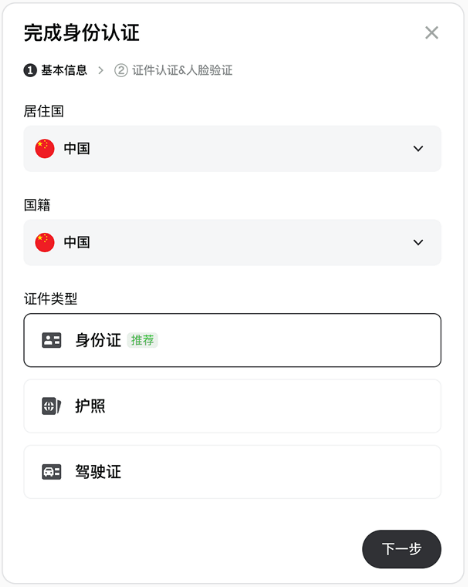
Select your country/nationality and type of identification (ID card/passport/driving license), click next. Complete the verification as prompted on the page.
New User Registration Guide: App Version
Step 1:
Open the Gate App on your phone and click the [Register] button in the upper left corner of the page.
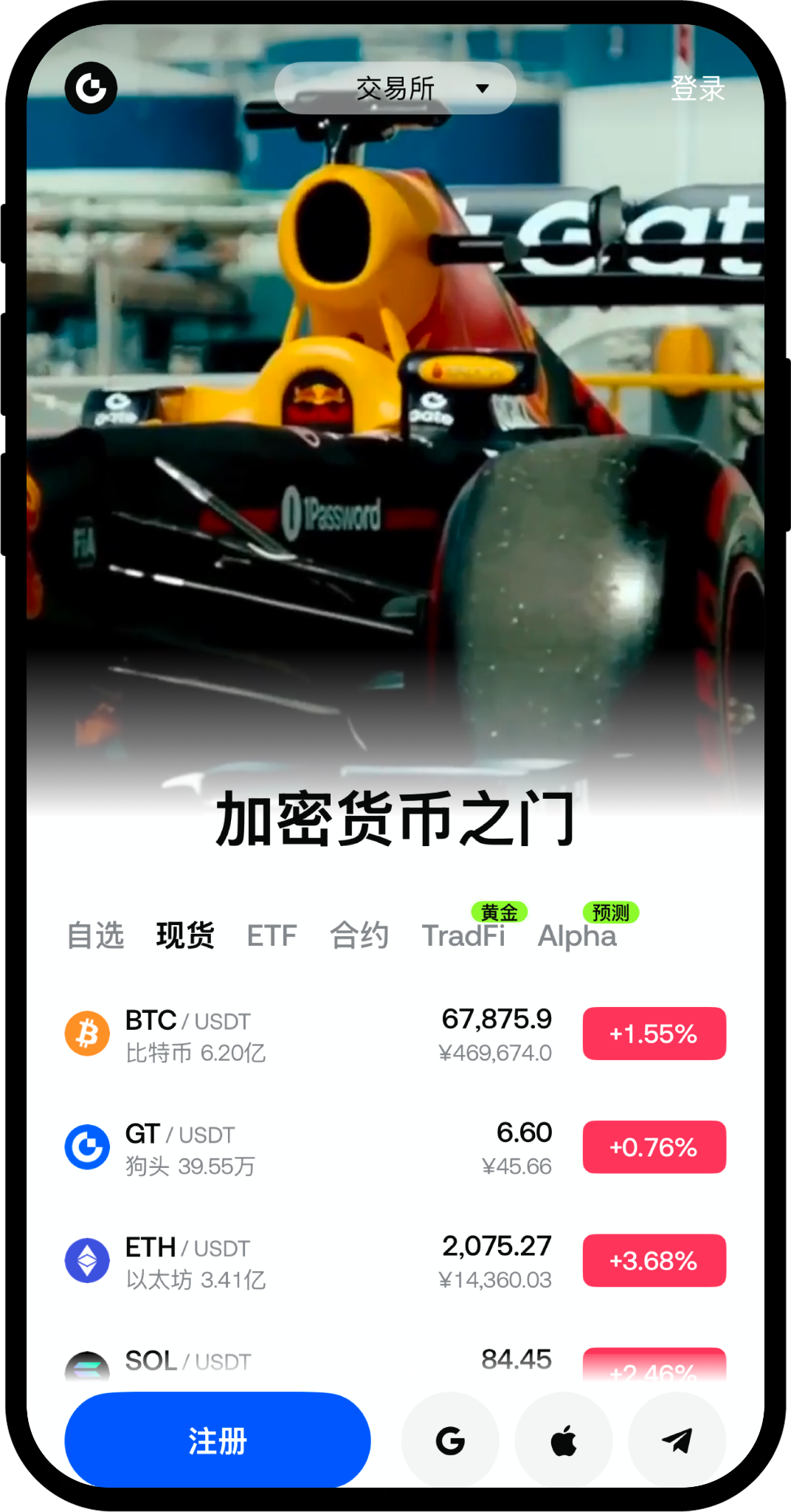
Step 2:
On the registration page, select "Country/Region of Residence" as prompted, check "Accept User Agreement and Privacy Policy", and click the button to start creating an account.
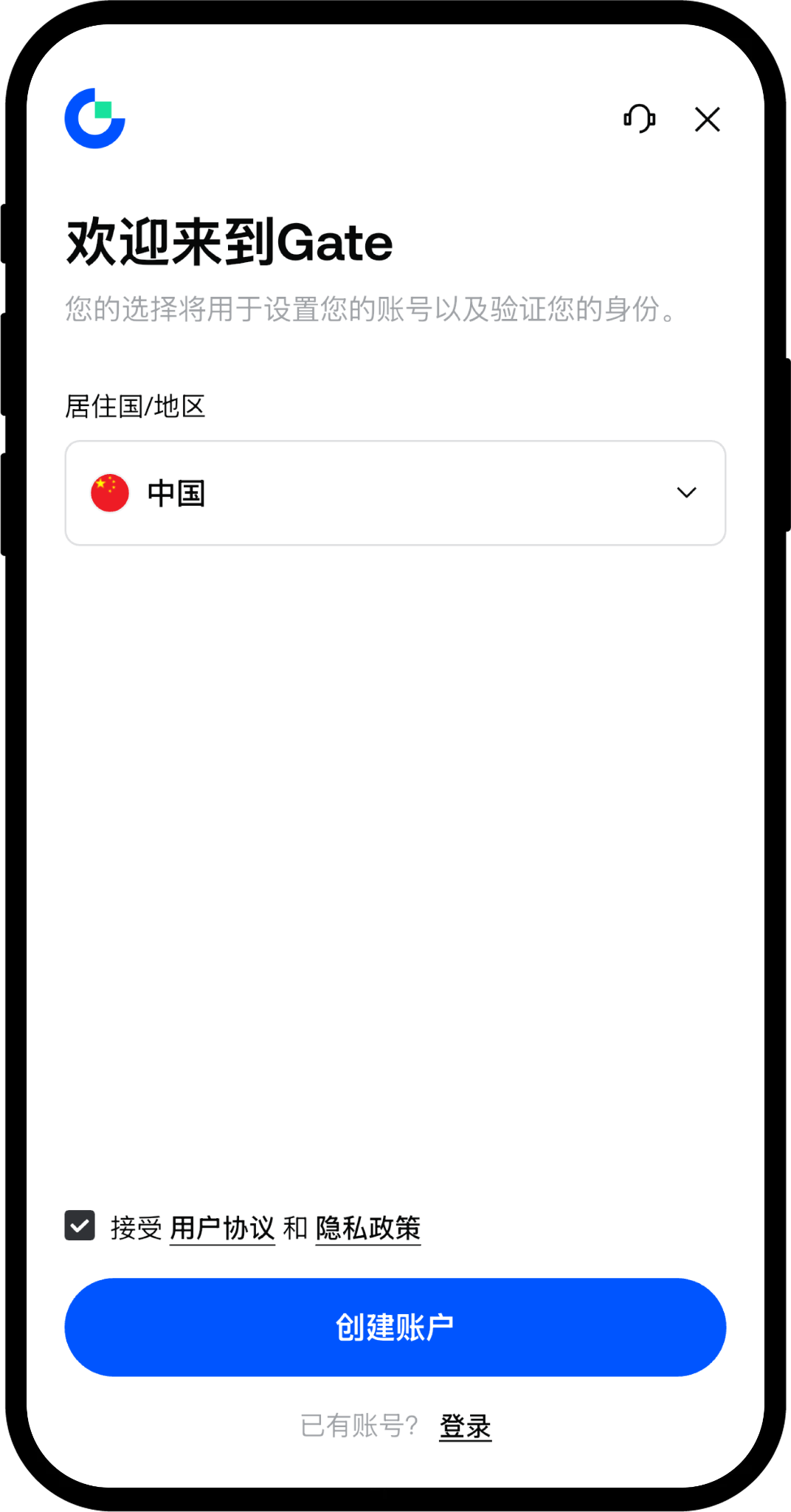
Step 3:
On the account creation page, select registration method (Email or Phone Number), enter your email address or phone number, and click [Next].
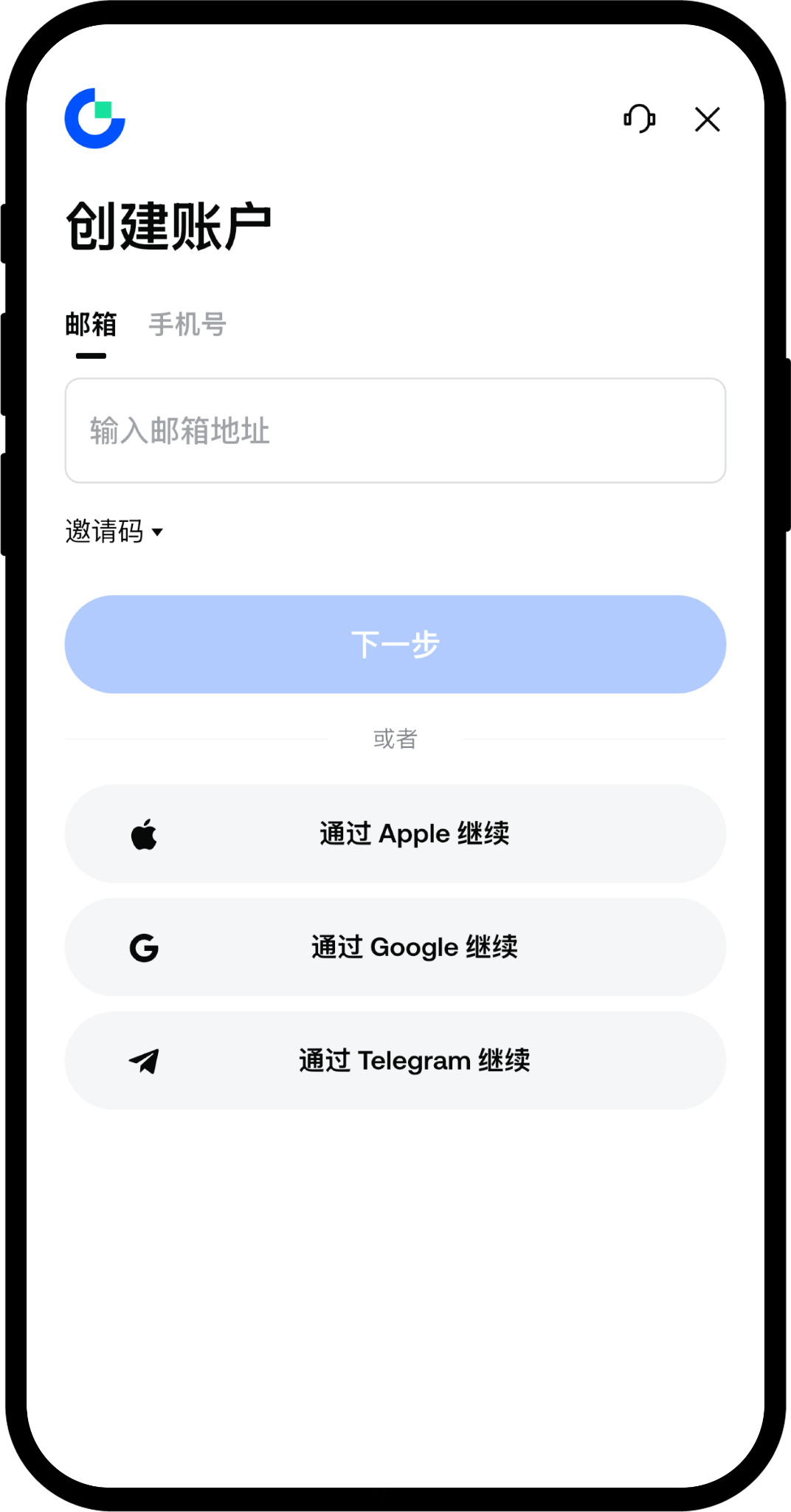
Step 4:
The system will send a verification code to your email or phone, please pay attention to check it. On the email/phone verification page, enter your email/phone verification code, and click [Next].
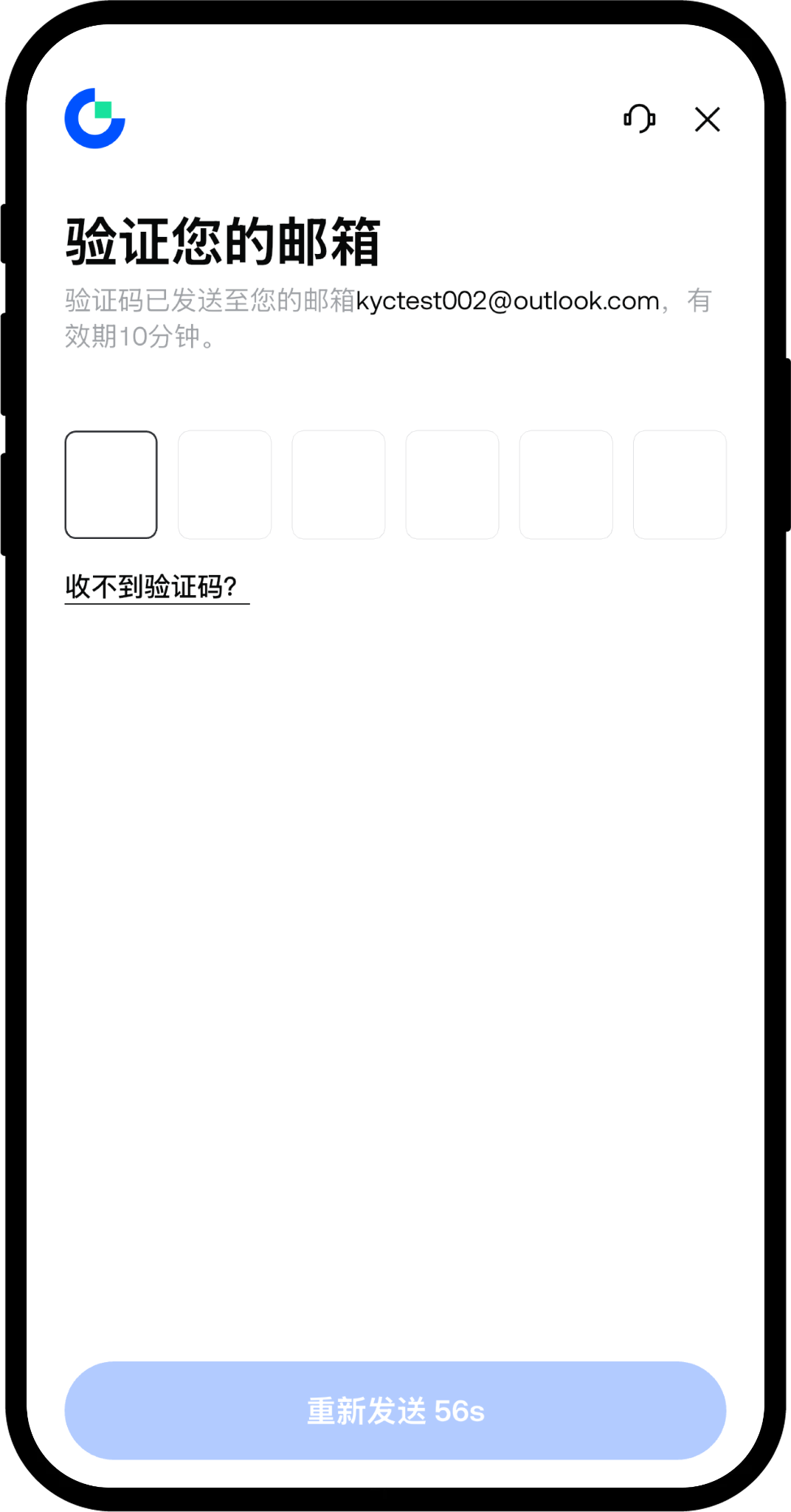
Step 5:
Set your login password as required, click the [Confirm] button to complete your account registration.
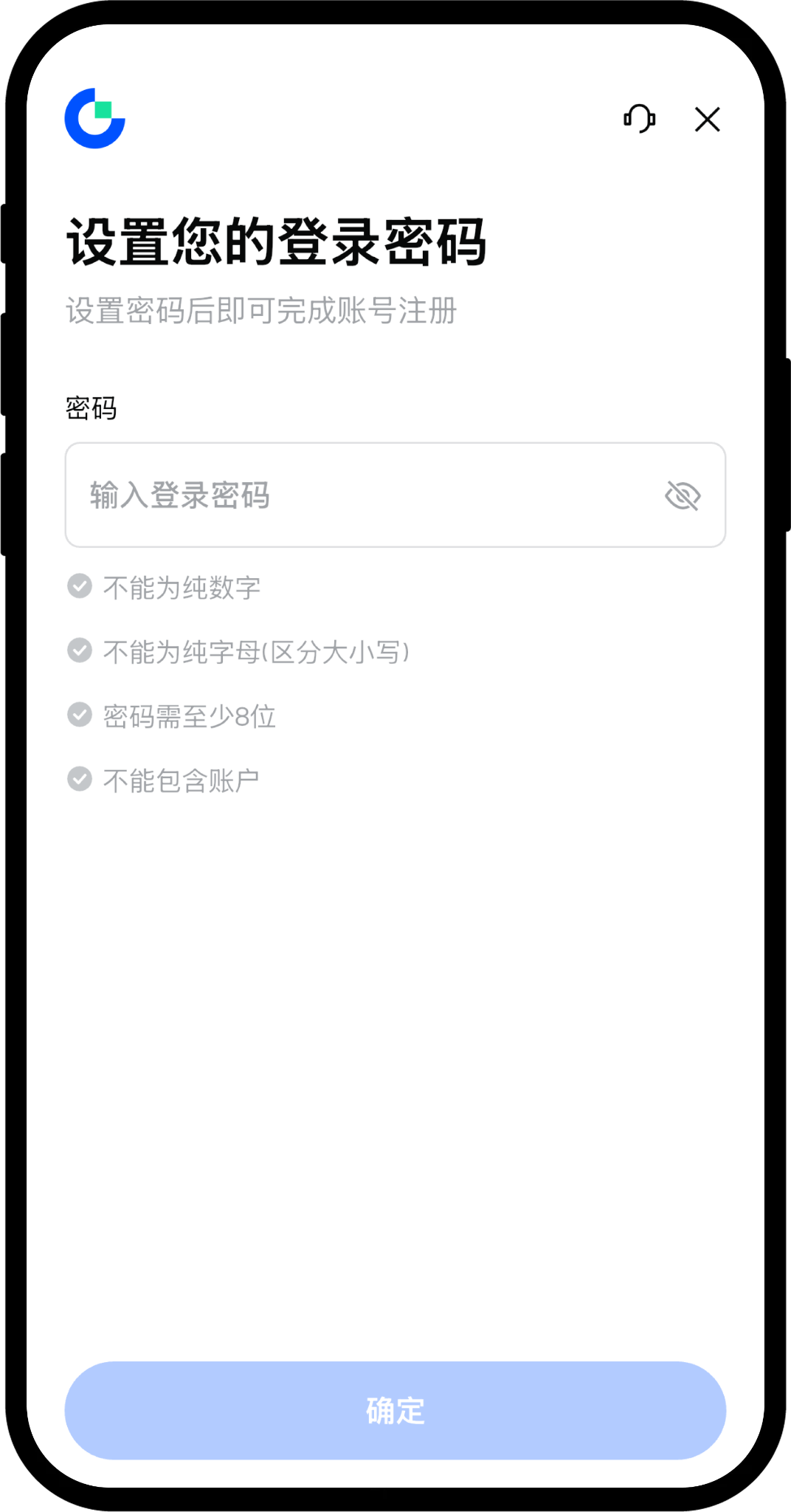
Step 6:
Log in to your Gate personal account, click Avatar - Verification, and enter the Verification Center page.
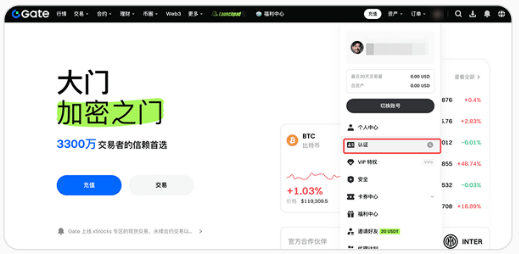
Step 7:
On the Verification Center page, click to go verify.
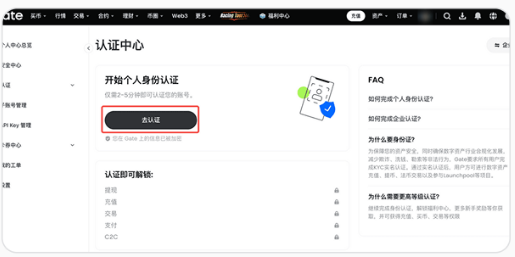
Step 8:
Select your country/nationality and type of identification (ID card/passport/driving license), click next. Complete the verification as prompted on the page.
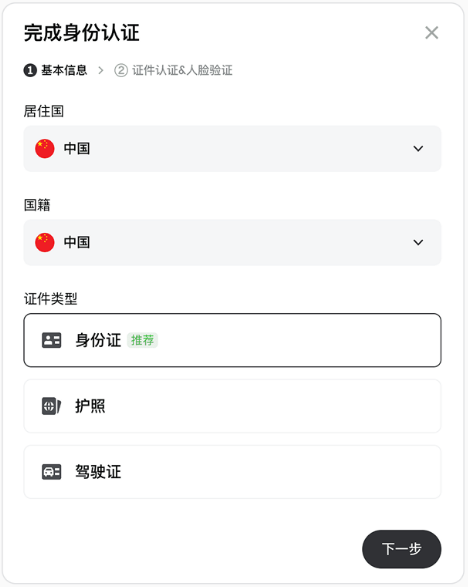
Frequently Asked Questions
Q1: What if I don’t receive the verification code?
A: Please check the spam folder of your email, or confirm if your phone number is correct. If you still do not receive it, you can click the [Resend] button.
Q2: What should I do if I forget my password?
A: Click [Forgot Password] on the login page and follow the prompts to reset your password via email or phone number.
Q3: Can one email register multiple accounts?
A: No. One email or phone number can only register one Gate account.
Register Gate to Start Your Comprehensive Trading Journey
Trusted choice for 52 million traders
Trade anytime, anywhere
Gate was established in 2013 and is one of the earliest cryptocurrency exchanges in the world.
The platform's scale exceeds $10 billion, supporting trading of over 4,600 cryptocurrency assets.
Registered users can enjoy being the preferred platform for over 52 million users worldwide.
Ensuring the safety of your trading

Join our community, let’s discuss and grow stronger together!
Official Telegram community: t.me/aicoincn
AiCoin Chinese Twitter: https://x.com/AiCoinzh
Gate benefits group:
https://aicoin.com/link/chat?cid=de0QGAe7W
免责声明:本文章仅代表作者个人观点,不代表本平台的立场和观点。本文章仅供信息分享,不构成对任何人的任何投资建议。用户与作者之间的任何争议,与本平台无关。如网页中刊载的文章或图片涉及侵权,请提供相关的权利证明和身份证明发送邮件到support@aicoin.com,本平台相关工作人员将会进行核查。