Written by: Leo
Have you noticed that today's AI assistants are actually quite "dumb"? Every time you open ChatGPT or Claude, you have to explain the context all over again. "I'm working on a project about...", "Our team just had a meeting discussing...", "Last week I sent an email regarding...". You spend five minutes crafting a prompt just to get a barely useful response. This doesn’t feel right. Shouldn't AI make work easier? Why does it instead increase our workload?
Recently, I experienced a product called Littlebird, which just completed a $11 million seed round led by Lotus Studio. This product made me rethink a question: What should an AI assistant really be like? It shouldn’t be a tool that requires you to constantly "feed" it information, but rather an assistant that already understands your work and life. Like a real assistant, it shouldn't need you to explain project background, team situations, and work progress from scratch each time.
Alexander Green, the founder of Littlebird, said something particularly accurate when announcing the funding: "Using a computer increasingly feels like a struggle." Every time we open a computer, we feel a dual stimulus of dopamine and fear. Computers should be "bicycles for the mind," but the business model of the internet has reconnected everything: If a product is free, then you are the product; if you are the product, the goal is to harvest your attention. The bicycle starts to pedal us back. This metaphor is spot on. We should be in control of the tools, but now the tools are controlling us.
Why AI Assistants Are Always "Forgetful"
I've used various AI tools for over half a year, from ChatGPT to Claude, from Notion AI to various specialized AI writing assistants. Each tool is powerful, but they all share one problem: they have no idea who I am, what I’m doing, or what I care about. Every conversation feels like the first meeting; I need to reintroduce myself, explain the background, and provide context.
For example, last week I was preparing for a product launch meeting that involved multiple departments collaborating. I had meetings with the design team to discuss visual plans, the marketing team to finalize communication strategies, and the tech team to discuss technical details of the product demonstration. The notes from these meetings are scattered in different places: some are in Notion, some are in emails, and some are just verbal discussions. When I wanted to use AI to help me organize a complete launch plan, what did I have to do? I had to copy and paste all this information into the AI tool, write a super long prompt detailing the content and decisions of each meeting. Just preparing this prompt took me twenty minutes.
Even more absurd is that the next day when I wanted to modify the plan, I had to do it again. Because AI doesn’t remember yesterday’s conversation, or even if it does, it doesn’t know that I had a discussion with the CEO about new direction adjustments yesterday afternoon. This experience made me feel that the AI assistant isn't helping me, but adding an extra workload. I not only have to do the original work but also spend time "teaching" AI to understand my work.
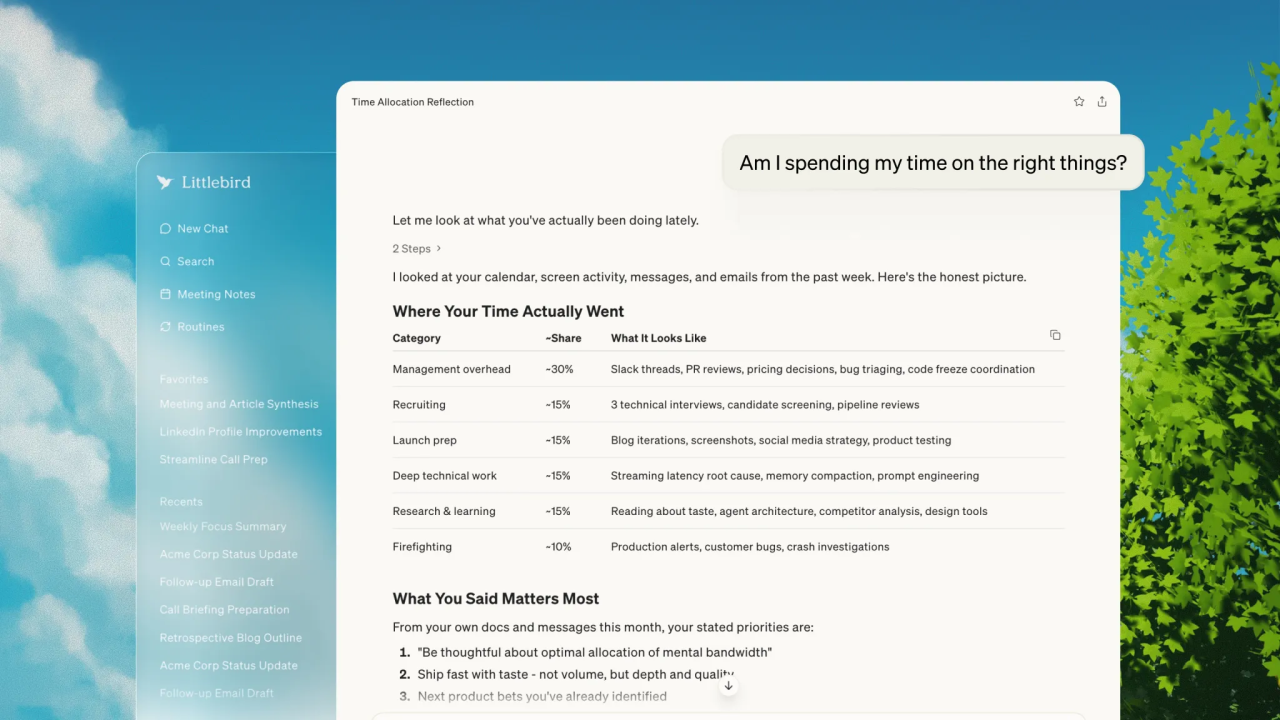
The founding team of Littlebird had a key insight while considering this issue: AI models are inherently powerful, and what limits their utility is not the model's capability, but the lack of data about users. Large language models know nothing about you, which fundamentally limits their practicality. This view sounds simple but hits at the core of the problem. We have been discussing how to make the models smarter, neglecting a more fundamental question: how to make the models understand the user.
There are many AI tools on the market trying to solve the context problem. Some focus on searching your documents, some on meeting notes, and some on email organization. But these tools share a common limitation: they can only see the information you actively provide them. You need to upload documents to their platforms, or give them access to your Gmail, or activate their meeting note functions during meetings. This still requires users to do a lot of setup and maintenance work. More critically, these tools do not see the full picture of your work. They may know the content of your meetings but not know the discussions you had on Slack afterward; they may know your emails, but not what competitor information you researched in your browser.
What Sets Littlebird Apart: Screen Reading Technology
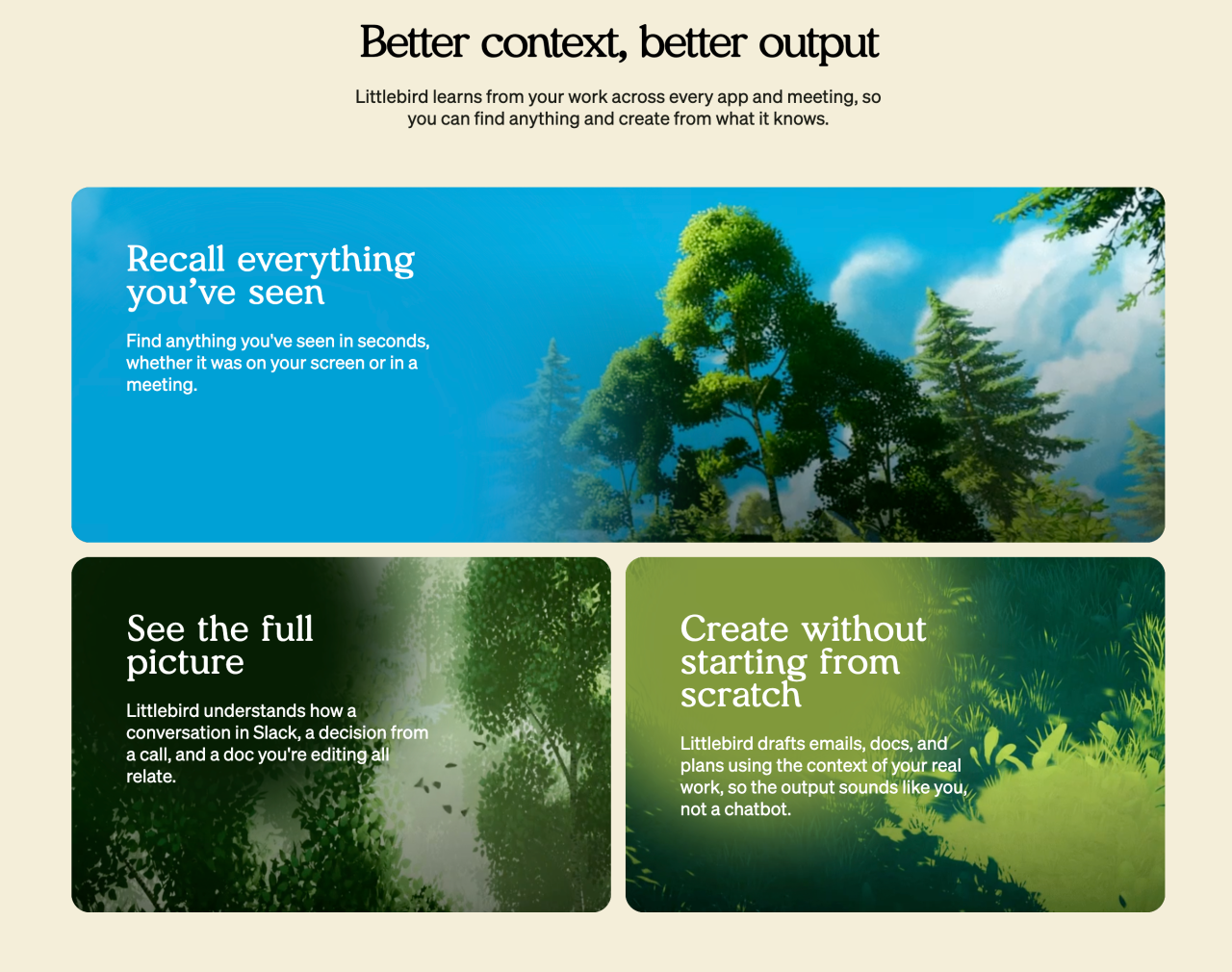
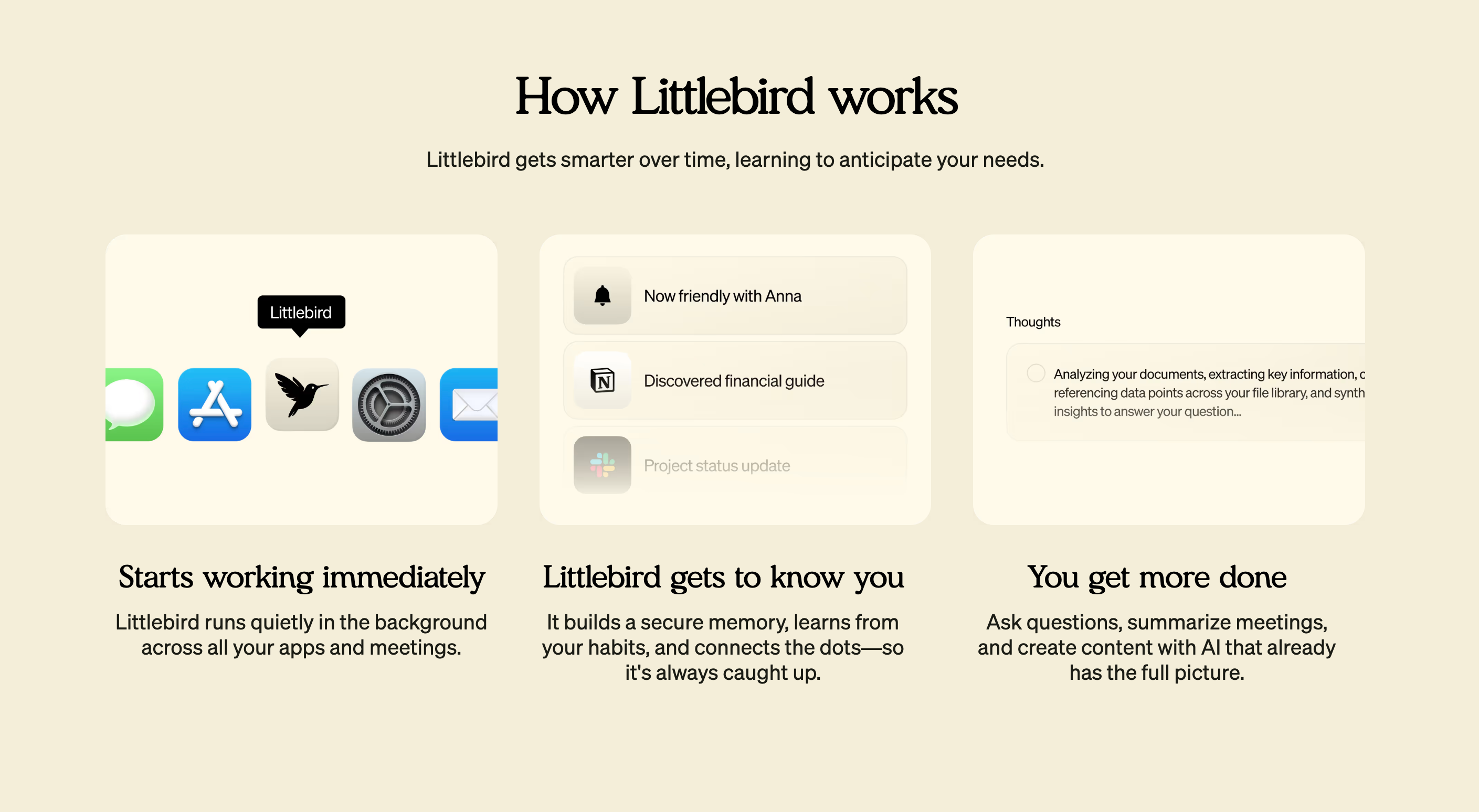
Littlebird employs a completely different approach; they call it "screen reading". This technique reminds me of how human assistants work. A truly excellent assistant doesn't need you to tell her every little detail of what happened; she observes your work, remembers important things, and reminds you when necessary. Littlebird is doing something similar.
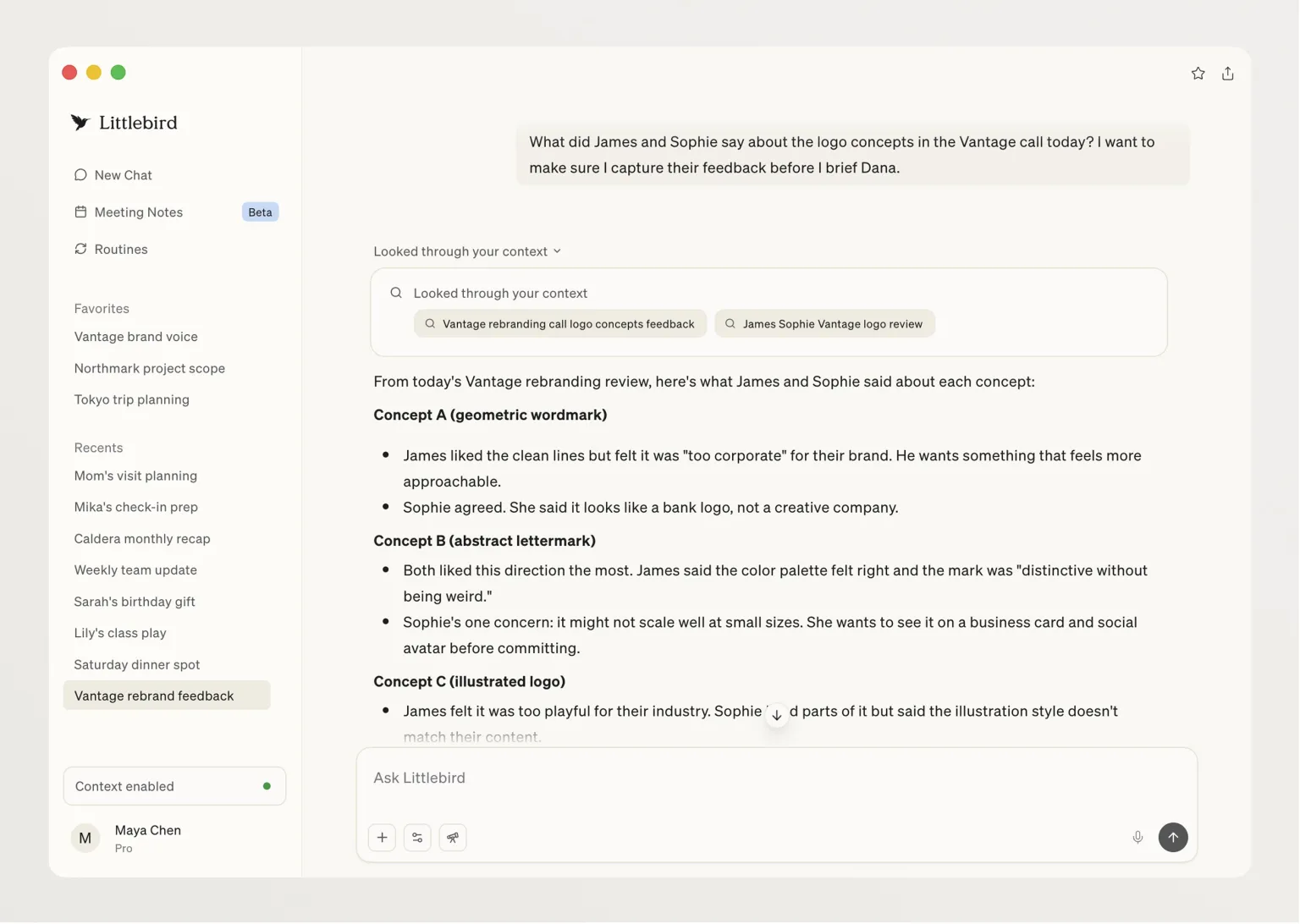
Specifically, Littlebird is a Mac desktop application that continuously reads all the text content on your screen. Notice, it’s "reading," not "screenshotting." This distinction is crucial. There have been similar products before, like Rewind (later renamed Limitless and acquired by Meta) and Microsoft’s Recall, which saved your screen continuously by taking screenshots. This method has several issues: enormous data volume since image files are large; privacy concerns because screenshots capture all visual information; poor search experience since extracting information from images is much harder than from text.
Littlebird's approach is smarter. It uses sophisticated screen reading technology to understand the text content across all applications without any cumbersome setup. It can understand who said what, when it was said, and detailed progress of your projects. Through this method, it can build a rich understanding of your life: who is important to you, what projects you are working on, and what you care about this week and year. Founder Green mentioned in an interview that this method significantly lightens data weight and is less intrusive.
One aspect of this design I particularly appreciate is that it respects the nature of software. The content displayed on the screen is already text and structured data, so why convert it to an image and then back to text? Directly reading structured content is not only more efficient but also more accurate. Moreover, from a privacy perspective, text data is far less sensitive than visual data. Your passwords may show as asterisks, and your credit card number may be masked, but a screenshot will capture all this visual information.
Littlebird automatically ignores sensitive fields in password managers and web forms, such as passwords and credit card details. You can also customize it to ignore specific applications. This gives users considerable control. If you don’t want Littlebird to see your work in a certain application, like personal chat software or financial software, you can easily exclude it.
In addition to passively reading screen content, Littlebird can also actively connect to other applications. You can choose to connect Gmail, Google Calendar, Apple Calendar, and Reminders. This allows it to comprehensively understand your work and life. It not only knows what’s happening on your screen but also your schedule, to-do items, and email correspondence.
What Full Context AI Means
When AI truly has complete context about you, the user experience undergoes a qualitative change. I saw some use cases provided by Littlebird that made me realize this is not just a progressive improvement but a whole new mode of interaction.
The most basic function is answering questions. But unlike other AI tools, Littlebird's answers are based on an in-depth understanding of your work. You can ask, "What did I do today?" or "Which emails are important to me?" After using it for a few days, these preset prompts become increasingly personalized. This is interesting because the AI begins to learn what you care about and what your work patterns are.
Founder Green shared his user experience, which I think exemplifies the value of full context AI. He regularly asks Littlebird, "What is important this week?" or "What should I focus on?", often receiving surprising and thoughtful answers. He uses it for professional advice and guidance, filling gaps in his technical knowledge, and even for dinner planning. These use cases span a wide range, but the commonality is that the AI can provide insightful answers because it understands your life deeply.
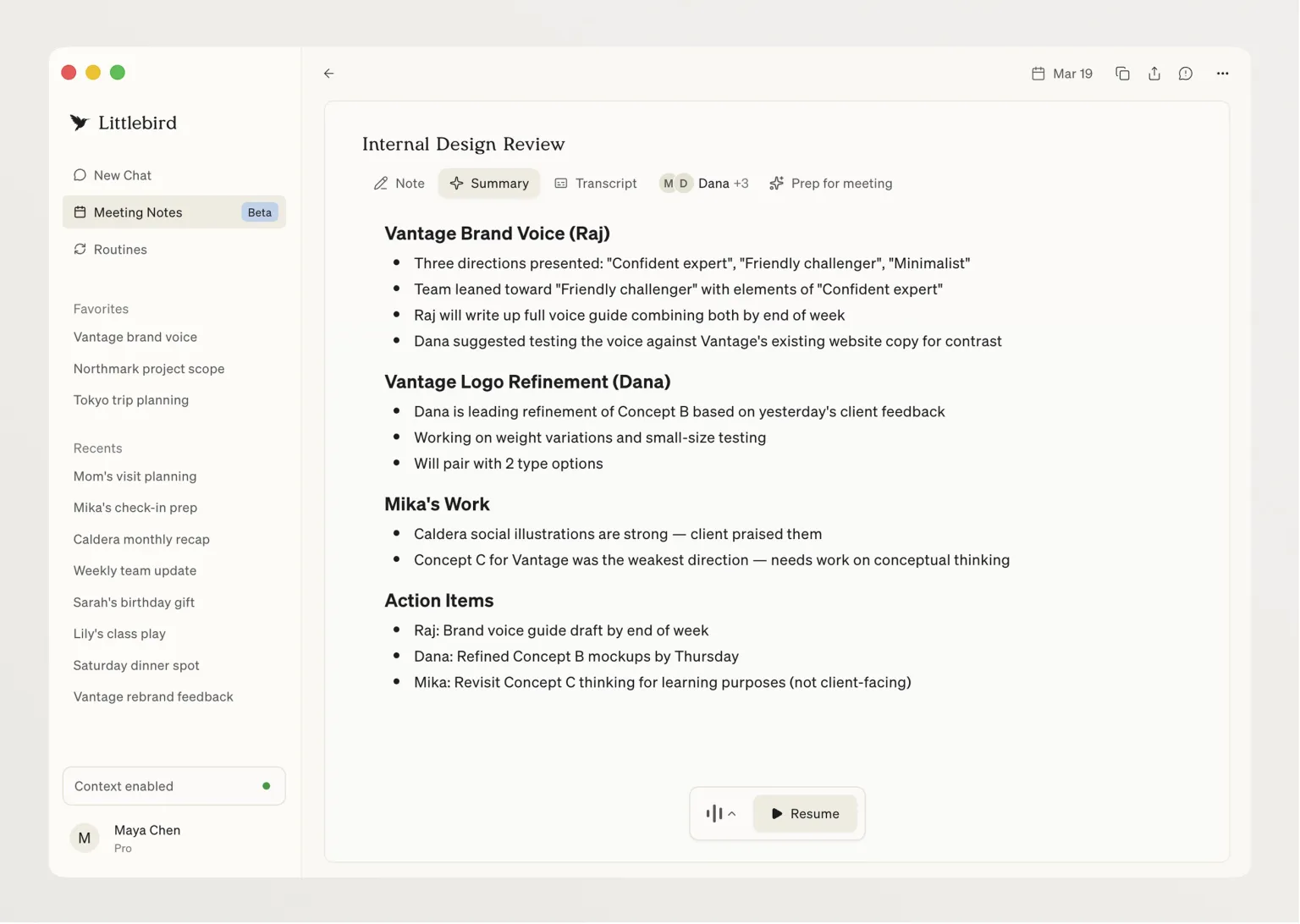
Littlebird includes a note-taking feature similar to Granola, which runs audio in the background to capture meeting transcriptions and create notes and action items based on the content. This by itself isn’t novel as there are many meeting note tools on the market. But what sets Littlebird apart is its ability to connect meetings with the context of your other work.
I am particularly interested in the "Prep for meeting" feature. When you open a detailed view of a meeting, there is an option for Littlebird to prepare the meeting for you. It considers past meeting contexts, relevant emails, and company history to provide you with more details. This feature can even pull information from sources like Reddit, telling you what users think about specific products or companies. Imagine you have a meeting with a client, Littlebird would automatically organize: what you discussed last time, any recent email exchanges, any recent developments related to the client’s company, and what users are saying about their products. It’s like having a truly excellent assistant help you prepare for meetings.
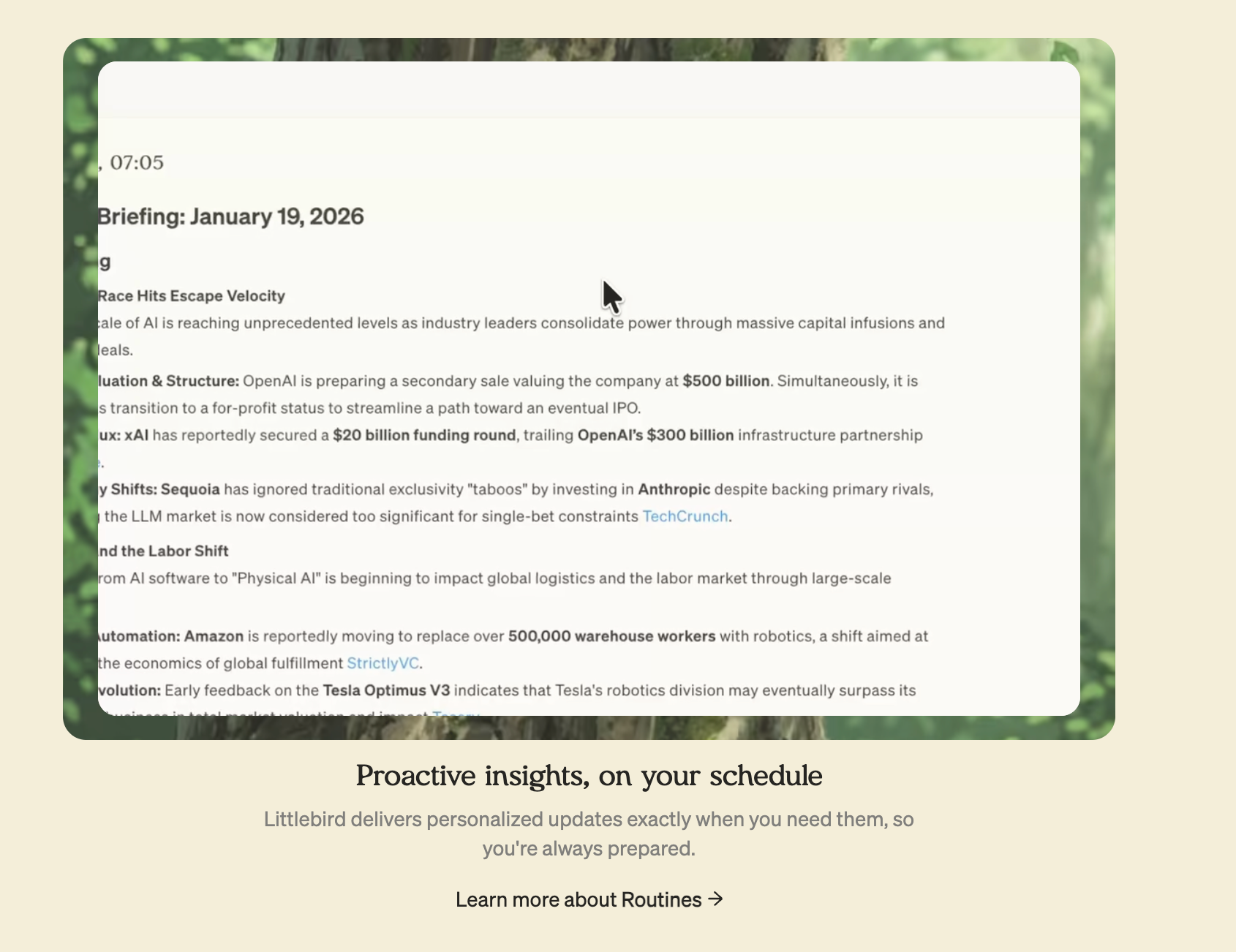
Another feature called Routines seems very practical to me. It allows you to create detailed prompts for Littlebird to run at specified intervals, such as daily, weekly, or monthly. The company has listed several ready-made routines, like daily briefs, weekly summaries of activities, and yesterday's work summaries. Users can also create their own routines with custom instructions. I think this feature addresses a very practical issue: we all know we should regularly review and summarize our work, but few people can consistently do it. With Routines, AI actively helps you do this.
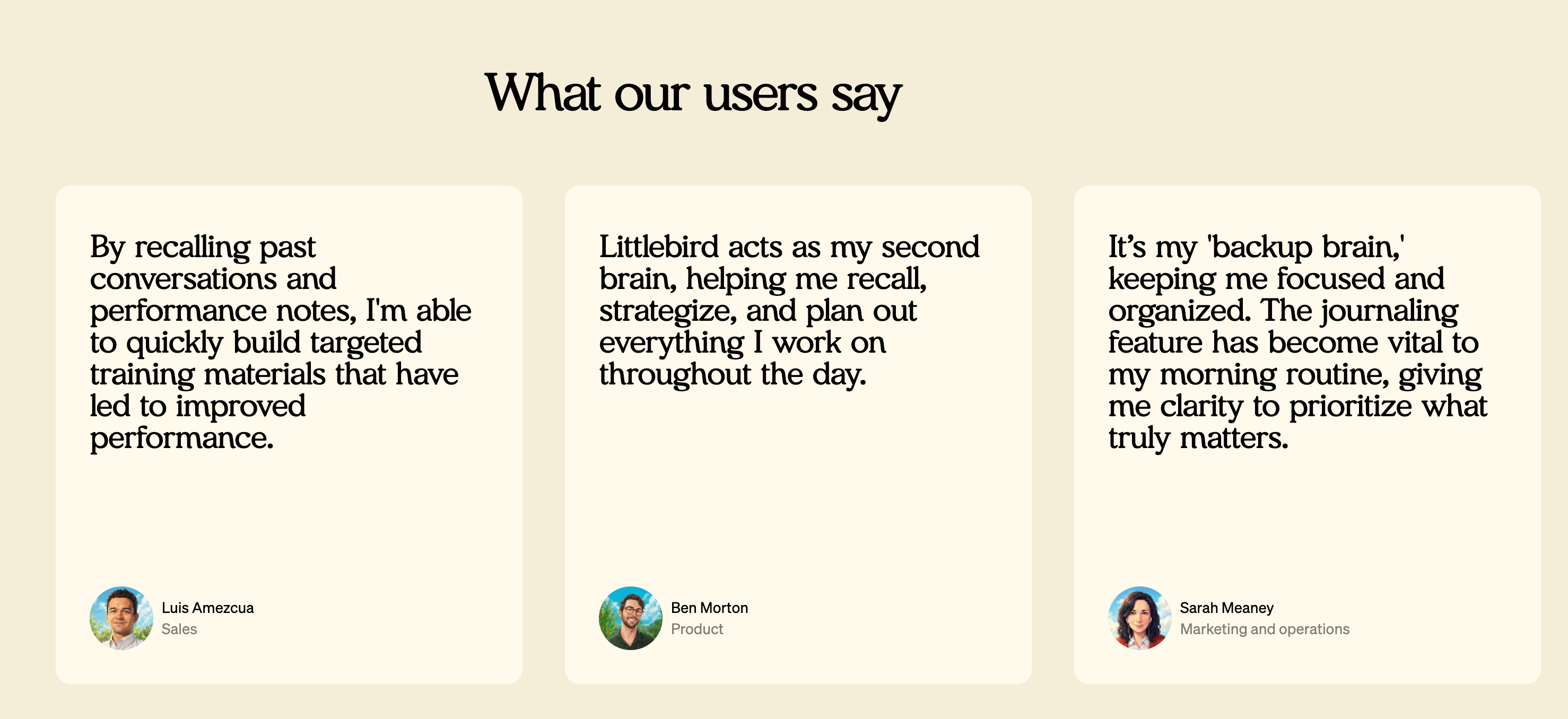
Internal surveys conducted by the Littlebird team show the practical value of this full context AI: 84% of users report saving at least half a day each week, and 80% say the product reduces anxiety in their daily work. Both of these data points are interesting. Saving time is easy to understand because you don't need to spend time organizing information, searching for documents, or recalling details. But the reduction in anxiety is a more profound effect. Much work-related anxiety comes from the fear of missing important information, forgetting important tasks, and being unable to respond timely. Knowing that there is an AI tracking all of this naturally alleviates anxiety.
Balancing Privacy and Control
When I learned that Littlebird can continuously read everything on the screen, my first reaction was: Is this safe? Will it leak my privacy? This concern is entirely reasonable. If an application is to observe your entire digital workday, trust is everything.
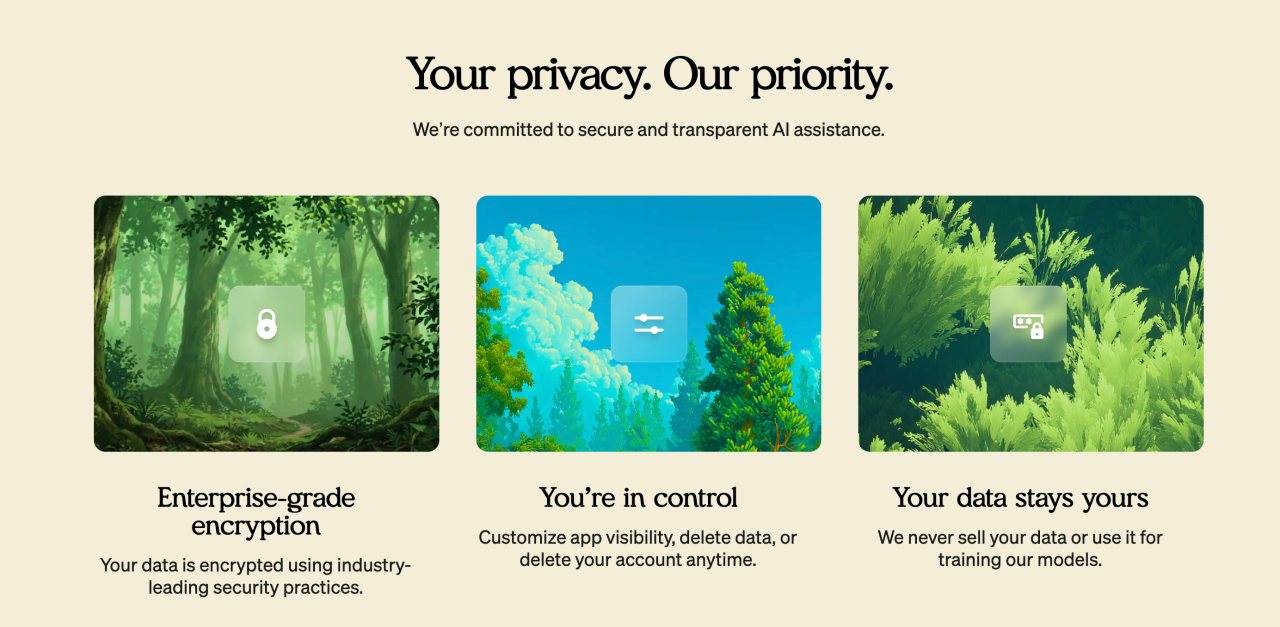
Littlebird's design philosophy is "privacy by default, safe and user-controlled." From a technical standpoint, they have done several things to safeguard privacy. All data is stored using AES-256 encryption, and transmission uses TLS 1.3. User data will never be used to train AI models. These are basic security measures but are crucial for a product like this.
More importantly, user control is paramount. You can pause data collection anytime, exclude specific applications or websites, and delete any data with one click. This design ensures users remain in control of their information. If you need to deal with particularly sensitive content, you can temporarily pause Littlebird; if there are certain applications you never want to be monitored, you can blacklist them.
Green explained in an interview why they chose cloud storage over local storage. The reason is to run powerful models to handle different AI workflows, which is not feasible locally. This is an interesting trade-off. Local storage is obviously more secure since data doesn’t leave your device. But cloud storage allows for using more robust AI models and providing better functionality. Littlebird chose the latter but compensates for security risks with strong encryption and strict privacy policies.
I noticed that Littlebird has obtained SOC 2 certification, fully compliant with GDPR and CCPA regulations. These certifications and compliance measures are not trivial, especially for a startup. This indicates that the team considered security and privacy as core requirements from the very beginning, not as an afterthought.

Another detail I find very important is that Littlebird does not store any visual information, only text. This greatly reduces data weight and significantly lowers intrusiveness. Green mentioned this might be one reason Recall and Rewind faced challenges; the data volume from screenshots was too large. Moreover, screenshots are indeed more intrusive. Imagine you are browsing personal photos or watching video content; screenshots would capture all those visual details. Text records only capture descriptive content without retaining the images themselves.
This design makes me reflect on a broader question: To what extent do we want AI to understand us? Complete transparency can bring the greatest convenience but also the greatest risks. Littlebird’s method lets users decide this boundary for themselves. You can allow it to see everything or strictly limit its access. This flexibility is crucial, as different people and different use cases have entirely different privacy requirements.
What This Means for AI Products
The story of Littlebird has made me rethink how AI products should be developed. In my view, this product embodies several important product philosophies worth considering for all AI product developers.
The first is the importance of context. Littlebird investor Lenny Rachitsky said something I strongly agree with: "The effectiveness of AI is determined by the context it has, and it knows too little about your day." This statement points to the core problem of current AI products. We have been optimizing models and improving algorithms while neglecting a basic fact: no matter how smart the AI is, if it does not understand the user's specific situation, it cannot provide truly useful answers.
This reminds me of a misconception from previous AI products. Many teams build complex RAG (retrieval-augmented generation) systems, trying to let AI access various data sources. This direction is not wrong, but the method may be flawed. Instead of having users actively upload documents and grant access to various applications, why not let AI passively observe users' work? Littlebird’s screen reading technology is essentially a passive but comprehensive way of context gathering, which is more effective than active but scattershot connections.
The second key insight is the importance of finding killer use cases. Rachitsky spoke about the long-term success of Littlebird, stating that it’s vital to find that essential use case. He noted that many people have already found this scenario for themselves, and the team is focusing on these emerging use cases. This perspective is very practical. Teams developing AI products often fall into a trap of trying to create a "one-size-fits-all" tool, resulting in something that does a lot but specializes in nothing.
Rachitsky also shared an interesting product development philosophy: "You won’t truly know how people use your product until you launch it. The strategy is to get the product out early, see how people use it, and double down on those use cases, rather than wait until you have everything figured out." This contrasts sharply with traditional software development philosophies. Traditional development emphasizes planning, designing, perfecting, and then releasing. But AI products resemble ongoing experiments, as the boundaries of AI's capabilities are fuzzy, and users will discover unexpected ways to use them.
From feedback from investors, it’s clear that different people have found vastly different use cases. Russ Heddleston, co-founder and CEO of DocSend, stated he used this tool to rewrite the company's marketing website, utilizing context from meetings, emails, and Notion. Gokul Rajaram, former product lead at Google and Facebook, mentioned that this product eliminated the friction of remembering, retrieving, and reinterpreting one’s own work. Rachitsky noted he asks the tool how to enhance productivity workflows and how to become happier.
These use cases span a broad spectrum, from writing marketing copy to personal productivity optimization, but are all rooted in the same core ability: AI's deep understanding of the user. This validates Littlebird's core assumption: when AI truly understands your context, its application scenarios will emerge naturally, without the product team needing to pre-plan all functionalities.
The third insight is the subtlety of product positioning. Littlebird positions itself as the future of the "quiet computer." This expression is both poetic and accurate. Most AI products today fight for your attention, popping up notifications, pushing reminders, trying to get you to use them more. But Littlebird's philosophy is to work in the background, appearing only when you need it. This "quiet" characteristic may be an inevitable choice for full context AI. If an AI truly understands you, it won’t need to incessantly interrupt you to gather information; it can quietly learn and prepare in the background.
Littlebird's current business model is free to use, but advanced features require a subscription starting at $20 per month. I find this pricing reasonable, considering the value it offers. If it can genuinely save half a day each week, then $20 a month is definitely a worthwhile investment. But I'm even more curious about how the business model may evolve as the product develops. For example, what might an enterprise version look like? How will team collaboration features be implemented?
My Thoughts on the Future
After experiencing the concept of Littlebird, I've begun to ponder a bigger question: What should future AI assistants look like?
I feel we are undergoing a transition from "tool-type AI" to "partner-type AI." Tool-type AI is like today's ChatGPT, something you open when needed, shut off when done, starting fresh each time. Partner-type AI, like Littlebird, is always nearby, understanding your work and life, proactively providing assistance. This isn’t a matter of capability but rather a difference in relationship.
This shift will bring some interesting changes. For instance, we may no longer need as many specialized AI tools. Currently, there are various AI applications: writing assistants, coding assistants, data analysis assistants, meeting assistants. But if there is an AI that truly understands all your work, it may provide consistent help across different scenarios without needing to switch between multiple tools.
Another change is that prompt engineering may become less important. Currently, we spend a lot of time learning how to write good prompts, how to provide sufficient context, and how to guide AI to present the answers we want. However, if AI already has enough context, we might simply need to express our intent clearly. Just as one communicates with a human assistant, you don’t need to explain the background each time in detail because she already knows.
Yet, this full context AI will also present new challenges. One is psychological adjustment. When you know there’s an AI continuously observing your work, even if you rationally understand it's safe, you may still feel uneasy emotionally. This feeling is analogous to knowing a colleague is constantly watching your screen. We need time to adapt to this new working relationship.
Another challenge is dependency. When you become accustomed to AI helping you remember everything, organize all information, and prepare all meetings, will your own memory and organizational skills deteriorate? This is reminiscent of GPS’s impact on sense of direction. Many people now entirely rely on navigation, diminishing their ability to find their way independently. Could AI assistants lead to a similar effect?
From an industry perspective, I believe Littlebird represents the emergence of a new product category. It’s neither a meeting recording tool nor a document searching tool, but rather a "full context AI assistant." The core characteristics of this category are: continuous observation, comprehensive understanding, and proactive service. I predict more companies will enter this field, and competition will revolve around several dimensions: Who has the most comprehensive context gathering? Who's AI understanding is the most accurate? Who's privacy protection is the most credible?
Littlebird’s $11 million funding is just the beginning. The investor lineup is interesting, including well-known figures from product, design, and content fields. These investors not only provide funding but are heavy users themselves, able to offer product feedback and use cases. This structure of investors may be more valuable for an AI product that needs continuous iteration and discovery of use cases than pure financial support.
I am eagerly looking forward to observing the further development of Littlebird. Will it expand to Windows and other platforms? Will it launch an enterprise version allowing teams to share certain contexts? Will it develop new functionalities that we can’t yet imagine? More importantly, can it truly find that killer use case that makes people feel "I cannot work without it"?
Green stated during the funding announcement: "Is it possible to construct an AI that truly understands you? We believe it is, and we’re eager to show you." This statement is both a promise and a challenge. Littlebird is still in its early stages, still in progress, and is a continuous research project. It won’t always correctly capture every detail; sometimes it may miss that a colleague is on vacation or that a project has been completed. But you will be amazed at how deeply it understands you.
I believe full context AI is the direction of the future. Not because the technology is flashy, but because this is how AI should be. The promise of AI is to make us more efficient, focused, and creative. But if AI itself requires significant manual maintenance and input, it violates this promise. Only when AI truly understands us and adapts to us can it truly become "the bicycle for the mind," helping us ride faster and further.
免责声明:本文章仅代表作者个人观点,不代表本平台的立场和观点。本文章仅供信息分享,不构成对任何人的任何投资建议。用户与作者之间的任何争议,与本平台无关。如网页中刊载的文章或图片涉及侵权,请提供相关的权利证明和身份证明发送邮件到support@aicoin.com,本平台相关工作人员将会进行核查。


