Bid Farewell to "Chaos" and Welcome the Era of "Professional Trading"
In the decentralized exchange (DEX) world of Web3, speed is money, and depth is insight. Faced with rapidly changing market conditions, traditional DEX trading models often leave seasoned players feeling overwhelmed: slow order placement, high slippage, lack of depth charts, inability to place limit orders… These pain points are particularly pronounced during meme coin rushes or large mainstream coin exchanges, often leading to missed opportunities or soaring trading costs.
The "Professional Mode" of the OKX Web3 Wallet App is designed to address these pain points. It seamlessly migrates the professional trading experience of centralized exchanges to the decentralized world, providing you with a series of powerful features such as ultra-fast order placement, deep market data, multi-chain aggregation, and limit orders, helping you seize opportunities in on-chain trading.
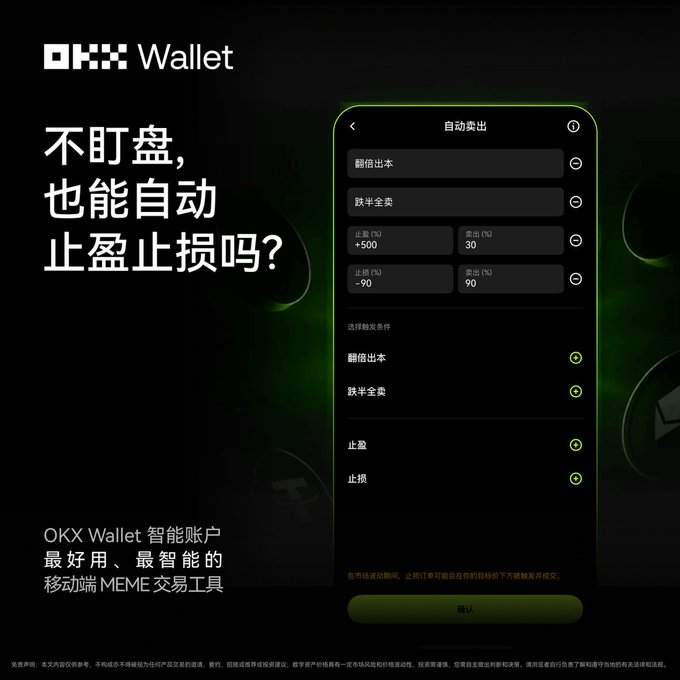
This article will provide a detailed interpretation of the strengths of the OKX Wallet's "Professional Mode" and offer a comprehensive operational guide, teaching you step-by-step how to activate and master this Web3 trading tool.
1. What is OKX Wallet's "Professional Mode"?
The OKX Wallet's "Professional Mode" is a DEX trading interface designed specifically for advanced users. It integrates the following core advantages:
- In-depth Data Analysis: Provides candlestick charts, real-time and historical orders, helping you gain comprehensive market insights.
- Complex Trading Settings: Supports limit orders, path selection, slippage, priority fees, and other refined settings.
- Ultra-Fast Order Experience: Optimizes the trading process to ensure quick execution at critical moments.
- Multi-Chain Aggregation and Price Comparison: Smart routing automatically finds the best trading paths and prices for you.
In short, Professional Mode allows you to enjoy trading tools and experiences at the level of centralized exchanges in the decentralized world.
2. Preparations Before Trading: Ensure Everything is in Order
Before activating professional mode trading, please ensure you have completed the following preparations:
- Create or Import a Web3 Wallet: If you do not have an OKX Web3 Wallet, please create one or import an existing wallet.
- Fund Your Trading Assets: Ensure that your Web3 wallet has sufficient assets for trading and prepare the corresponding chain's gas fees (for example, trading on the Polygon chain requires MATIC as gas fees).
- Obtain Token Contract Addresses: Be sure to obtain the contract address of the token you wish to trade from official channels to avoid the risks of searching for names that may lead to counterfeit tokens.
3. Practical Operation: Step-by-Step Guide to Mastering "Professional Mode"
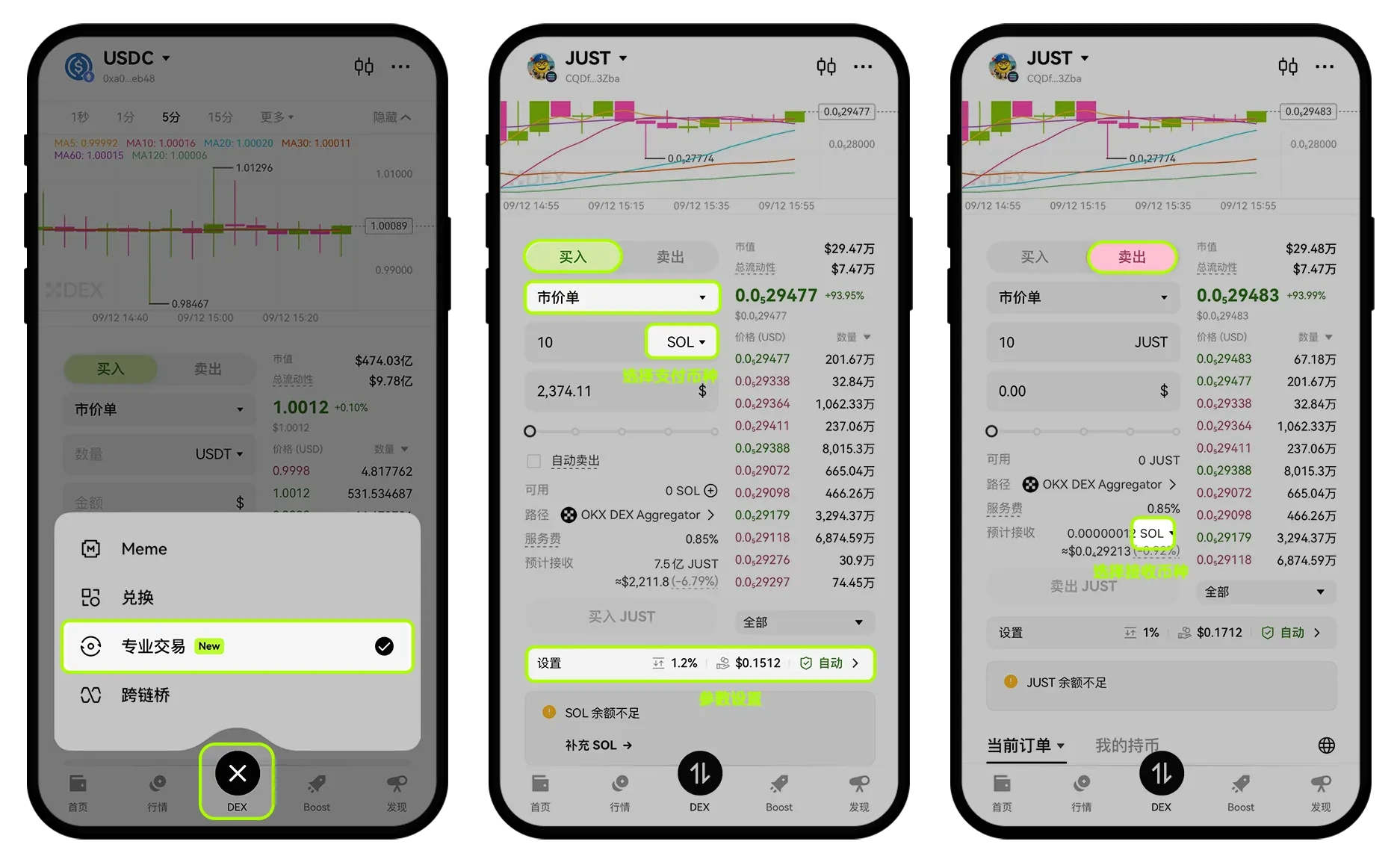
Step 1: Activate "Professional Mode"
- Open the OKX App: Switch to the [Web3 Wallet] interface.
- Enter DEX Trading: Click the [DEX] icon in the bottom navigation bar.
- Switch to "Professional Trading": Ensure you are in the interface displaying candlestick charts and depth order books.
Step 2: In-Depth Market Analysis
In professional mode, you can:
- View Candlestick Charts: Get real-time insights into the price trends of cryptocurrencies, supporting various time period switches.
- Analyze Depth Order Books: Observe the order volumes and price distributions of buy and sell orders, gaining insights into market depth and potential support/resistance levels.
- Browse Real-Time and Historical Orders: Keep track of market transaction dynamics to assist in decision-making.
Step 3: Execute Trades (Market Orders and Limit Orders)
The OKX Wallet's professional mode supports market orders and limit orders, catering to your different trading needs.
1. Market Orders: Quick Execution, Seize Opportunities
Market orders execute quickly at the best current market price, suitable for scenarios requiring rapid buying/selling (such as meme coin rushes).
Operational Process:
- Select the [Market Order] option.
- Choose [Buy] or [Sell].
- Select the payment cryptocurrency and input the amount.
- Set Trading Parameters: Path selection (currently supports Solana, ETH, Base, BSC chains), slippage (recommended to adjust based on market volatility to avoid transaction failures), priority fee (Gas Fee).
- Click [Buy] or [Sell], and confirm the transaction.
2. Limit Orders: Precise Placement, Cost Control
Limit orders allow you to buy/sell at a specified price or within a price range, suitable for strategies aiming to execute at specific price points.
Operational Process:
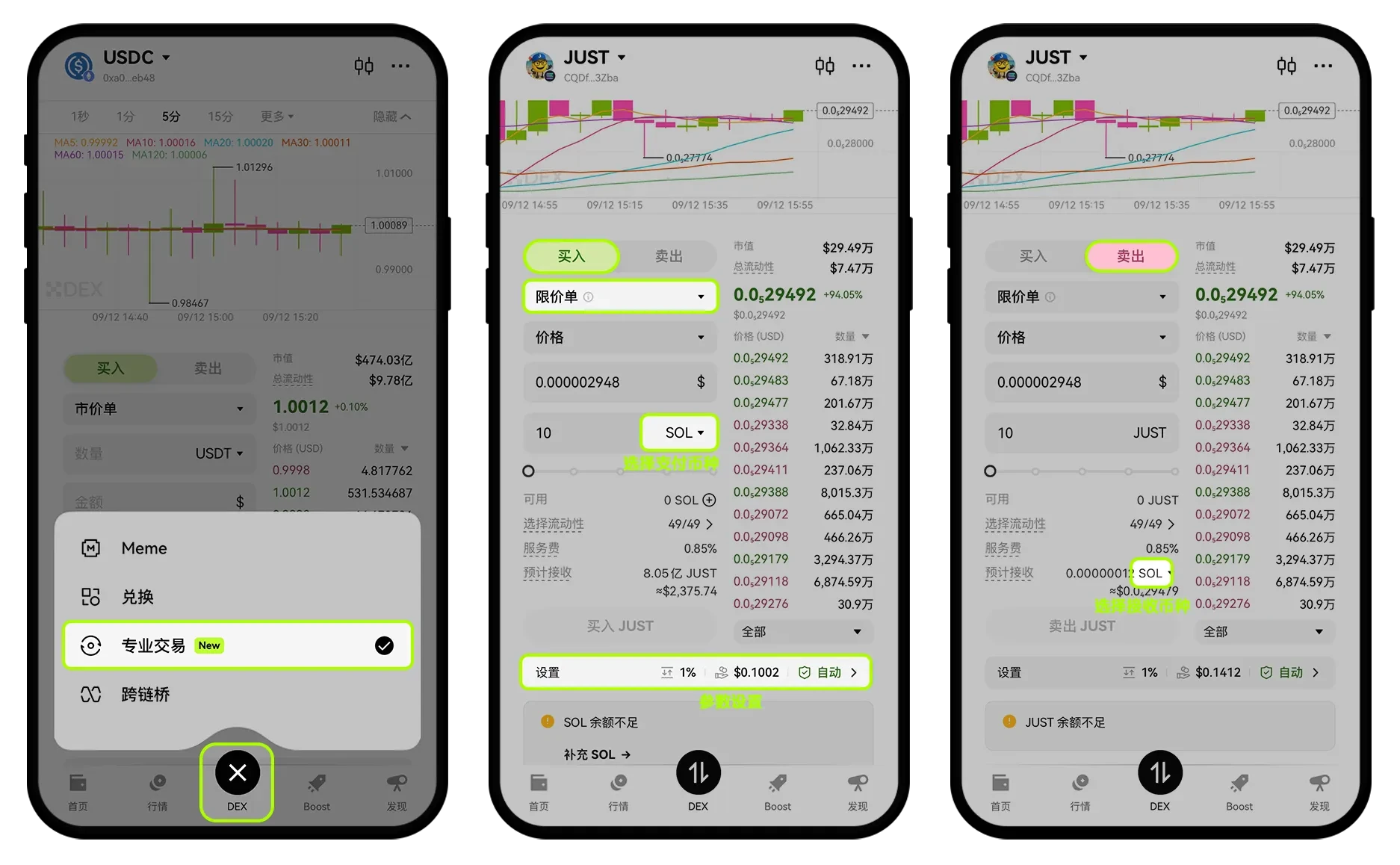
- Select the [Limit Order] option.
- Choose [Buy] or [Sell].
- Set Trigger Conditions: You can choose to trigger the trade by price or market cap (some tokens do not support market cap triggers).
- Set the trigger price or market cap, select the payment cryptocurrency, and input the amount.
- Set Trading Parameters: Path selection, slippage, priority fee.
- Click [Buy] or [Sell], and confirm the limit order.
Note: Limit order trading requires enabling the Smart Account feature first.
Step 4: Manage Orders and View History
- Current Orders: After placing an order, you can view all unexecuted limit orders on the [Current Orders] page and perform cancellation operations.
- Historical Orders: Click the history icon on the wallet homepage to query all historical transaction records, with support for jumping to the block explorer to view transaction details.
4. Friendly Reminders: Professional Trading, Safety First
- Backup Mnemonic Phrase/Private Key: Be sure to properly back up your wallet's mnemonic phrase and private key, as they are the only proof of your assets.
- Reserve Gas Fees: During network congestion, gas fees may soar; please reserve sufficient gas fees to ensure successful transactions.
- Slippage Settings: Meme coins are highly volatile; setting slippage too low may lead to transaction failures. Please adjust reasonably based on market conditions.
- No Private Key Wallet Restrictions: The app version of the no private key wallet does not support "Professional Mode"; please switch to another wallet to try.
5. Conclusion: OKX Wallet, Your Ultimate Web3 Trading Weapon
The "Professional Mode" of the OKX Web3 Wallet makes complex on-chain trading efficient, precise, and controllable. Whether you are a meme coin hunter or a seasoned player seeking optimal paths for large exchanges, Professional Mode can provide you with an unprecedented trading experience, helping you navigate the Web3 market and seize opportunities.
Download the OKX Web3 Wallet now and start your professional trading journey!
🚀 Exclusive Benefits: Professional Tools + Cost Optimization, Maximize Your Profits!
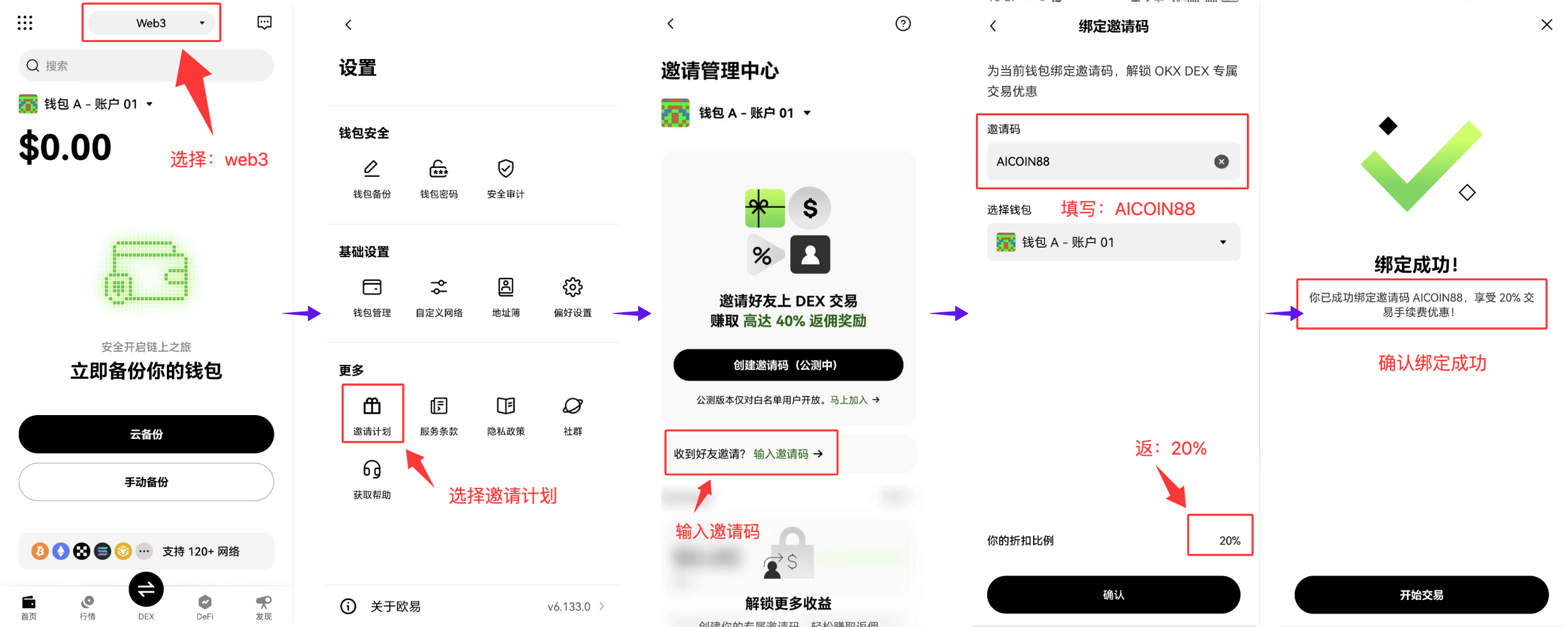
Use the exclusive invitation code [AICOIN88] to bind your OKX Wallet and enjoy up to 20% savings on trading costs! This allows you to maximize your profits while enjoying a professional trading experience!
Special Benefits Binding Invitation Code Tutorial:
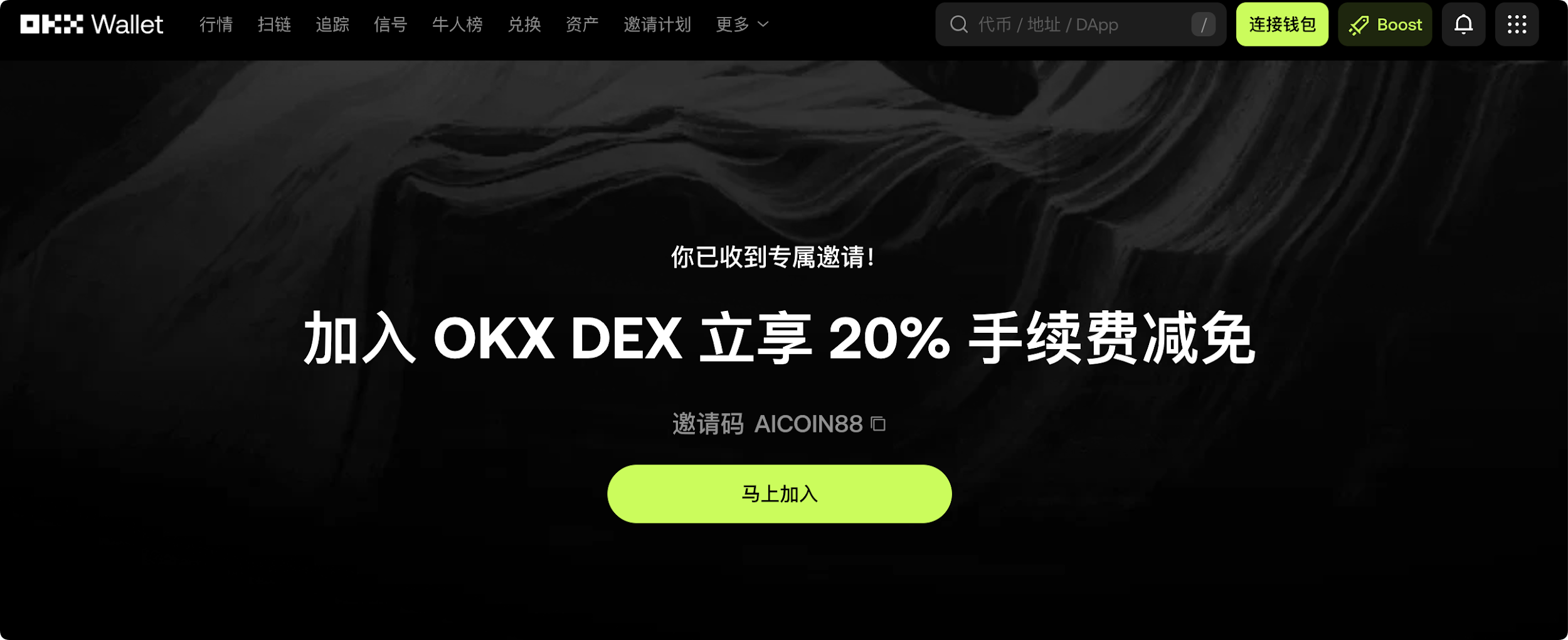
Method 1: Click the exclusive link below (invitation code is automatically filled for you):
https://web3.okx.com/ul/joindex?ref=AICOIN88
In the wallet creation/import process, confirm that the invitation code AICOIN88 is bound.
Done! Start enjoying fee reductions immediately!
Method 2: OKX App Download Link:
https://static.rmgvx.com/upgradeapp/okx-android_aicoin20.apk
How to Bind Invitation Code (AICOIN88) in the App:
Summary and Call to Action: Invitation Code is Money
Join our community to discuss and grow stronger together!
Official Telegram Community:
AiCoin Chinese Twitter:
Exclusive 20% Fee Discount:
https://web3.okx.com/ul/joindex?ref=AICOIN88
OKX Benefits Group:
https://aicoin.com/link/chat?cid=l61eM4owQ
免责声明:本文章仅代表作者个人观点,不代表本平台的立场和观点。本文章仅供信息分享,不构成对任何人的任何投资建议。用户与作者之间的任何争议,与本平台无关。如网页中刊载的文章或图片涉及侵权,请提供相关的权利证明和身份证明发送邮件到support@aicoin.com,本平台相关工作人员将会进行核查。


