Before you start, if you do not have a Hyperliquid account, you can register for Hyperliquid using the invitation code (AICOIN88) to receive a 4% fee rebate.
Register for a Hyperliquid account and get 4% back >>
Download AiCoin: https://www.aicoin.com/download
If you want to connect your Hyperliquid account to AiCoin for binding authorization, you need to log in to the Hyperliquid official website to apply for a proxy wallet API key.
Create Hyperliquid Proxy Wallet and Key
Log in to your Hyperliquid account; you can directly click this link to access the official page.
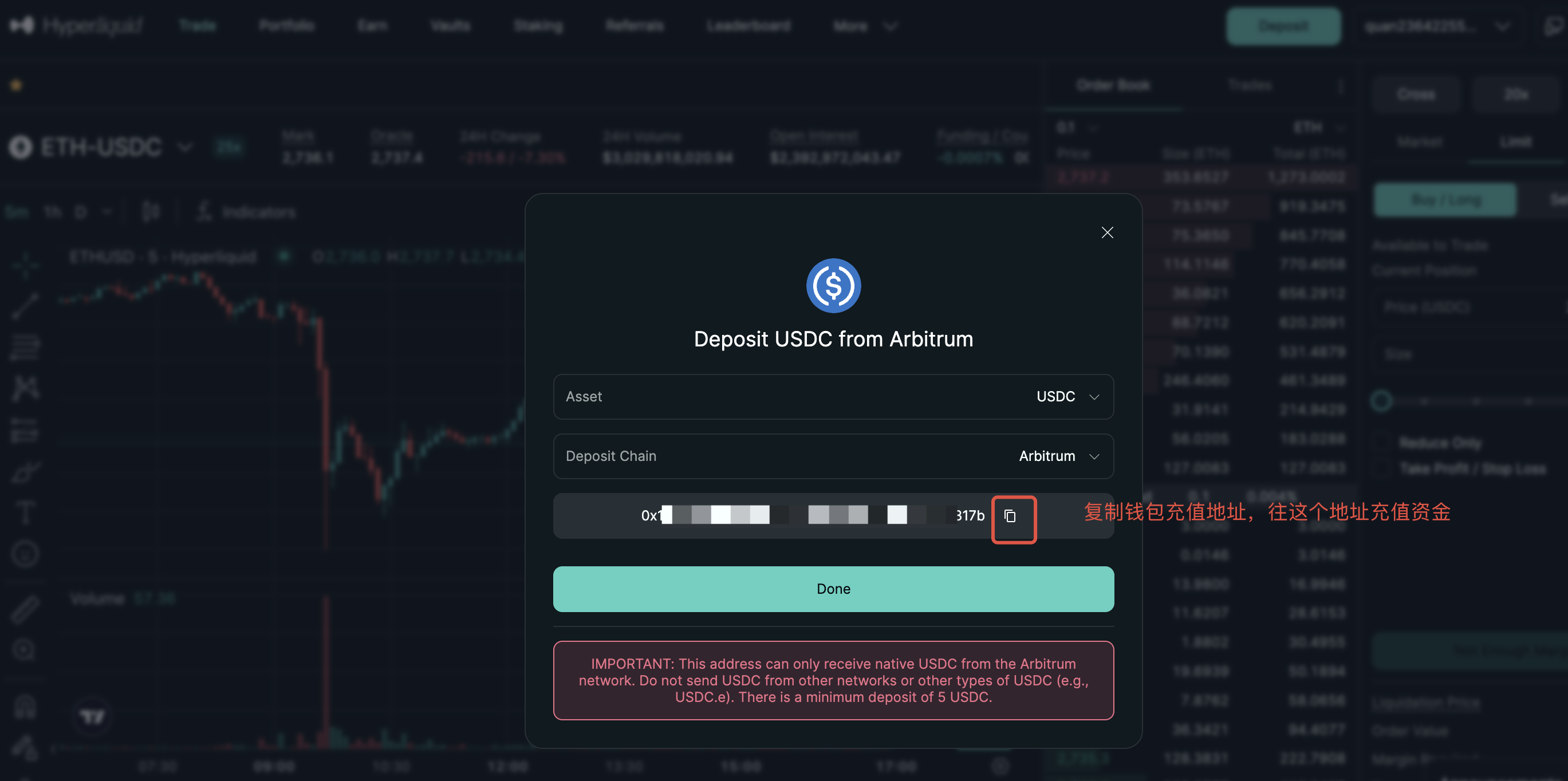
Hyperliquid requires you to deposit funds before creating an API key, so please make sure to complete this step first. After logging into your wallet, click the "Deposit" button in the upper right corner of the page to get the recharge address and transfer funds.
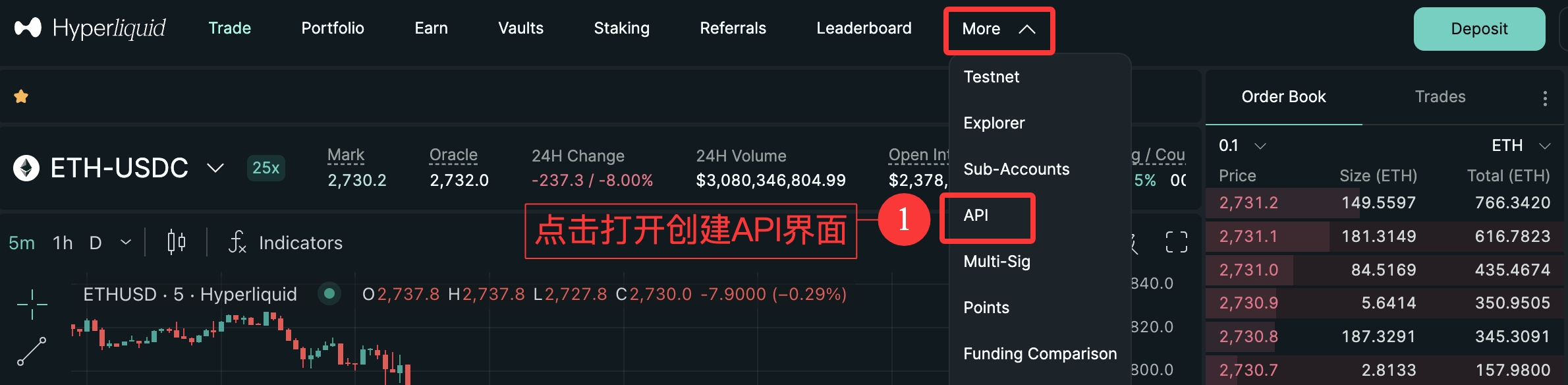
- After connecting to the wallet, click the "More" button at the top, then select "API" from the dropdown menu to enter the API key page.
- "Generate API Wallet" to create a key.
① Name your key, then click the "Generate" button to start the generation process.
② Click the "Generate API Wallet" button.
③ Choose the validity period of your key (up to 180 days).
④ Please keep your private key safe; you can click the highlighted button in the image below to copy and back it up (do not disclose it to others).
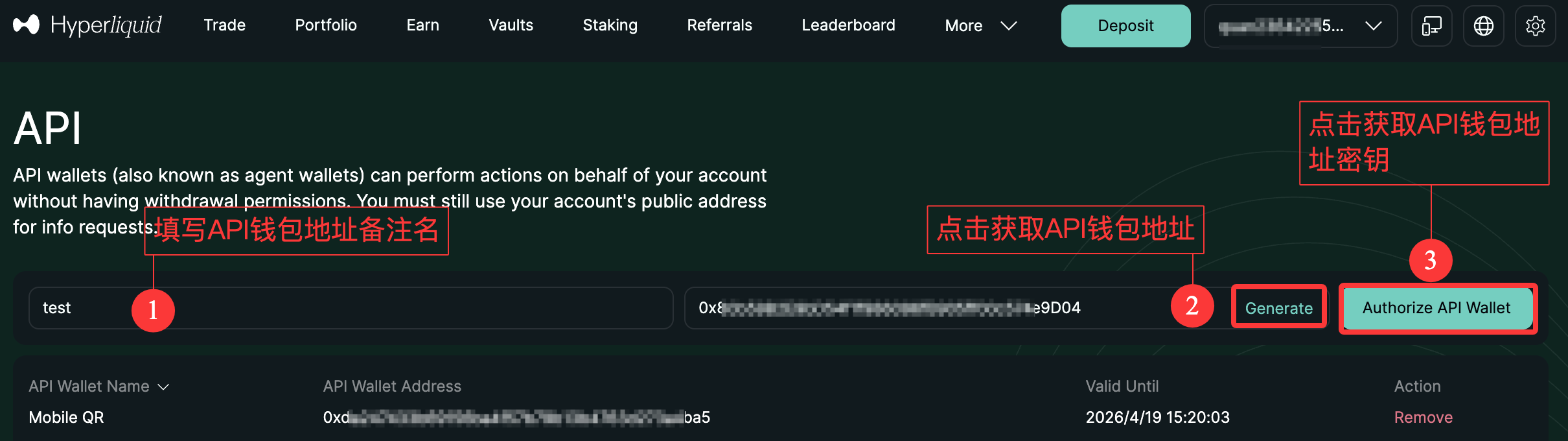
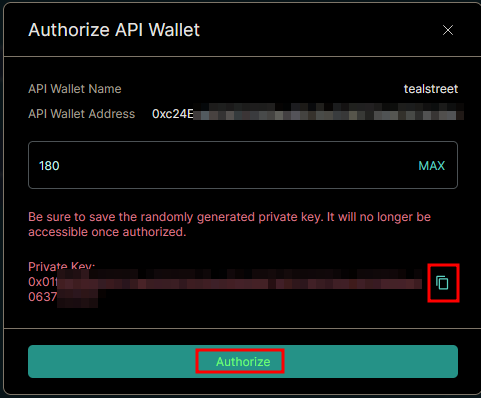
- Once completed, click the "Authorize" button and use your wallet to sign the transaction.
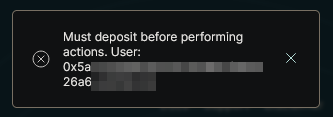
You need to deposit funds first to complete the creation of the API key. If you have not deposited funds, you will see a window as shown below.
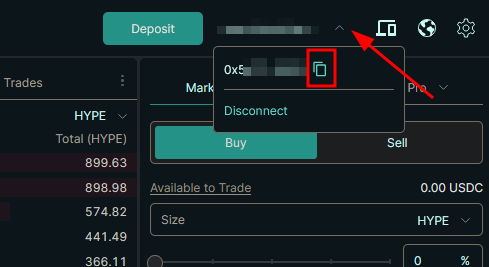
After authorizing the API key, click the dropdown menu next to the connected wallet near the deposit button in the upper right corner. This is your main account address, so please keep it safe.
Connect Hyperliquid and Add Authorization
Now that we have obtained the required main wallet address, proxy wallet address, and proxy wallet key information, let's return to AiCoin to continue the API connection process.
Open the PC client and log in to your AiCoin account.
Click on [Authorization] in the left sidebar to open the authorization interface, select the Hyperliquid platform, and click the [Authorize] button to bring up the authorization popup.
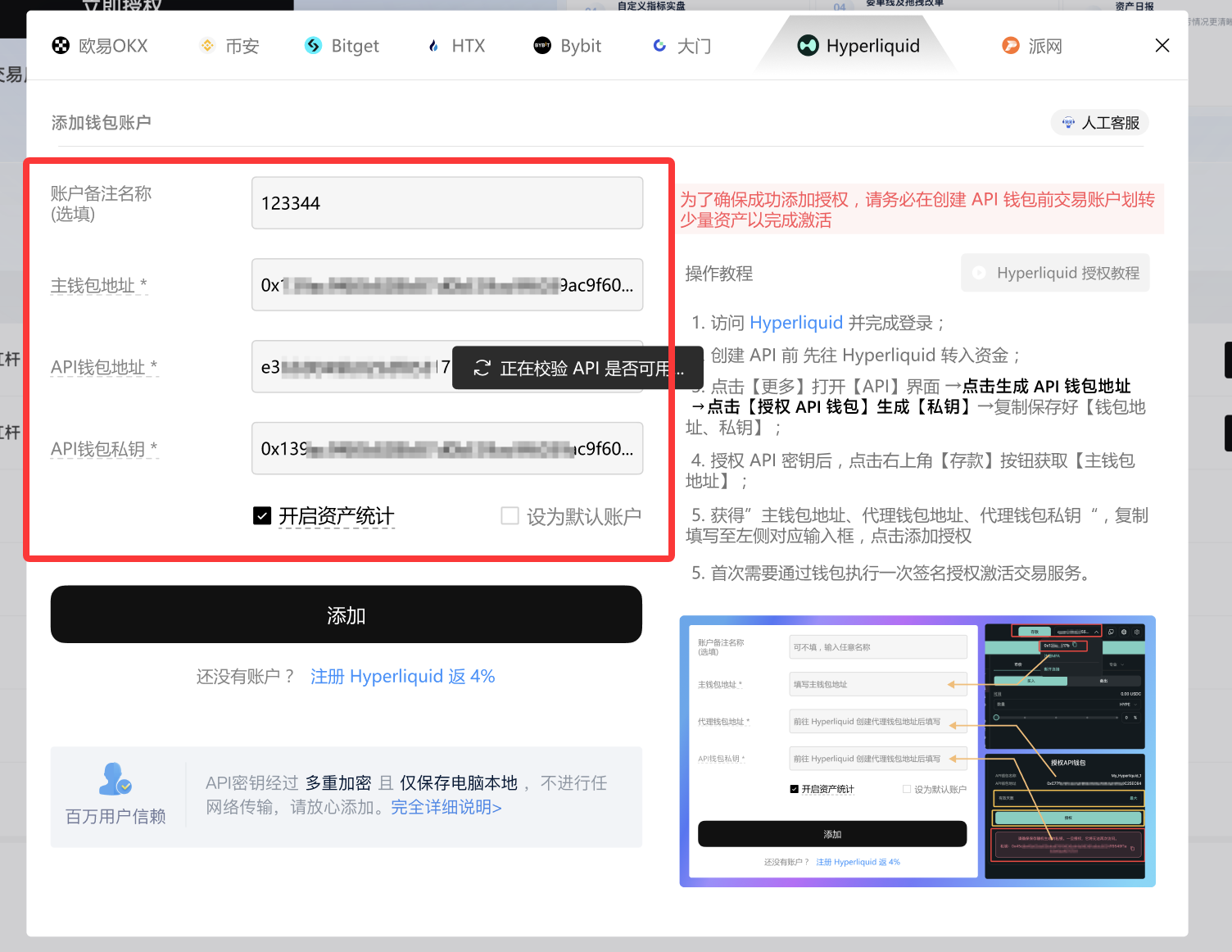
Fill in the authorization information.
① Name your authorization account.
② Fill in the information obtained when creating the API on the Hyperliquid API page in the corresponding fields of the authorization interface.
- Click the [Authorize] button to authorize the API.
Please double-check carefully and do not confuse the API wallet address with the API key private key. If these fields are entered incorrectly, your Hyperliquid exchange account will not be able to connect to AiCoin.
Perform Wallet Signature Authorization to Obtain Order Permissions
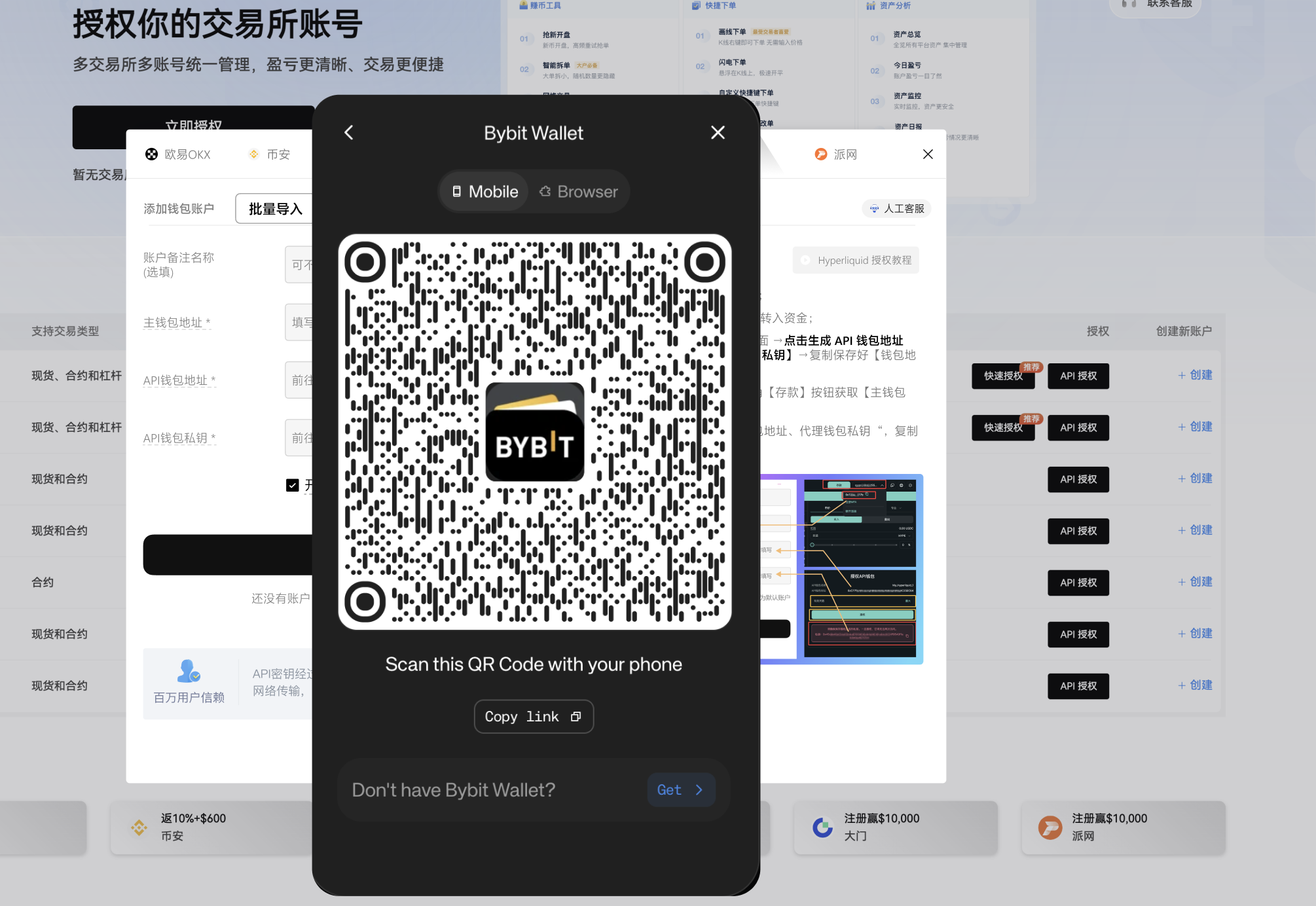
After completing the API authorization, a wallet signature activation popup will automatically appear. To provide better trading services, you need to authorize the activation of trading. Please click the [Activate Button] and select the corresponding wallet plugin for wallet activation to complete the signature authorization. It supports connection via mobile wallet app scanning or computer wallet plugin.
Complete the final authorization through the wallet signature request.
Once authorized, you can view the Hyperliquid records in the authorized list.
Resolving Hyperliquid Authorization Account Issues
- Check if the [Hyperliquid] API has expired and reapply for the API to bind it again.
- Check if the entered Key is correct and try again.
- Apply for a new API, re-enter and replace it, then clear the local cache and log in again.
Manage Account Assets and Start Placing Orders
Click the [Funds] button in the left sidebar to open the asset management interface.
Open the Hyperliquid market trading pair interface, and click the [Place Order] button in the right sidebar to open the order panel.
免责声明:本文章仅代表作者个人观点,不代表本平台的立场和观点。本文章仅供信息分享,不构成对任何人的任何投资建议。用户与作者之间的任何争议,与本平台无关。如网页中刊载的文章或图片涉及侵权,请提供相关的权利证明和身份证明发送邮件到support@aicoin.com,本平台相关工作人员将会进行核查。