The "fragmentation" pain point of Web3 trading has finally been resolved!
For Web3 players, copy trading has always been a "sweet burden": the returns are tempting, but it requires being glued to the computer, and the operations are cumbersome. Once you step away from the computer, you might miss the signal from a whale entering a position or not have enough time to set stop-loss and take-profit orders.
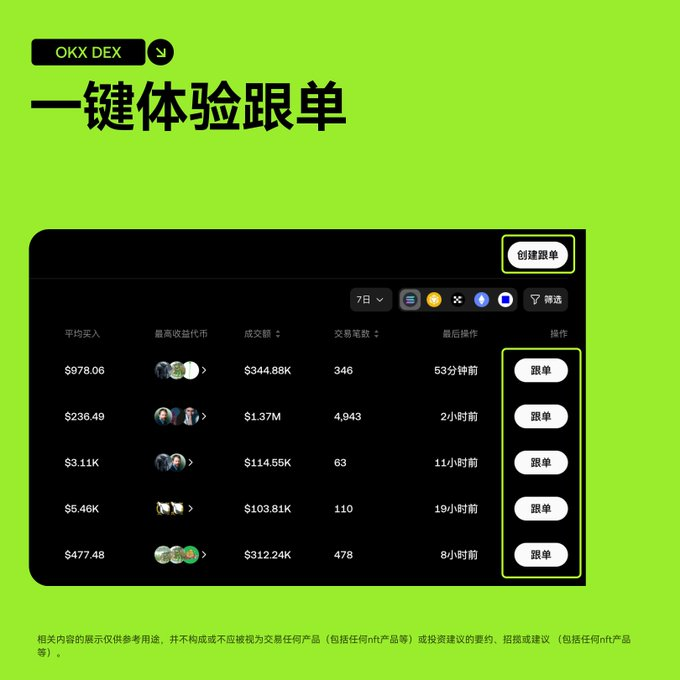
Now, this pain point has been completely resolved!
The OKX wallet's copy trading feature has officially launched on the mobile app! This means you no longer need to rely on a computer; with just a mobile phone, you can copy trades, check profits, and adjust strategies anytime and anywhere, truly achieving a "laid-back" on-chain trading experience.
1. Mobile Copy Trading: Why is it revolutionary?
The value of mobile copy trading lies in its perfect combination of "professionalism" and "convenience," fundamentally changing your trading habits:
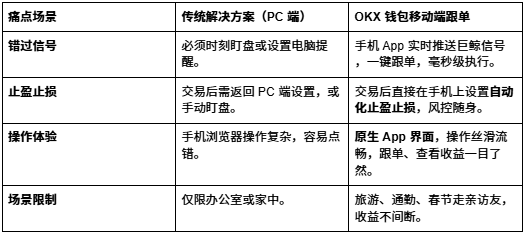
2. Practical Demonstration: Three Steps to Start Your Mobile Copy Trading Journey
The interface design of the OKX wallet's mobile copy trading is extremely user-friendly, with a simple and efficient operation process.
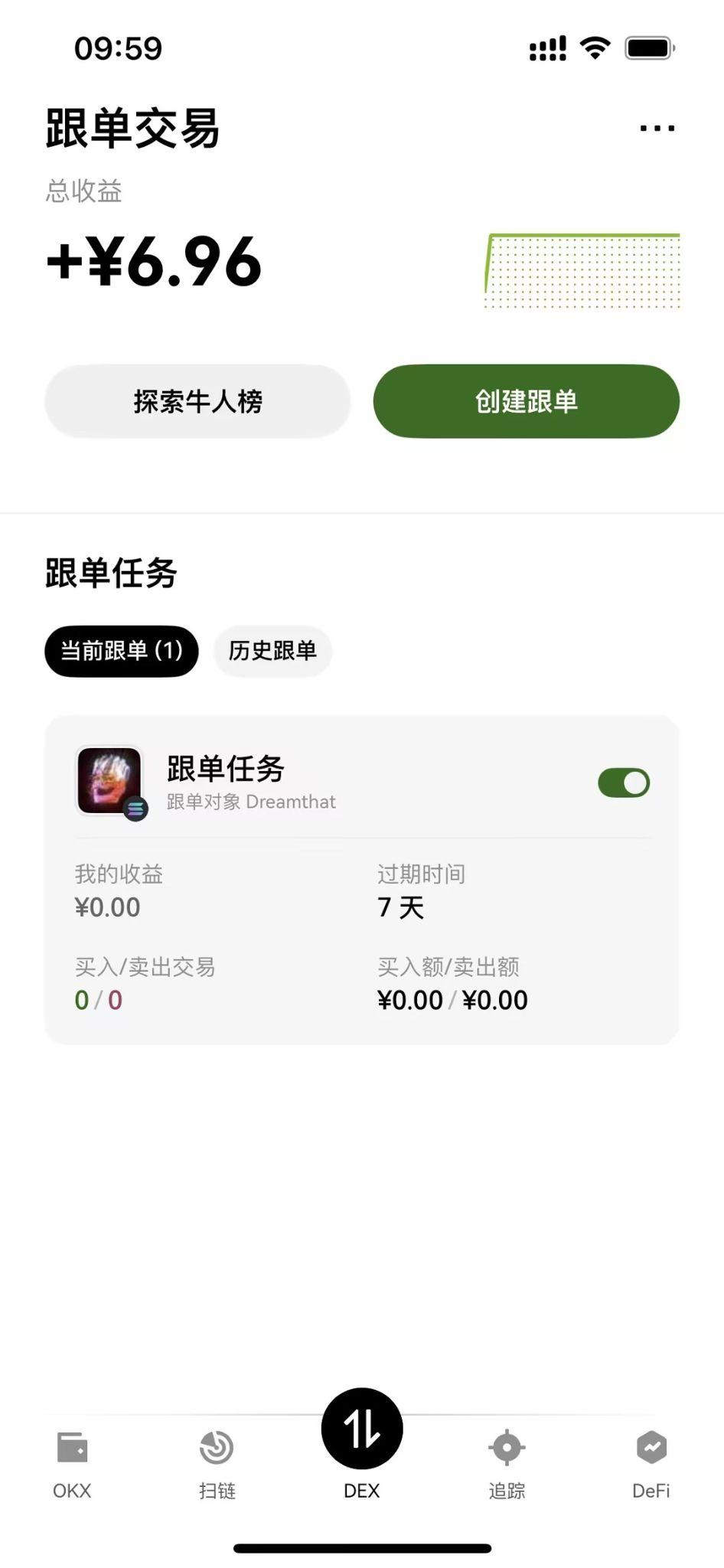
Step 1: Find the Copy Trading Entry
Open the OKX App and switch to the "Web3" interface.
On the "Tracking" page, you can find the "Copy Trading" entry; click to enter.
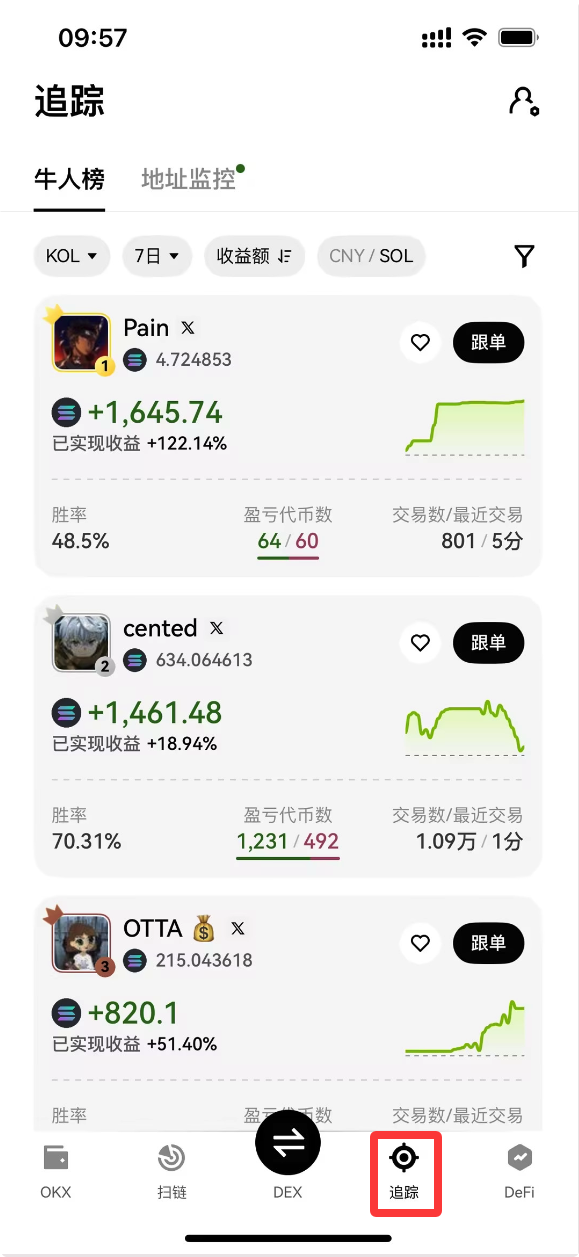
Step 2: Filter and Select Top Traders
- In the copy trading square, you can see the "Top Traders List."
- Use the filter to select your preferred top trader based on return rate, win rate, number of trades, and other professional indicators.
- Click to enter the trader's homepage to view their historical performance, position preferences, and number of followers.
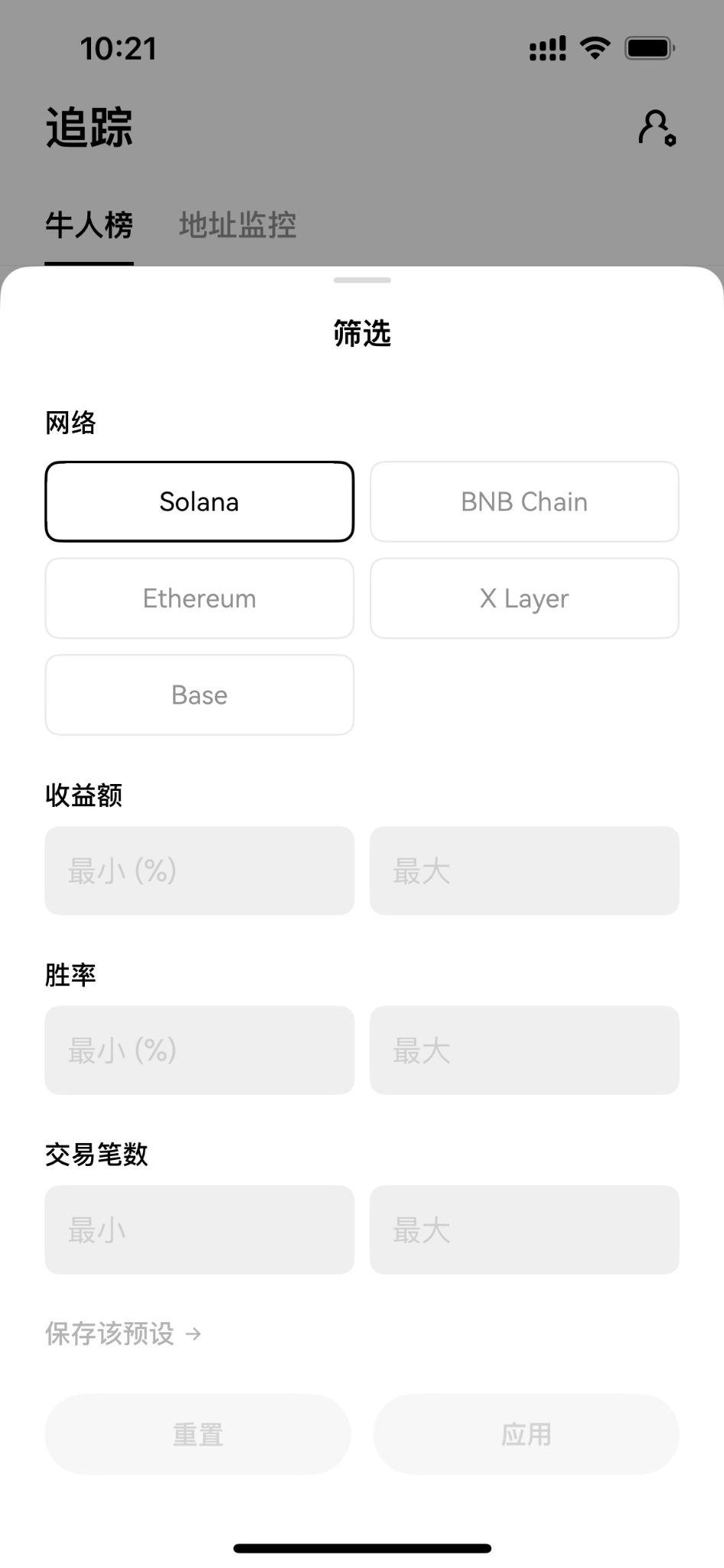
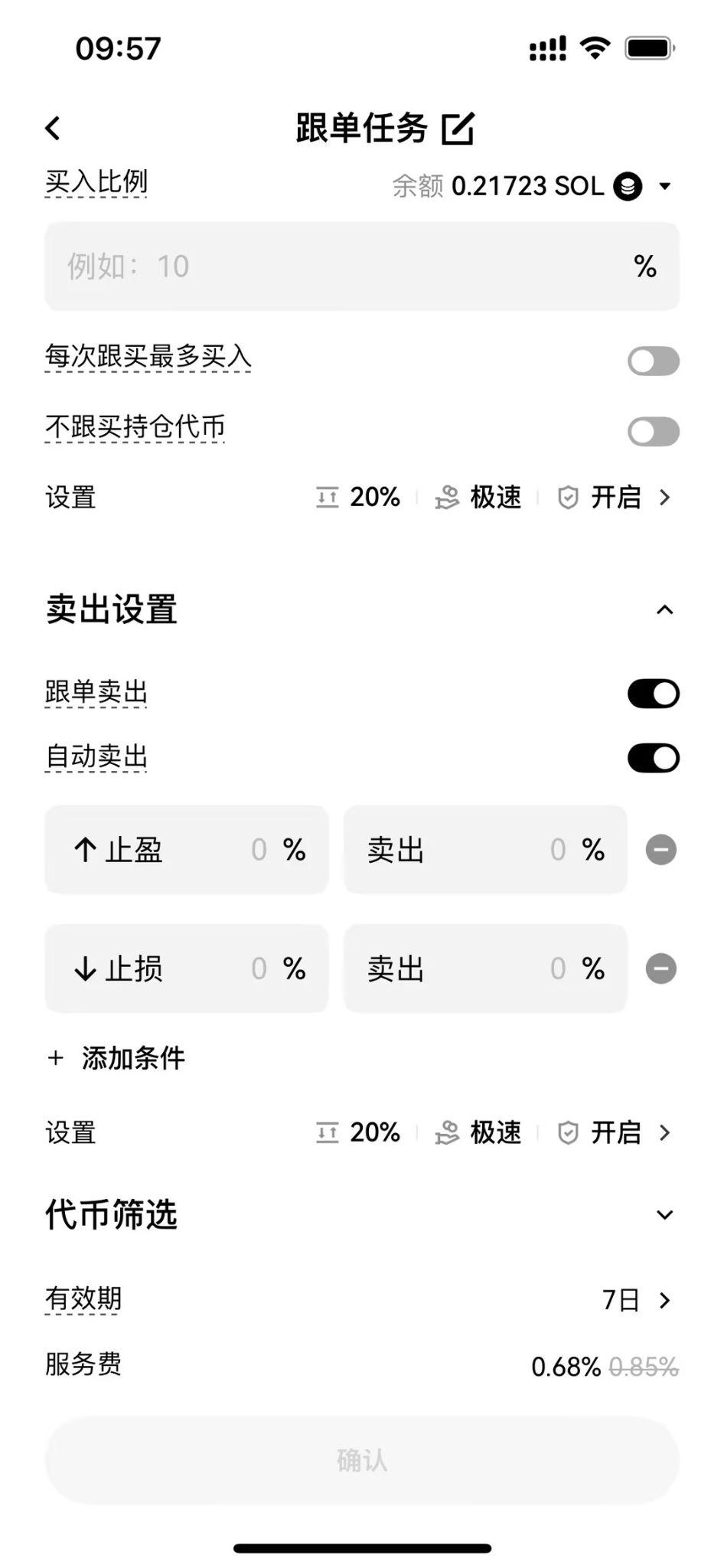
Step 3: Set Copy Trading Parameters
Click the "Copy Trading" button to enter the parameter settings interface.
Set Copy Trading Amount: Flexibly adjust the amount of funds you wish to invest.
Set Take-Profit and Stop-Loss (Core): This is one of the most powerful features of mobile copy trading.
- Take-Profit: Set a target return rate; once reached, it will automatically close the position to lock in profits.
- Stop-Loss: Set a maximum loss percentage; once reached, it will automatically stop-loss to protect the principal.
- Confirm and Start: One-click confirmation, and your mobile copy trading strategy will take effect immediately!
 Exclusive Benefit: Reduce Your Copy Trading Costs by Another 20%!
The OKX wallet's mobile copy trading allows you to make money anytime and anywhere, and the exclusive invitation code can help you save money on every trade.
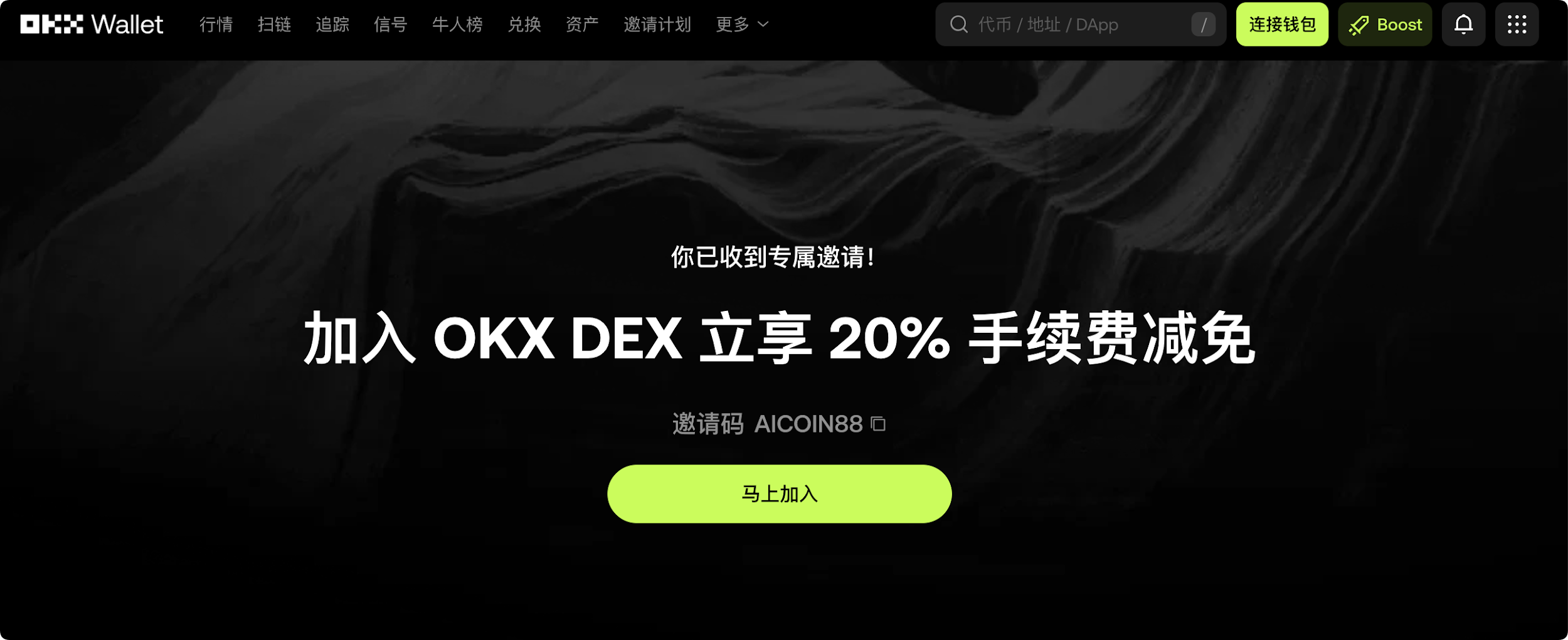
Use the invitation code [AICOIN88] to bind your OKX wallet and enjoy up to 20% savings on trading costs in copy trading!
The OKX wallet's mobile copy trading is now live; your "laid-back" path to financial freedom can be achieved with just a mobile phone.
Special Benefit Invitation Code Binding Tutorial:
Method 1: Click the exclusive link below (the invitation code has been automatically filled for you):
https://web3.okx.com/ul/joindex?ref=AICOIN88
During the wallet creation/import process, confirm that the invitation code AICOIN88 has been bound.
Done! Start enjoying the fee reduction immediately!
Method 2: OKX App Download Link:
https://static.rmgvx.com/upgradeapp/okx-android_aicoin20.apk
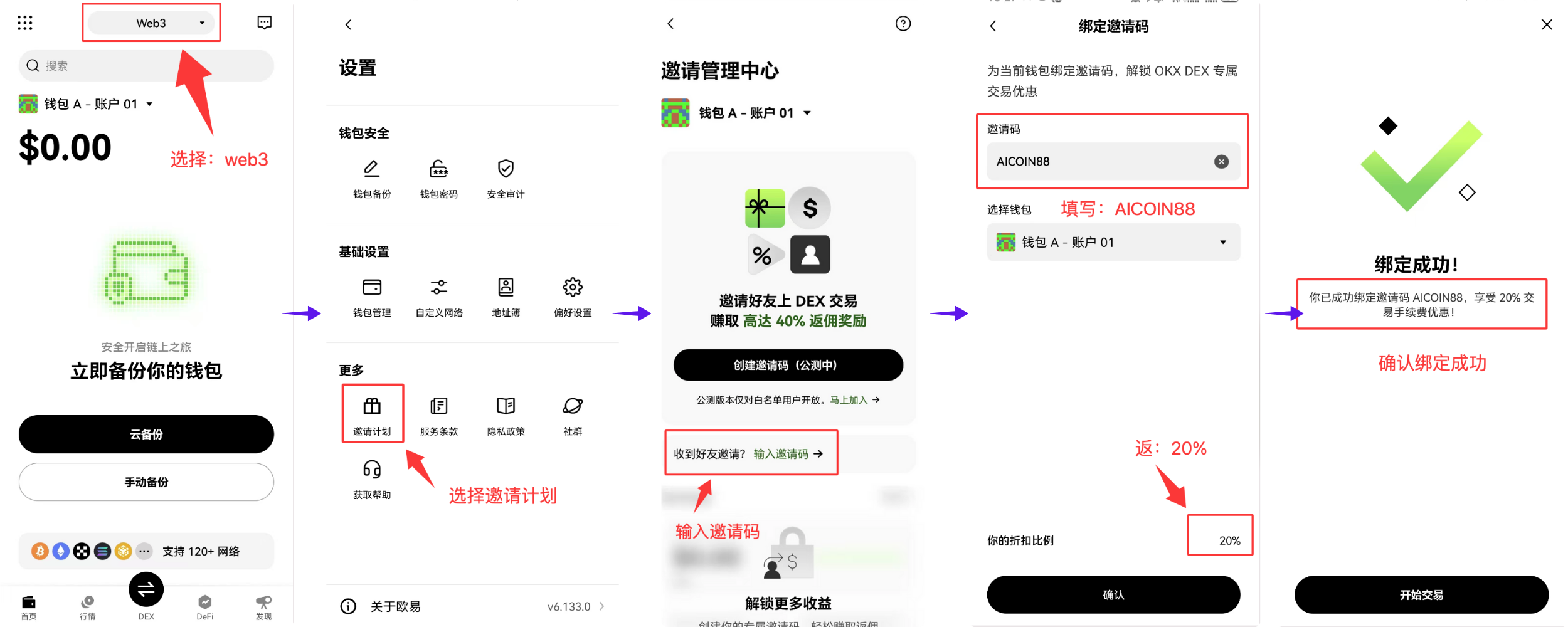
How to bind the invitation code (AICOIN88) in the App:
Summary and Call to Action: The invitation code is money
Join our community to discuss and grow stronger together!
Official Telegram community: t.me/aicoincn
AiCoin Chinese Twitter: https://x.com/AiCoinzh
Exclusive 20% fee discount:
https://web3.okx.com/ul/joindex?ref=AICOIN88
OKX Benefit Group:
https://aicoin.com/link/chat?cid=l61eM4owQ
免责声明:本文章仅代表作者个人观点,不代表本平台的立场和观点。本文章仅供信息分享,不构成对任何人的任何投资建议。用户与作者之间的任何争议,与本平台无关。如网页中刊载的文章或图片涉及侵权,请提供相关的权利证明和身份证明发送邮件到support@aicoin.com,本平台相关工作人员将会进行核查。


