This tutorial will guide you through the entire process of switching to Binance Unified Account Mode and completing API binding on AiCoin.
Step 1: Switch Binance to "Unified Account" Mode
Before creating the API, please ensure that your Binance account has enabled Unified Account Mode to support multi-asset collateral trading.
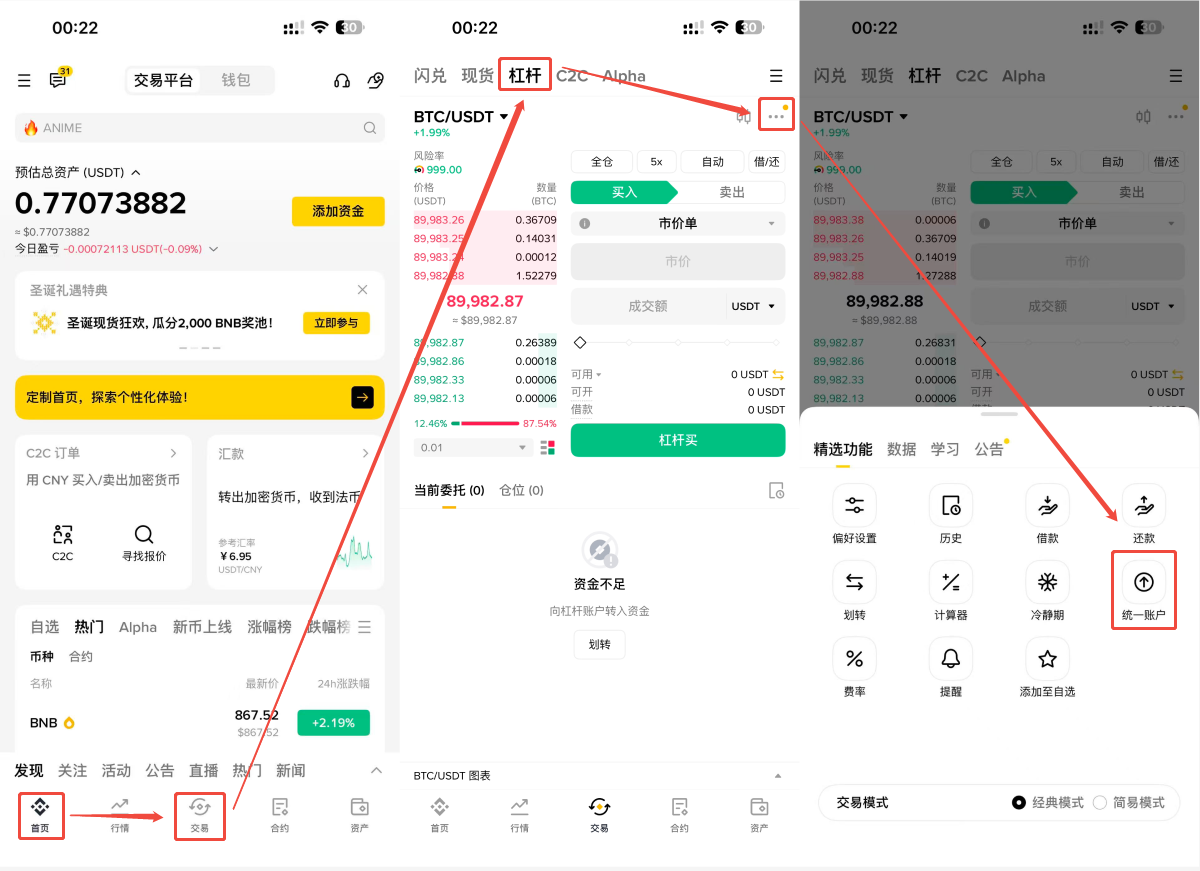
Open the Binance APP and click on the 【Trade】 option in the bottom menu bar.
Switch to the 【Leverage】 tab at the top.
Click on the 【…】 in the upper right corner and select 【Unified Account】.
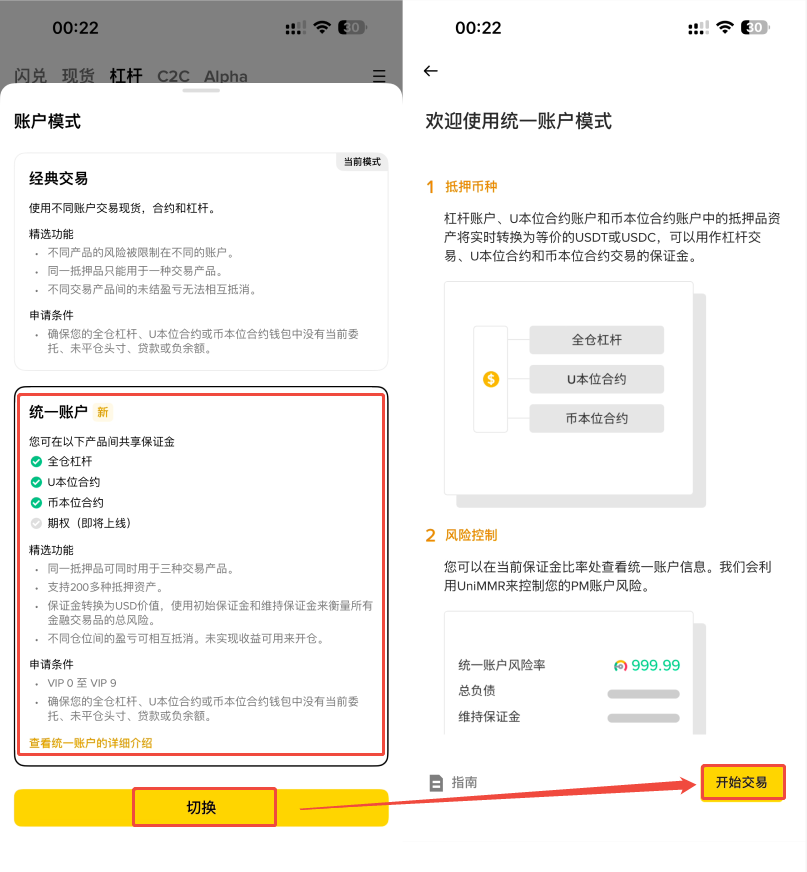
Click on 【Account Mode】 — select 【Unified Account】 — click 【Start Trading】 to complete the activation.
Step 2: Create API Key
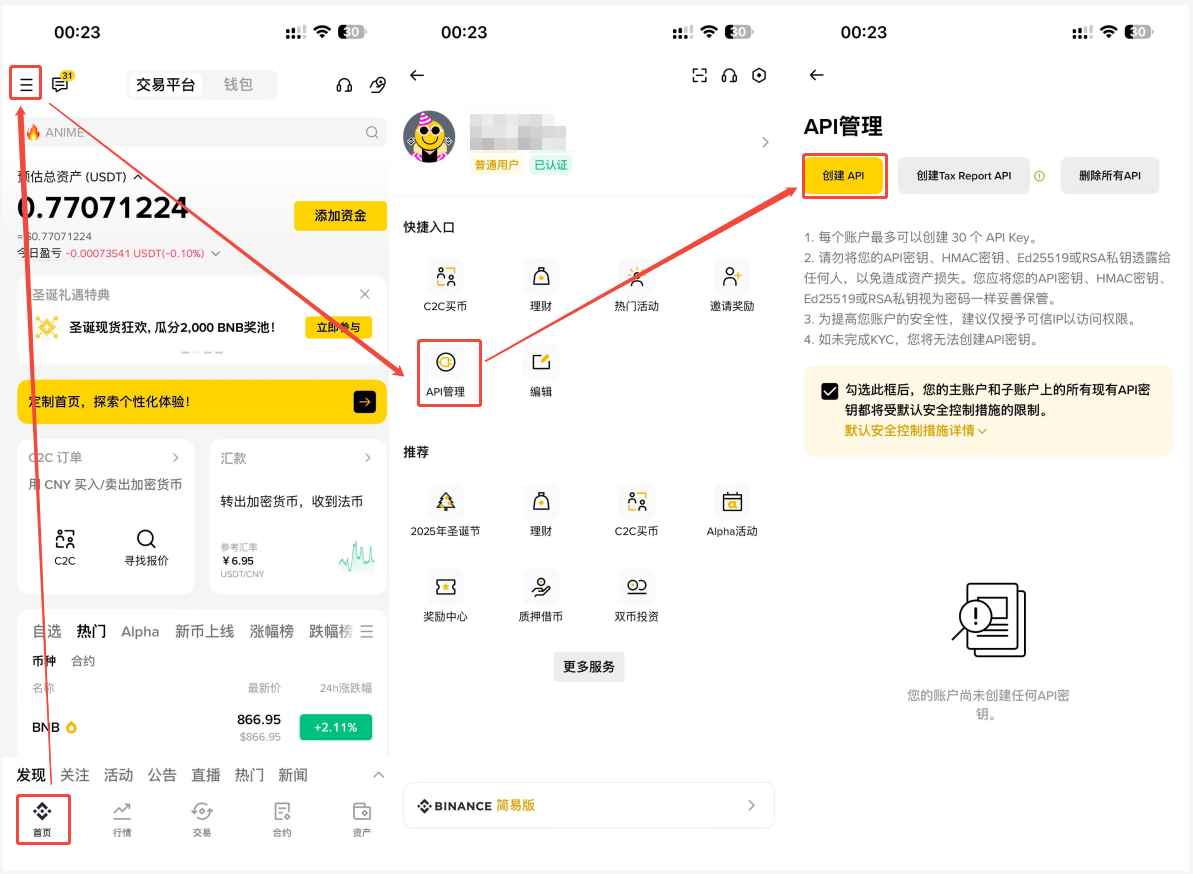
Click on the 【More Icons】 in the upper left corner of the Binance APP homepage and find 【API Management】.
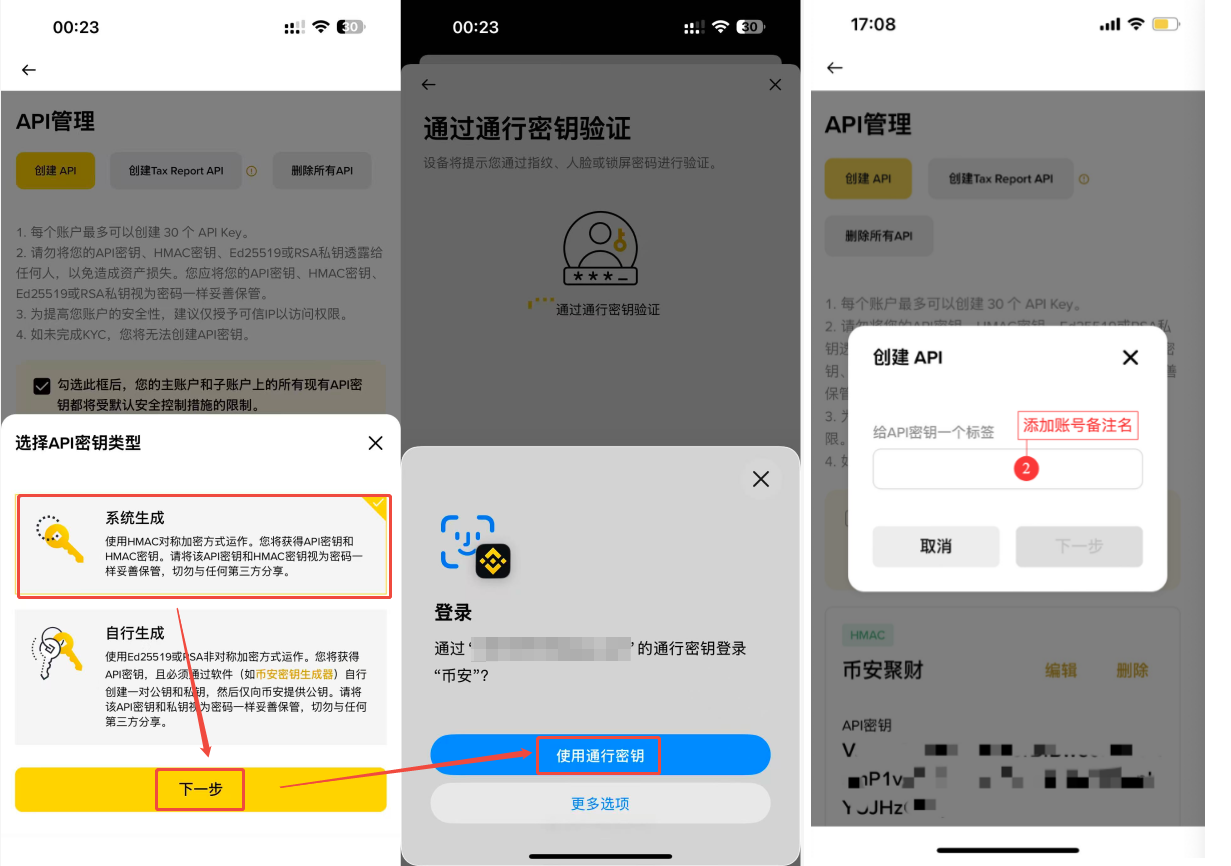
Click on 【Create API】, select 【System Generated】, and click 【Next】.
Enter a note name as prompted - complete the security verification to create the API.
Step 3: Configure API Permissions
On the API management page, find the API you just created and click 【Edit】.
Check the permissions for 【Allow Spot and Leverage Trading】, 【Allow Contracts】, 【Allow Universal Transfers】, etc.
Click 【Save】 at the top of the page and complete the security verification.
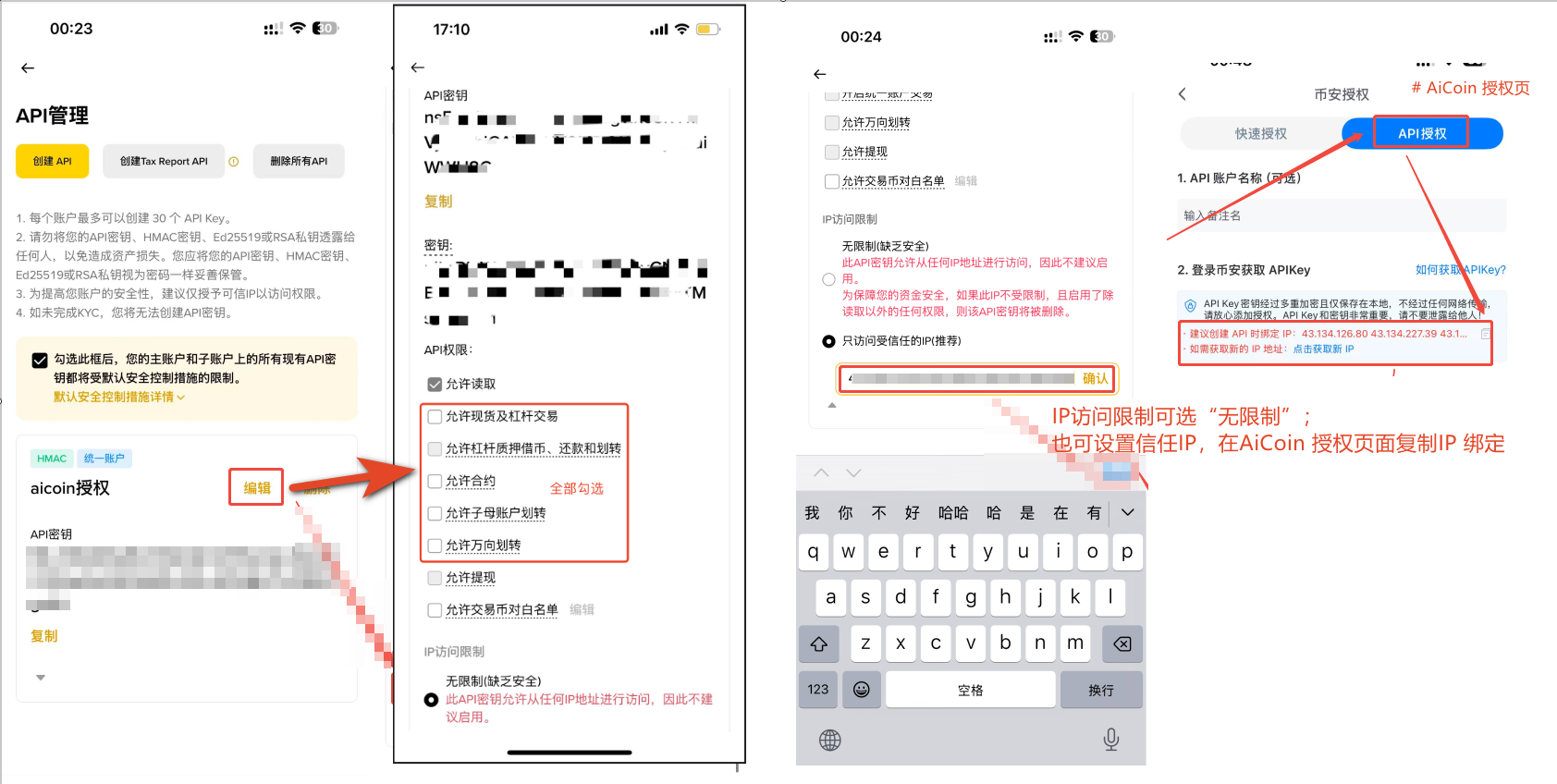
Step 4: Enter API Key and Add Authorization
Open the API authorization page on AiCoin.
Enter the obtained API Key and Secret Key in order.
Click the 【Authorize】 button.
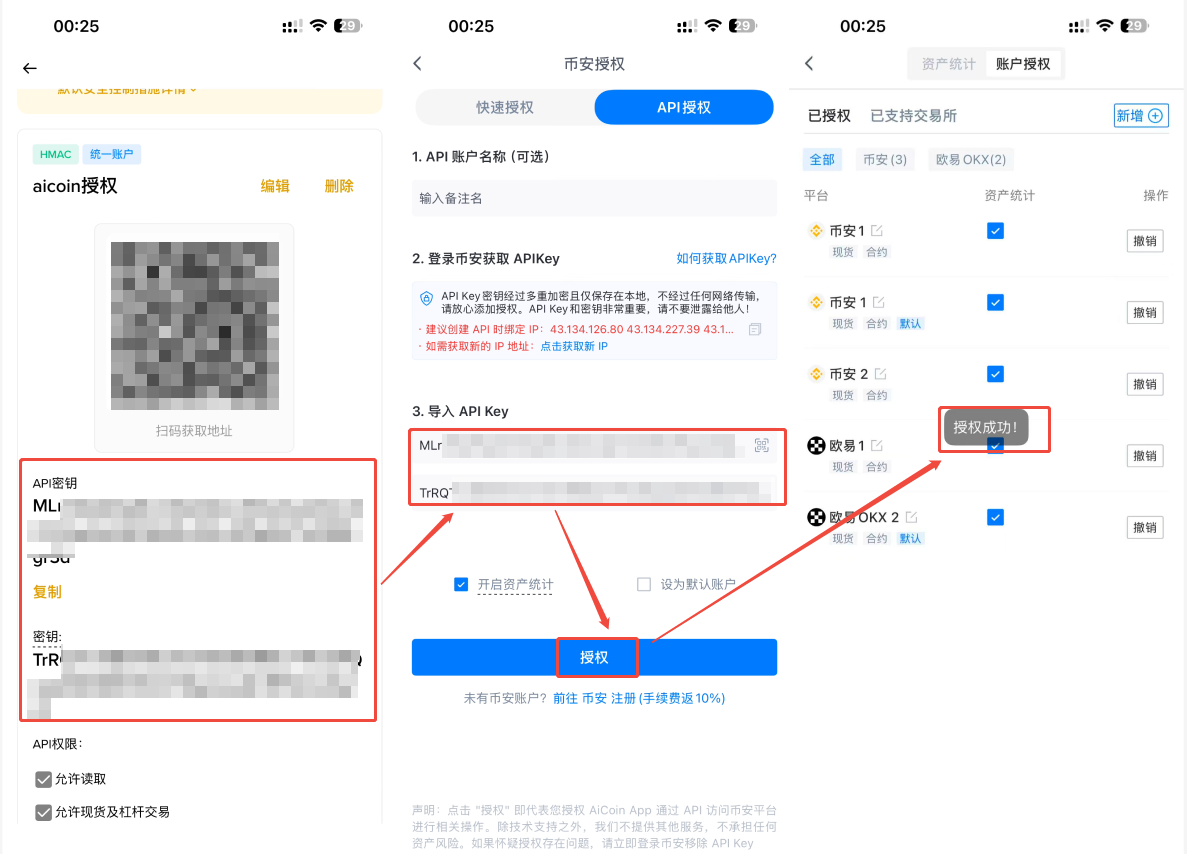
💡 Security Reminder: Please do not disclose your Secret Key to anyone or store it online.
Join our community to discuss and grow stronger together!
Official Telegram community: t.me/aicoincn
AiCoin Chinese Twitter: https://x.com/AiCoinzh
Group Chat - Wealth Group:
https://www.aicoin.com/link/chat?cid=10013
免责声明:本文章仅代表作者个人观点,不代表本平台的立场和观点。本文章仅供信息分享,不构成对任何人的任何投资建议。用户与作者之间的任何争议,与本平台无关。如网页中刊载的文章或图片涉及侵权,请提供相关的权利证明和身份证明发送邮件到support@aicoin.com,本平台相关工作人员将会进行核查。