As an on-chain surfing trader, I am completely conquered by the latest Smart Account feature of the OKX wallet! In the past, chasing memes, tracking smart money, and copying trades meant I had to carry my computer everywhere, which was really exhausting. Now, everything can be done directly on my phone, efficiency skyrockets, and my hands are completely freed up~ Brothers and sisters, come and get this black technology!
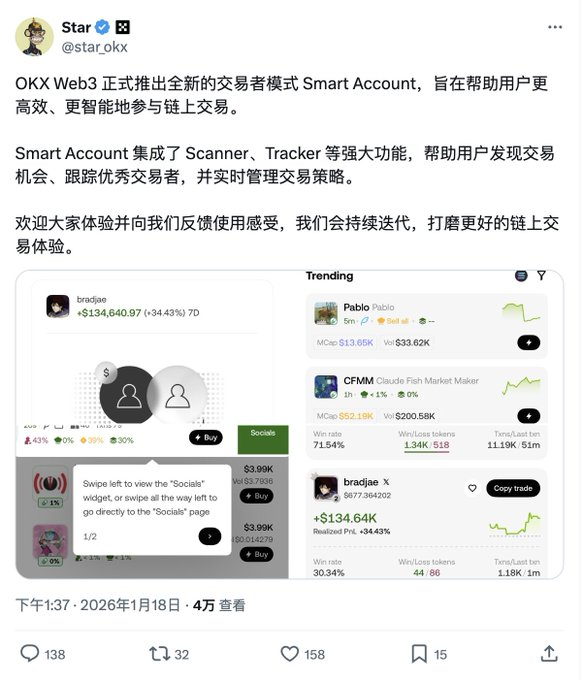
The Smart Account mode launched by the OKX wallet has me so excited! Founder @starokx personally recommended it, and @Mercyokx also said it is a mobile tool designed specifically for meme and on-chain players. From now on, just bringing my phone is enough; I can scan chains, copy trades, and monitor the market anytime, anywhere. It's really convenient!
Why is it so appealing? In a nutshell:
It takes the complex on-chain strategies originally meant for computers and packs them into a phone, making it even safer and more flexible! Simple + Safe + Flexible three-in-one, targeting a "lazy person's gospel."
Super detailed activation steps (step by step practical operation)
1. First, upgrade the OKX wallet to the latest version
- iOS: Go directly to the App Store, search for "OKX," and update to the latest version (the 2026 version supports Smart Account most completely).
- Android:
- https://static.rmgvx.com/upgradeapp/okx-android_aicoin20.apk
(Tips: Back up your wallet before updating, don’t slip up~)
2. Enter the wallet management interface
- Open the OKX App → Tap "Wallet" or "Web3" tab in the bottom navigation bar.
- Tap the "Manage" icon in the upper right corner (usually a gear or a small arrow in the wallet list).
- Enter the "Wallet Management" page and see your list of all accounts.
3. Find and enable Smart Account
1) Scroll down or search for "Smart Account" in wallet management.
2) There are two ways:
Method A: Create a new Smart Account (recommended for beginners, do not touch the main account yet)
→ Tap "Add Account" → Select "Add Smart Account".
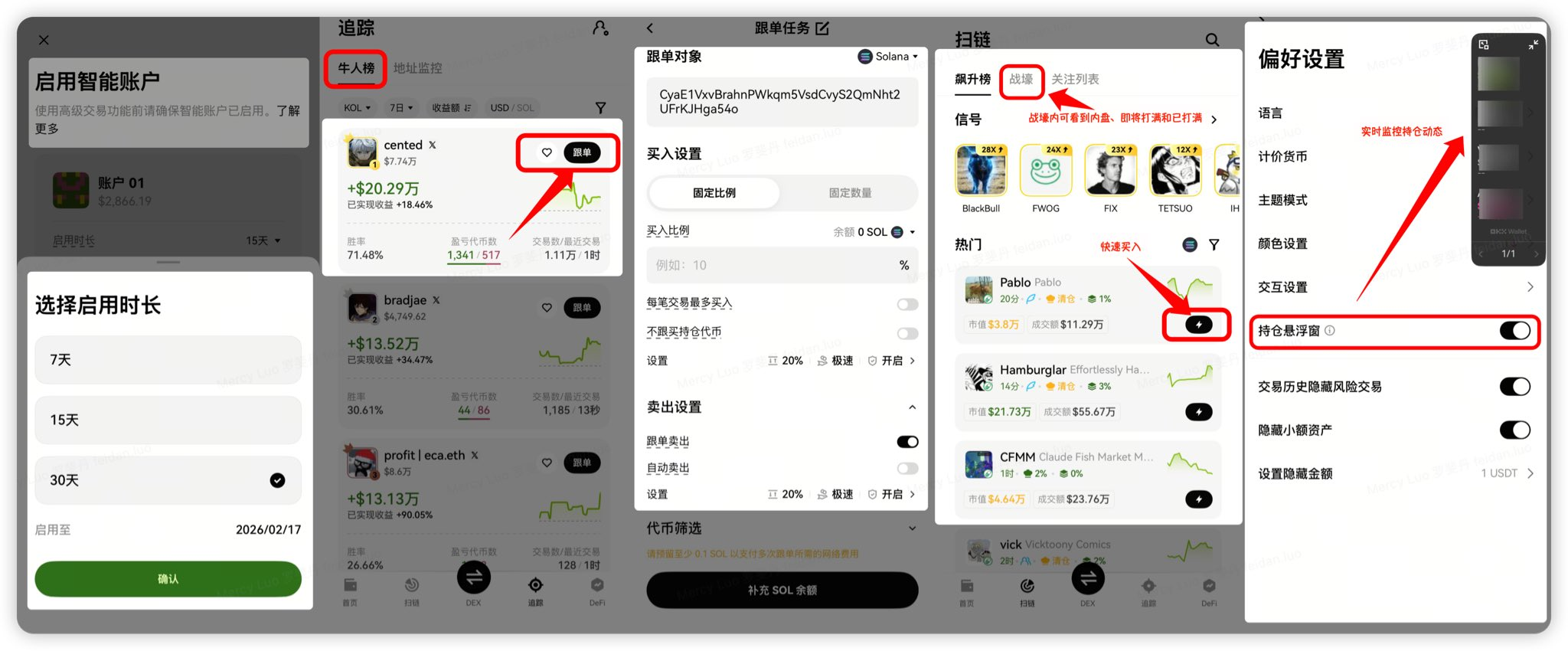
→ The system will prompt you to choose the activation duration (Beta period options are 7 days/15 days/30 days; choose the longer one for stability).
→ After confirming, tap "Enable," and it will be created in a few seconds!
Method B: Enable for an existing account (accounts with assets < $100,000 supported)
→ Select the account you want to upgrade → Tap "Enable Smart Account" → Choose the duration → Confirm activation.
3) After successful activation, the account name will change to "Smart" mode, and the interface will switch to a trader-exclusive layout~
4. Set up and familiarize yourself with core functions immediately after activation (these are essential for daily use)
- Scan chains to track trends: Find the "Scanner" or "Scan Chain" entry in the homepage or DEX tab, set keywords/meme hotspots, and receive real-time notifications for new coins.
- Track smart money: Tap the "Tracker" or "Smart Money" module, search for big players' addresses or Smart Accounts, and view their holdings/trading history with one click.
- Signal radar + alerts: Set signals (like new pools, trading volume surges), and receive push notifications on your phone, ensuring you don’t miss opportunities!
- Position floating window: Super useful! Once enabled, regardless of whether you are browsing information or chatting, a small window at the top of the screen will display real-time profit and loss and price fluctuations.
- Quick trading/limit orders/TPSL: Place orders directly on your phone, supporting complex strategies, and reacting even faster than a computer.
- One-click copy trading: The best part! Go to the "Copy Trading" or copy trading module, search for top traders (like bradjac with 34% in 7 days), tap "Try it now" or "Follow," set the amount ratio, and mirror their operations with one click. The feeling of earning passively is overwhelming!
5. Don’t miss out on extra benefits
- Hold USDG on the X Layer network to earn up to 3.85% APY in passive income.
- Pay attention to risk control when copy trading; start with a small amount, observe for a few days before increasing your position.
- Asset security: Smart Account supports social recovery, and gas fees can be paid with USDC/USDT (sometimes there are gas rebate activities).
- Special benefit: Bind the exclusive AiCoin invitation code to save 20% on every transaction.
Special benefit invitation code binding tutorial:
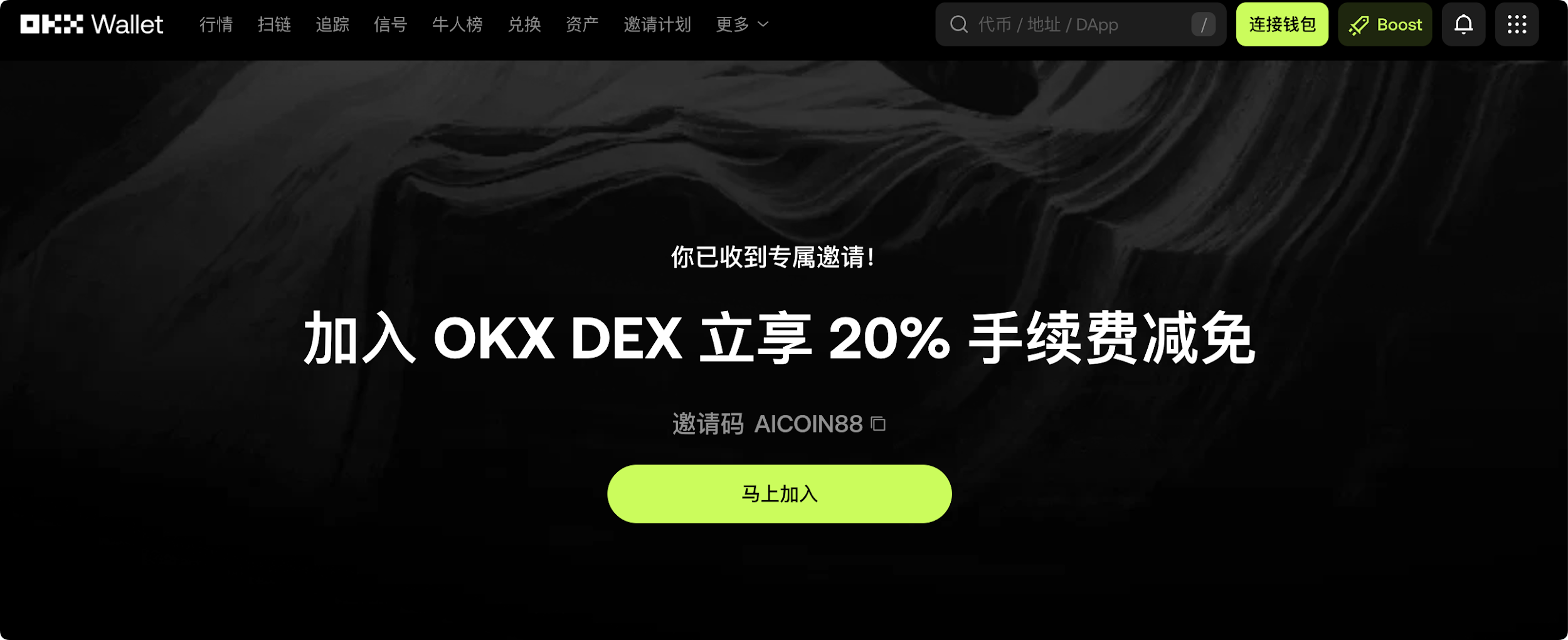
Method 1: Click the exclusive link below (invitation code has been auto-filled for you):
https://web3.okx.com/ul/joindex?ref=AICOIN88
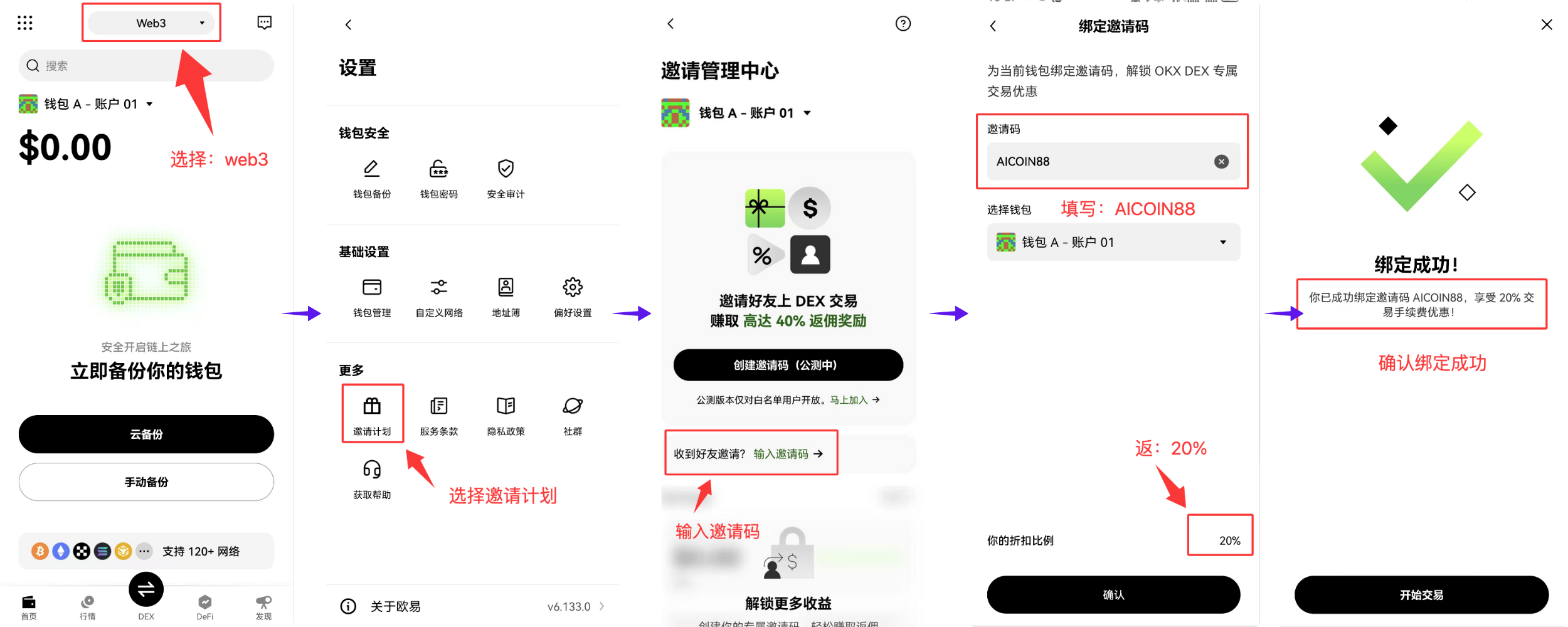
In the wallet creation/import process, confirm that the invitation code AICOIN88 is bound.
Done! Start enjoying the fee reduction immediately!
Method 2: OKX App download link:
https://static.rmgvx.com/upgradeapp/okx-android_aicoin20.apk
How to bind the invitation code (AICOIN88) in the App:
Summary and Call to Action: The invitation code is money
Join our community, let’s discuss and become stronger together!
Official Telegram community: t.me/aicoincn
AiCoin Chinese Twitter: https://x.com/AiCoinzh
Exclusive 20% fee discount:
https://web3.okx.com/ul/joindex?ref=AICOIN88
OKX benefits group:
https://aicoin.com/link/chat?cid=l61eM4owQ
免责声明:本文章仅代表作者个人观点,不代表本平台的立场和观点。本文章仅供信息分享,不构成对任何人的任何投资建议。用户与作者之间的任何争议,与本平台无关。如网页中刊载的文章或图片涉及侵权,请提供相关的权利证明和身份证明发送邮件到support@aicoin.com,本平台相关工作人员将会进行核查。