Many beginners encounter an awkward problem when transferring or trading with the OKX Web3 wallet: the wallet has assets like USDT, BTC, etc., but not enough mainnet coins (such as ETH, TRX, BNB) to pay for Gas fees, resulting in transfer failures.
Don't panic! OKX officially provides two common ways to supplement:
- By receiving coins (let others transfer to you, or transfer from other platforms).
- By quick withdrawal from the exchange (most convenient if you have an OKX exchange account).
Here’s a one-minute guide on how to operate, along with precautions, ensuring beginners can easily understand.
1. First, understand: Why do you need to supplement Gas fees?
- Different chains use different mainnet coins to pay transaction fees:
- Ethereum chain → ETH
- BSC chain → BNB
- TRON chain → TRX
- Solana chain → SOL
- … (specifics depend on what the wallet page displays)
If the balance of mainnet coins in the wallet is insufficient, operations like transfer/Swap/NFT will be stuck.
The OKX wallet is self-custodial and will not automatically top up for you, so you need to do it manually.
2. Method 1: Supplement by receiving coins (universal, suitable for all users)
This is the most basic method, allowing friends/other wallets/exchanges to transfer mainnet coins to you.
Steps (taking TRX as an example, similar for other chains):
Step 1
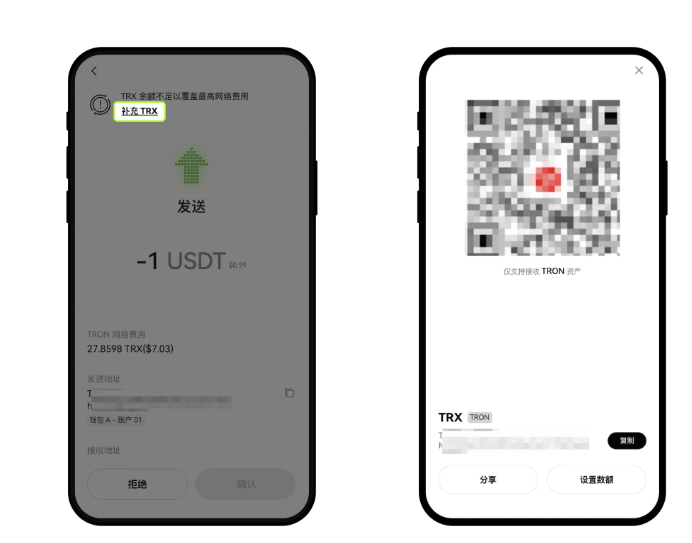
On the asset sending confirmation page, click the prompt at the top 【Supplement TRX】 (or other mainnet coins), copy the receiving address / scan the QR code / share the address with the sender for the transfer operation; you can also click 【Set Amount】 to input the amount you want to receive.
Step 2
Open the exchange platform or wallet from which you want to withdraw coins, search for TRX, find the corresponding network (TRON), and then click 【Transfer/Withdraw】. On the withdrawal page, enter the receiving address you copied from the Web3 wallet, fill in the transfer/withdrawal amount, and complete the withdrawal according to the operation prompts.
Step 3
After completion, you can click 【Transaction History】 on the wallet homepage to view the supplement record.
It's that simple! The Gas fee is topped up! You can then continue with transfers, following trades, Swaps, etc.
3. Method 2: Quick supplement through exchange withdrawal (fastest! Recommended for users with OKX exchange accounts)
- Open the exchange App - Click 【Exchange】 to switch to 【Web3 Wallet】 - Click 【Send】 - Select the coin and network - Enter or select the receiving address.

- Enter the amount, click 【Next】 - 【Supplement TRX】.
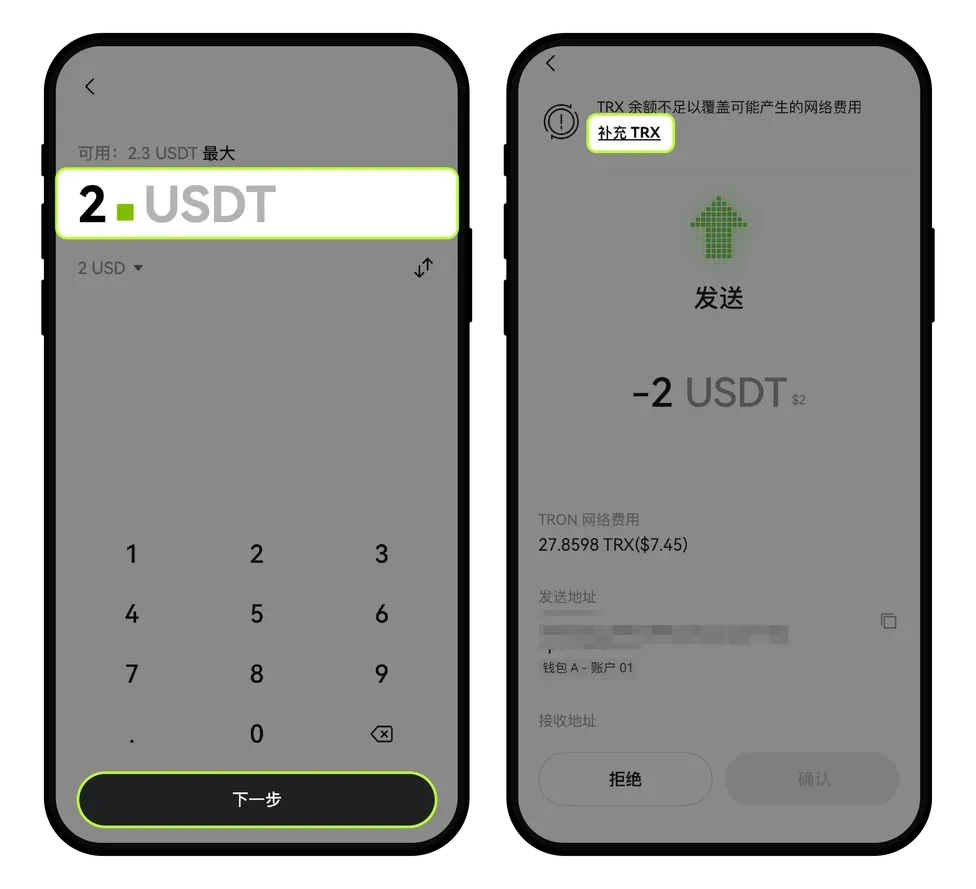
- Click 【Exchange Withdrawal】 - Enter the withdrawal amount - 【Submit】.

Please note that each coin has a corresponding minimum withdrawal amount, which is subject to what is displayed on the page. After completing the fee supplement, you can continue to send assets.
Tips (must remember for beginners)
- Make sure to select the correct network! For example, to supplement TRX, you must select the TRON network; transferring incorrectly may result in permanent loss of assets.
- It is recommended to supplement a bit more at once (e.g., supplement 50-100 TRX), which will last a long time.
- The operation interface is based on the latest version of the OKX App on your phone, remember to keep it updated.
4. OKX Wallet 20% Discount Benefit
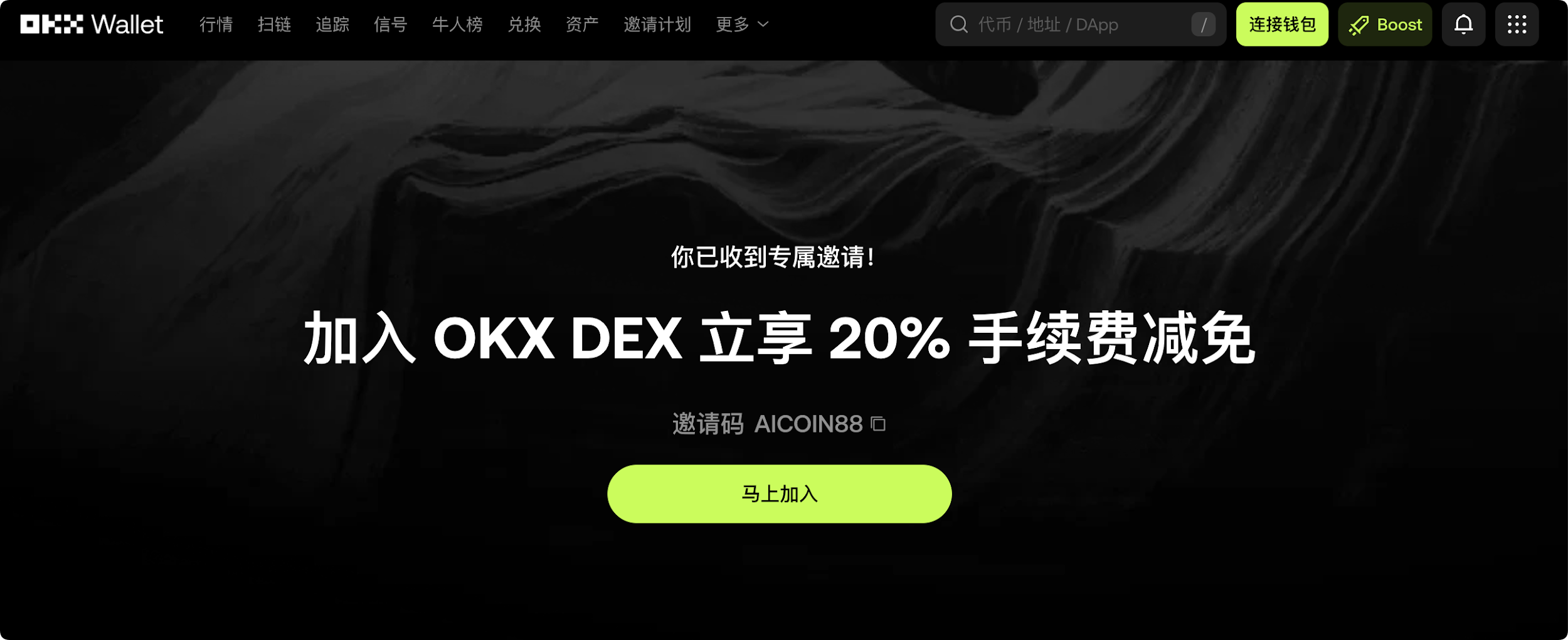
Method 1: AiCoin provides a binding invitation code (AICOIN88) for the OKX DEX web version exclusive discount, allowing low-cost participation in on-chain transactions
By binding the invitation code AICOIN88 through the exclusive link below, you will receive:
✅ 20% fee discount! This means that for every transaction you make on the DEX, you can save 20% compared to others. Over time, this is a significant amount of wealth!
✅ Qualification to join our VIP benefit group! The group will periodically share wealth secrets, airdrop tutorials, and whale movement analysis to keep you ahead.
The operation is very simple:
Click the exclusive link below (the invitation code has been automatically filled for you):
https://web3.okx.com/ul/joindex?ref=AICOIN88
During the wallet creation/import process, confirm that the invitation code AICOIN88 is bound.
Done! Start enjoying the fee discount now!
Method 2: OKX App download link:
https://static.rmgvx.com/upgradeapp/okx-android_aicoin20.apk
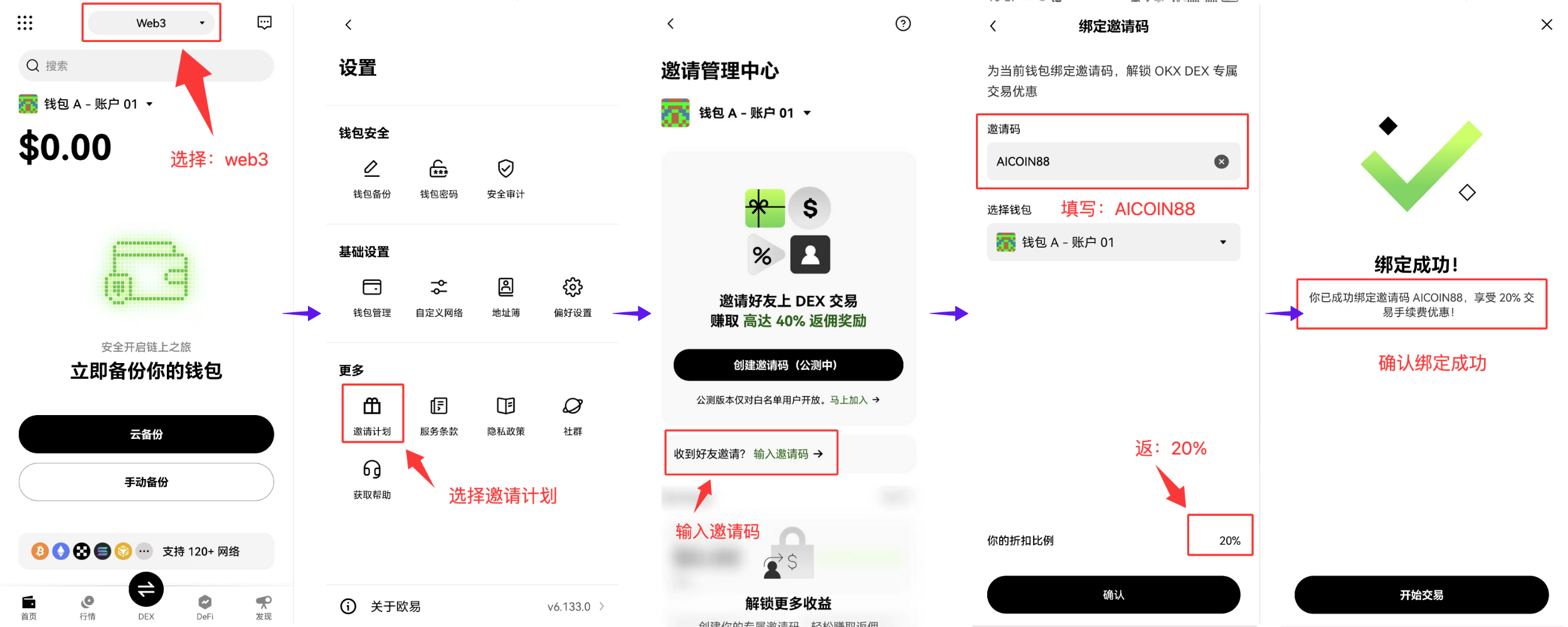
How to bind the invitation code (AICOIN88) in the App:
Start taking action and unlock decentralized asset freedom!
Official Telegram community: t.me/aicoincn
AiCoin Chinese Twitter: https://x.com/AiCoinzh
Exclusive 20% fee discount:
https://web3.okx.com/ul/joindex?ref=AICOIN88
OKX benefit group:
https://aicoin.com/link/chat?cid=l61eM4owQ
免责声明:本文章仅代表作者个人观点,不代表本平台的立场和观点。本文章仅供信息分享,不构成对任何人的任何投资建议。用户与作者之间的任何争议,与本平台无关。如网页中刊载的文章或图片涉及侵权,请提供相关的权利证明和身份证明发送邮件到support@aicoin.com,本平台相关工作人员将会进行核查。


