Isn't it confusing for many friends to frequently search for the AiCoin download link? Don't worry! This "Ultimate Summary" is your final destination!
Whether it's for Apple or Android, official channels or alternative solutions, I've prepared everything for you! Even beginners can easily follow along, it's recommended to bookmark this before viewing!
First, here are the links!
1. Official Download Link (Recommended Channel)
⚠️ Friendly Reminder: Accessing the following official links requires the use of compliant network acceleration services.
Official Website:
https://www.aicoin.comConsolidated Download Page for Android / iOS / Tablet / PC: Please click the link to download:
https://www.aicoin.com/download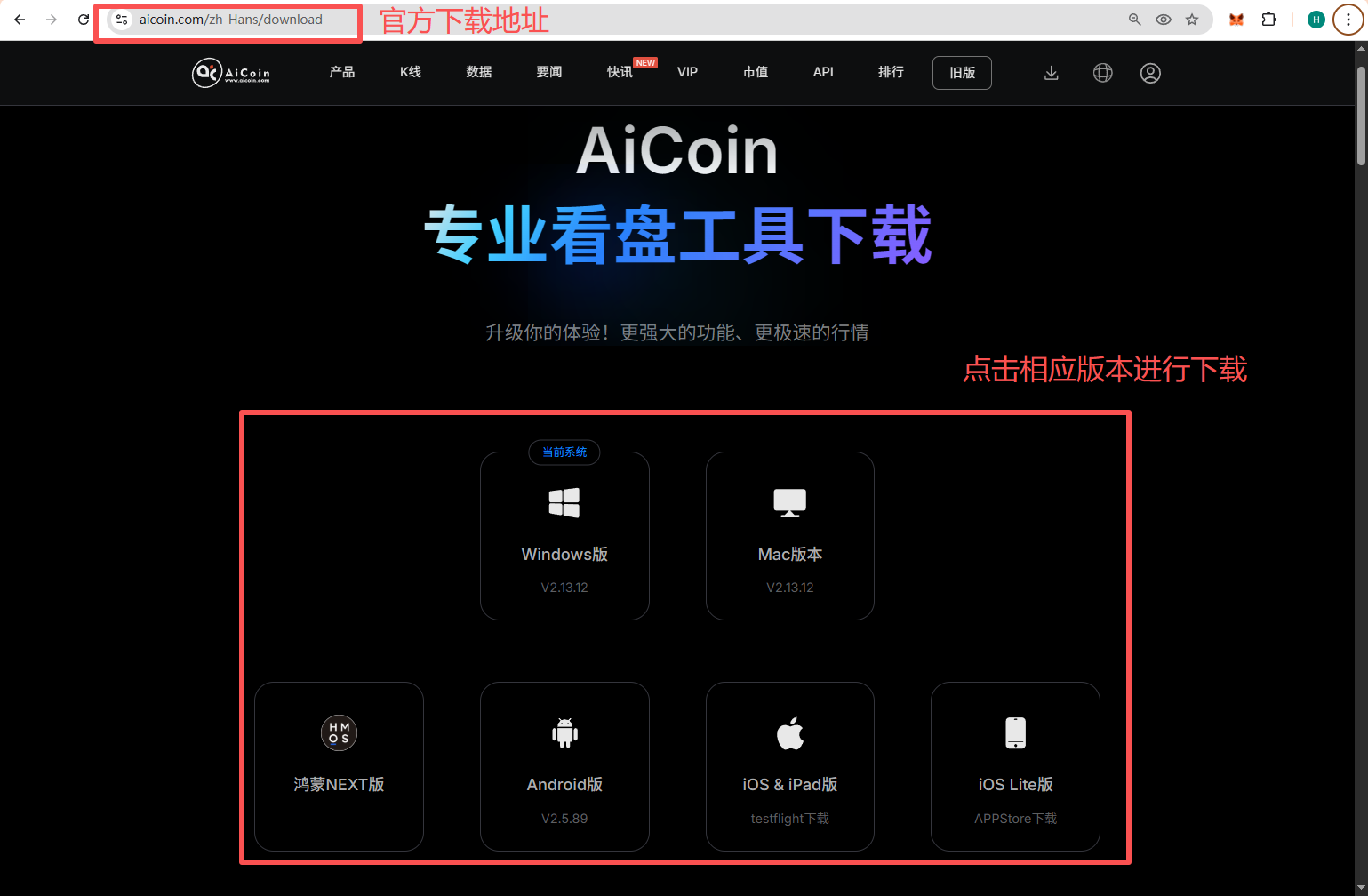
Recommended Reading: Download and Register AiCoin (App/PC) - AiCoin https://www.aicoin.com/article/430693.html
2. Official Alternative Installation Package (Universal Solution)
Friends without network acceleration services need not worry! We provide an officially verified alternative installation package. It is compatible with Mac / Win / Android and other devices, so choose as needed.
💡 Tip: If you encounter network restrictions or unstable network acceleration services, you can try using this alternative installation package. The advantage of the installation package is its stability and compatibility, but download speeds may be affected by the network environment.
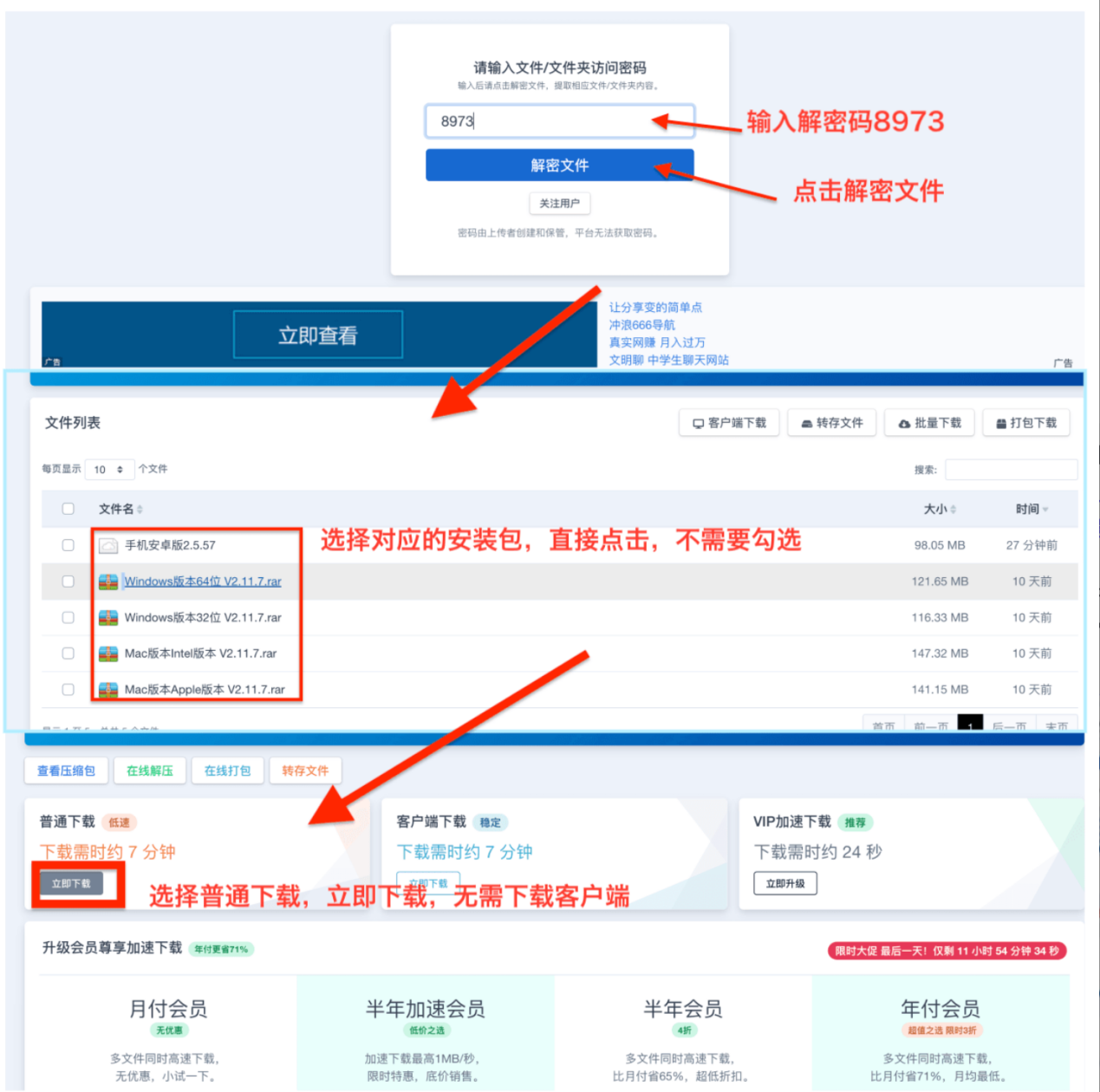
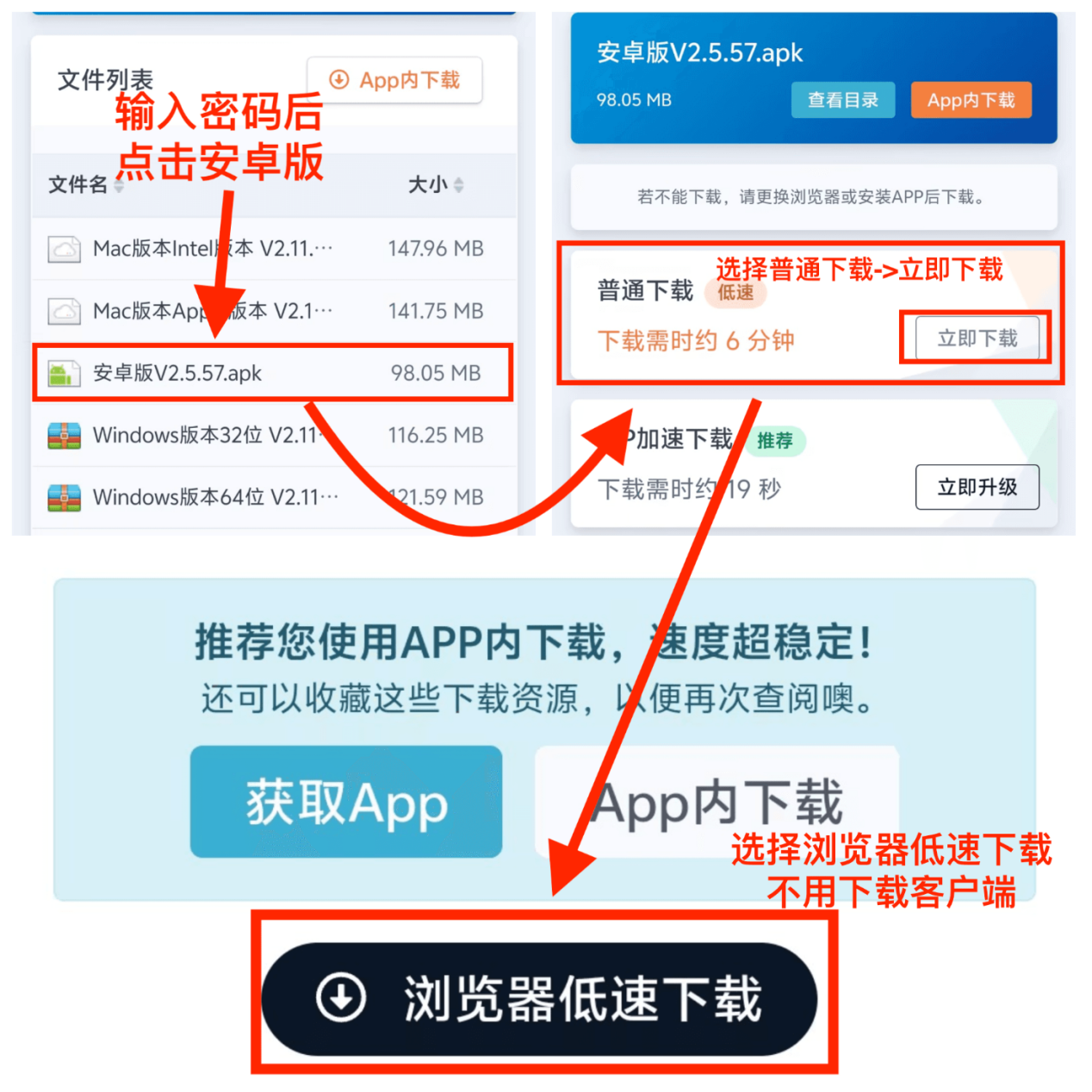
Alternative Installation Package Link: https://url56.ctfile.com/d/62090056-64283959-780685?p=8973 (Access Password: 8973)
📖 Illustrated Tutorial:
Illustrated tutorial for downloading the installation package on PC:
Illustrated tutorial for downloading the installation package on Android devices:
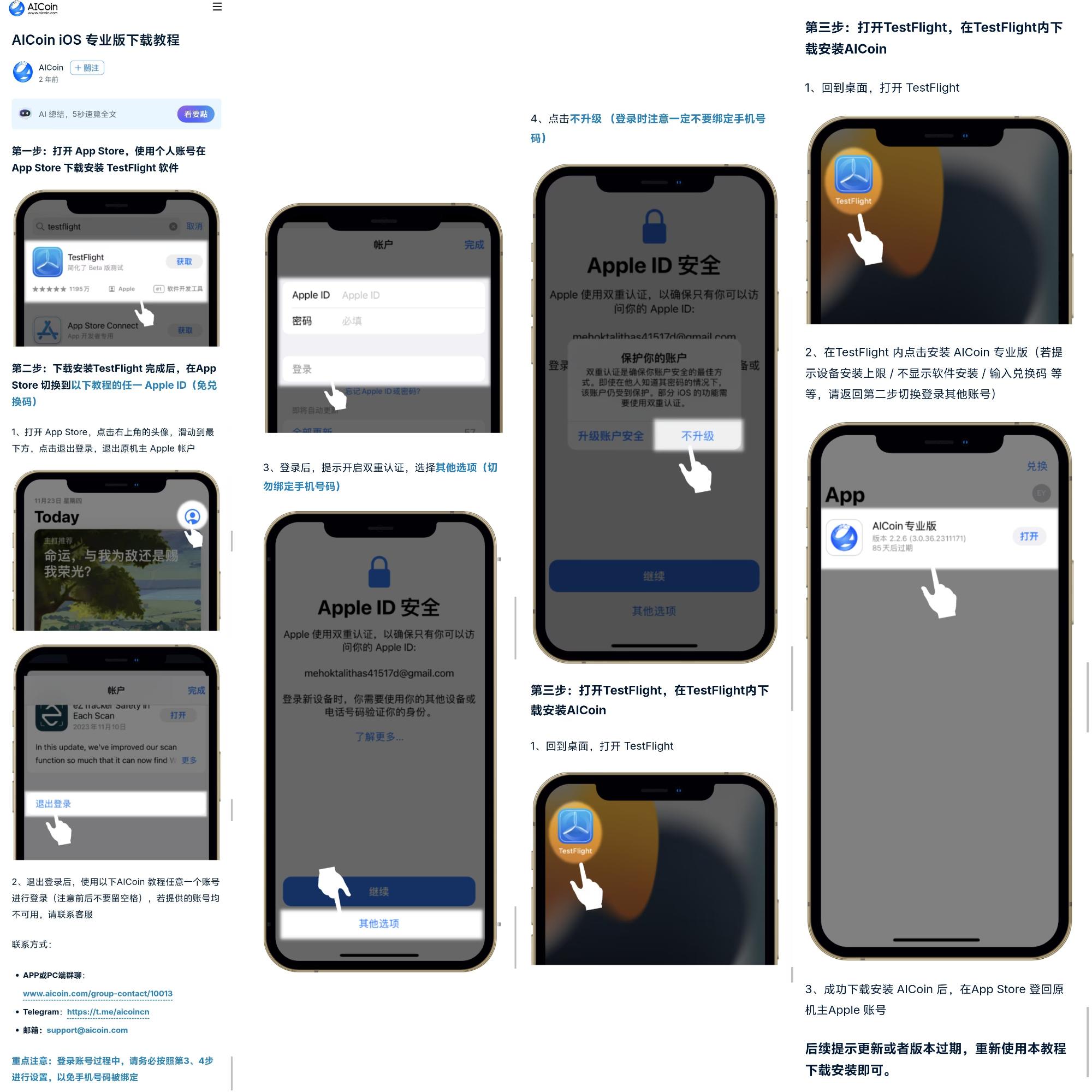
3. iOS Professional Version Download (TestFlight Channel)
⚠️ Friendly Reminder: The tutorial link requires the use of network acceleration services to open~
Method 1: Through the Official Tutorial Link • iOS Professional Version Download Tutorial:
https://www.aicoin.com/zh-Hans/article/303947[Key Steps]: After downloading TestFlight, you need to open the link to obtain a dedicated account password, and log in to the App Store before you can download! Please remember, you need to use this temporary account password to log in to the App Store, do not log into your own phone's iCloud account to avoid unnecessary trouble!
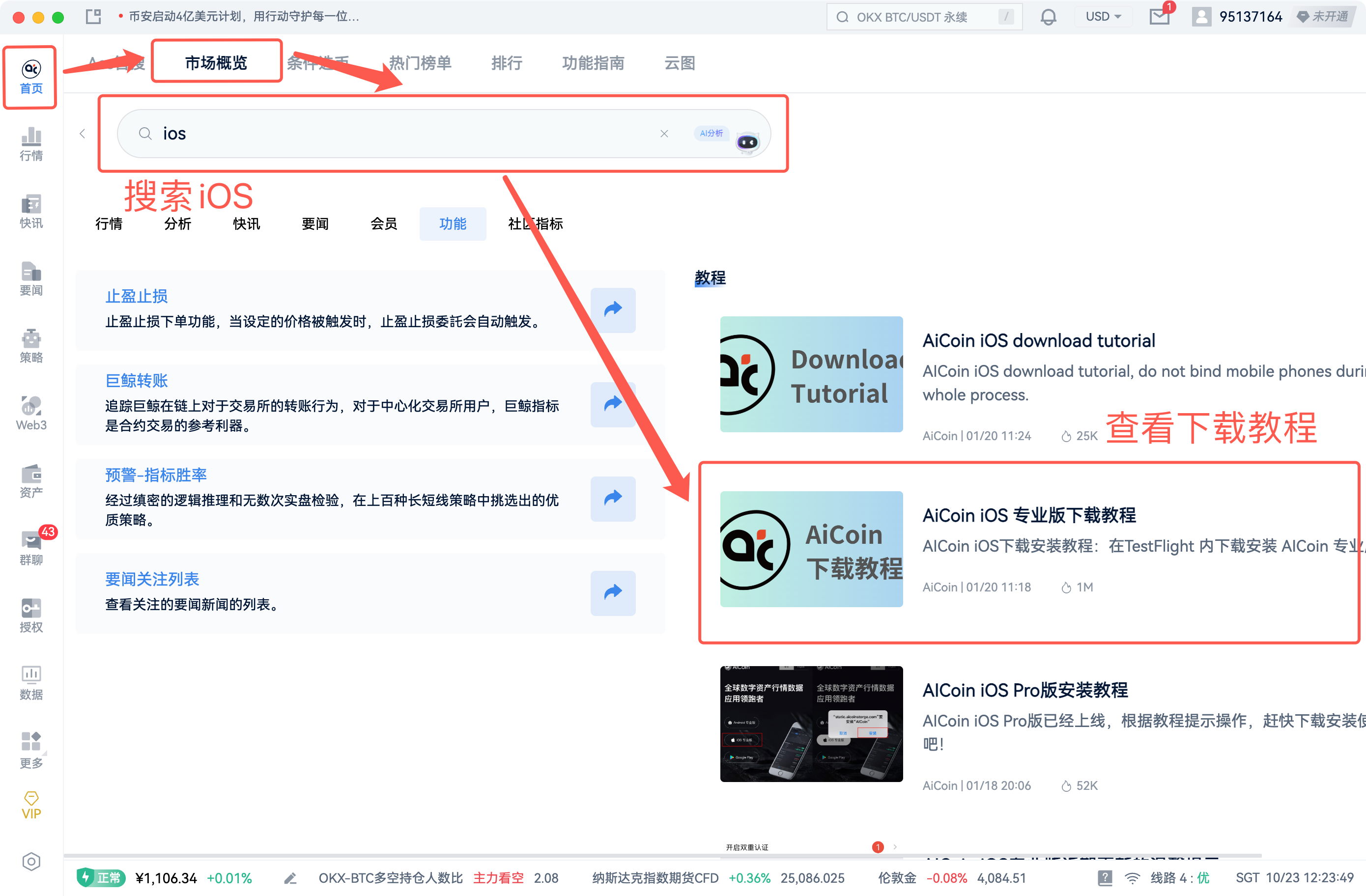
Method 2: Search within the PC product (No network acceleration service required) Operation path: In the PC AiCoin software, go to 【Home】→【Market Overview】→ Top search “iOS” → 【Click the tutorial post on the right column】 to access the download tutorial directly.
4. Download Issues: Common Problems and Solutions Summary
Having introduced the download methods, let's take a look at the various problems you may encounter during the download process and their solutions!
1. Official Website Cannot Be Opened (Access Restricted)
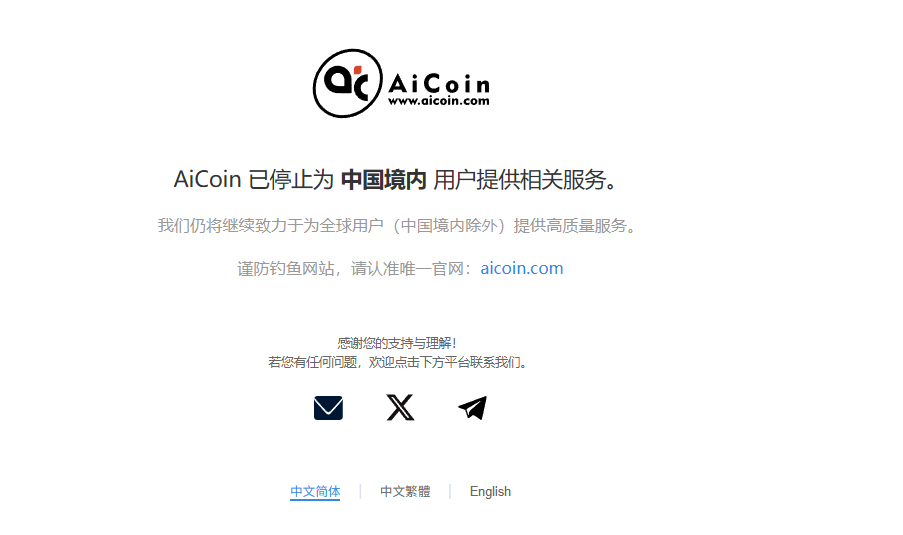
Possible Reason: Network acceleration service is not enabled.
Solution:
Method 1: Enable the network acceleration service and reopen the website:
https://www.aicoin.com/downloadMethod 2: Use the official alternative installation package to download (see section two).
2. Installation Shows Non-Genuine (Download Error)
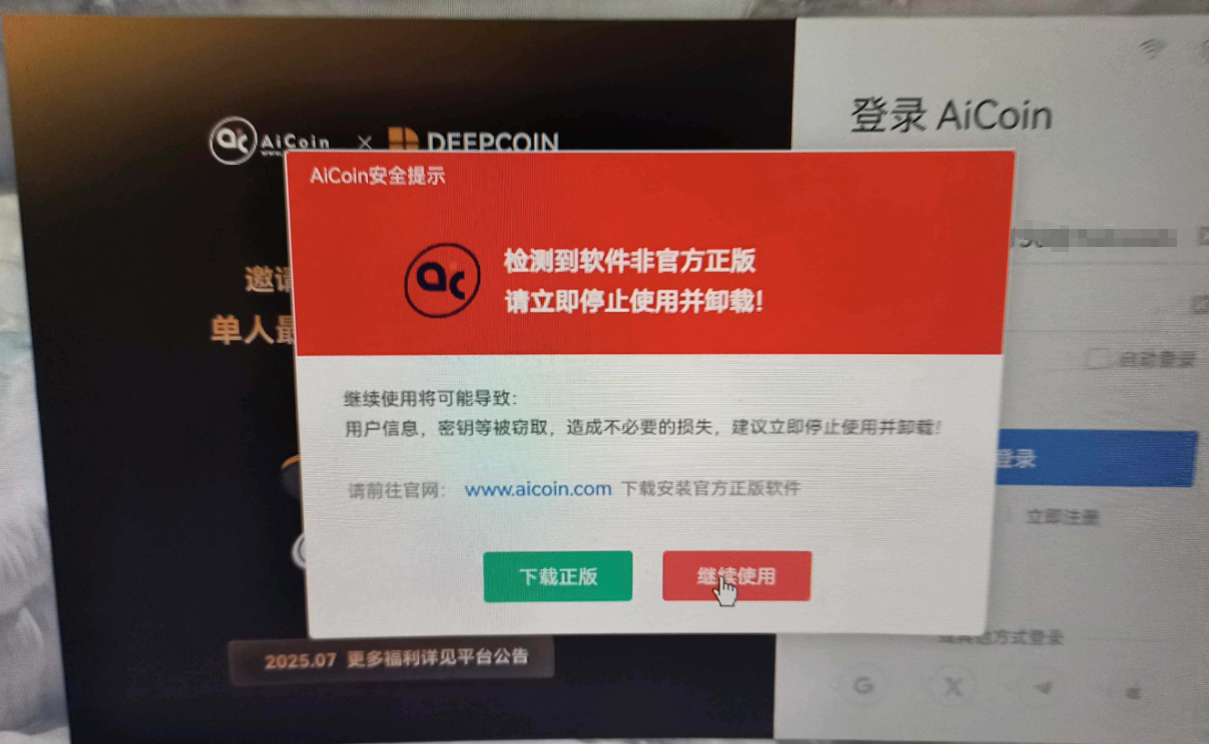
Possible Reason: Did not use the official channel link and downloaded the wrong software.
Solution:
Step 1: Please stop using the non-genuine software immediately and ensure you download using the official link:
https://www.aicoin.comStep 2: If the problem persists, please contact customer service for support.
3. iOS Download Shows "Beta Version Full" or "Registration Limit Reached"
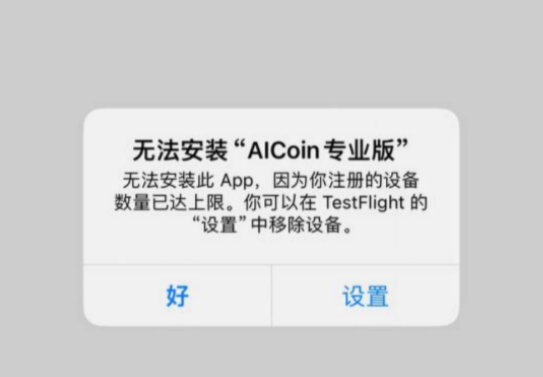
Possible Reason: Apple TestFlight has strict limits on the number of test slots for each app. The public test account slots we provide may be quickly filled.
Solution: Open the iOS tutorial link and log in to the App Store with a new, available test account:
https://www.aicoin.com/zh-Hans/article/303947
4. iOS Opens with "Beta Version Expired"
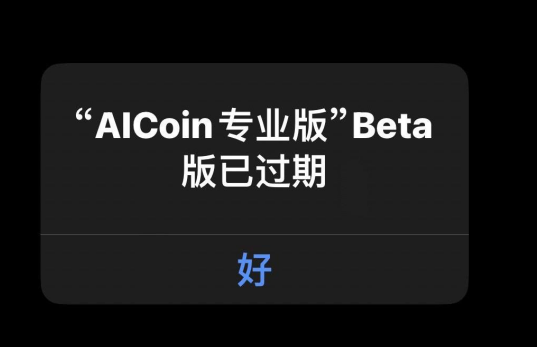
Possible Reason: The TestFlight testing period is 90 days, and after expiration, the app will expire, similar to a mandatory renewal countdown!
Solution:
Step 1: Open the iOS tutorial link and choose an account to log in to the App Store:
https://www.aicoin.com/zh-Hans/article/303947Step 2: Open TestFlight and click to download the update.
5. iOS Download Shows Apple ID Password Incorrect
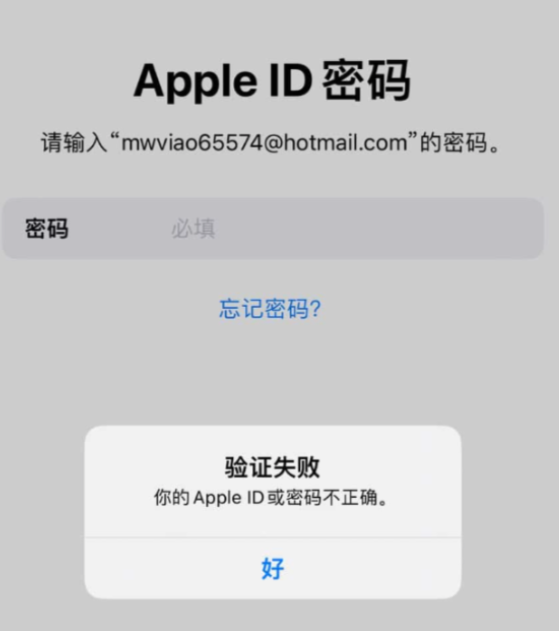
Possible Reason: Extra spaces may have been retained when copying the password, and the test account may also temporarily have issues due to too many users.
Solution:
Check if there are spaces before or after the copied account password.
If you still cannot log in after multiple attempts, please open the tutorial link to get a new test account password:
https://www.aicoin.com/zh-Hans/article/303947, and if there are still issues, contact customer service.
7. TestFlight Indicates Unavailable, Please Retry
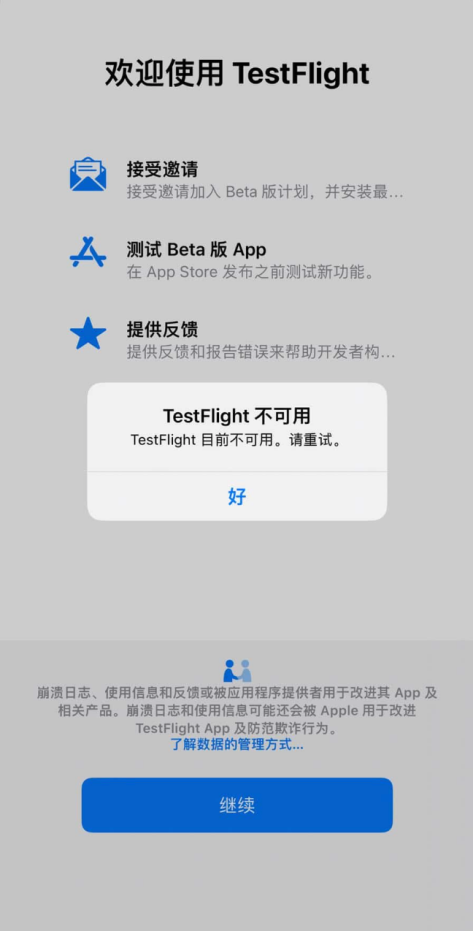
Possible Reason: TestFlight relies on a stable network environment, and the network connection or proxy node may be unstable.
Solution:
Method 1: Switch Wi-Fi / data connection and try reopening TestFlight.
Method 2: If using a network acceleration service, try switching proxy nodes or lines.
That's all for the problem introduction! If you encounter any other issues during the download process, feel free to contact customer service! Our customer service will help you resolve the issues!
Contact Information:
APP or PC Group Chat:
www.aicoin.com/group-contact/10013Telegram: https://t.me/aicoincn
Twitter: https://x.com/AiCoincom
💬 Join our community, let's discuss and become stronger together!
Official Telegram Community:
t.me/aicoincnAiCoin Chinese Twitter:
https://x.com/AiCoinzhGroup Chat - Wealth Group:
https://www.aicoin.com/link/chat?cid=10013
免责声明:本文章仅代表作者个人观点,不代表本平台的立场和观点。本文章仅供信息分享,不构成对任何人的任何投资建议。用户与作者之间的任何争议,与本平台无关。如网页中刊载的文章或图片涉及侵权,请提供相关的权利证明和身份证明发送邮件到support@aicoin.com,本平台相关工作人员将会进行核查。