What is Solana Account Rent?
Imagine you rented a warehouse to store goods. The warehouse manager (the blockchain network) needs to collect rent regularly; otherwise, your goods will be cleared out to make space. Solana's rent mechanism is just like this "warehouse management rule."
The rent varies depending on the content and size stored. In the normal Solana blockchain, we mainly encounter a rent of 0.002. That is: for each token stored in a wallet address, a rent of 0.002 Sol is charged.
You can think of this fee as the "digital locker deposit" for the Solana chain!
Each token is an independent package: Just like packages need to be stored in separate lockers, each token on Solana must have an independent account.
Deposit prevents abuse: 0.002 SOL is equivalent to the deposit for renting a locker, preventing someone from occupying space unnecessarily.
Ownership still belongs to you: Just like the locker deposit is refundable, this fee can later be reclaimed through PandaTool.
Solana Rent Recovery Process
1. Single Wallet Rent Recovery
Open the PandaTool recovery tool.
Connect your wallet and check your account.
Select the type of account or token to recover.
Confirm the recovery.
2. Multiple Wallet Rent Recovery
Open the PandaTool recovery tool.
Import the wallet private key.
Choose to recover empty accounts or all accounts.
Confirm the recovery.
Recovering rent means destroying all tokens within the account, so please choose the token accounts carefully. Once confirmed, they cannot be retrieved.
How to Recover Rent
As mentioned above, you can recover your token rent through PandaTool. Suppose you have 10 types of tokens in your wallet, and these tokens are no longer in use; you can recover: 10x0.002=0.02 Sol. If the number of tokens exceeds 100, this will be a significant amount. Therefore, recovering rent is very necessary.
Next, I will provide a detailed explanation of the rent recovery process.
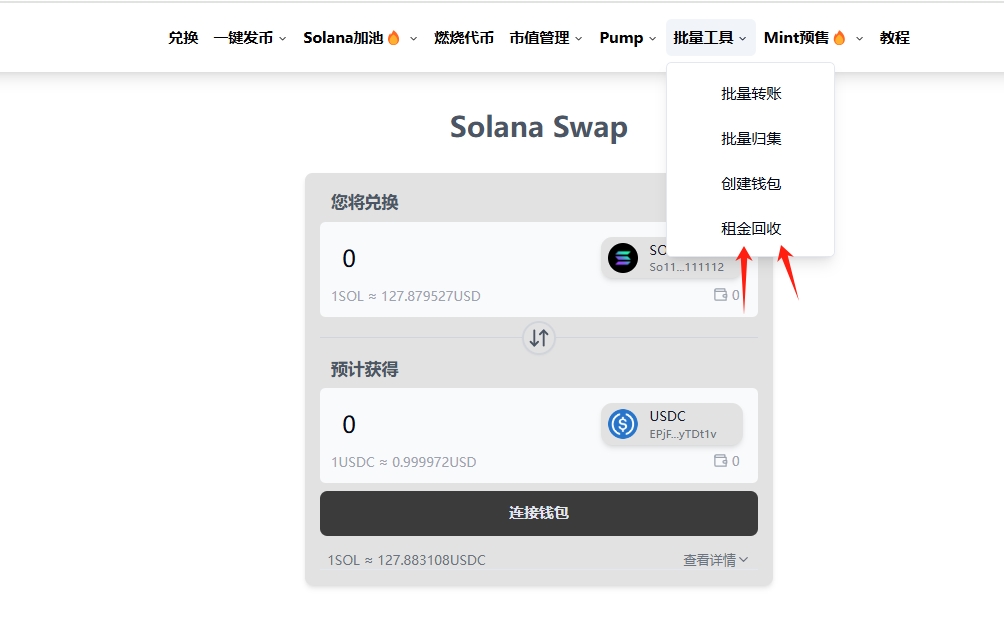
1. Find the Rent Recovery Tool
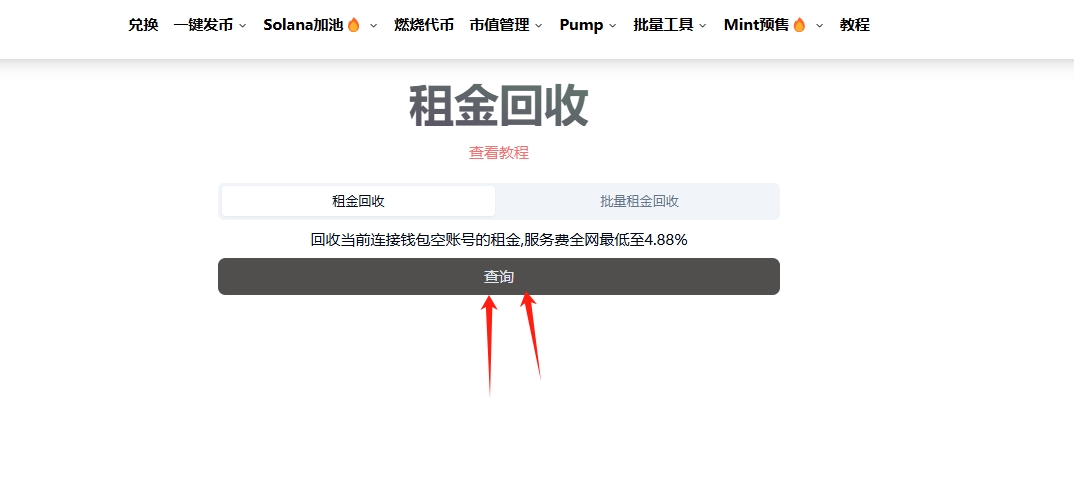
We can find the rent recovery tool in the PandaTool navigation bar.
2. Connect Wallet and Check
Next, we click the connect wallet button in the upper right corner.
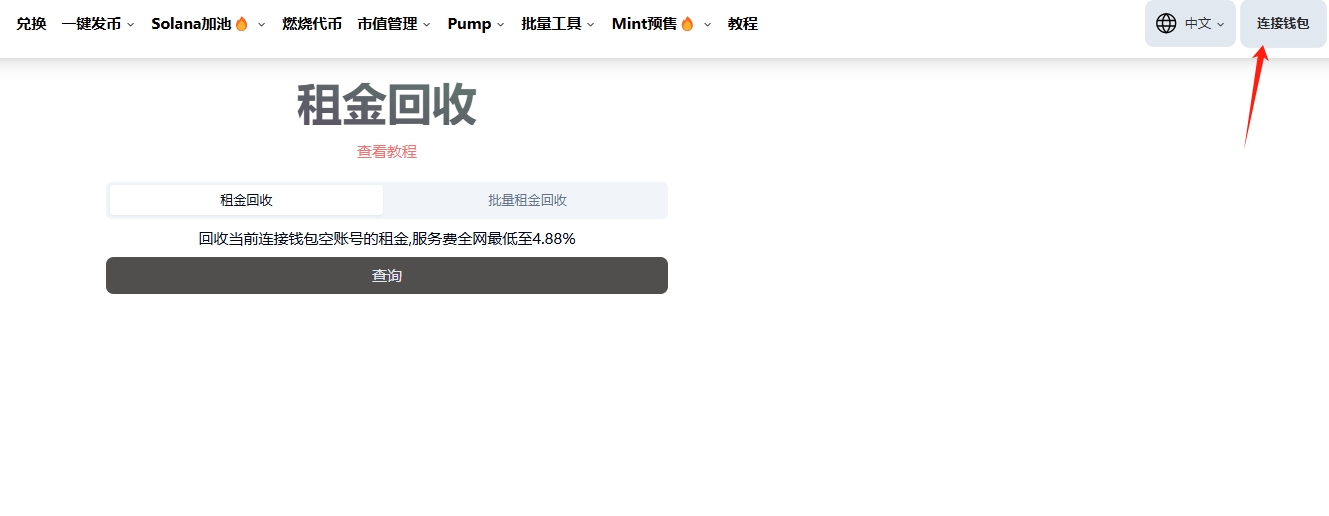
Once the wallet is successfully connected, click the query button to check the status of the token accounts in your wallet.
3. Choose Recovery Type
After querying, you will find different types of tokens in your wallet. You can recover rent based on the type.
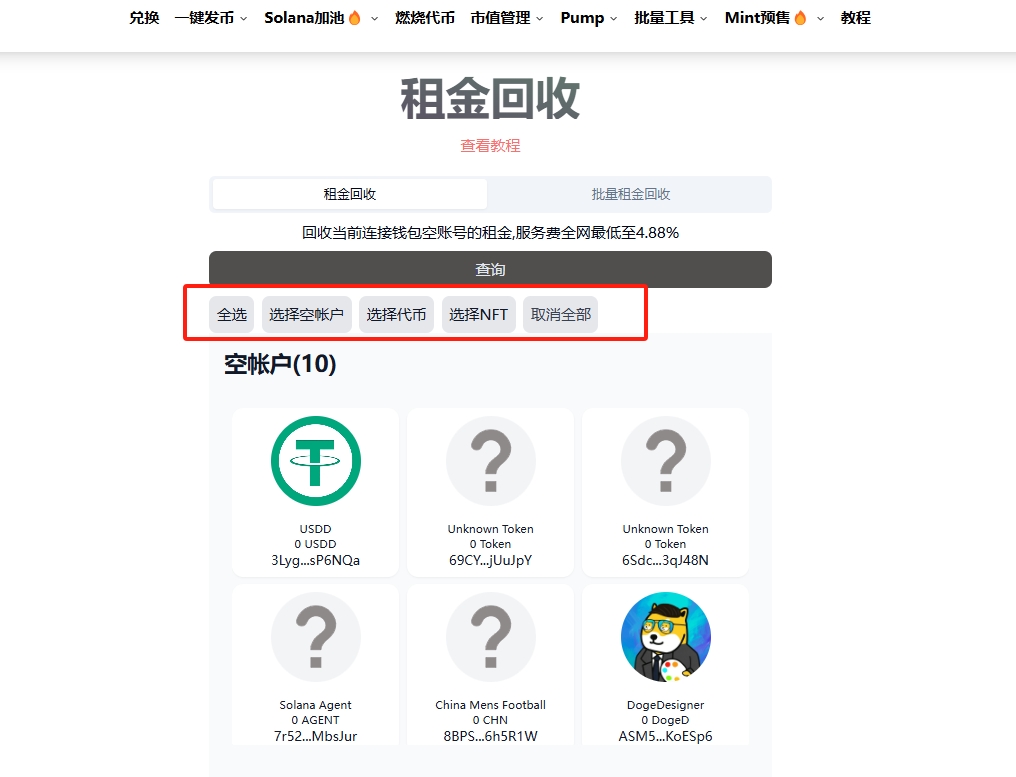
Empty Accounts: No token balance, can be safely recovered.
Tokens: There is still a balance in the account, so recover with caution (you can choose tokens with no value).
NFTs: Recover with caution (you can choose NFTs with no value).
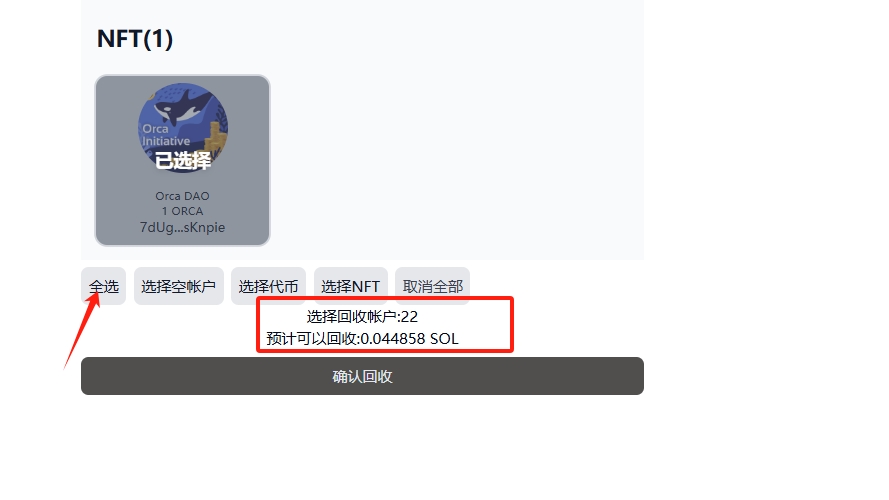
Suppose you have confirmed that you no longer need this wallet; you can click "Select All," as shown below.
4. Confirm Recovery
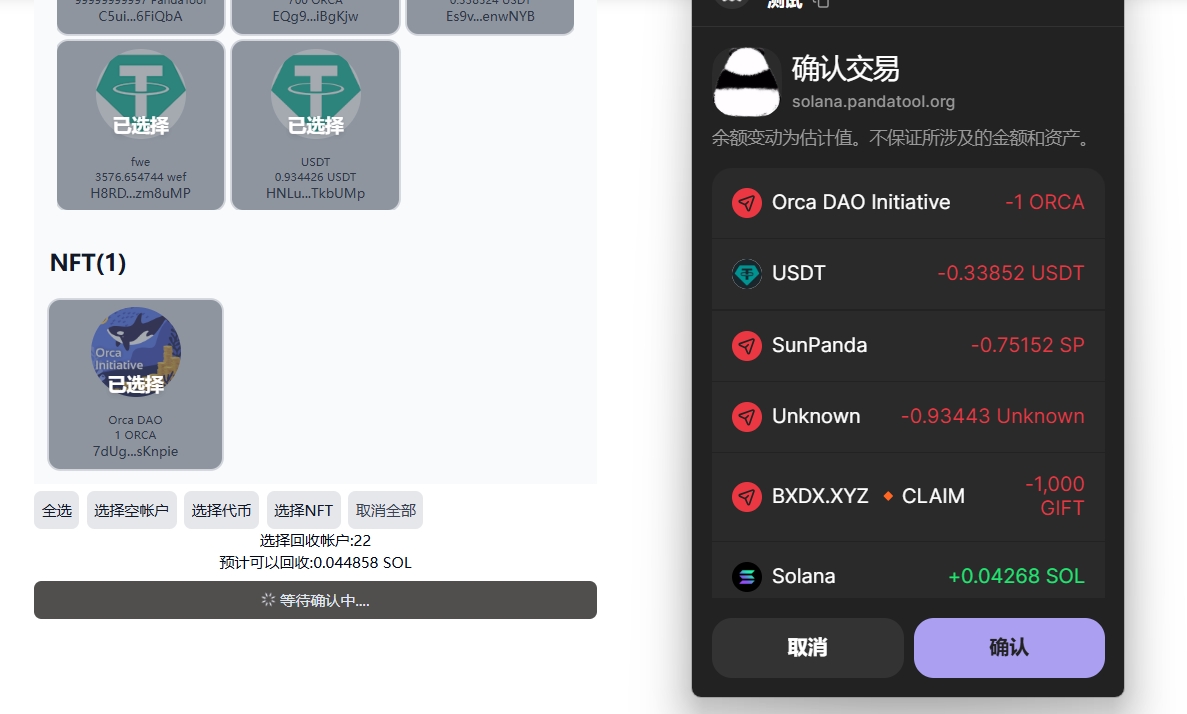
After selecting the account types to recover, click the "Confirm Recovery" button. A wallet confirmation will pop up; after confirming in the wallet, wait a few seconds to complete the rent recovery process.
Batch Rent Recovery
The previous tutorial was for recovering rent from a single wallet. What if we have many wallets that need rent recovery? You can use the batch rent recovery tool to accomplish this.
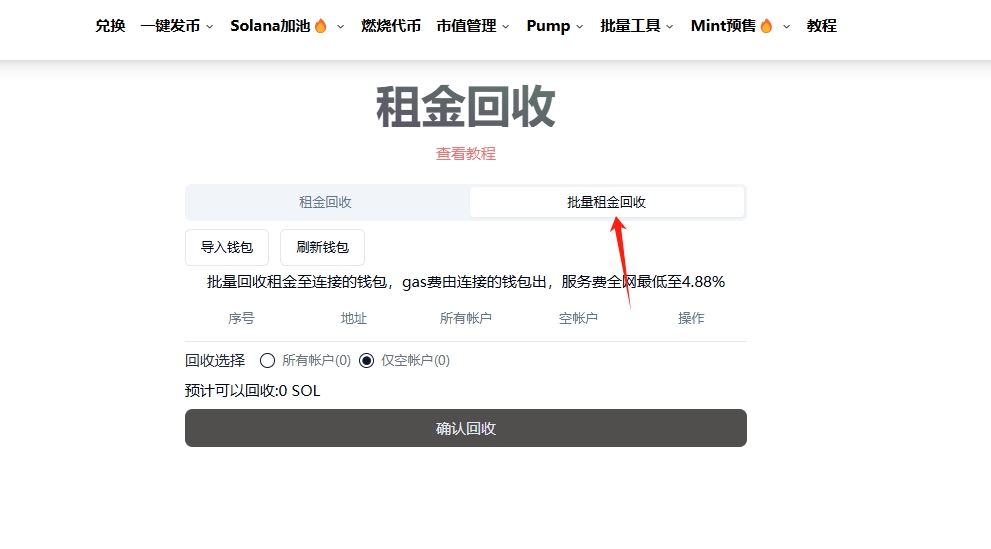
1. Open the Batch Rent Recovery Tool
On the PandaTool rent recovery page, find the batch recovery tool.
2. Import Wallet Private Key
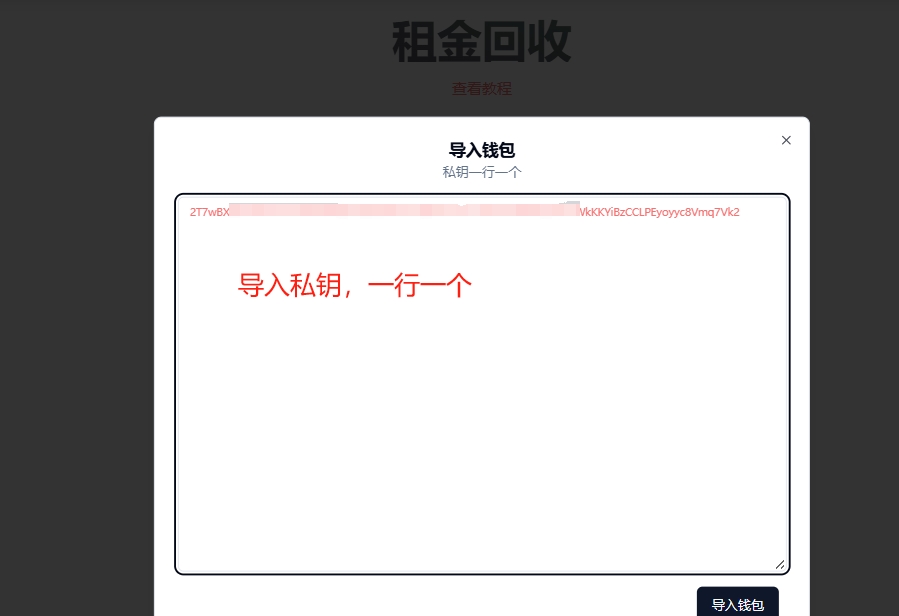
Import the private keys of the wallets from which you want to recover rent. Import as many wallets as you need to recover.
3. Choose Account Type
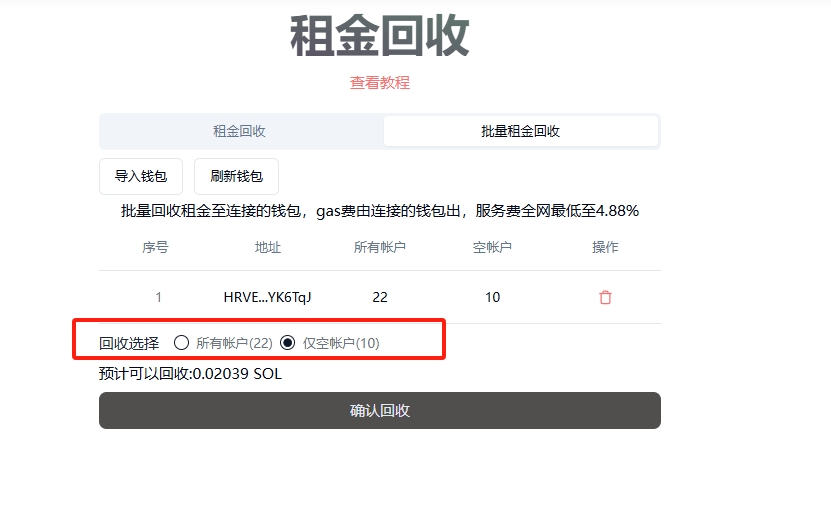
After successfully importing the wallets, you can see the account types within the wallets. We need to choose whether to recover all accounts or just empty accounts.
4. Confirm Recovery
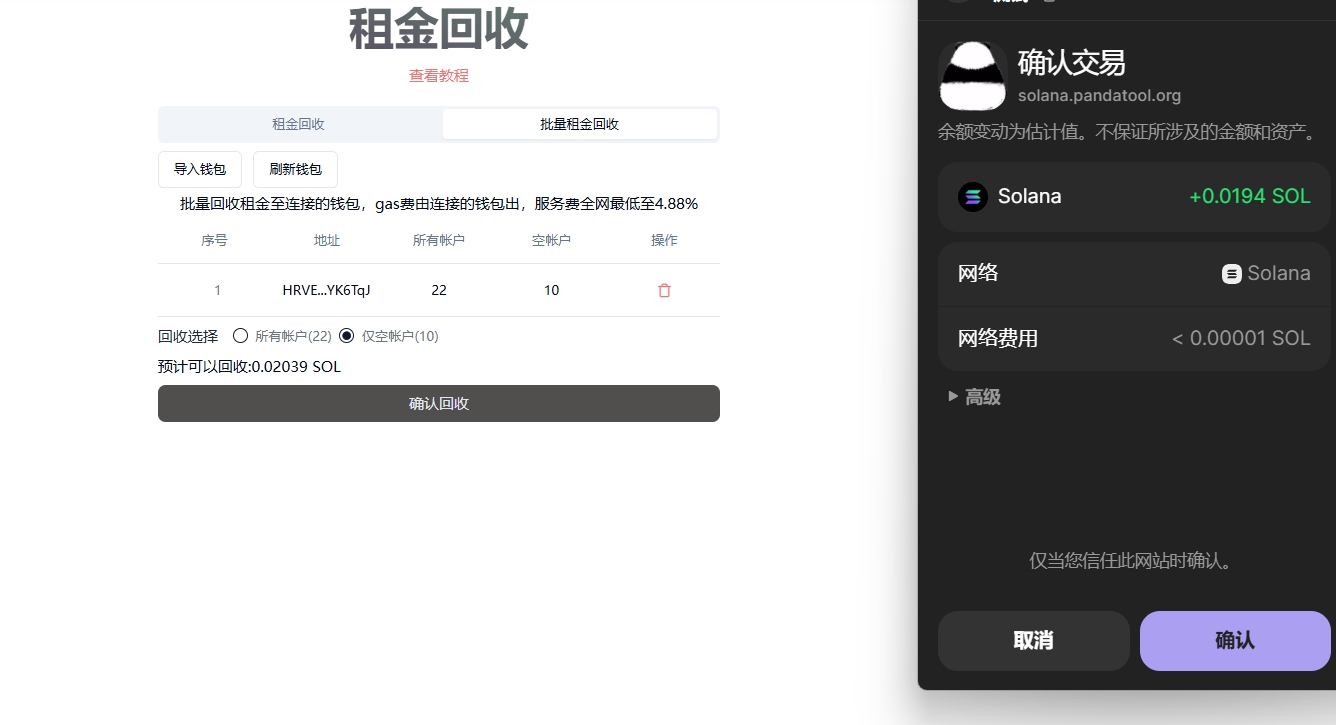
After making your selection, click the "Confirm Recovery" button, and a wallet confirmation will pop up to complete the process.
免责声明:本文章仅代表作者个人观点,不代表本平台的立场和观点。本文章仅供信息分享,不构成对任何人的任何投资建议。用户与作者之间的任何争议,与本平台无关。如网页中刊载的文章或图片涉及侵权,请提供相关的权利证明和身份证明发送邮件到support@aicoin.com,本平台相关工作人员将会进行核查。