Note: The download link requires a VPN to access, and it is recommended to use Google Chrome to open it. Regularly updating the version can enhance security and system performance, so it is advised to update in a timely manner to ensure the best experience. If you encounter issues downloading or opening the official website and need customer service assistance, you can send an email to support@aicoin.com.
1. How to Download
Windows
Visit the AICoin official website https://www.aicoin.com, click on [Windows Version] - download the appropriate 64-bit/32-bit installation package for your current system, open the installation package, and follow the prompts to complete the installation.
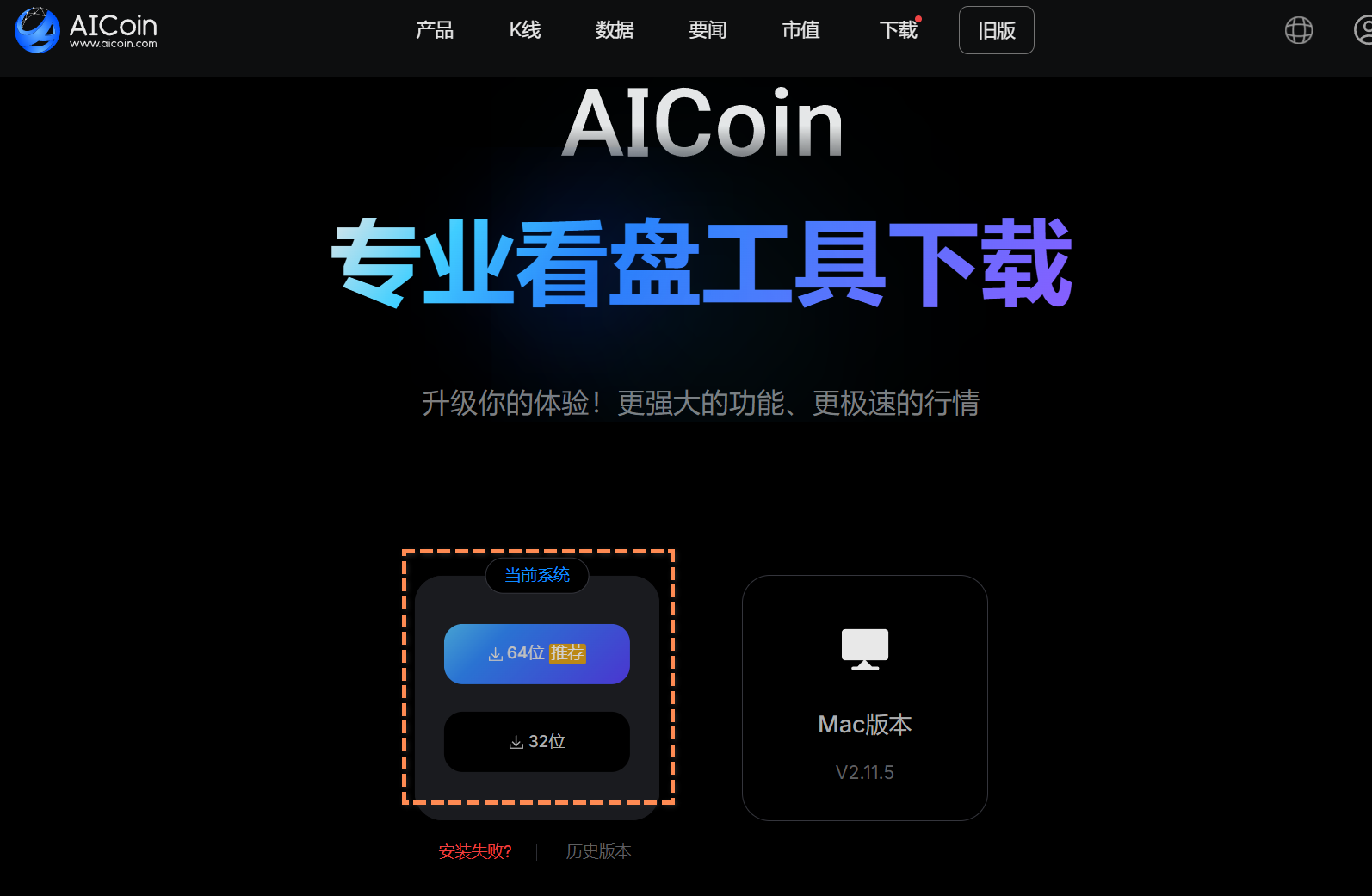
If installation fails, please refer to: https://www.aicoin.com/zh-Hans/article/309324
Mac
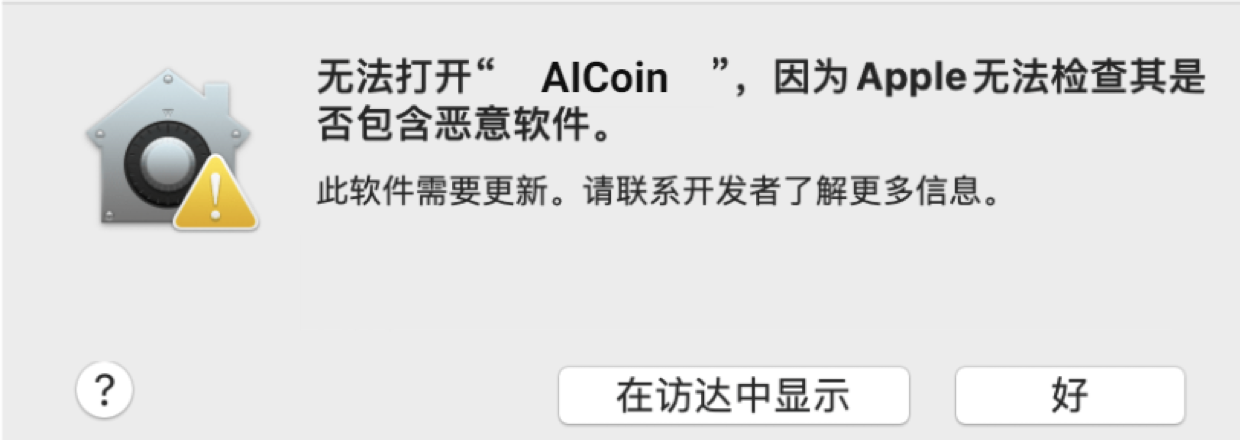
Visit the AICoin official website https://www.aicoin.com, click on [Mac Version] - download the Apple or Intel chip version, open the installation package, and follow the prompts to complete the installation.
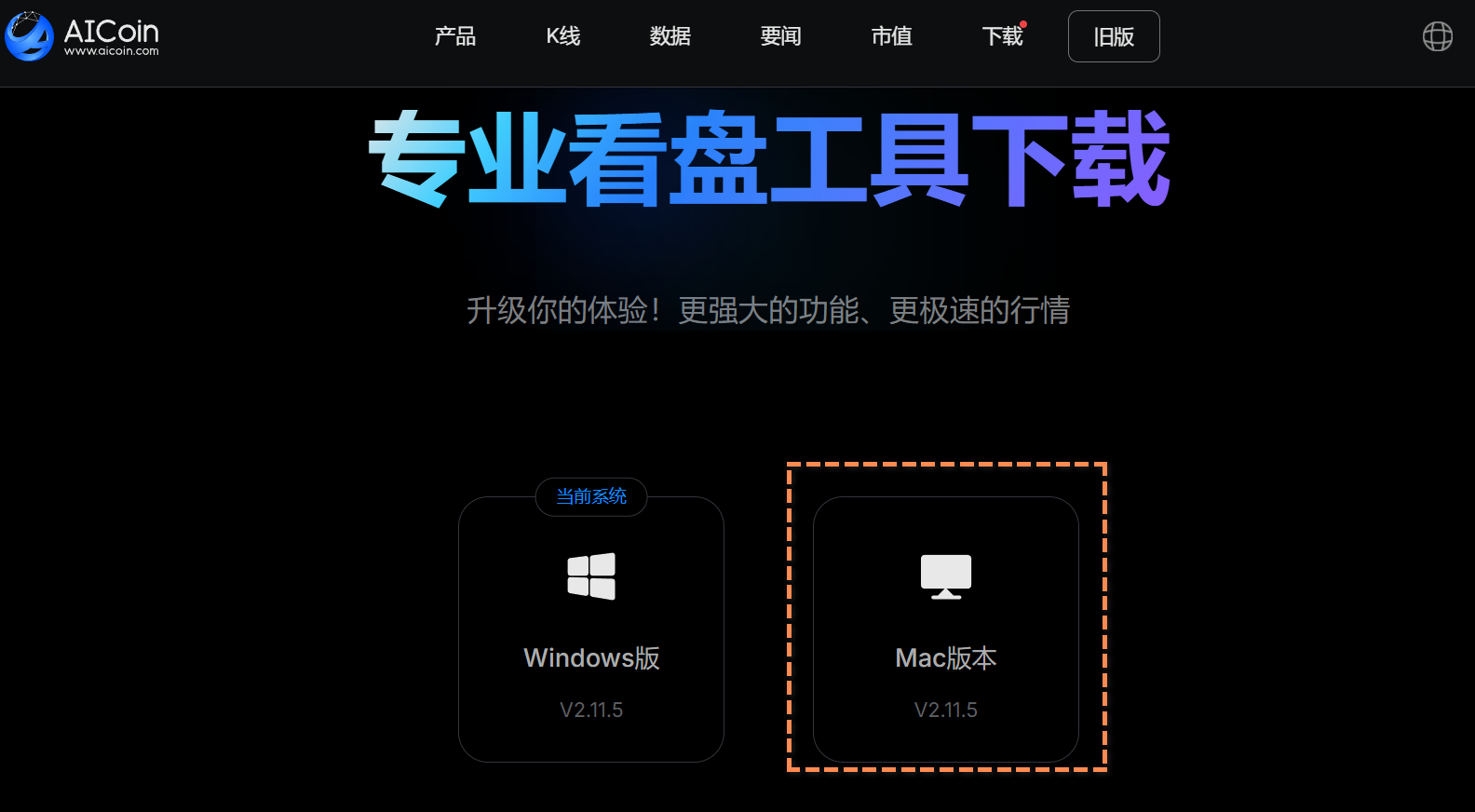
If you encounter a malicious software warning or installation failure on Mac, please refer to: https://www.aicoin.com/zh-Hans/article/309448
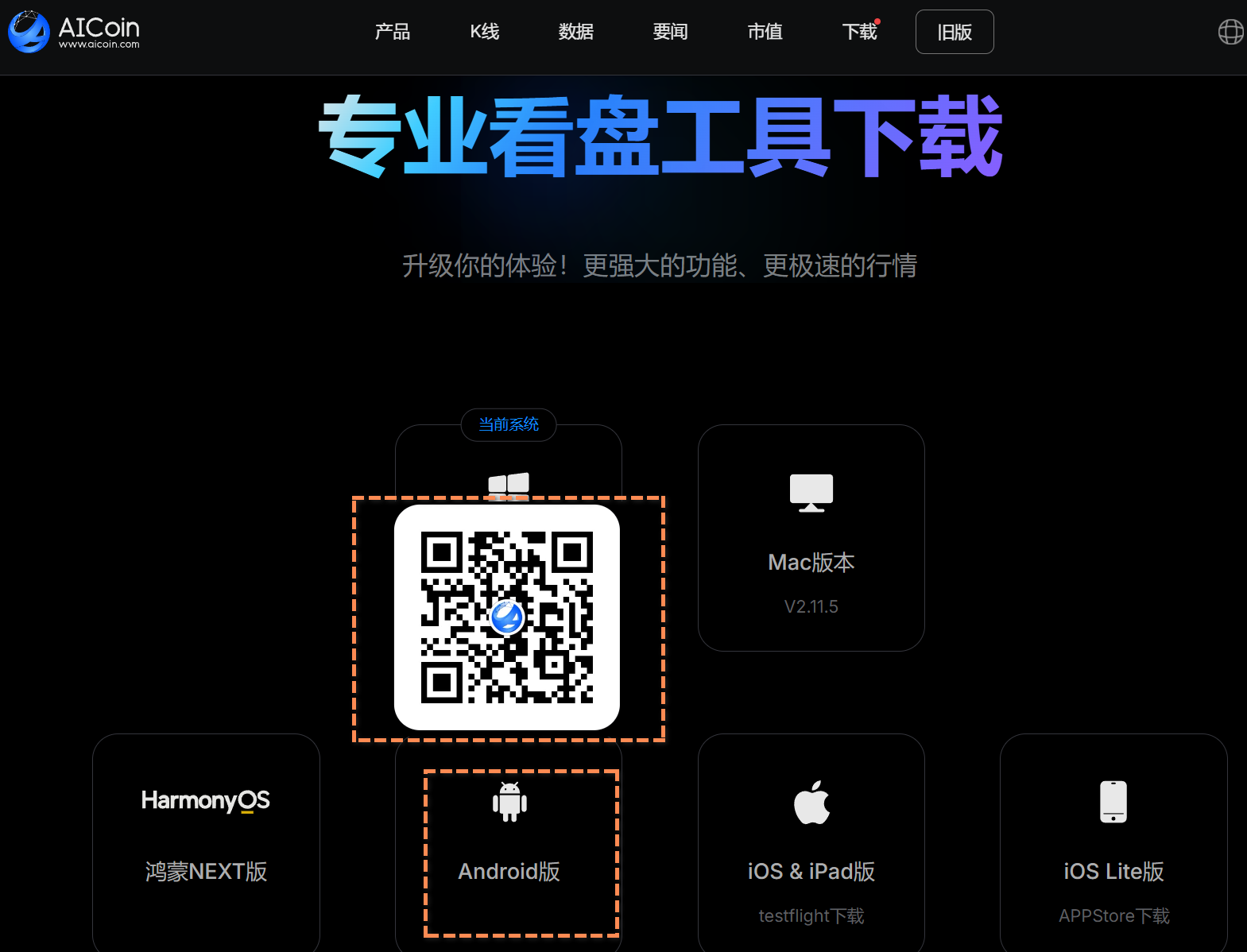
Android Download
Visit the AICoin official website https://www.aicoin.com, click the Android download icon, and scan the QR code that appears with your phone (it is recommended to use a browser for scanning, as scanning with WeChat may result in the webpage becoming inaccessible).
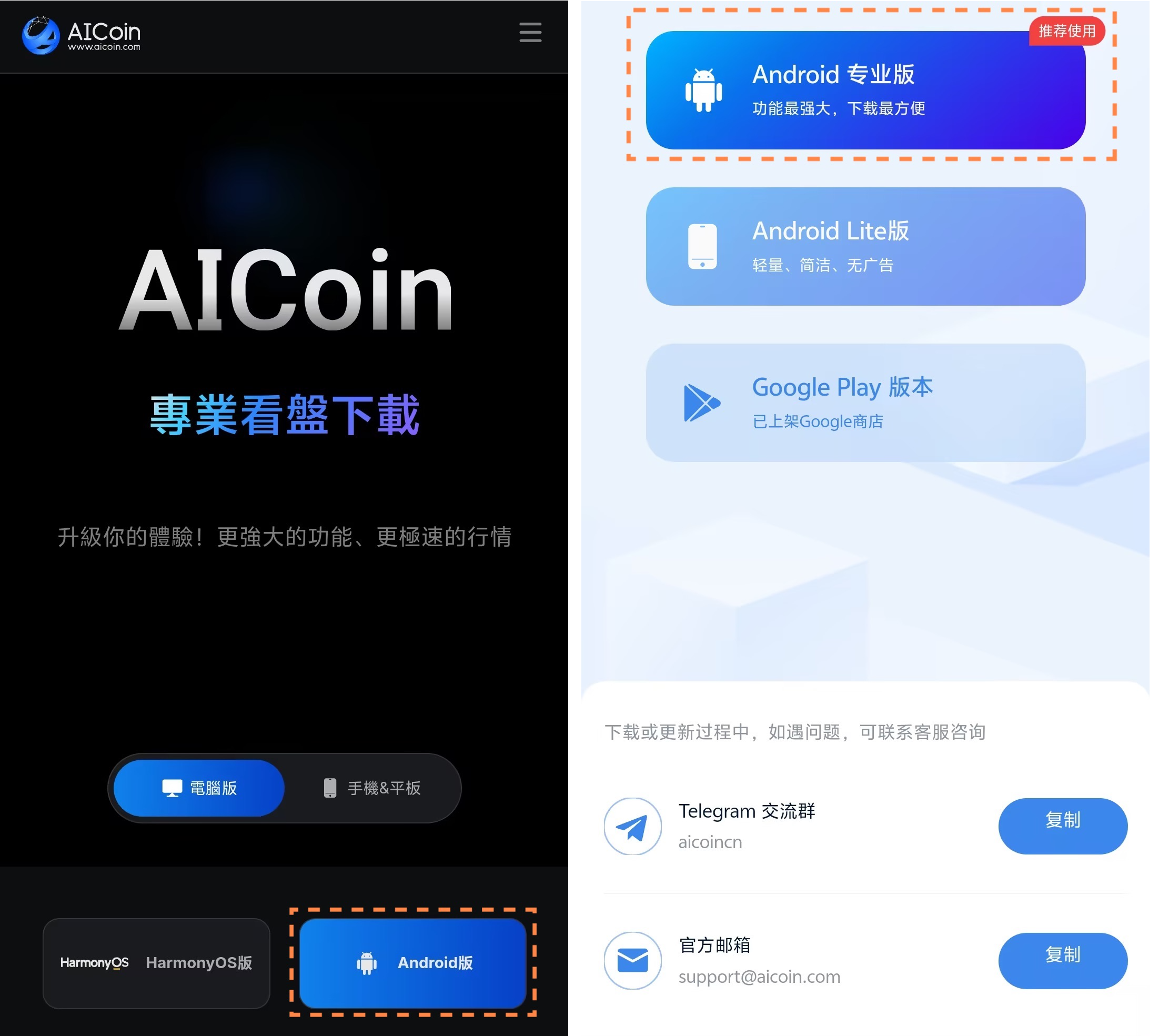
Click on [Android Version], then follow the prompts to complete the download and installation.
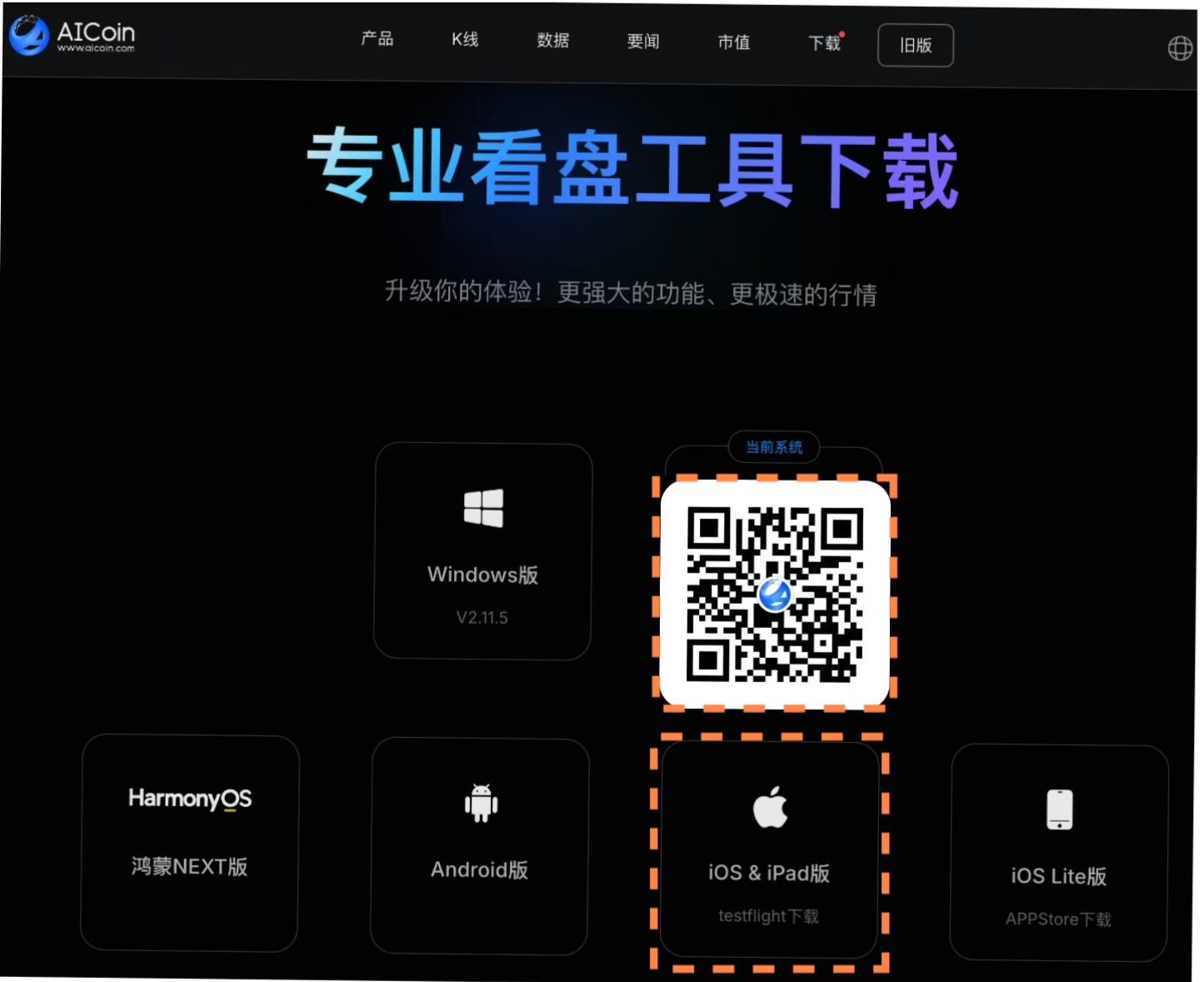
iOS & iPad Download
Visit the AICoin official website https://www.aicoin.com, click the iOS & iPad download icon, and scan the QR code that appears with your phone to open the tutorial.
Follow the tutorial to complete the download and installation: https://www.aicoin.com/zh-Hans/article/303947
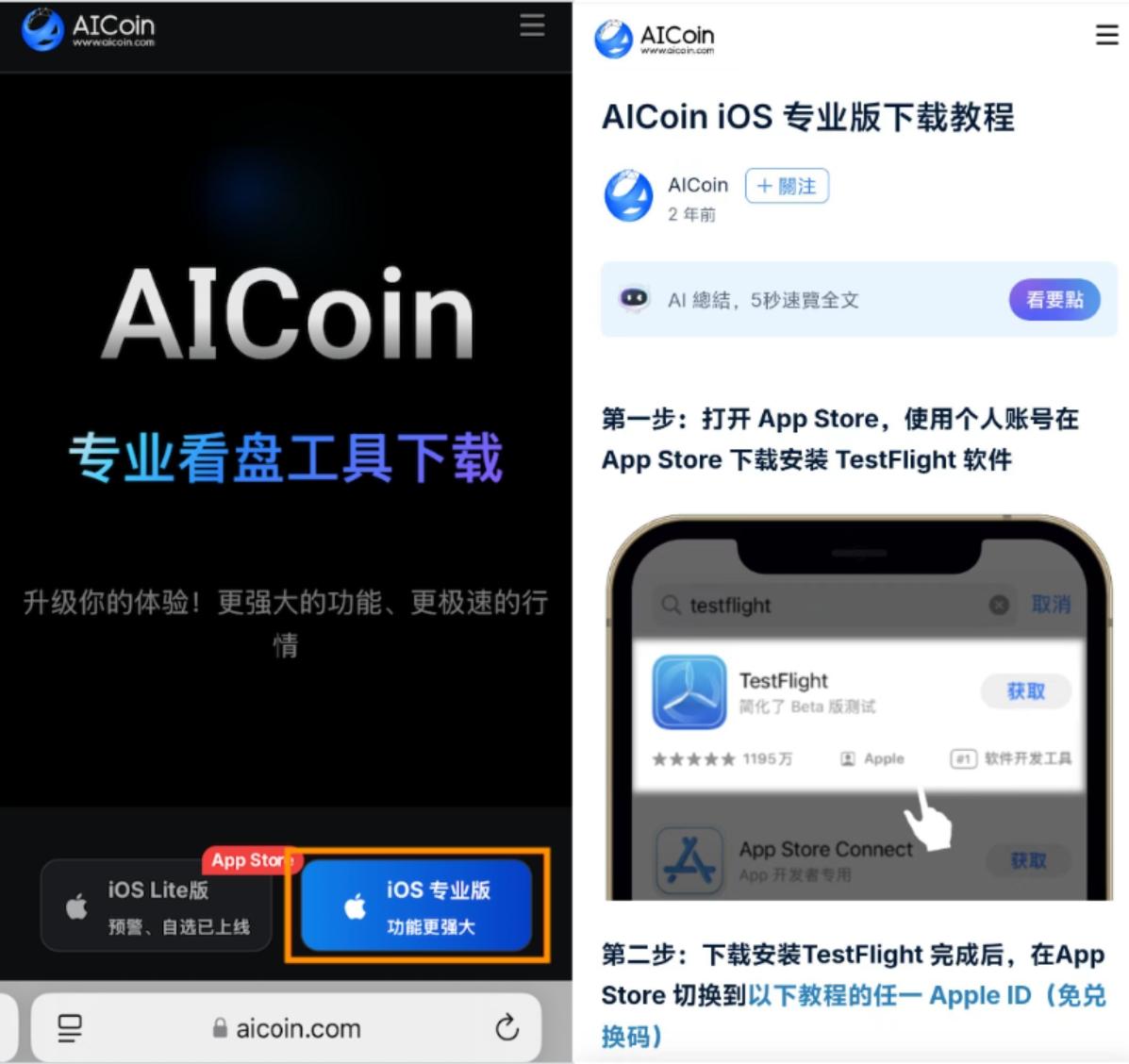
iOS Lite Version Download
Visit the AICoin official website https://www.aicoin.com, click the iOS Lite version download icon, and scan the QR code that appears with your phone. You can also log in with an overseas Apple ID and search for [AiBasin] in the Apple Store to download it.
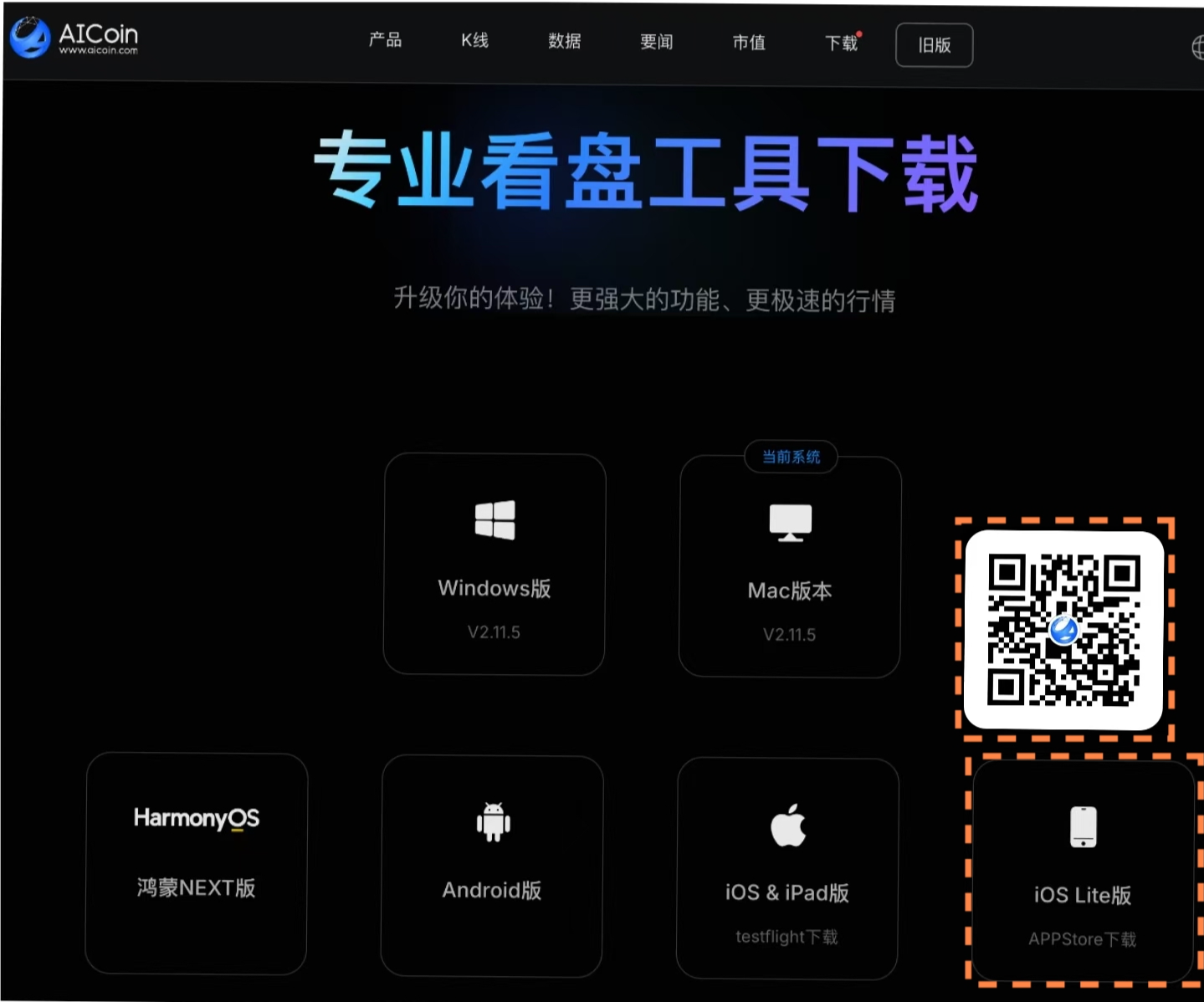
Click to obtain and complete the download and installation.
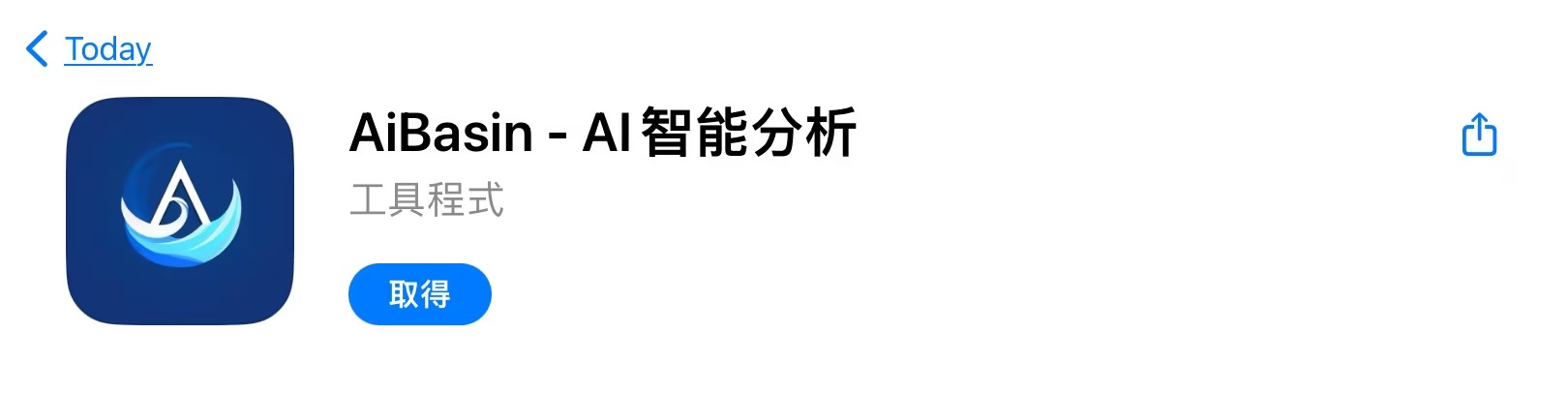
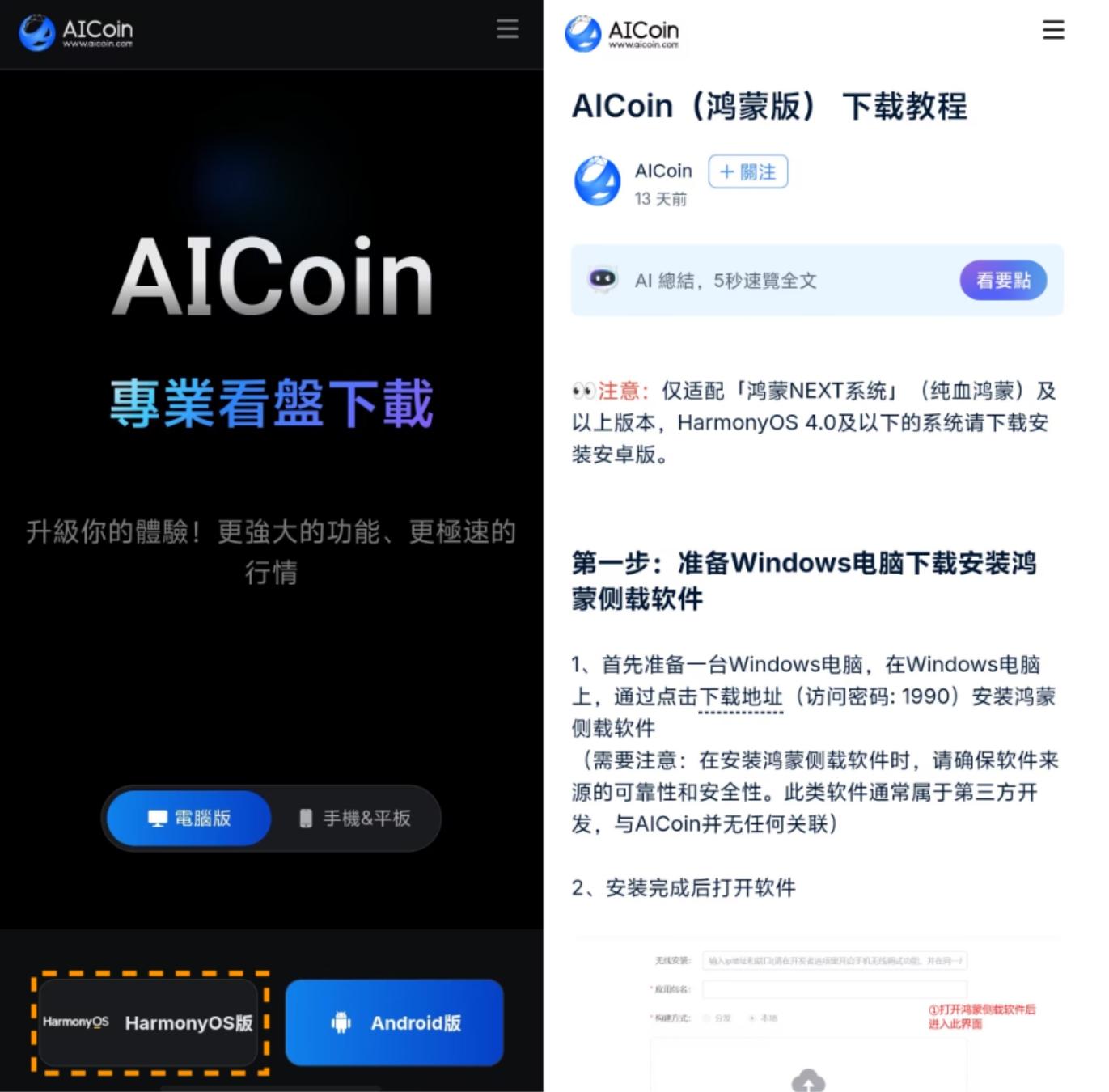
HarmonyOS NEXT Version Download
Visit the AICoin official website https://www.aicoin.com, click the HarmonyOS NEXT version download icon to open the tutorial, and follow the tutorial to complete the download and installation. (Only compatible with "HarmonyOS NEXT" (pure HarmonyOS) and above versions; for HarmonyOS 4.0 and below, please download and install the Android version.)
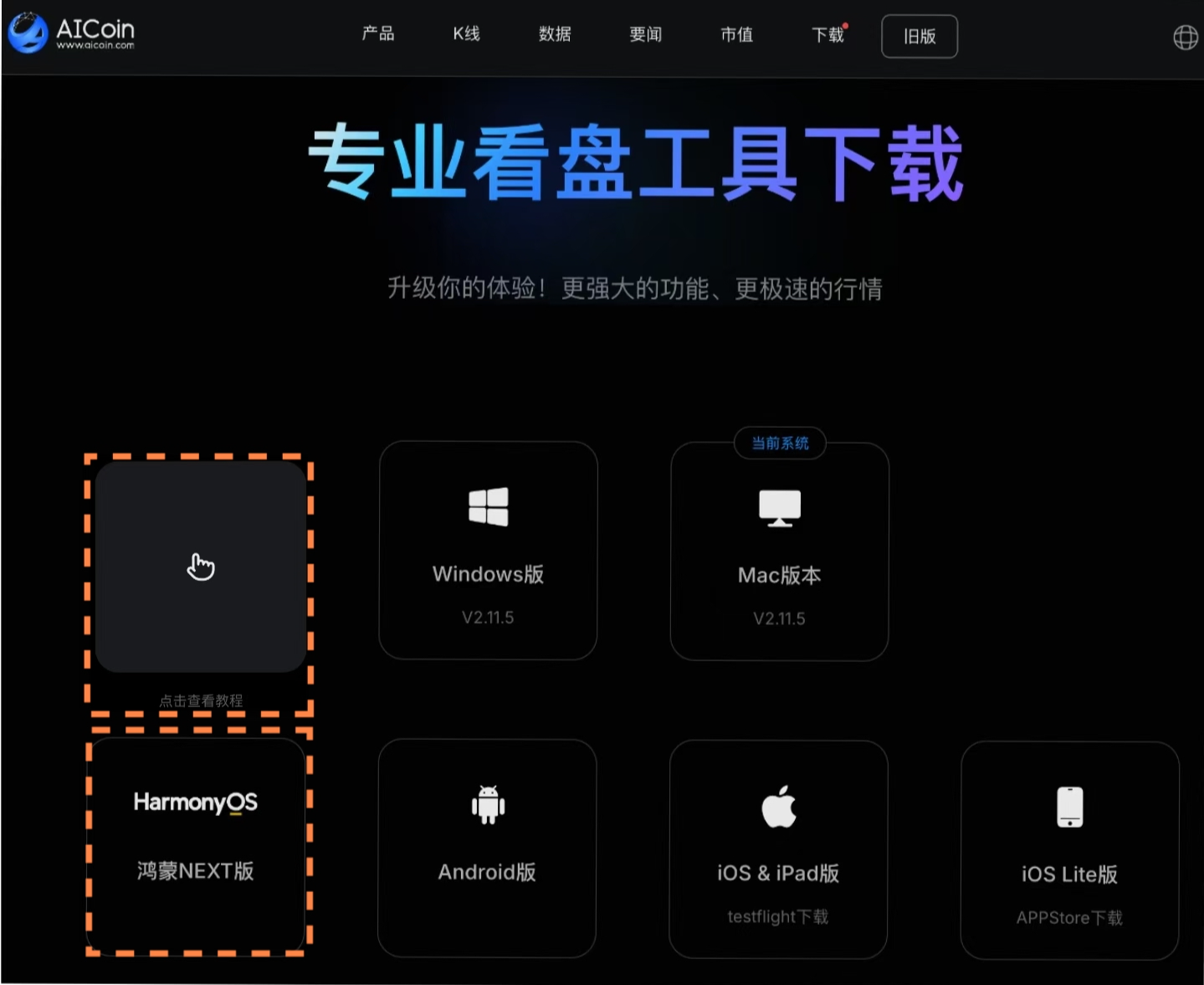
Follow the tutorial to complete the download and installation: https://www.aicoin.com/zh-Hans/article/427666
2. How to Register
PC Registration
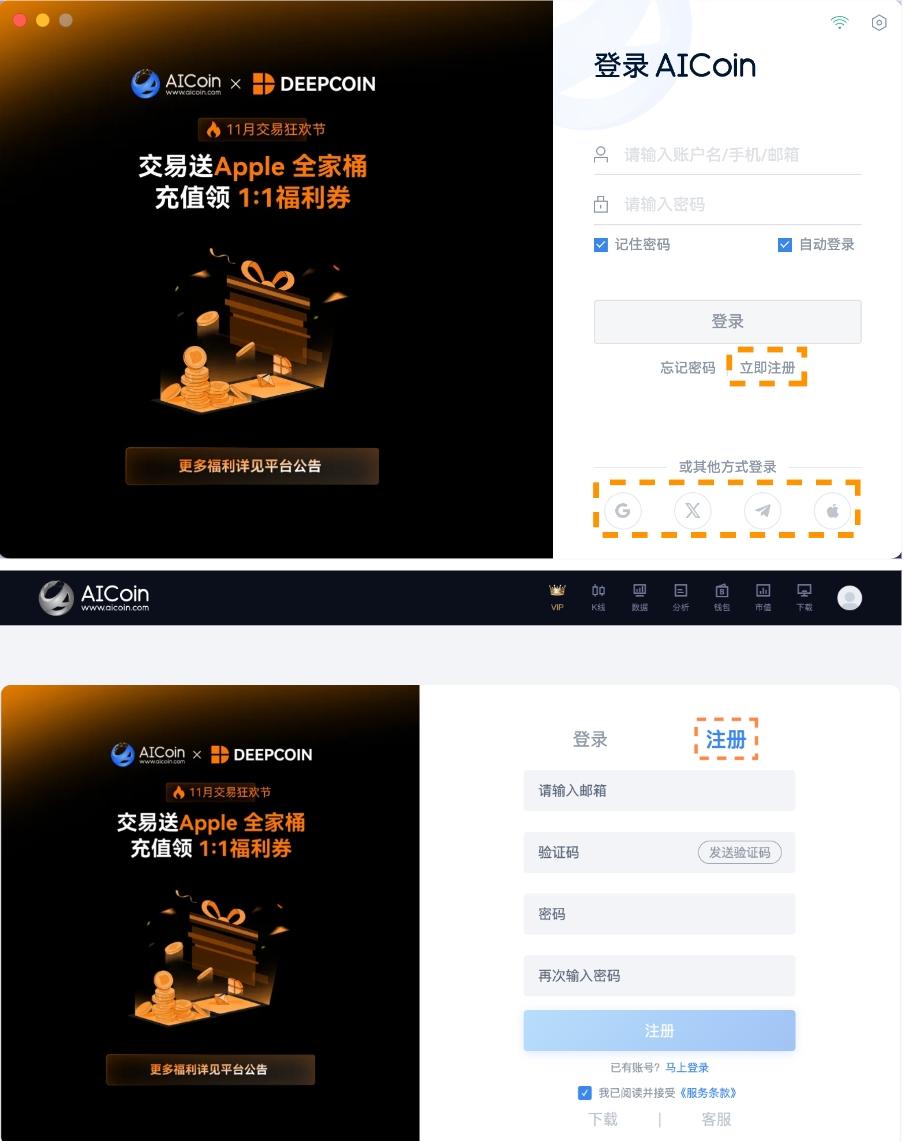
On the PC client login interface, click [Register Now], follow the prompts to enter [Email] — [Email Verification Code] — set [Password], and complete the registration. You can also log in quickly using Google, Twitter, Telegram, Apple, and other accounts.
Mobile Registration
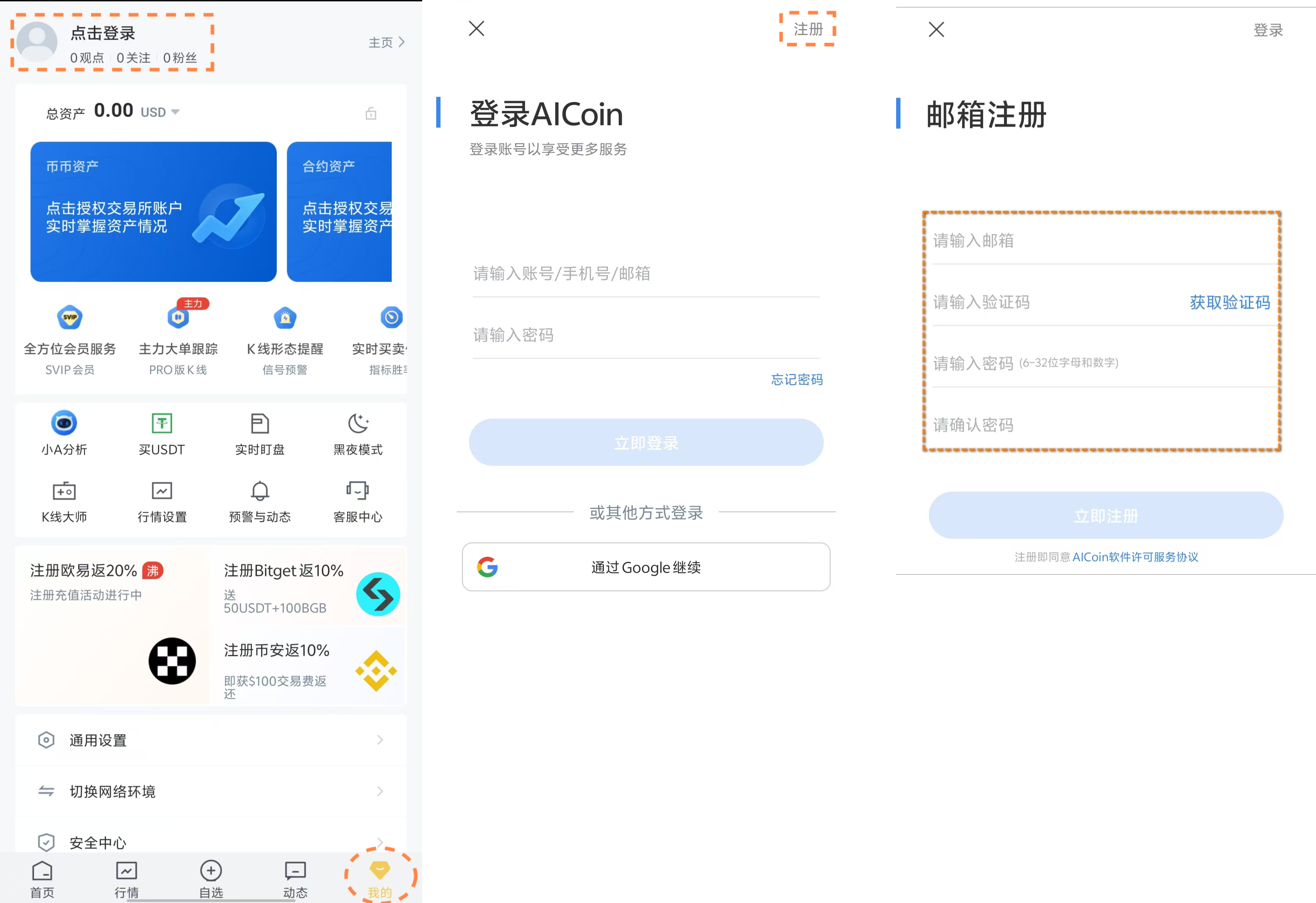
Click [My] - top left [Click to Log In], after entering the login page, click the top right [Register], follow the prompts to enter [Email] — [Email Verification Code] — set [Password], and complete the registration. You can also register and log in using a Google account.
免责声明:本文章仅代表作者个人观点,不代表本平台的立场和观点。本文章仅供信息分享,不构成对任何人的任何投资建议。用户与作者之间的任何争议,与本平台无关。如网页中刊载的文章或图片涉及侵权,请提供相关的权利证明和身份证明发送邮件到support@aicoin.com,本平台相关工作人员将会进行核查。