Let's assume a situation where you use the PUMP bundled buy feature to purchase tokens across multiple addresses, or you operate multiple addresses to buy tokens during a pump. If you want to sell all the tokens from these addresses, what should you do?
The traditional methods are three:
First: Manual selling. Constantly switching wallets to operate. This is not only slow, but also bots will be ahead of you, which is not suitable.
Second: Bot selling. You can automate the selling through our bot, saving the hassle of manual operation, but the speed may not keep up.
Third: Aggregate and sell. Consolidate the tokens into one address and sell them all at once. This sounds suitable, but it is also troublesome, adding an extra step of aggregation.
If you do not want to use the above methods, you can choose the one-click selling tool, which can sell all related tokens in all wallets at once. Currently, it supports up to 21 addresses at a time; if you have more wallets, you can import them multiple times.
PUMP One-Click Bundled Selling Tutorial
1. Configure Selling Parameters
We open the one-click selling tool of PandaTool, or find the bundled selling button in the official website navigation bar.
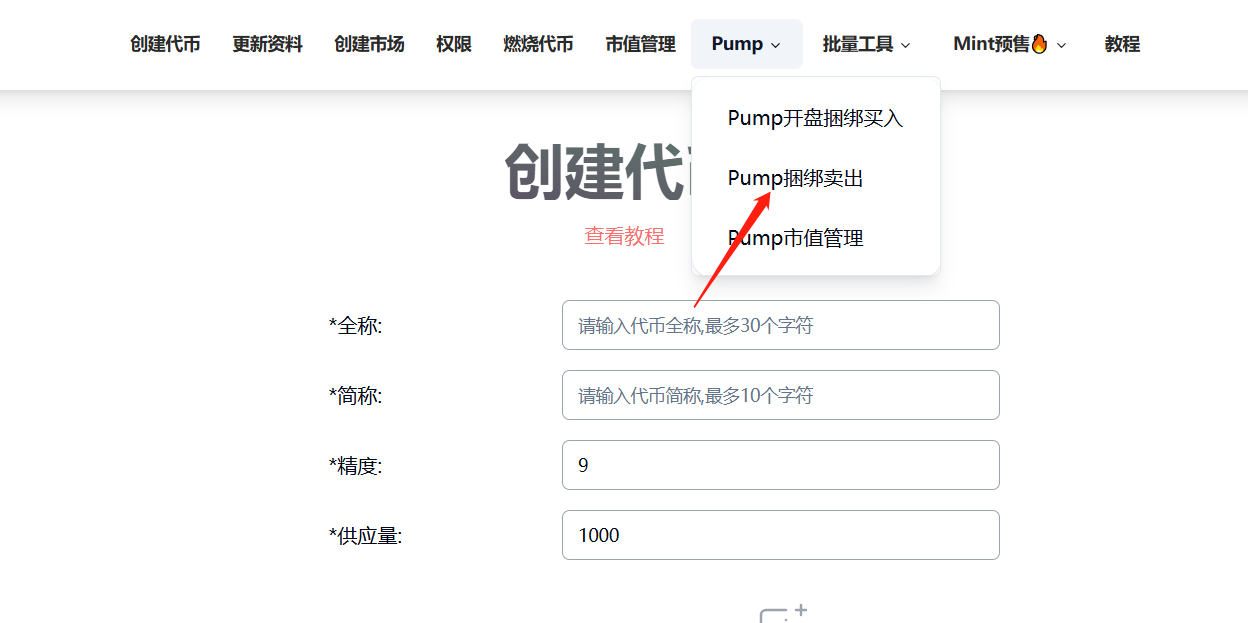
After entering the bundled selling page, we fill in the relevant parameters.
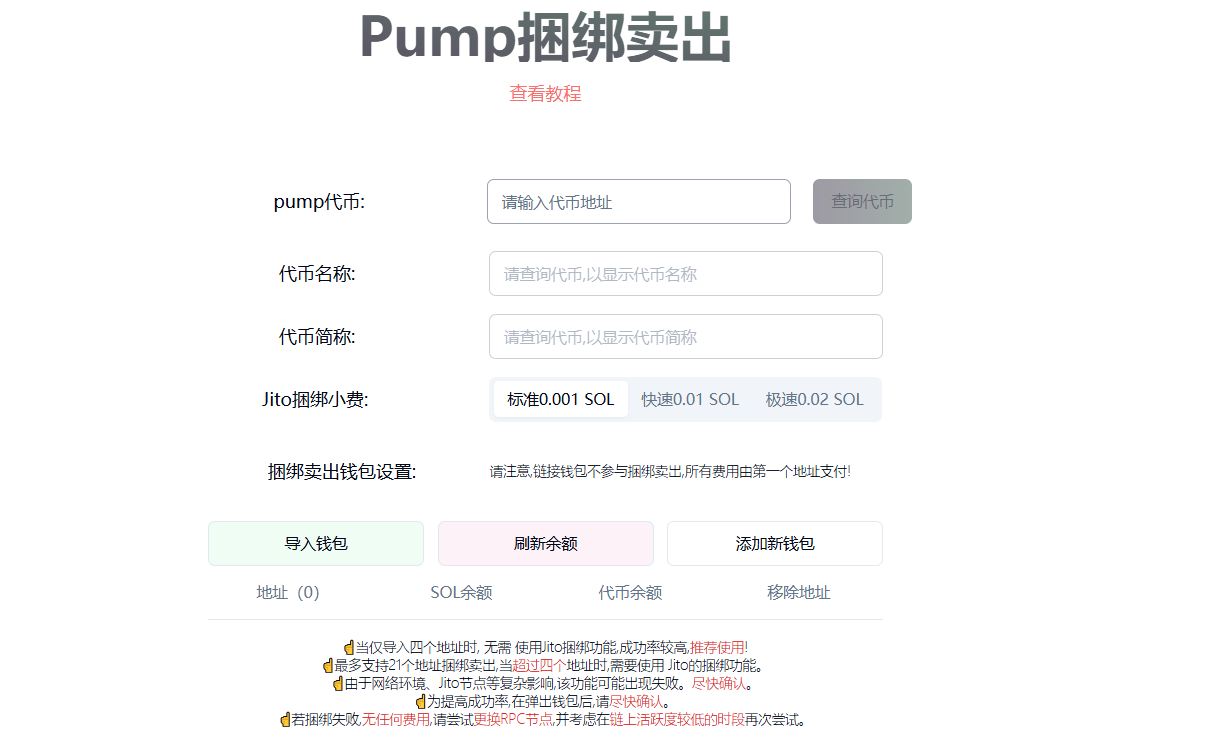
PUMP Token: Enter the PUMP token contract address and click query.
Token Name: Automatically recognized after querying, no need to fill in.
Token Abbreviation: Automatically recognized after querying, no need to fill in.
Jito Bundling Fee: Default is 0.001 SOL. If bundling fails, try increasing the Jito fee (not needed for up to 4 addresses, required for more than 4).
Bundling Wallet Settings: Please note that the linked wallet does not participate in the bundled selling; all fees are paid by the first imported address!
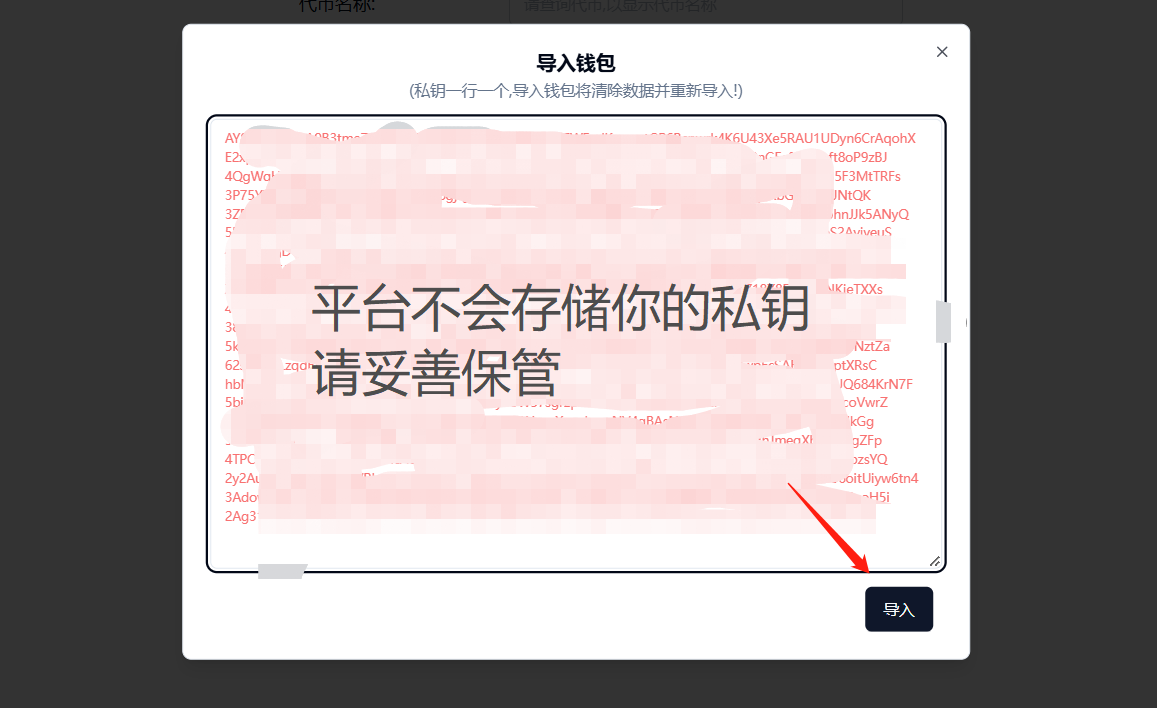
After importing the wallet, we click refresh balance, and it looks like this.
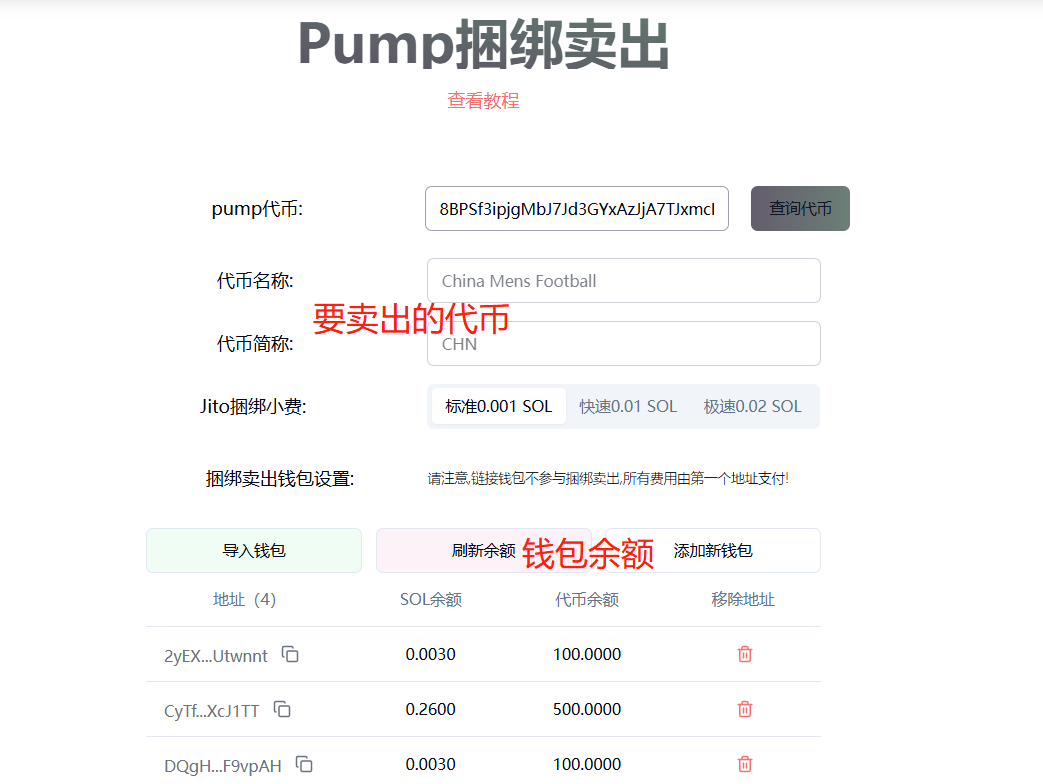
From this screenshot, we notice a problem: the first wallet ending with "wnnt" has a low SOL balance (must be greater than 0.3 SOL), which cannot cover the selling fees.
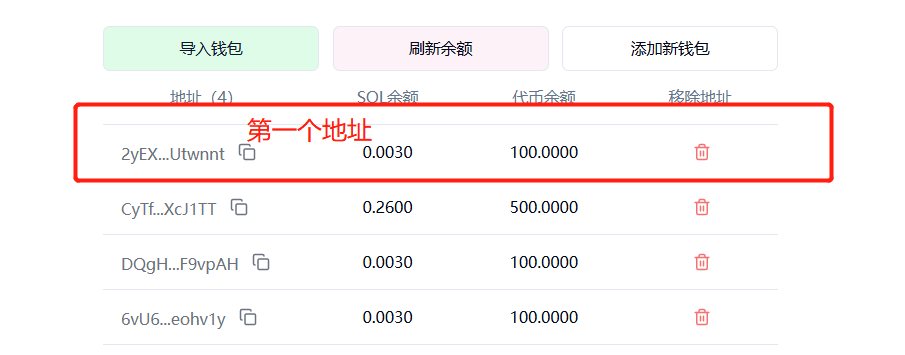
Therefore, we need to transfer some SOL to the first wallet address.
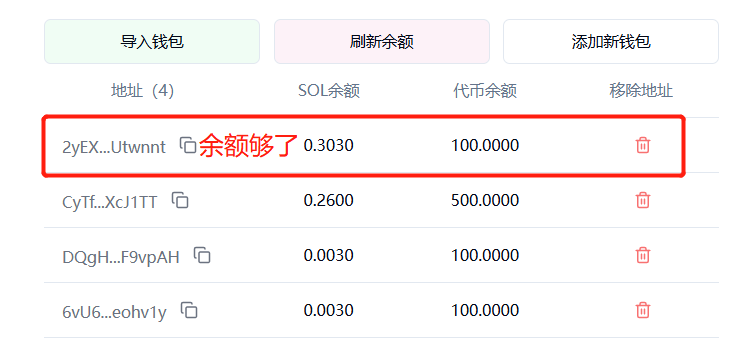
Once done, and after confirming there are no other issues, we click to sell immediately.
☝ When only importing four addresses, there is no need to use the Jito bundling feature; the success rate is higher, recommended!
☝ Supports bundling and selling for up to 21 addresses; when exceeding four addresses, the Jito bundling feature is required.
☝ Due to complex influences such as network environment and Jito nodes, this feature may fail. Confirm as soon as possible.
☝ To improve the success rate, please confirm quickly after the wallet pops up.
☝ If bundling fails, there are no fees; try changing the RPC node and consider attempting again during periods of lower on-chain activity.
2. Confirm Wallet Selling
When we click Sell Immediately, the platform's front end will automatically execute and sell all tokens in the address. Note that it sells all tokens, and you cannot specify a quantity.
Wait 15-30 seconds; if it has not succeeded yet, it is likely a failure, and you need to resubmit.
If the sale is successful, the following prompt will appear.
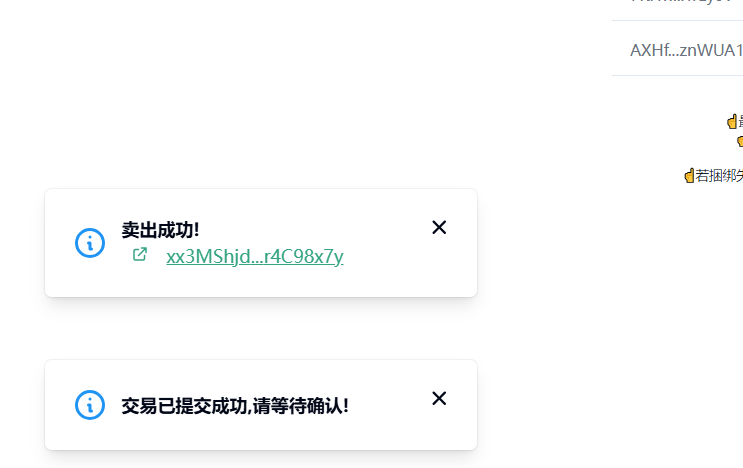
After that, we click refresh balance, and we can see the balance is 0, indicating that everything has been sold.
This concludes the tutorial on bundled selling. With the help of tools, we can better enjoy the fun of trading.
免责声明:本文章仅代表作者个人观点,不代表本平台的立场和观点。本文章仅供信息分享,不构成对任何人的任何投资建议。用户与作者之间的任何争议,与本平台无关。如网页中刊载的文章或图片涉及侵权,请提供相关的权利证明和身份证明发送邮件到support@aicoin.com,本平台相关工作人员将会进行核查。