Original | Odaily Planet Daily
Author | Asher
With the reduction of BTC mining rewards, the heat of the Rune sector remains high, leading to a major congestion on the BTC network due to excessive participation in forging, with gas fees for Runes reaching thousands of dollars. However, according to community feedback, most novice users, even if they know what forging tools are (this article lists 10 Rune tools), are not clear on how to participate and can only hope to buy from centralized exchanges, making it impossible to participate immediately. In short, "how to participate" is the most concerning topic for novice users at present.
Therefore, Odaily Planet Daily will guide everyone step by step from creating mainstream Web3 wallets to participating in the forging, secondary trading, and analyzing the on-chain heat of Rune-related projects.
OKX Wallet
Wallet Creation
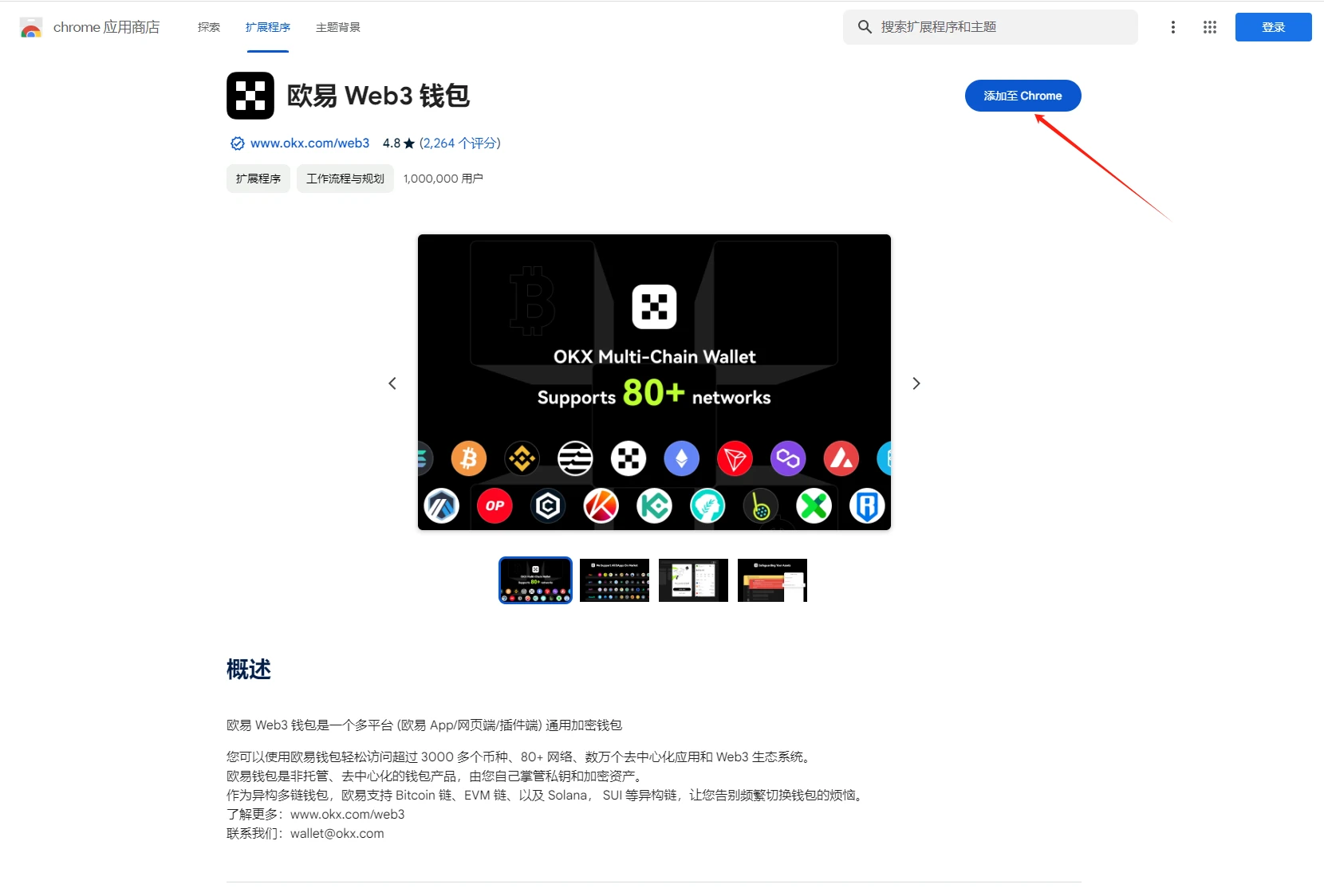
STEP 1. Download the OKX Wallet plugin from the Google App Store (click here for the download link).
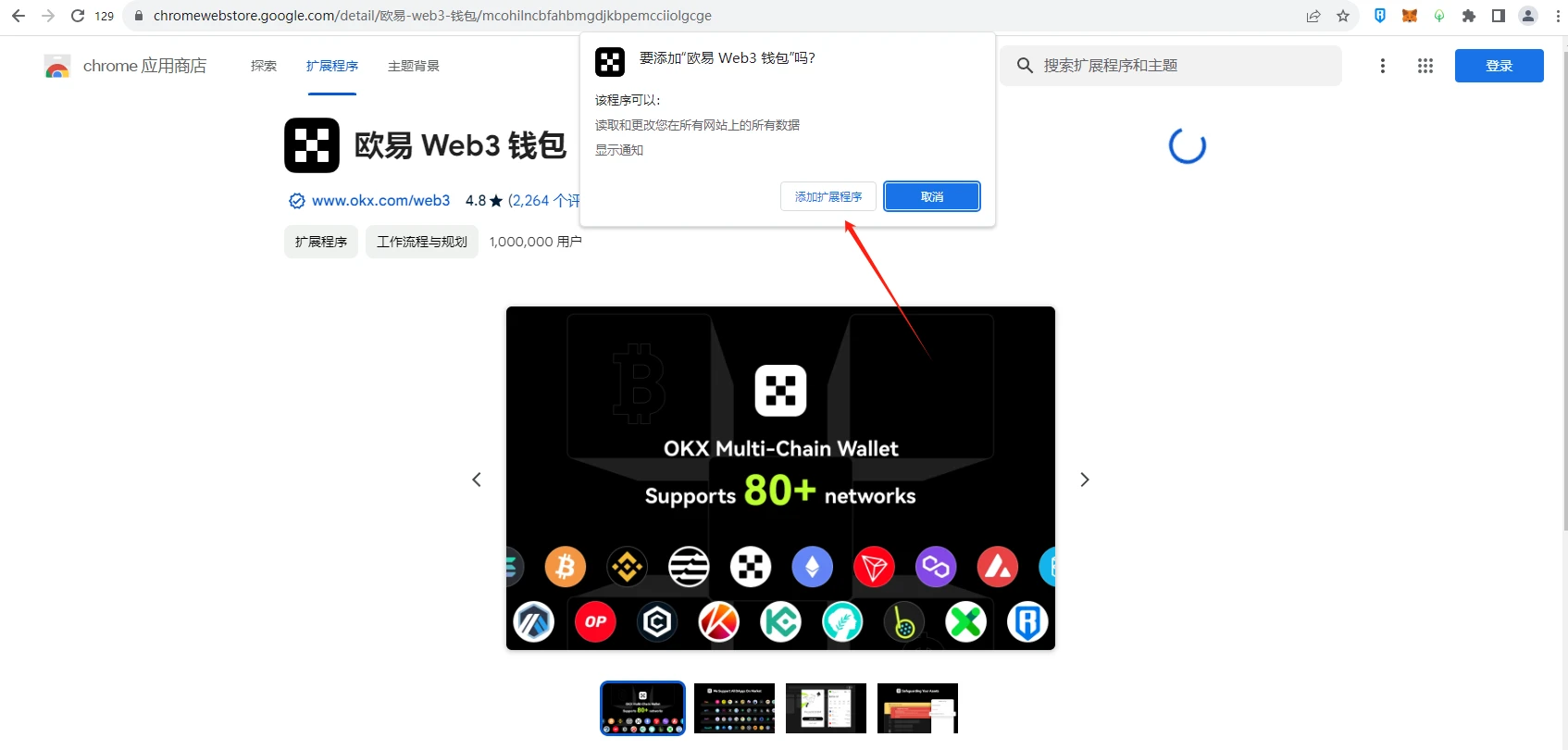
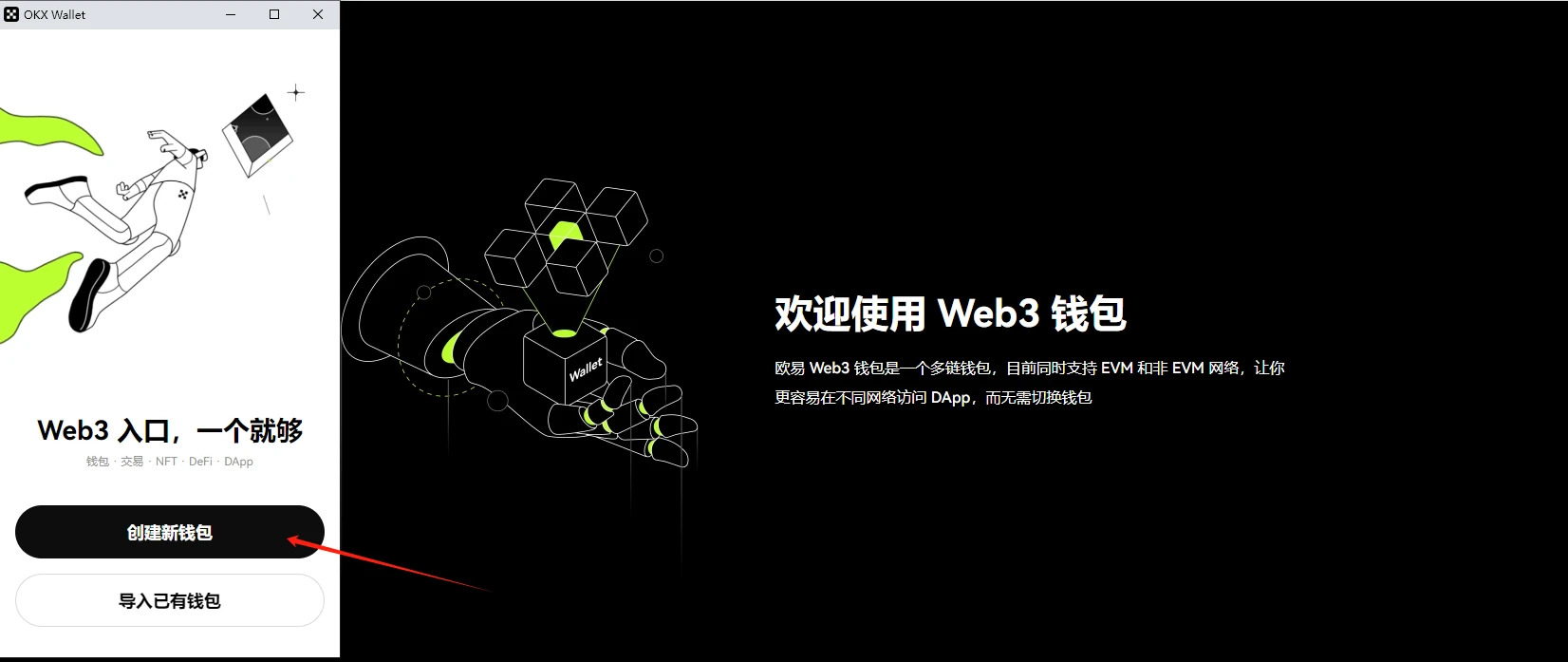
STEP 2. Create the wallet, enter the password, and save the mnemonic phrase.
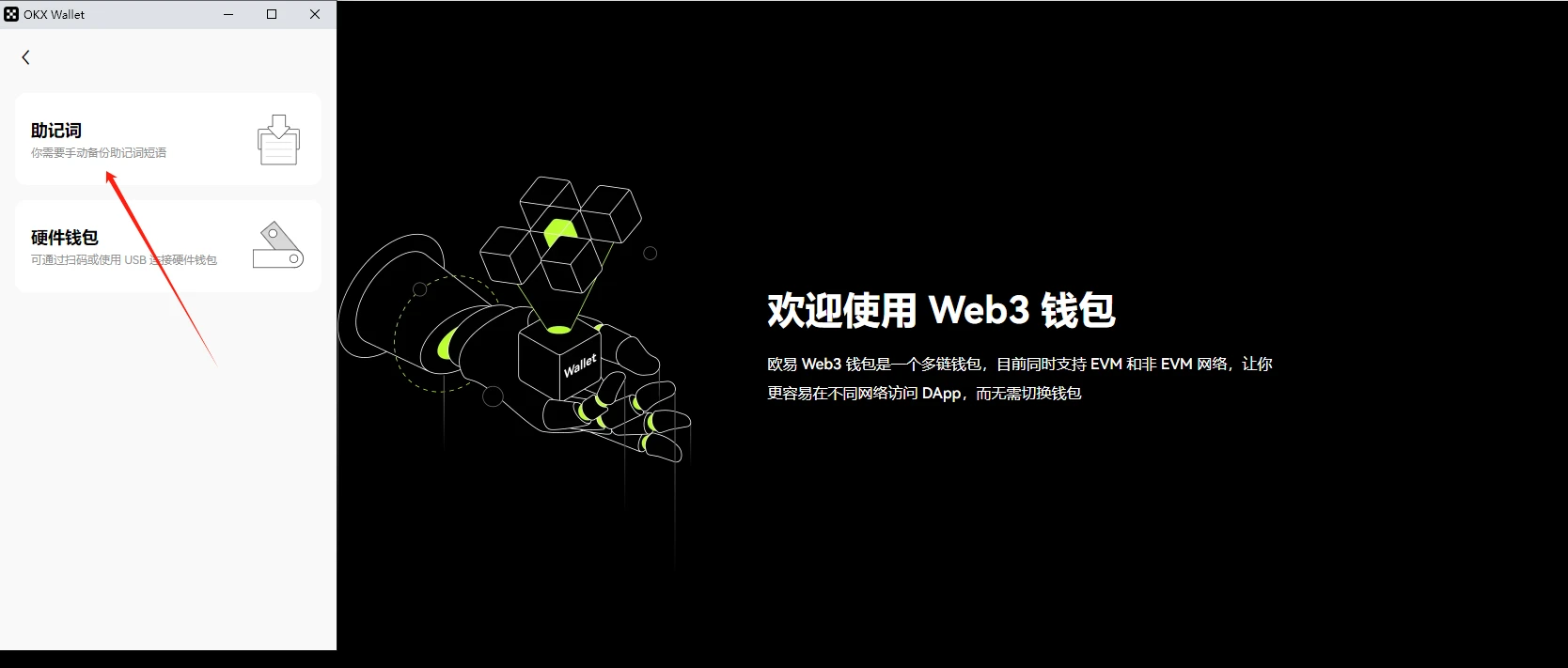
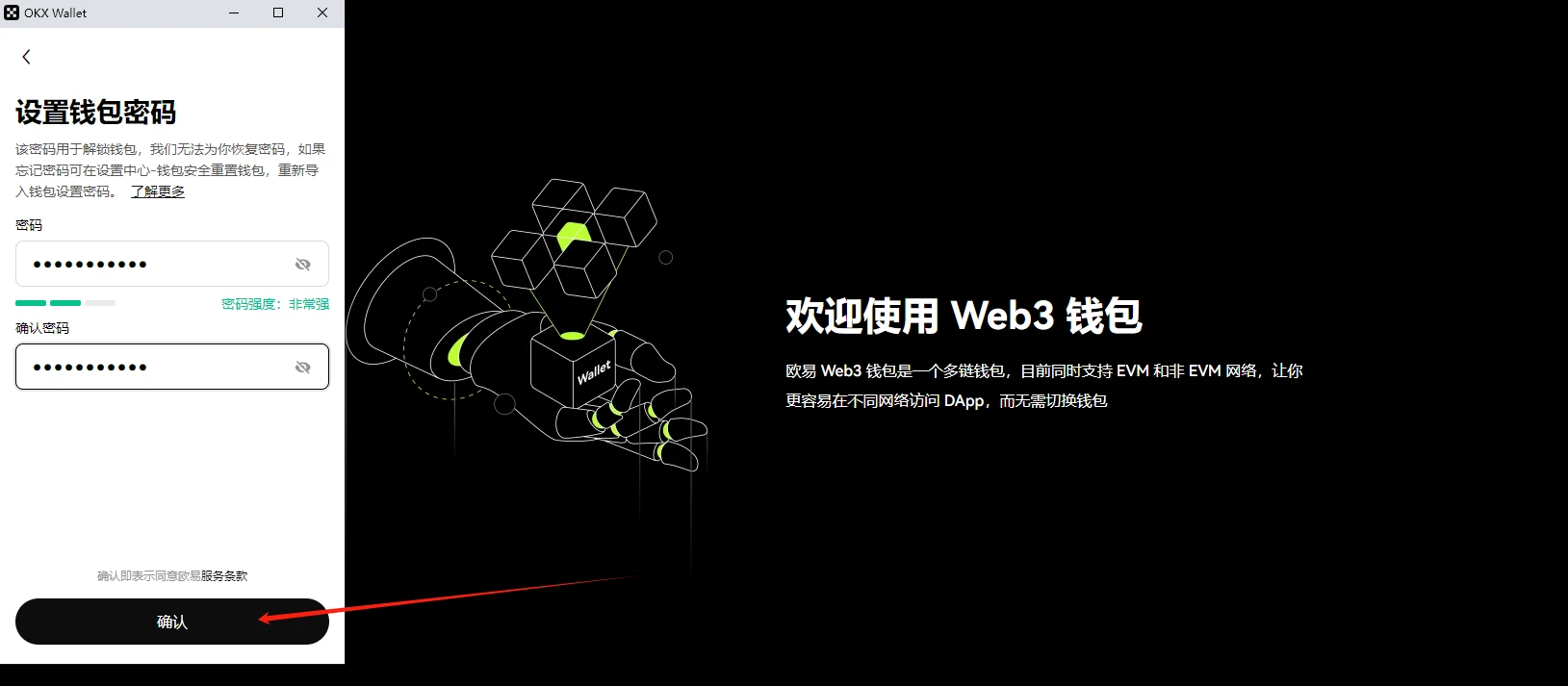
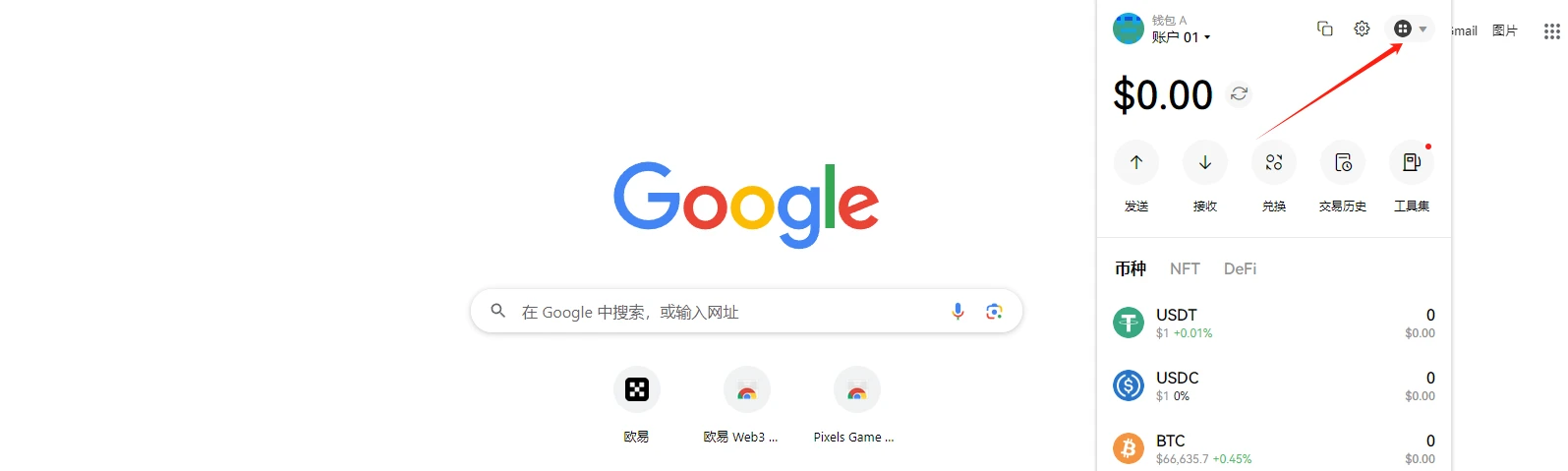
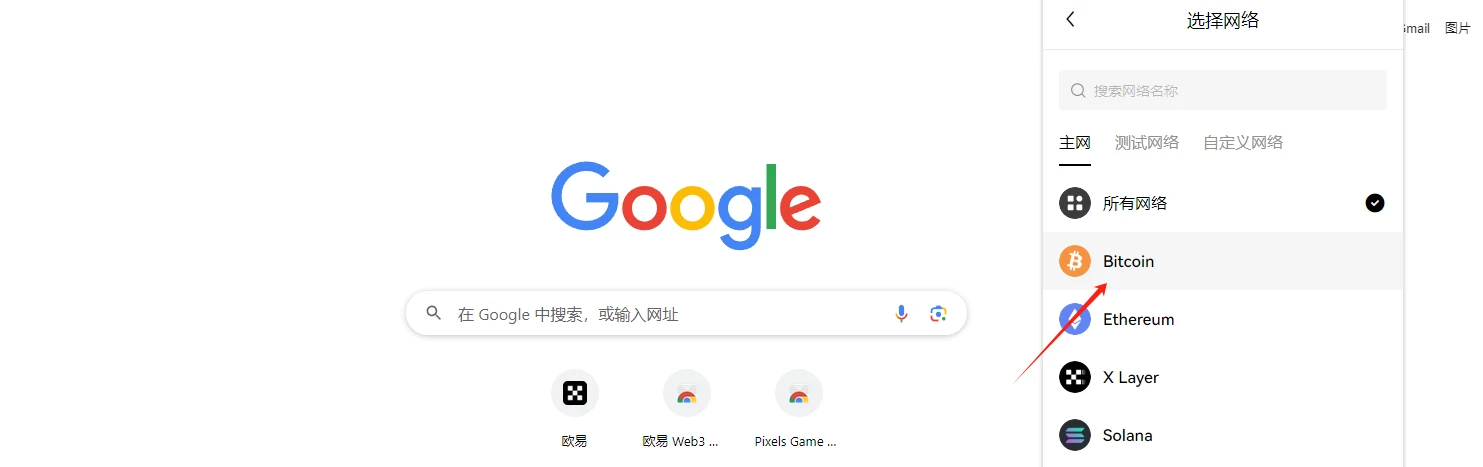
At this point, the OKX Wallet has been created. If you want to deposit BTC from the exchange into the newly created wallet, switch the wallet network to BTC and follow the instructions in the image below to obtain the wallet address information.
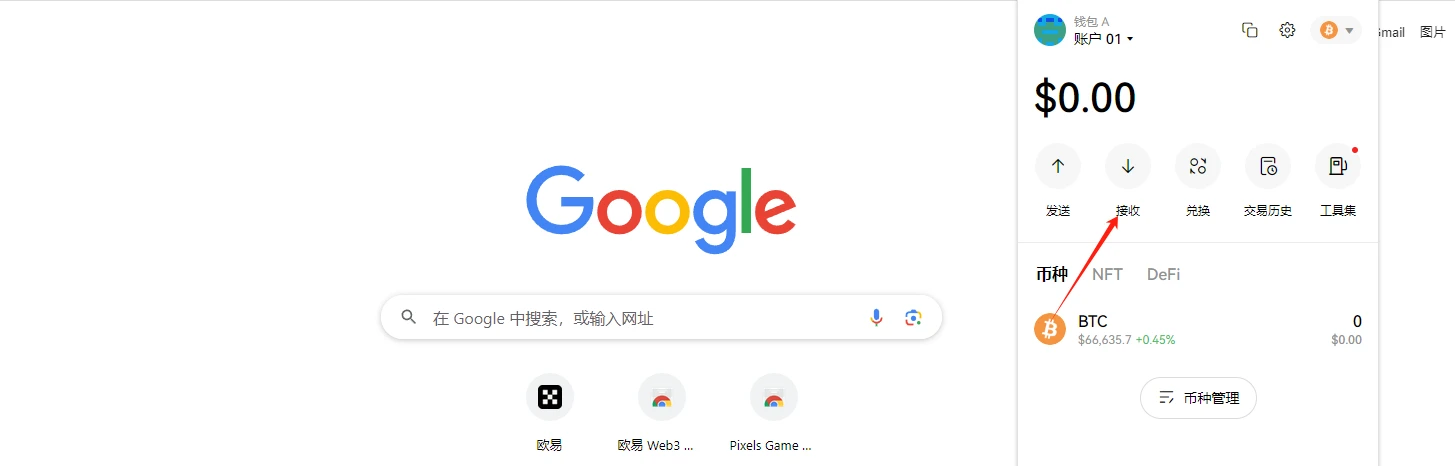
Forging and Secondary Trading
STEP 1. Enter the OKX Web 3 section (click here to enter) and connect the wallet.
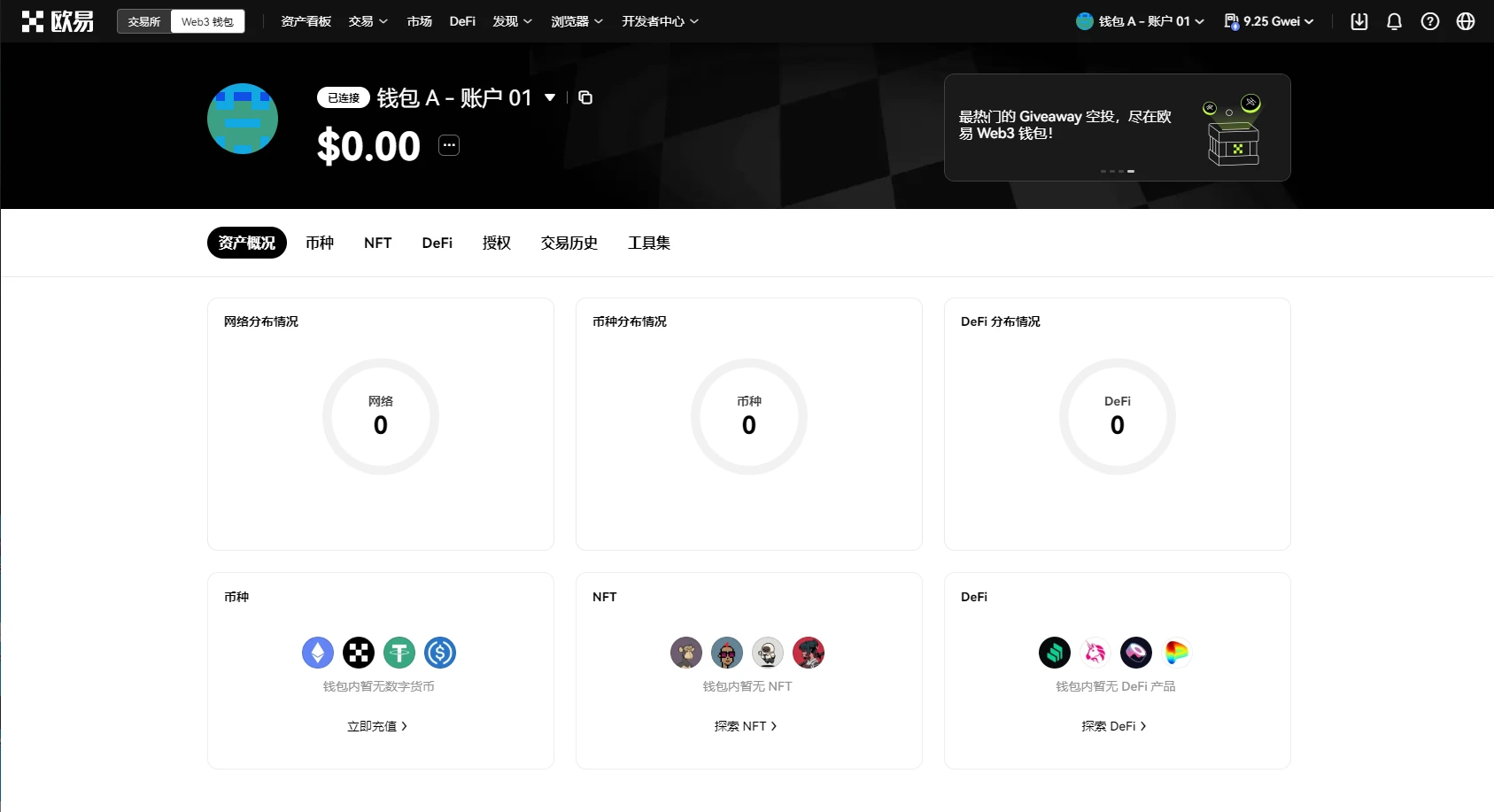
STEP 2. Select "Market" and then click on the Runes section.
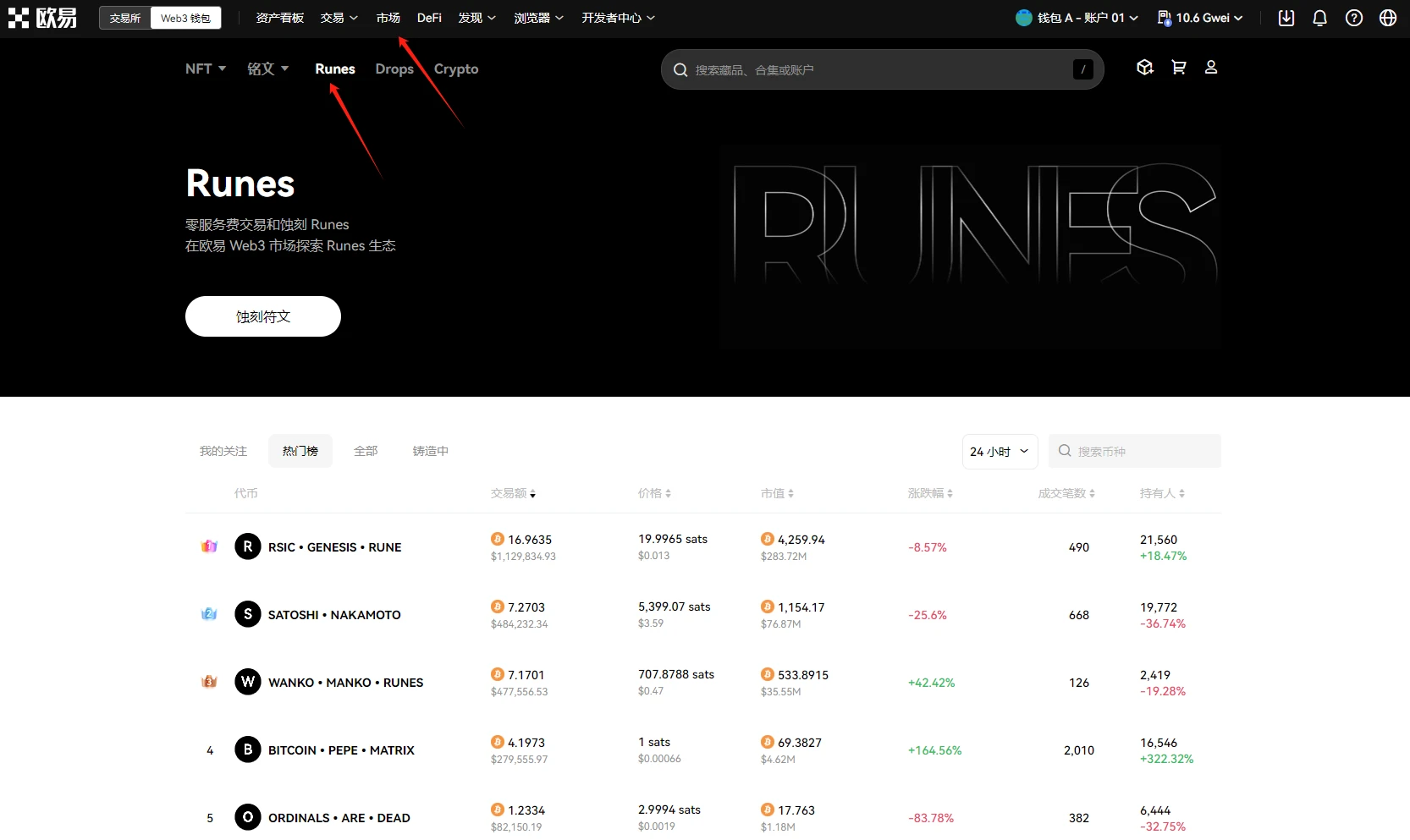
How to Forge
STEP 1. Select "In Forging" and follow the prompts to start forging Runes (or you can search for the Runes you want to forge in the search bar).
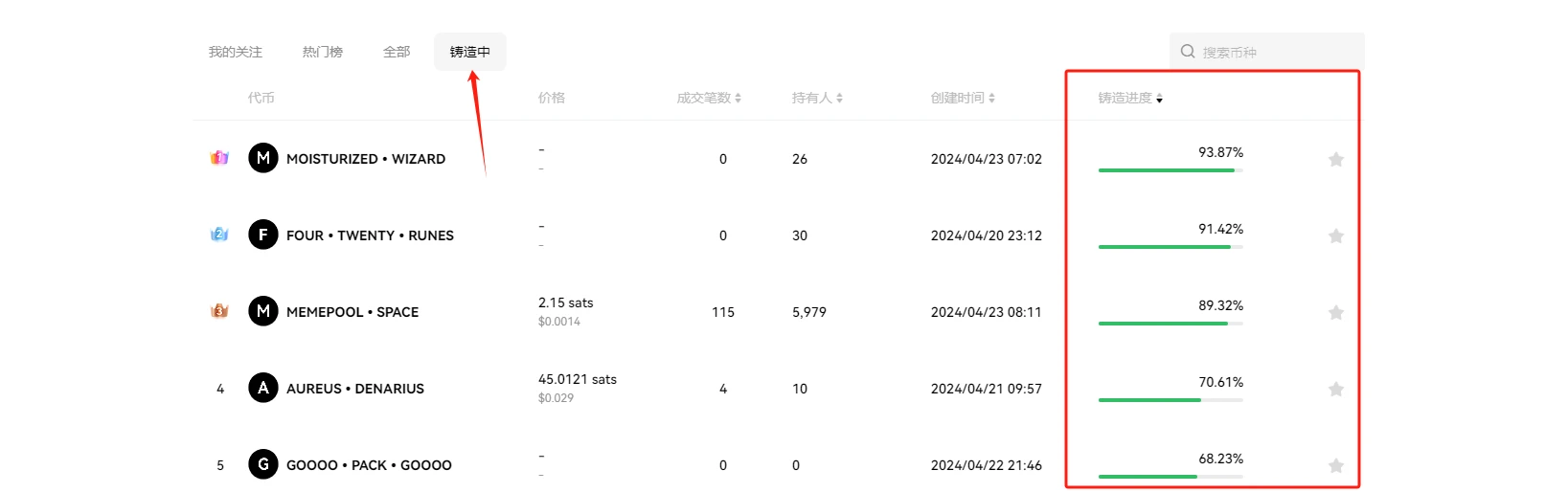
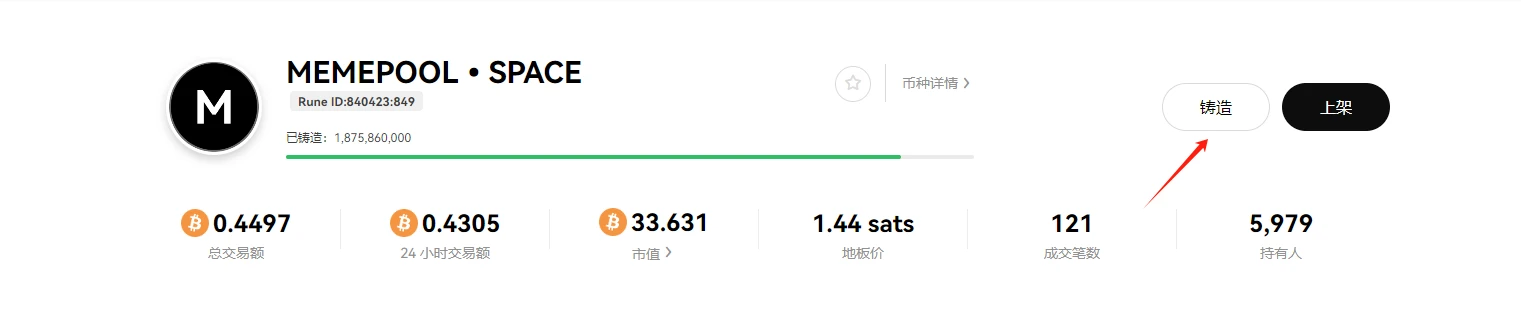
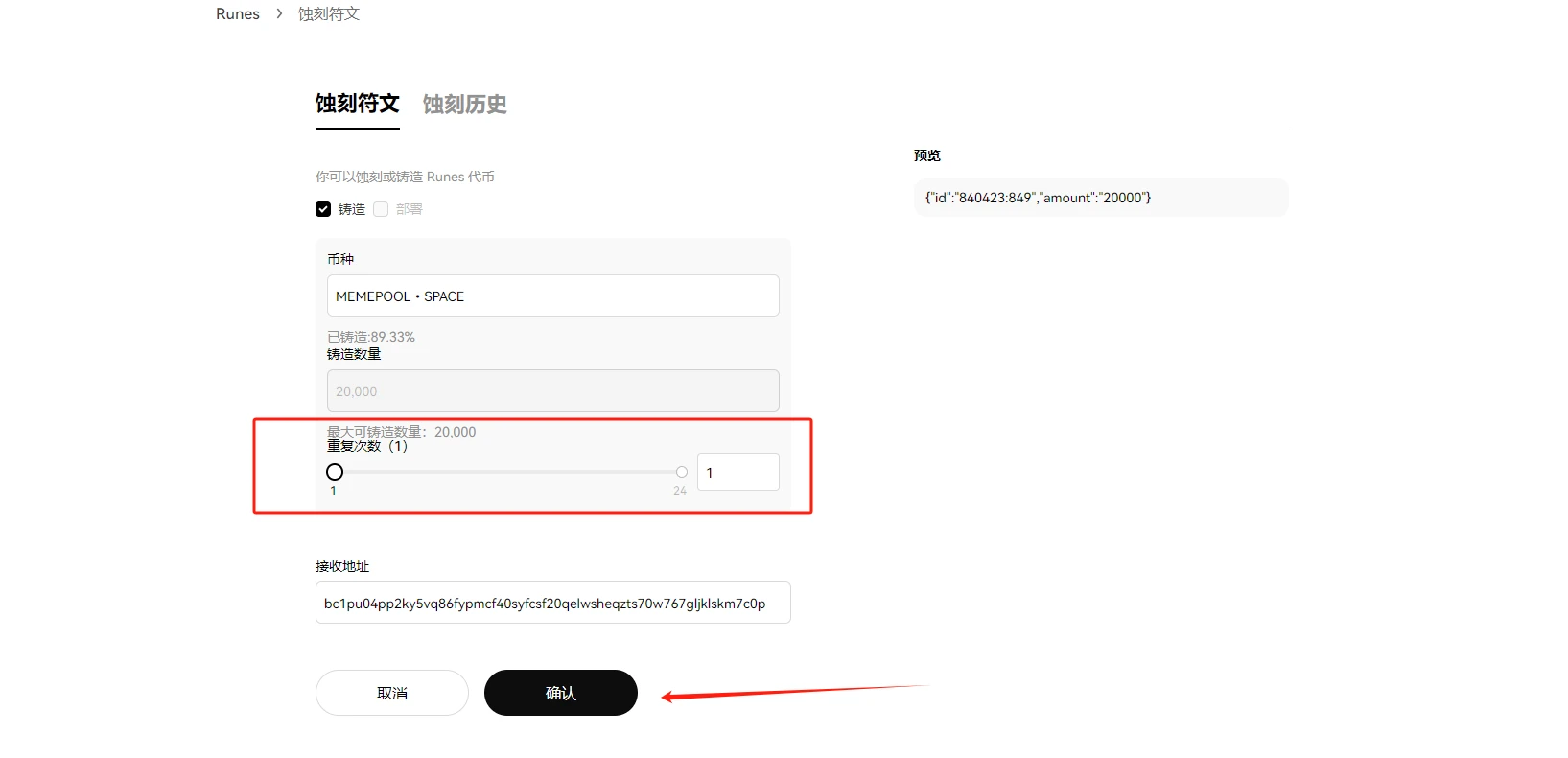
STEP 2. Select one of the Rune projects, as shown in the image below using MEMEPOOL•SPACE as an example (for demonstration purposes only, not investment advice), click "Forge," and select the number of repetitions.
Secondary Trading
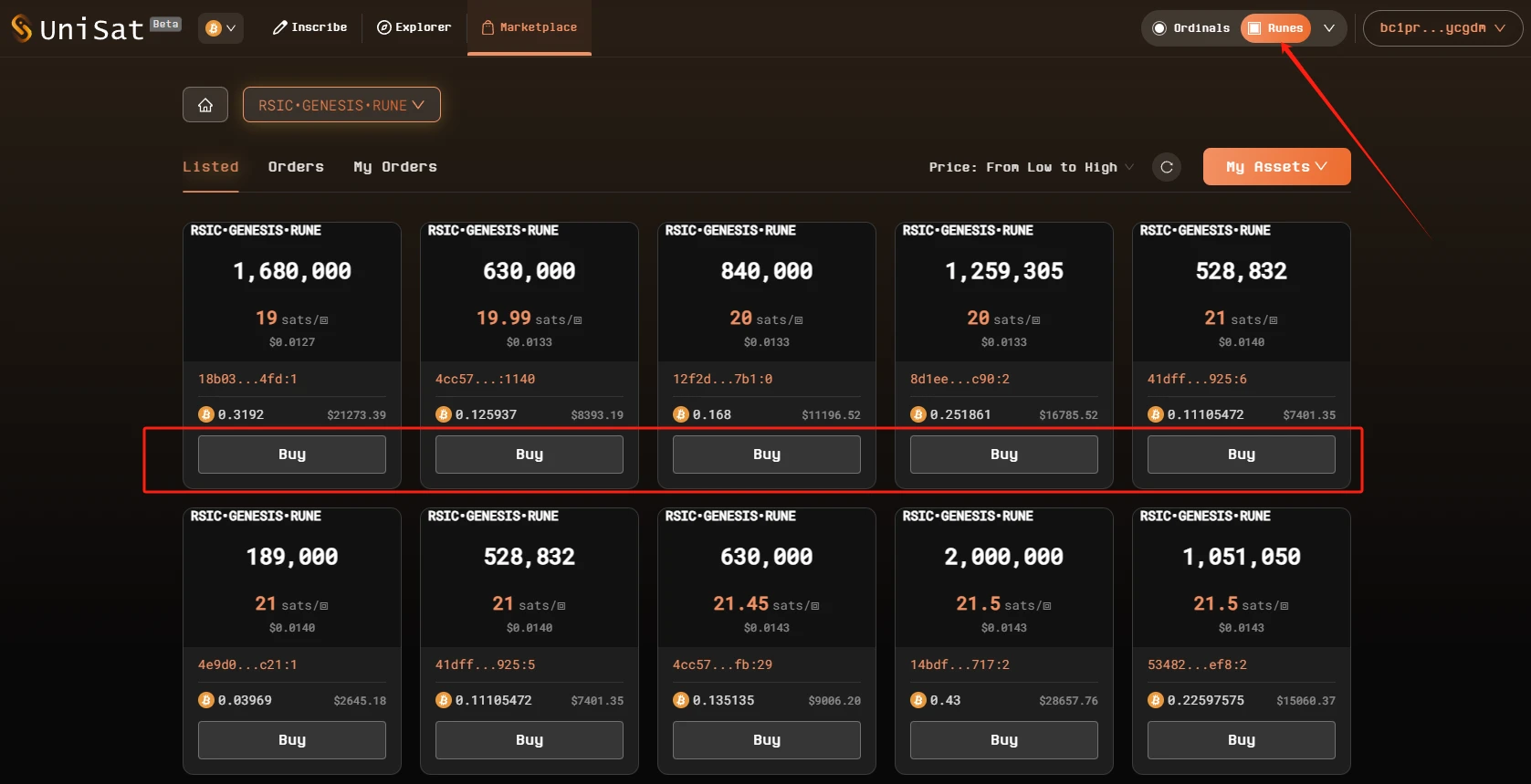
Regarding the secondary market trading of Runes and NFTs, the floor price is arranged from low to high. For novice users, it is important to note that "purchasing" Runes requires paying gas fees for on-chain transactions, while "listing" orders does not require gas fees.
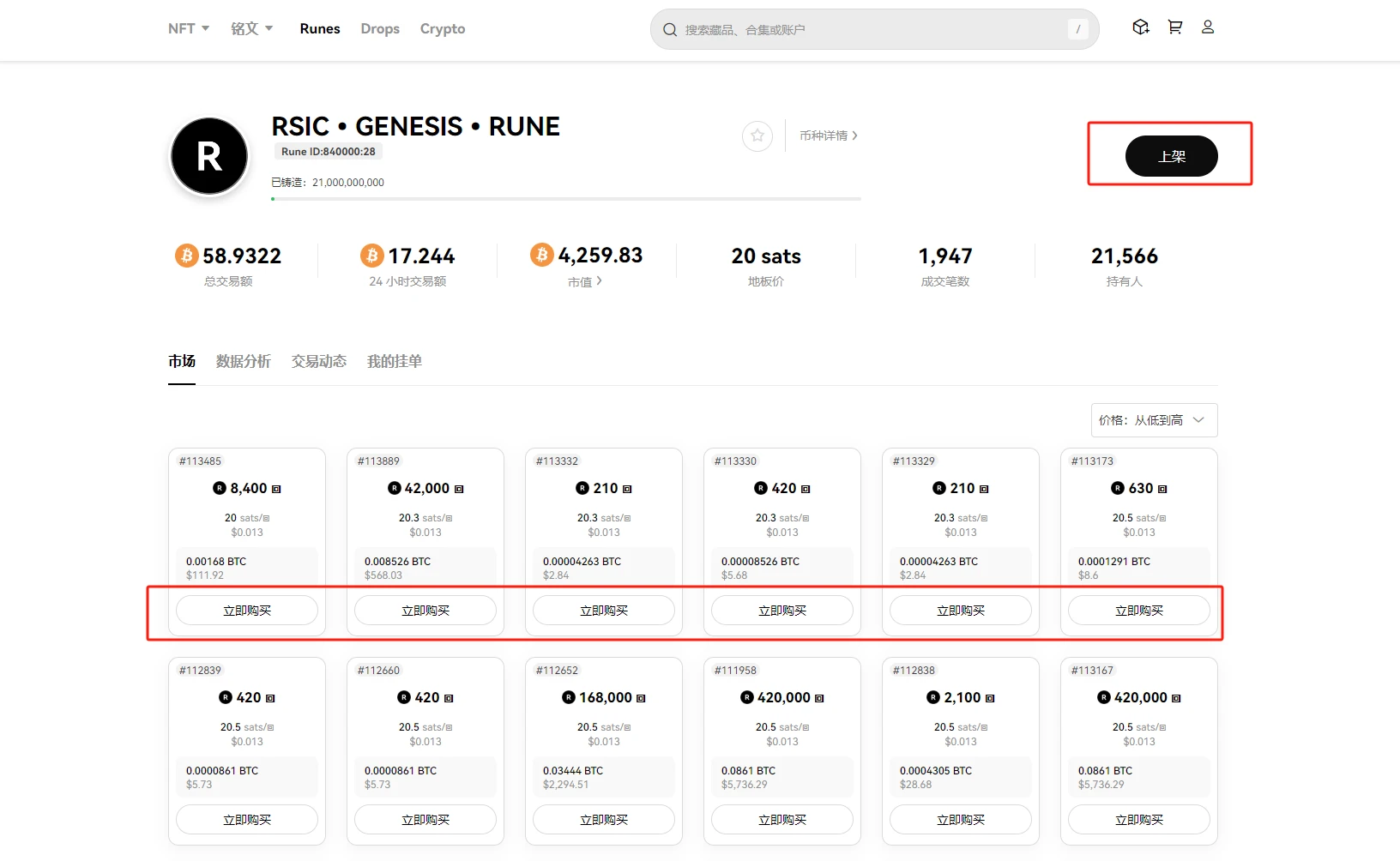
Image source: OKX Web 3 Rune Trading Market
At the same time, the OKX Web3 Rune section has a "Data Analysis" section, where you can view information such as the price, transactions, and number of holders of the Runes.
UniSat Wallet
Wallet Creation
The operation is similar to the UniSat Wallet operation, so the introduction is simplified.
STEP 1. Download the UniSat Wallet plugin from the Google App Store (click here for the download link)
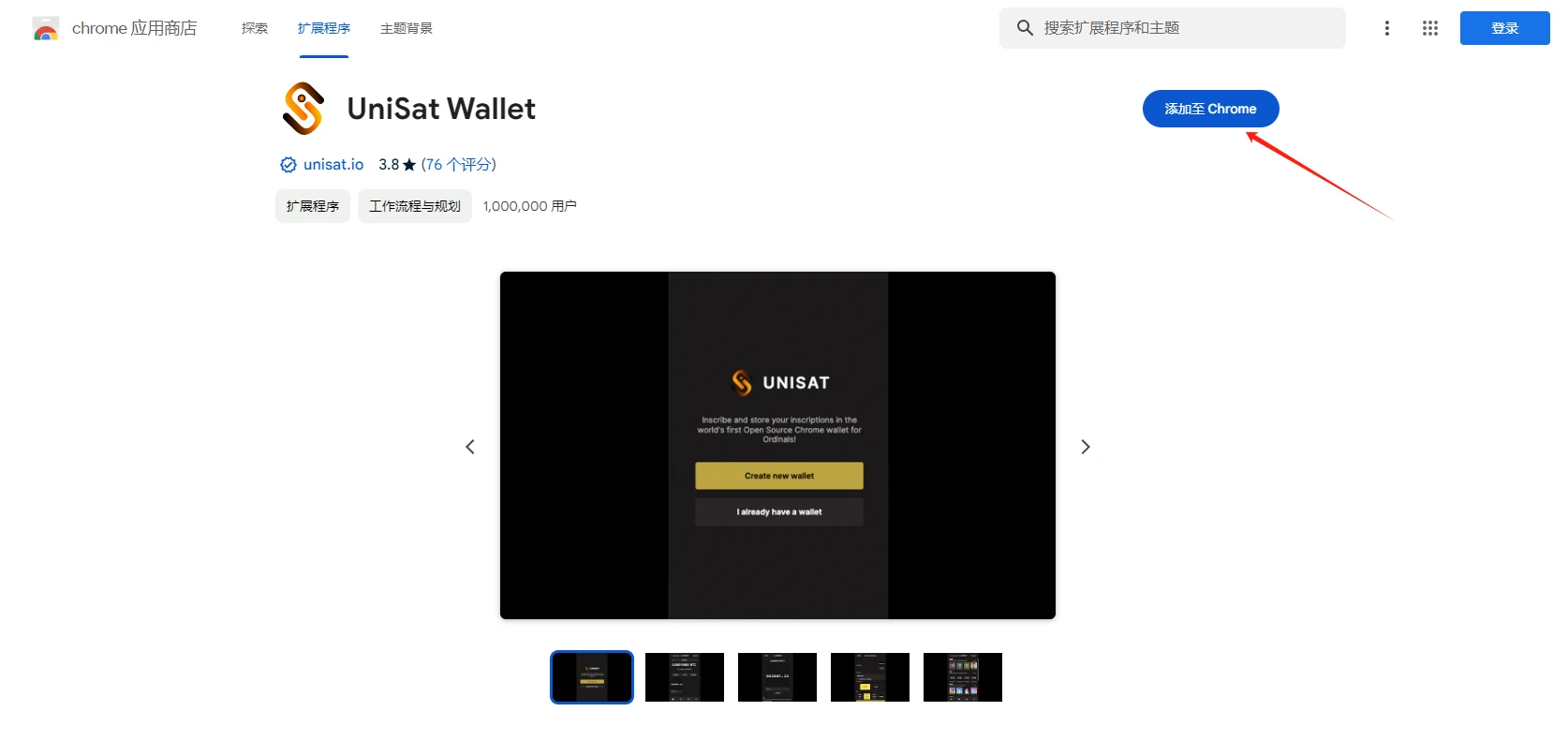
STEP 2. Create the wallet, enter the password, and save the mnemonic phrase.
Forging and Secondary Trading
Forging
STEP 1. Enter the Unisat official website Runes section (click here to enter) and connect the wallet, then select "Explorer" and choose the Rune you want to forge (or you can search for the Rune you want to forge in the search bar).
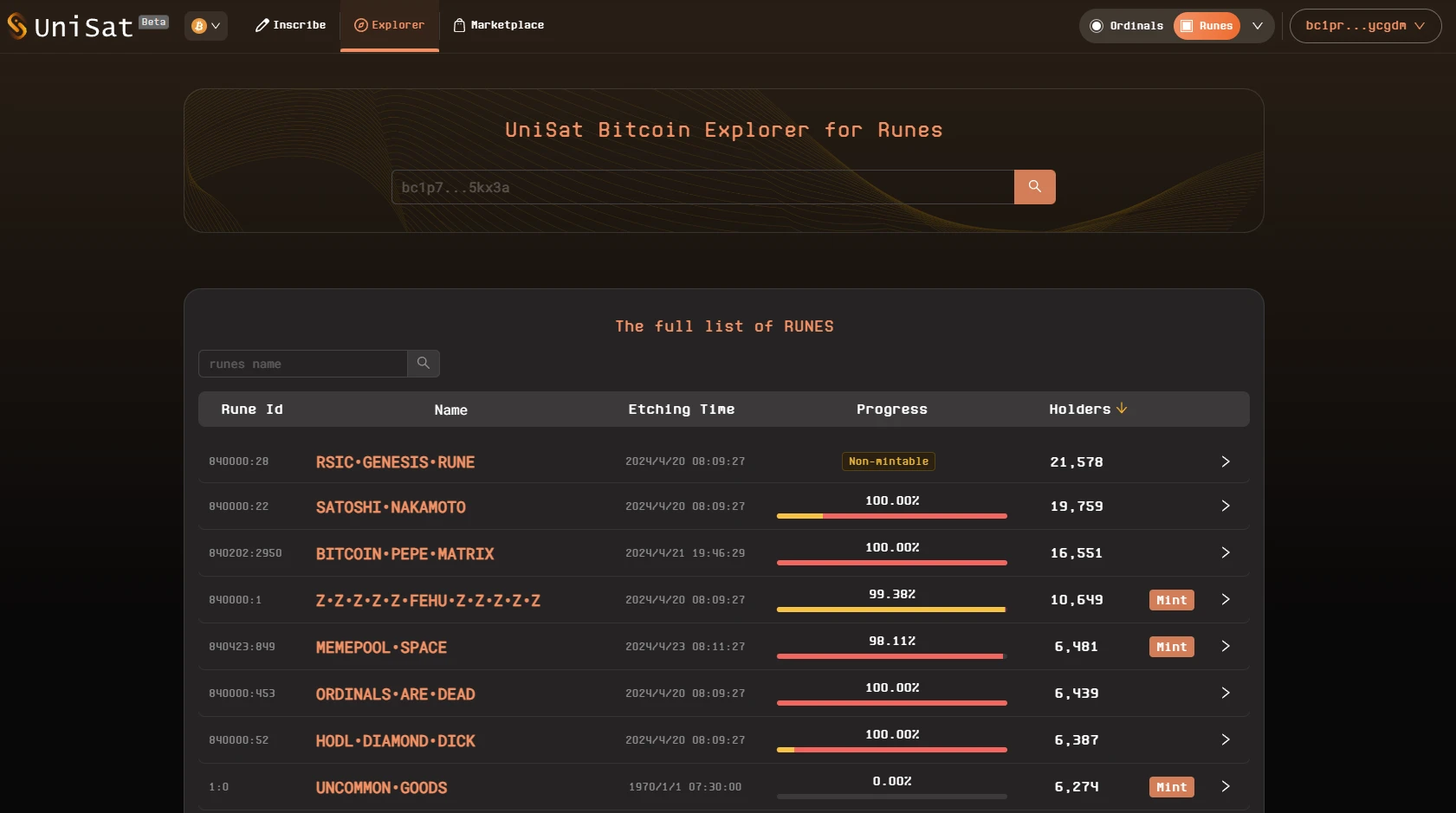
**STEP 2. Select one of the Rune projects, as shown in the image below using MEMEPOOL•SPACE as an example (for demonstration purposes only, not investment advice), click "Mint Directly," and select the number of repetitions.
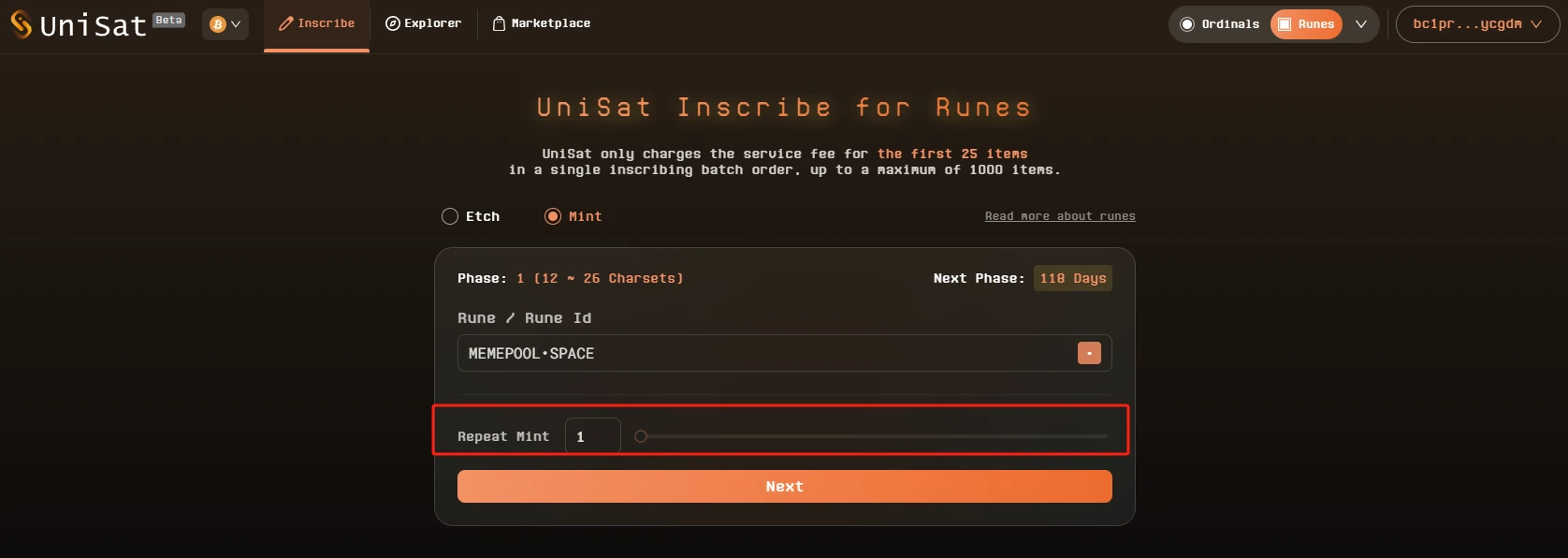
Secondary Trading
Enter the trading market section, the operation is similar to the OKX Web 3 market, where you can choose the Runes you want to buy or sell ("purchasing" Runes requires paying gas fees for on-chain transactions, while "listing" orders does not require gas fees).
Based on the above introduction, novice users can participate in primary forging or secondary trading based on their own participation time. However, due to the longer time required for BTC transactions to be confirmed on the chain compared to the commonly used ETH network, how to find transaction information? Additionally, apart from community information, how to discover and participate in popular Rune projects on the chain? Below, Odaily Planet Daily will introduce two BTC on-chain monitoring websites to solve these problems.
On-chain Monitoring Tool Usage
mempool: BTC Mempool Explorer
Tool link: https://mempool.space/zh/
mempool is an essential tool for every user participating in primary BTC transactions, mainly for two advantages:
- On one hand, you can use this website to view real-time block generation on the BTC network, and then judge whether the BTC network is congested. Therefore, when actually forging Runes, in order to ensure that your BTC transaction is confirmed on the chain as quickly as possible, you can set the BTC network fee based on the current BTC network fees.
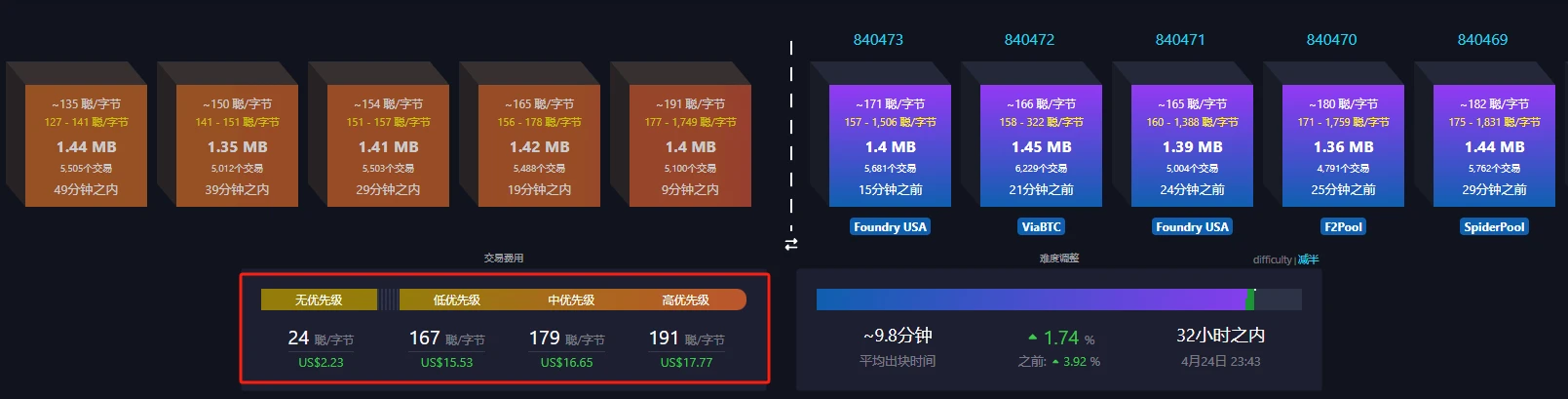
Real-time Gas fee monitoring
- On the other hand, you can view your wallet address and the current transaction status. As shown in the image below, the transaction is currently waiting to be confirmed on the chain, with a fee rate of 191 sat/byte and an estimated confirmation time of 9 minutes.
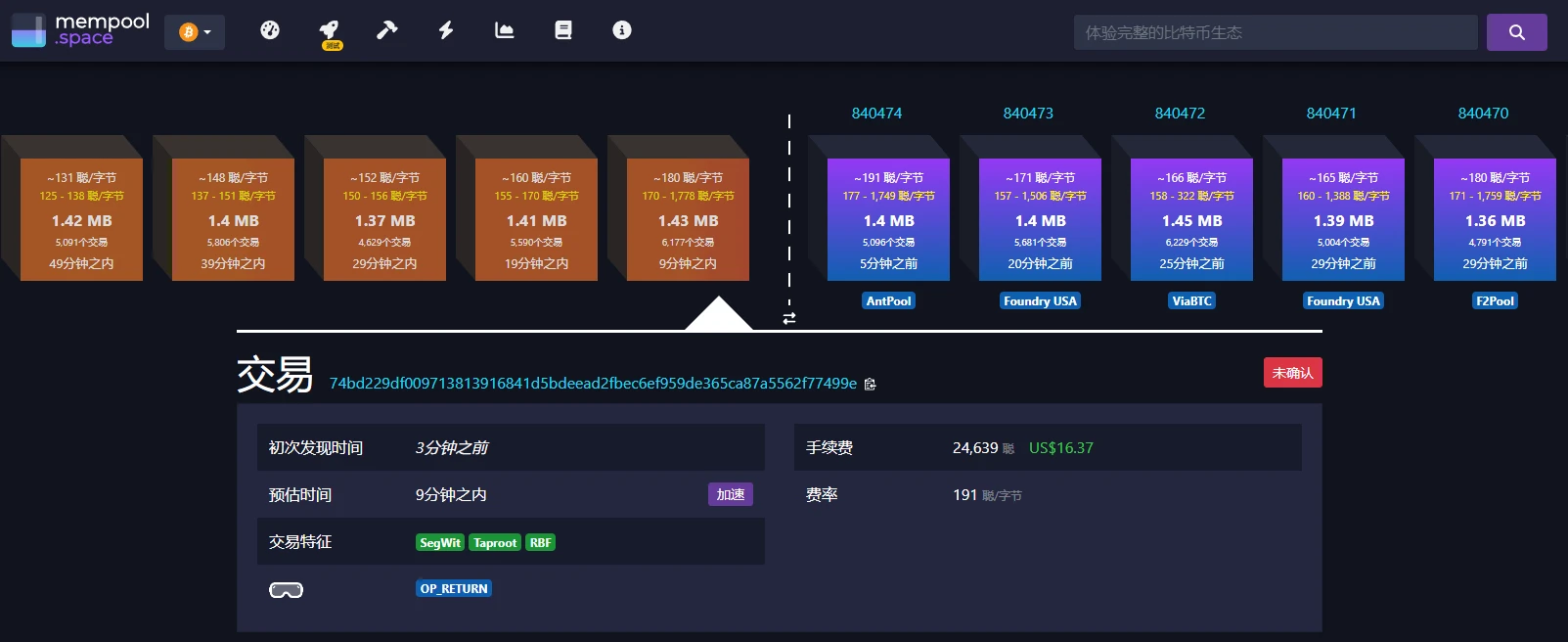
Image source: mempool
GeniiData: Discovering Popular Rune Projects
Tool link: https://geniidata.com/ordinals/home
GeniiData is the most commonly used tool for discovering popular BRC-20 projects on the chain, mainly for two advantages:
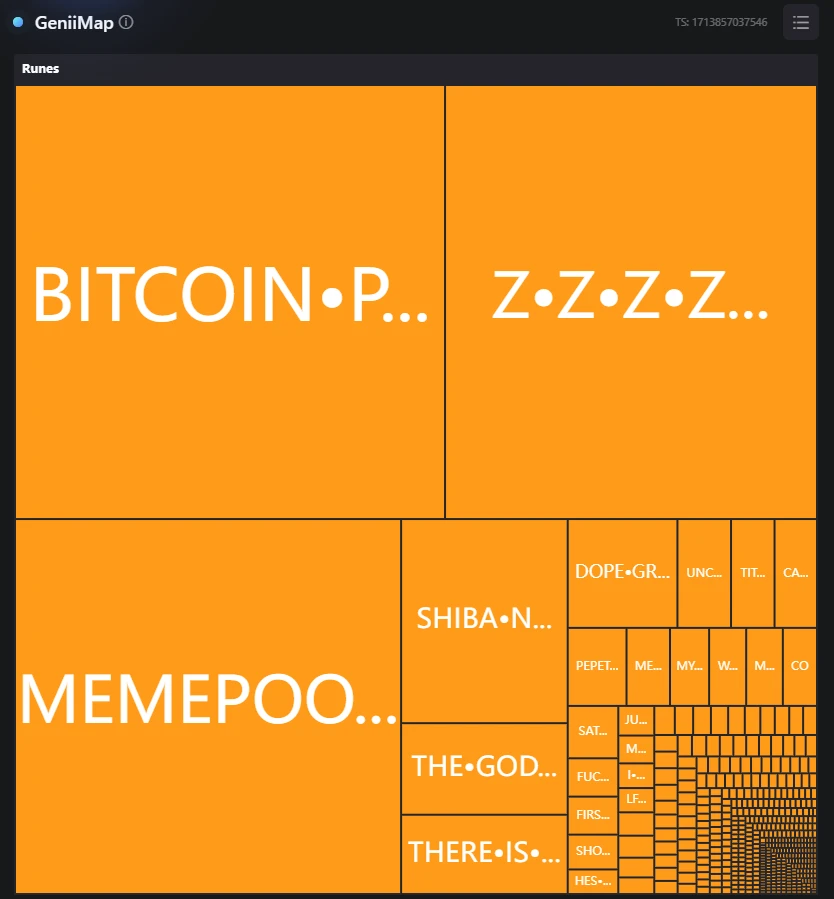
- On one hand, you can view the current popular projects on the BTC network. The heat map of the BRC-20 section in the image below should be familiar to everyone, as it shows various communities promoting their projects. By using this heat map, you can know which projects are currently popular. The larger the area occupied, the more transactions related to that Rune are in the transaction pool, indicating that many people are buying or trading that Rune.
Heat map of the BRC-20 section
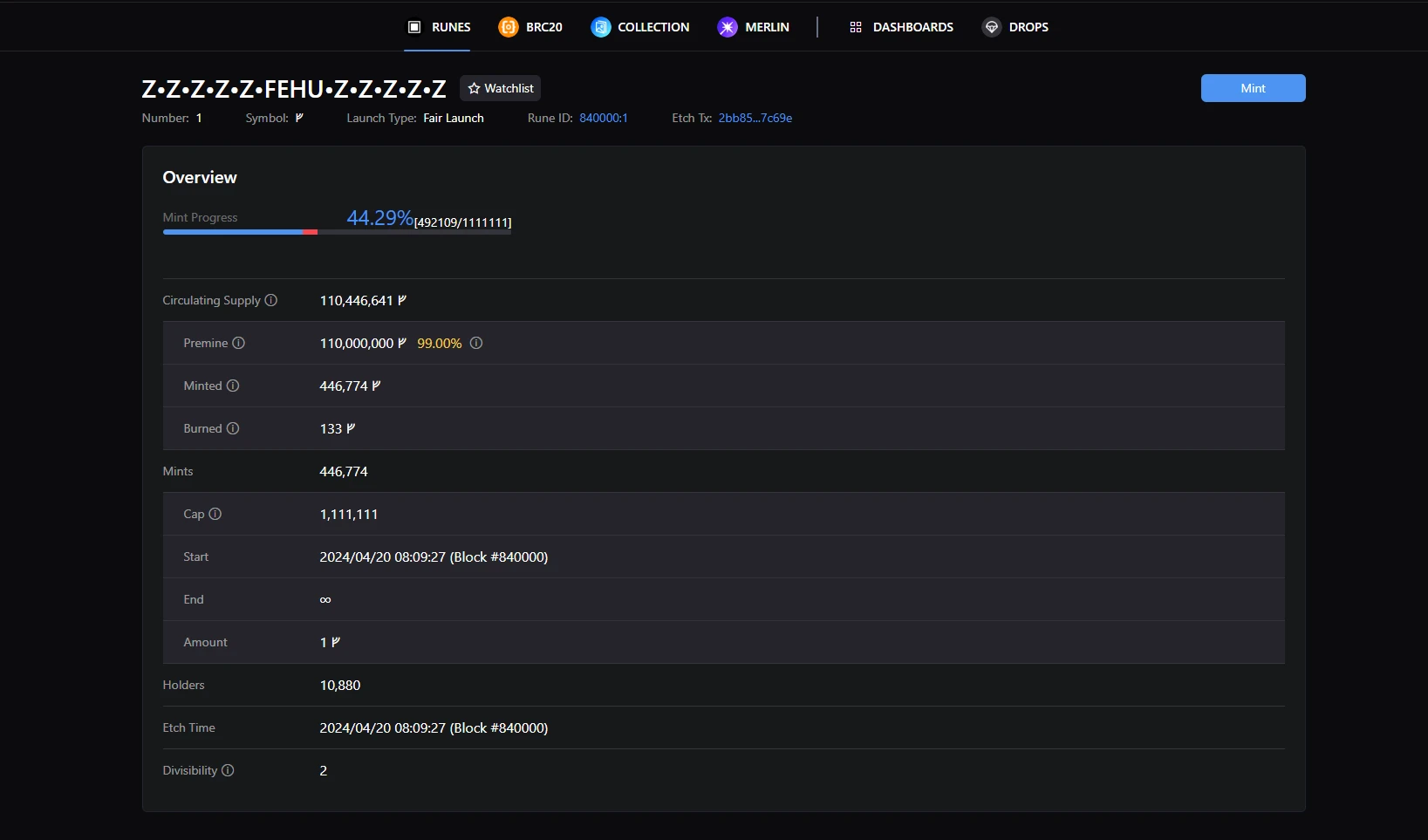
- On the other hand, you can view basic information about a specific BRC-20 project. By clicking on the heat map, you can view the basic information of the corresponding project. As shown in the image below, the Rune project Z•Z•Z•Z•Z•FEHU•Z•Z•Z•Z•Z started forging on April 20th at 08:09:27 (Block height 840000), and is currently 44.24% forged. At the bottom of the page, you can also see information about the current holders of the Rune.
Specific information about the Rune project
免责声明:本文章仅代表作者个人观点,不代表本平台的立场和观点。本文章仅供信息分享,不构成对任何人的任何投资建议。用户与作者之间的任何争议,与本平台无关。如网页中刊载的文章或图片涉及侵权,请提供相关的权利证明和身份证明发送邮件到support@aicoin.com,本平台相关工作人员将会进行核查。


