Unlike Ethereum and BSC chains, after the creation of Solana tokens, the full name, abbreviation, and logo of the token can still be updated. This means that if you previously created a token A and later feel it's not suitable, you can change it to token B without any impact.
Unlike Binance Smart Chain, tokens cannot be changed after creation. This mechanism greatly facilitates the operation and development of the project. But how can it be updated specifically? This article will teach you how to update Sol tokens.
Note: The prerequisite for the operation is to accurately install the Phantom wallet plugin.
I currently have a token with the full name: PandaTool, abbreviation: PandaCoin, and a quantity of 1 million. Next, I will proceed to modify and update it.

First, we open the PandaTool official website: https://pandatool.org/#/dashboard, and find the Solana token issuance page.
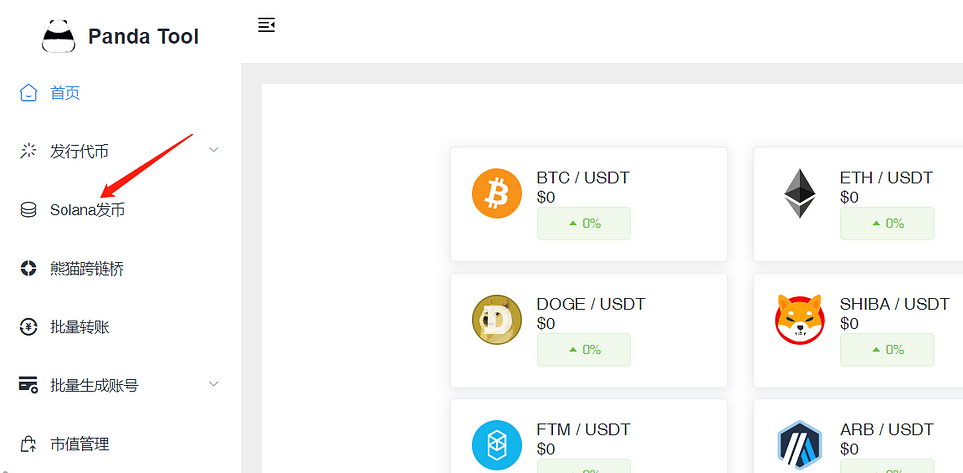
After entering, we click on the "Update Information" at the top of the page.
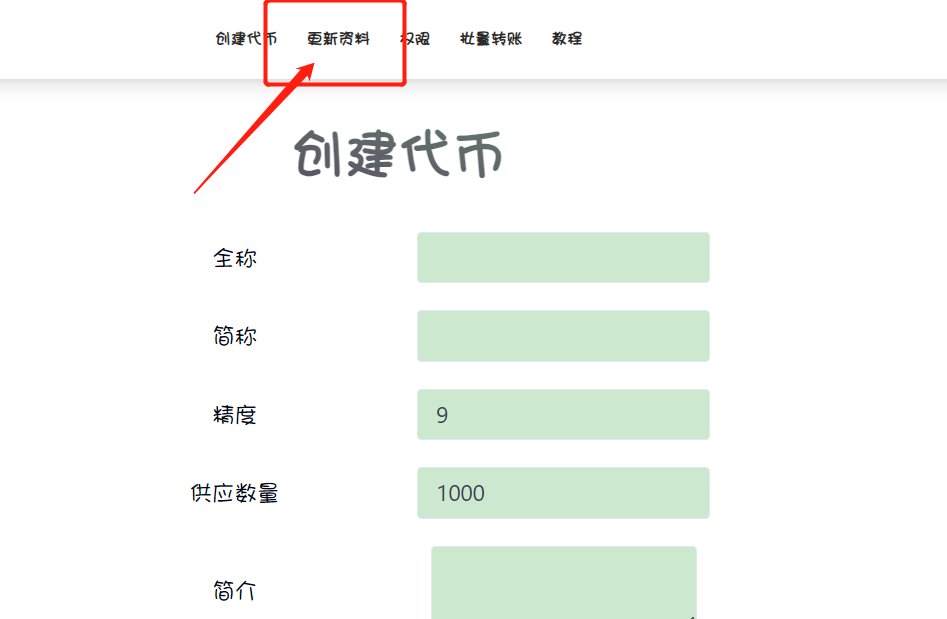
Then, fill in the required information for the token you want to update, such as the contract address, updated full name, abbreviation, logo, etc., as follows:
Token Address: Fill in the token's contract address
First-time Information: If the logo has been uploaded before, there is no need to check here. If the logo has not been uploaded before, check here
Full Name: Updated full name of the token
Abbreviation: Updated token abbreviation
Introduction: Updated token introduction
Logo: Upload the latest token logo
For example, fill in as follows:

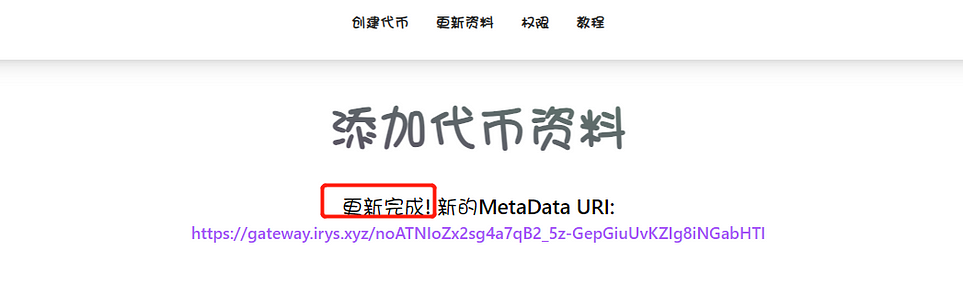
After confirming the information is correct, click the "Update Information" button, and then the wallet will pop up to confirm the payment (approximately 0.1 SOL). After a few seconds, the update will be completed.
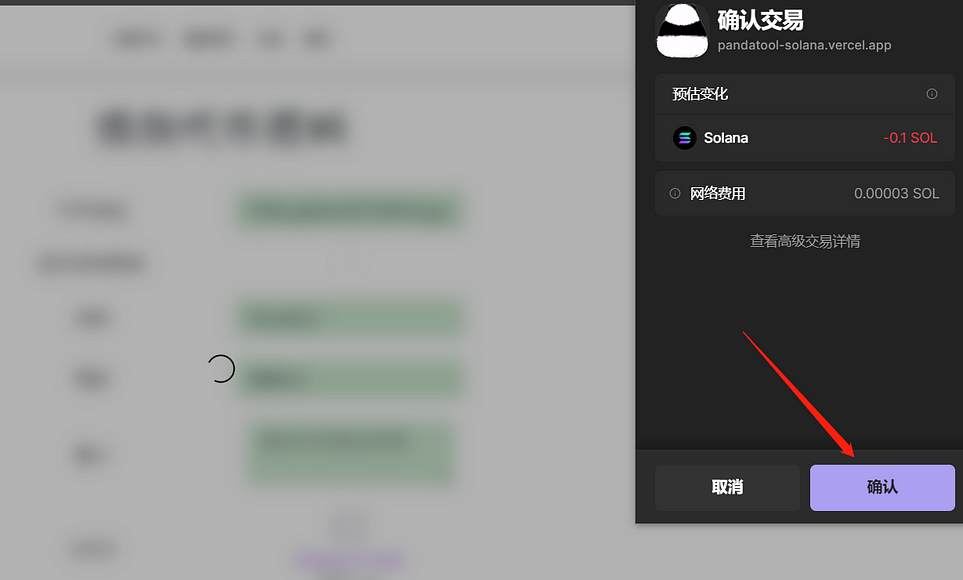
After waiting a few seconds, you will receive a prompt indicating that the update is complete, as shown in the following image:
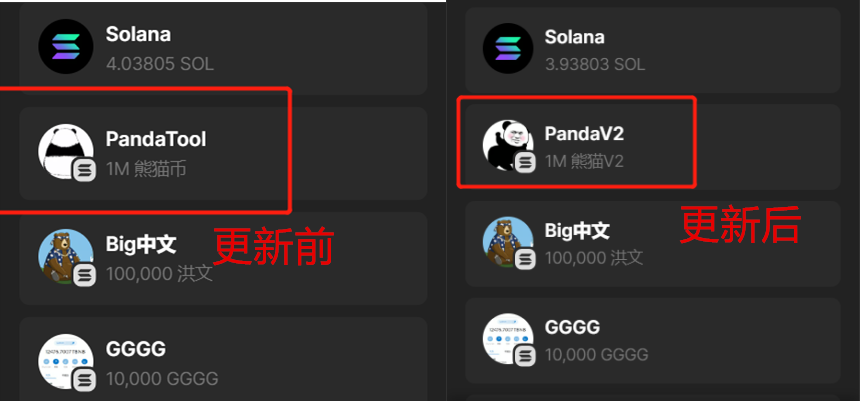
You will notice that in the wallet, the token's logo and name have both changed.
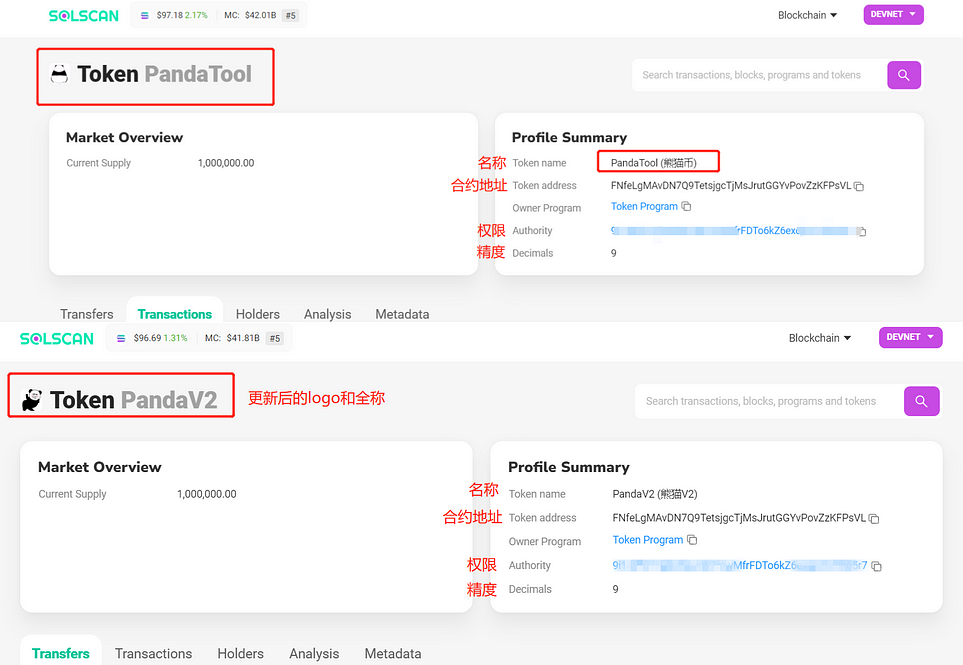
Similarly, through a browser search, you can observe the changes. With the contract address unchanged, the token's name and logo have both been updated:
Note: In theory, token information can be updated an unlimited number of times. However, for the long-term operation of the project, it is recommended that everyone proceed with caution.
免责声明:本文章仅代表作者个人观点,不代表本平台的立场和观点。本文章仅供信息分享,不构成对任何人的任何投资建议。用户与作者之间的任何争议,与本平台无关。如网页中刊载的文章或图片涉及侵权,请提供相关的权利证明和身份证明发送邮件到support@aicoin.com,本平台相关工作人员将会进行核查。