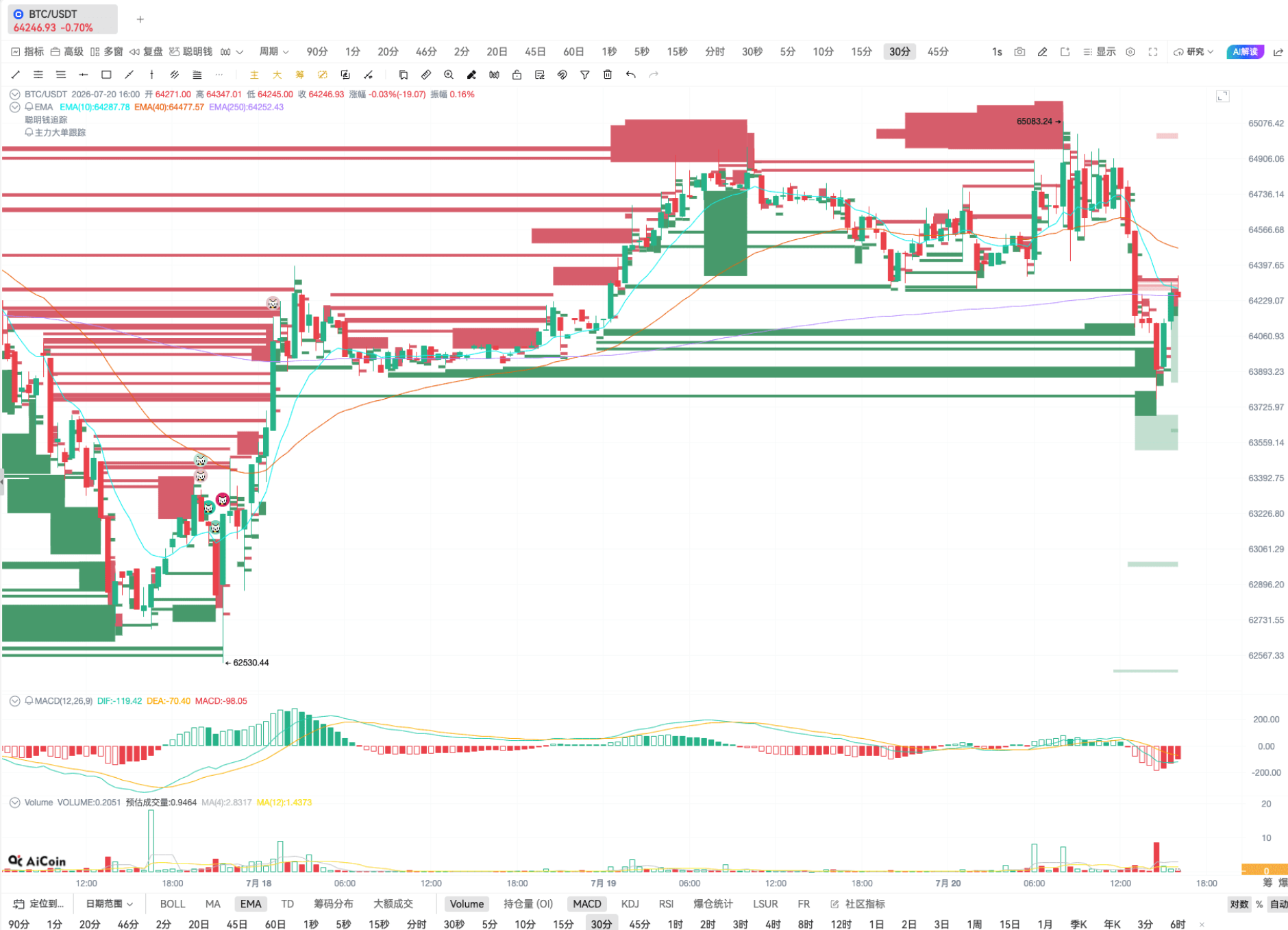
⚠ Important Note: Click to download and install the latest version (V2.7.5) of AICoin PC or check for updates to experience the AI grid function.
Grid trading is a tool that uses advanced orders to automate trading strategies, automatically buying low and selling high within a certain price range. Specifically, grid trading is based on a set benchmark price and places buy/sell orders within a price fluctuation range in a proportional or arithmetic manner to generate profits.
AI Grid Helps You Automate Orders:
1. Continuous profit with automated strategies: Achieve automatic trading, effectively reduce emotional interference, and continuously profit from market fluctuations.
2. Flexible risk management: Grid trading allows for setting buy/sell orders to flexibly respond to price fluctuations, reduce cost basis, lock in some profits, and diversify risk management.
3. Adapting to market fluctuations: In highly volatile markets, grid trading takes advantage of multiple buy/sell operations to flexibly adjust strategies. It adapts to different market conditions and improves trading effectiveness.
How to Create AI Grid with One Click?
See detailed steps below: (You need to first authorize your exchange account Binance/OKX);
① Switch to the AI grid page;
② Select AI recommended parameters → click [Use];
③ Enter the investment amount;
④ Click [Create Strategy];
⑤ Click [Confirm] to successfully create the strategy.
How to Manually Create AI Grid?
See detailed steps below: (You need to first authorize your exchange account Binance/OKX);
① Switch to the [Manual Creation] page;
② Manually enter the [Price Range];
③ Manually enter the [Number of Grids];
④ Enter the investment amount;
⑤ Click [Create Strategy];
⑥ Click [Confirm] to successfully create the strategy.
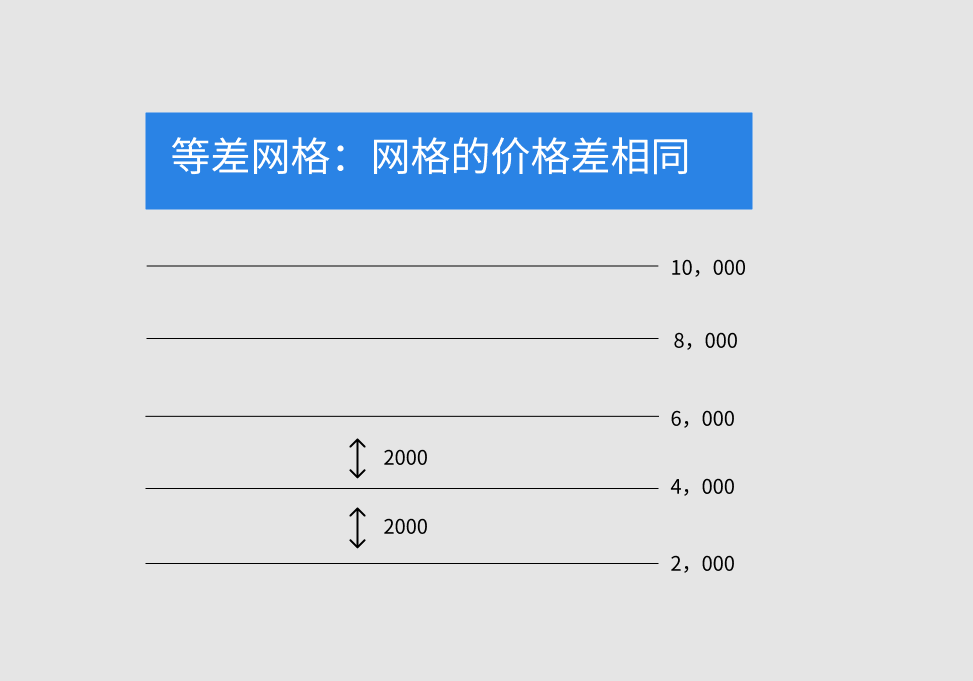
What is Arithmetic Grid?
Arithmetic Grid: The price range from the lower limit to the upper limit is equally divided, with each grid interval having an equal price (e.g. 1, 2, 3, 4…). The profit for each grid is the interval profit.
The price difference between adjacent grids is: Price Difference = (Upper Limit - Lower Limit) / Number of Grids
For example, the price distribution for each grid is:
Price_1 = Lower Limit
Price_2 = Lower Limit + Price Difference
Price_3 = Lower Limit + Price Difference * 2
…
Price_n = Lower Limit + Price Difference * (n-1)
The highest price is the upper limit, and n = Number of Grids.
What is Geometric Grid?
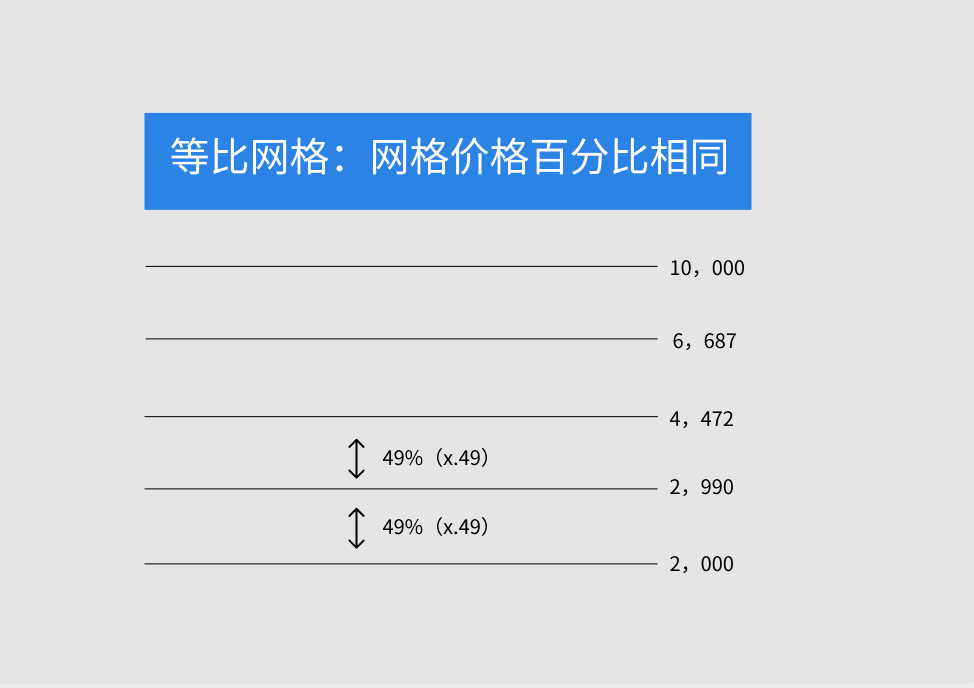
Geometric Grid: Each grid in the geometric grid has the same percentage price, meaning the interval spacing is in geometric progression (e.g. 1, 2, 4, 8…). The fixed profit for each grid interval.
The geometric grid divides the price range from the lower limit to the upper limit into grid blocks based on the percentage increase or decrease, with each grid's price ratio being: Price Ratio = (Upper Limit / Lower Limit) ^ (1/Number of Grids).
So, each price level is a percentage higher than the price level one grid lower: Percentage Price Difference = ((Upper Limit / Lower Limit) ^ (1/Number of Grids) - 1) * 100%.
Therefore, the constructed series of price levels are:
Price_1 = Lower Limit
Price_2 = Lower Limit * Price Ratio
Price_3 = Lower Limit * Price Ratio ^ 2
…
Price_n = Lower Limit * Price Ratio ^ (n-1)
The highest price is the upper limit, and n = Number of Grids.
If you encounter any issues while using AICoin, please feel free to contact us for consultation and feedback:
AICoin Telegram Group: aicoincn
AICoin PC Group Chat: AICoin's Beibei, AlCoin's Sheniou
Recommended Reading:
免责声明:本文章仅代表作者个人观点,不代表本平台的立场和观点。本文章仅供信息分享,不构成对任何人的任何投资建议。用户与作者之间的任何争议,与本平台无关。如网页中刊载的文章或图片涉及侵权,请提供相关的权利证明和身份证明发送邮件到support@aicoin.com,本平台相关工作人员将会进行核查。