AiCoin now supports USDTARBITRUM transfer as a payment method for purchasing membership services. Below are the simple payment steps and a graphical explanation of USDTARBITRUM payment on the Binance platform.
Step 1: Place an order on AiCoin to obtain the USDT_ARBITRUM receiving address
Step 2: Go to the exchange or wallet to transfer USDT via the ARBITRUM Arbitrum One network
Step 3: Return to AiCoin and wait for system confirmation
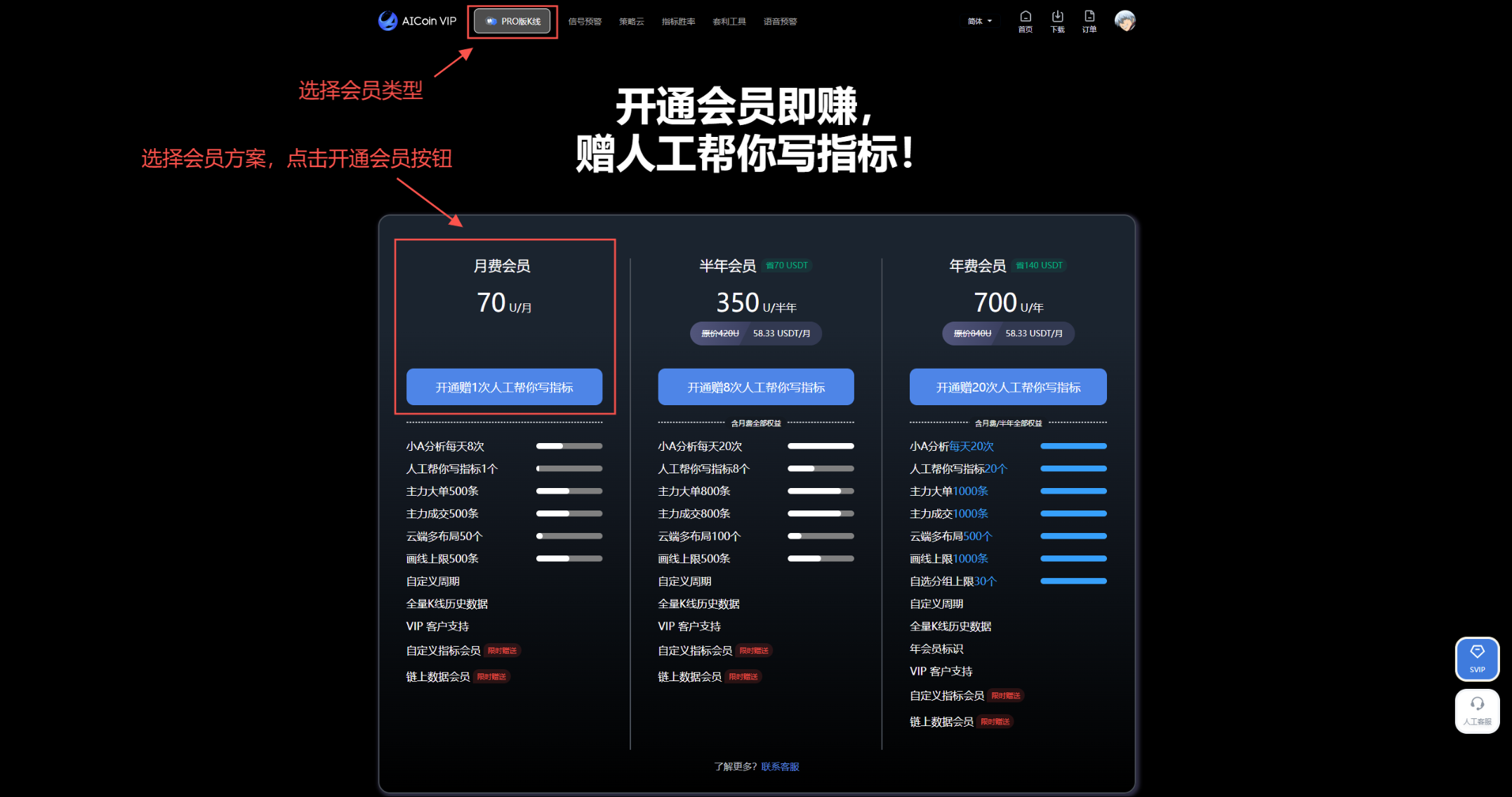
The detailed purchasing process is as follows:
1. Select membership type and plan, click "Activate Membership"
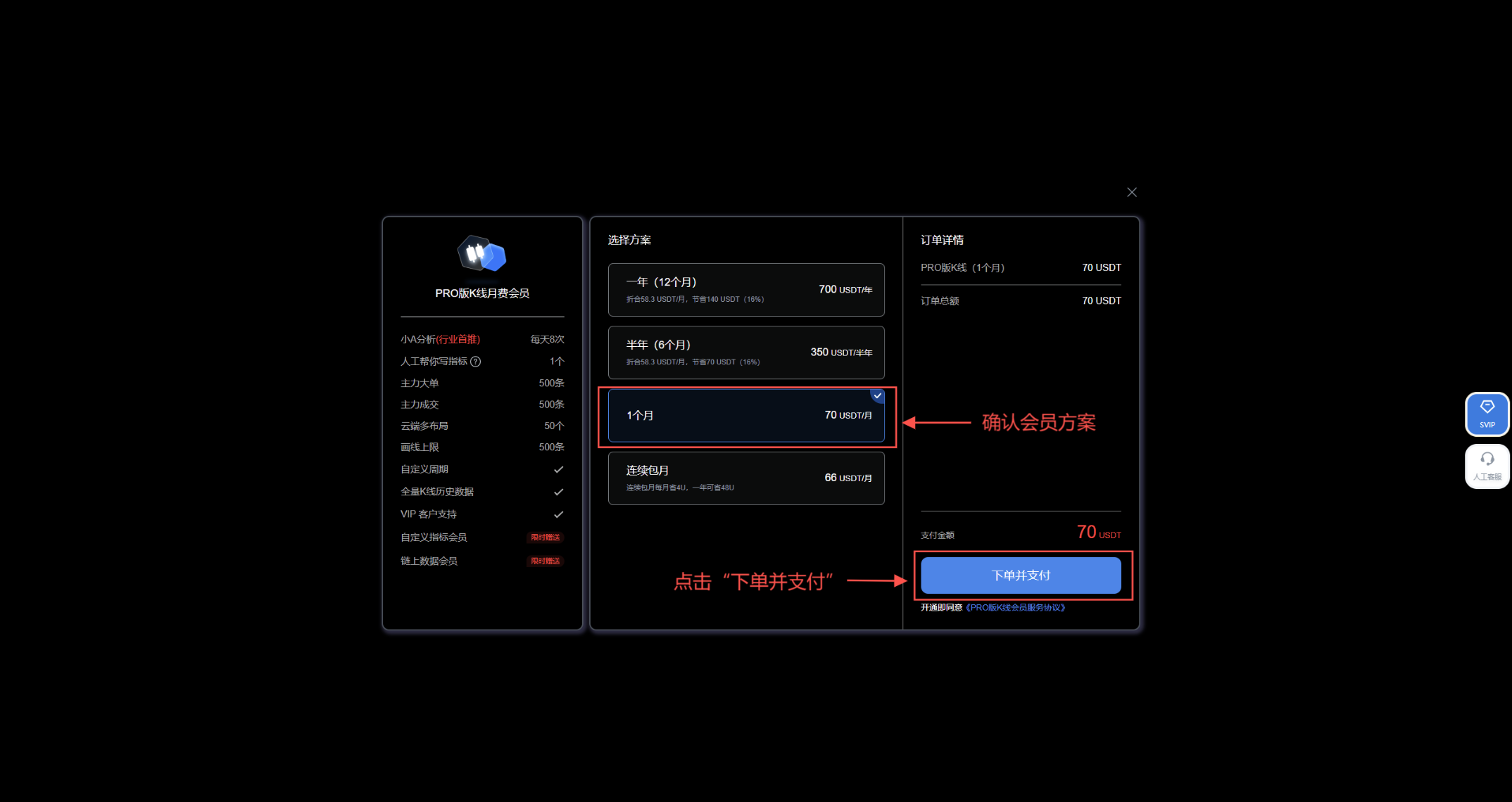
2. Choose a membership plan, click "Order and Pay"
3. Payment
3.1 When the balance is insufficient, select "ARB-Balance Payment" to obtain the ARBITRUM receiving address
Copy the ARBITRUM address or scan the QR code to proceed with the transfer
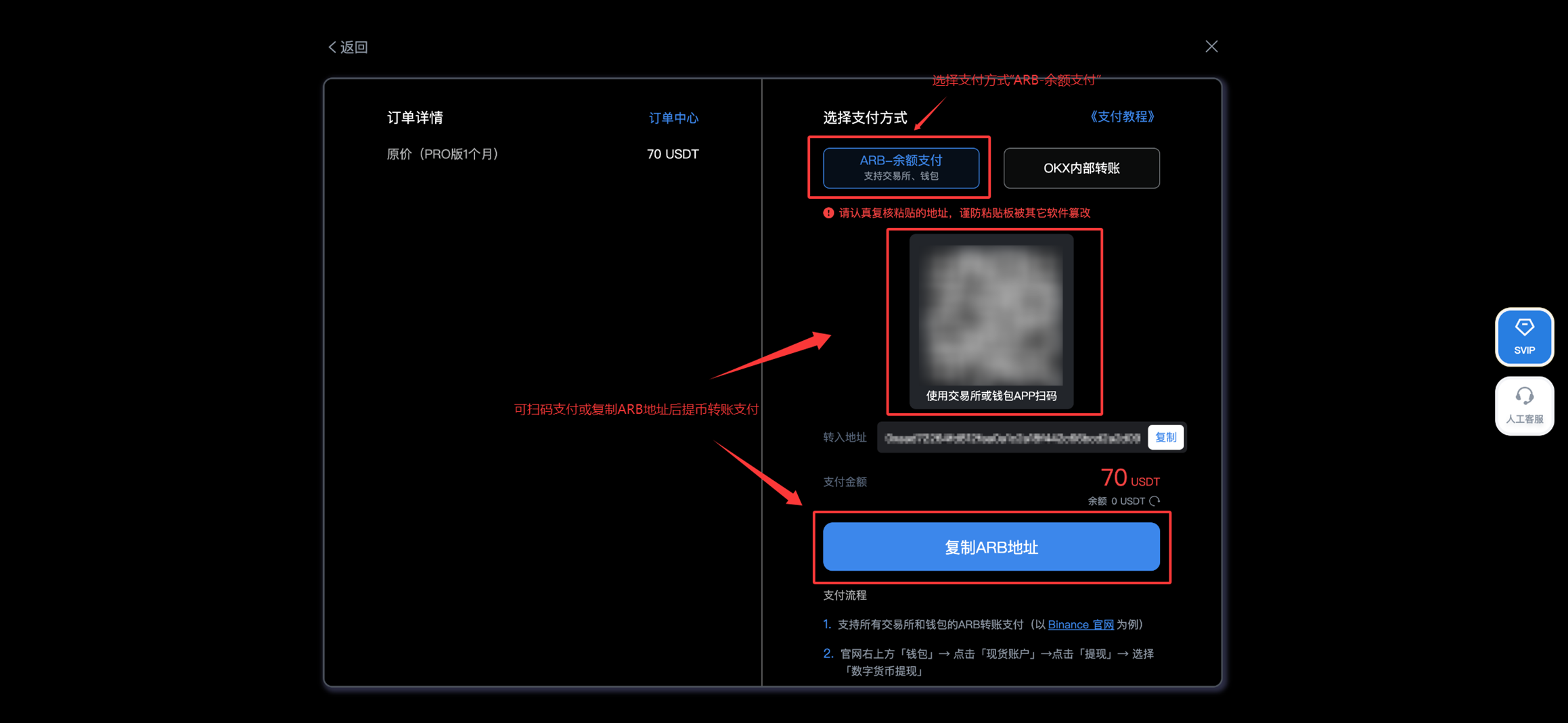
3.2 Go to transfer [Please ensure to transfer USDT via the ARBITRUM Arbitrum One network. Using other networks or transferring other assets will prevent activation, and the assets cannot be recovered.]
You can go to exchanges or wallets that support USDT-ARBITRUM transfers for payment. Below is an example using Binance:
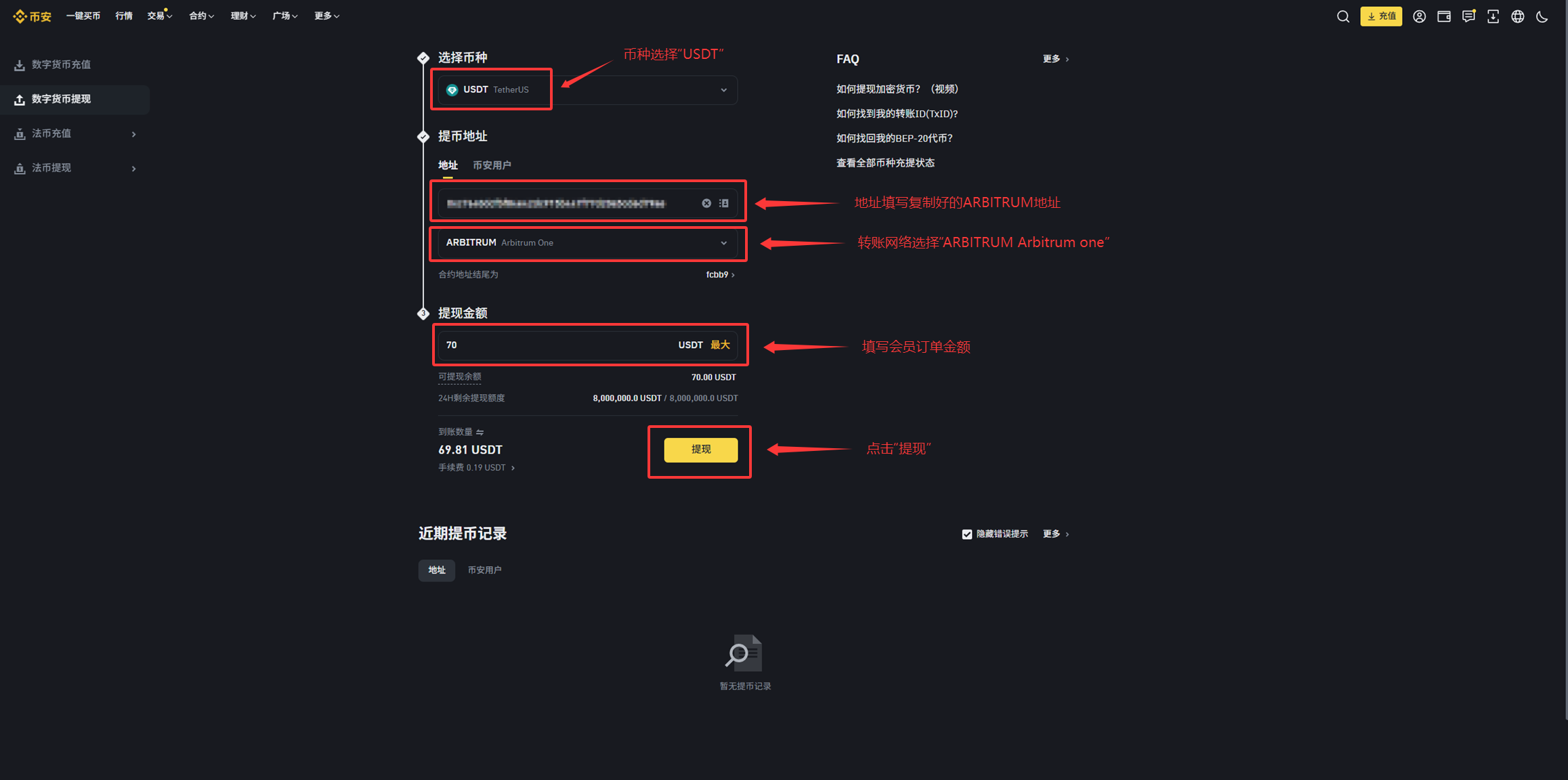
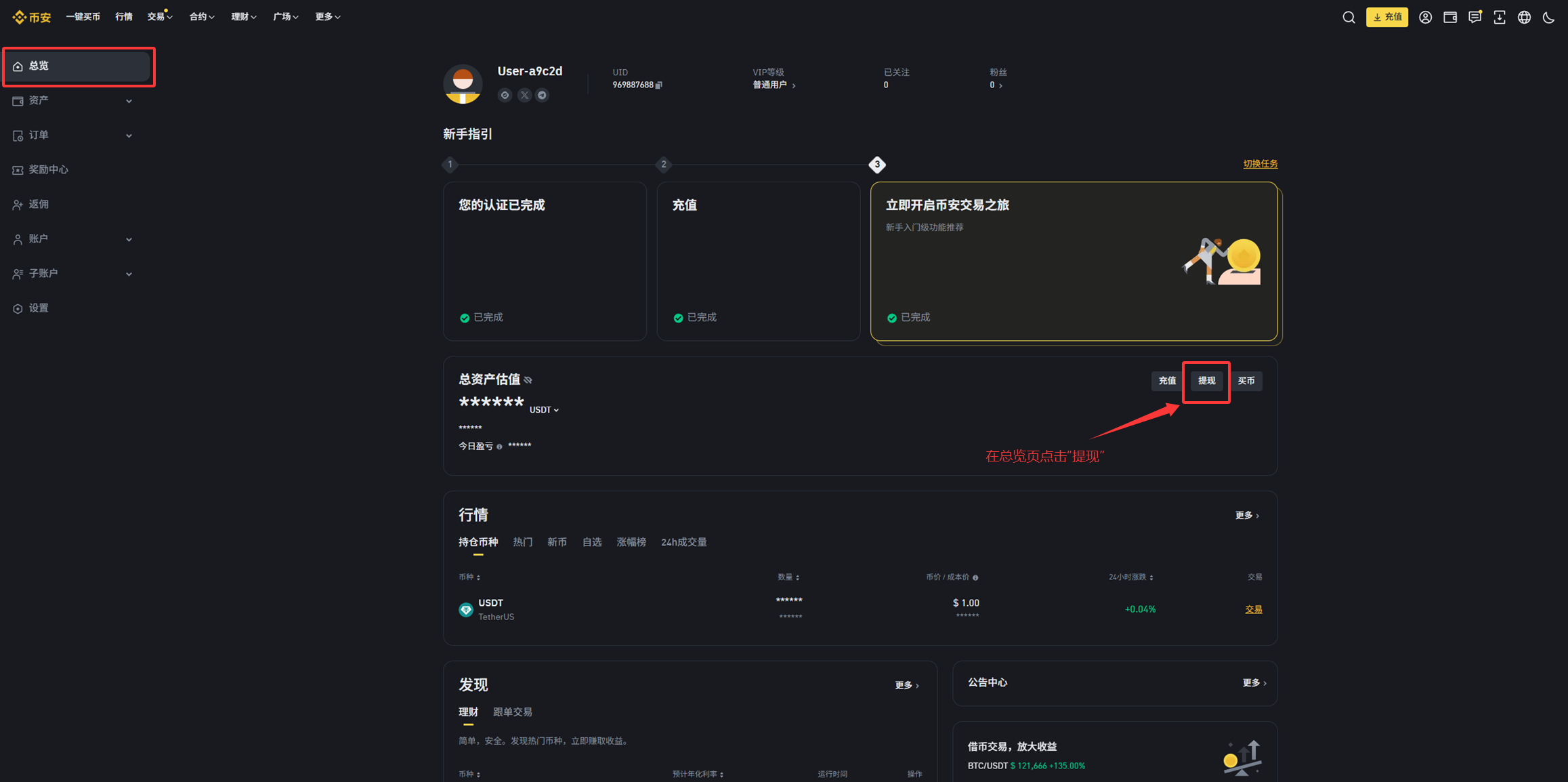
① Log in to the Binance official website - On the "Overview" page, click "Withdraw"
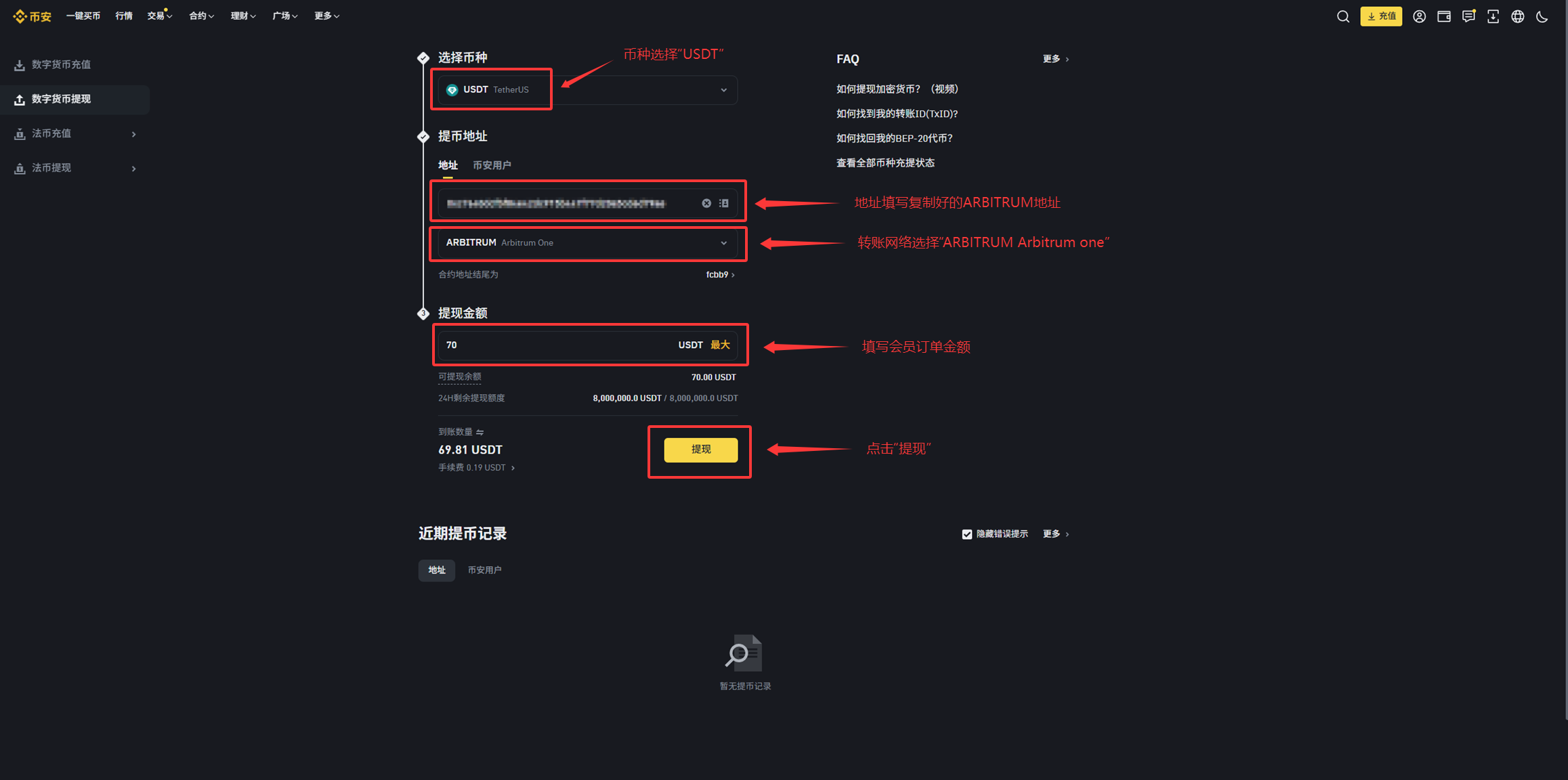
② Select the currency "USDT" - Fill in the copied ARBITRUM receiving address - Choose the transfer network "ARBITRUM Arbitrum One" - Fill in the amount
- Check that the amount to be received matches the order amount - Click "Withdraw" [Transfer via Binance ARBITRUM Arbitrum One network to purchase AiCoin membership service]
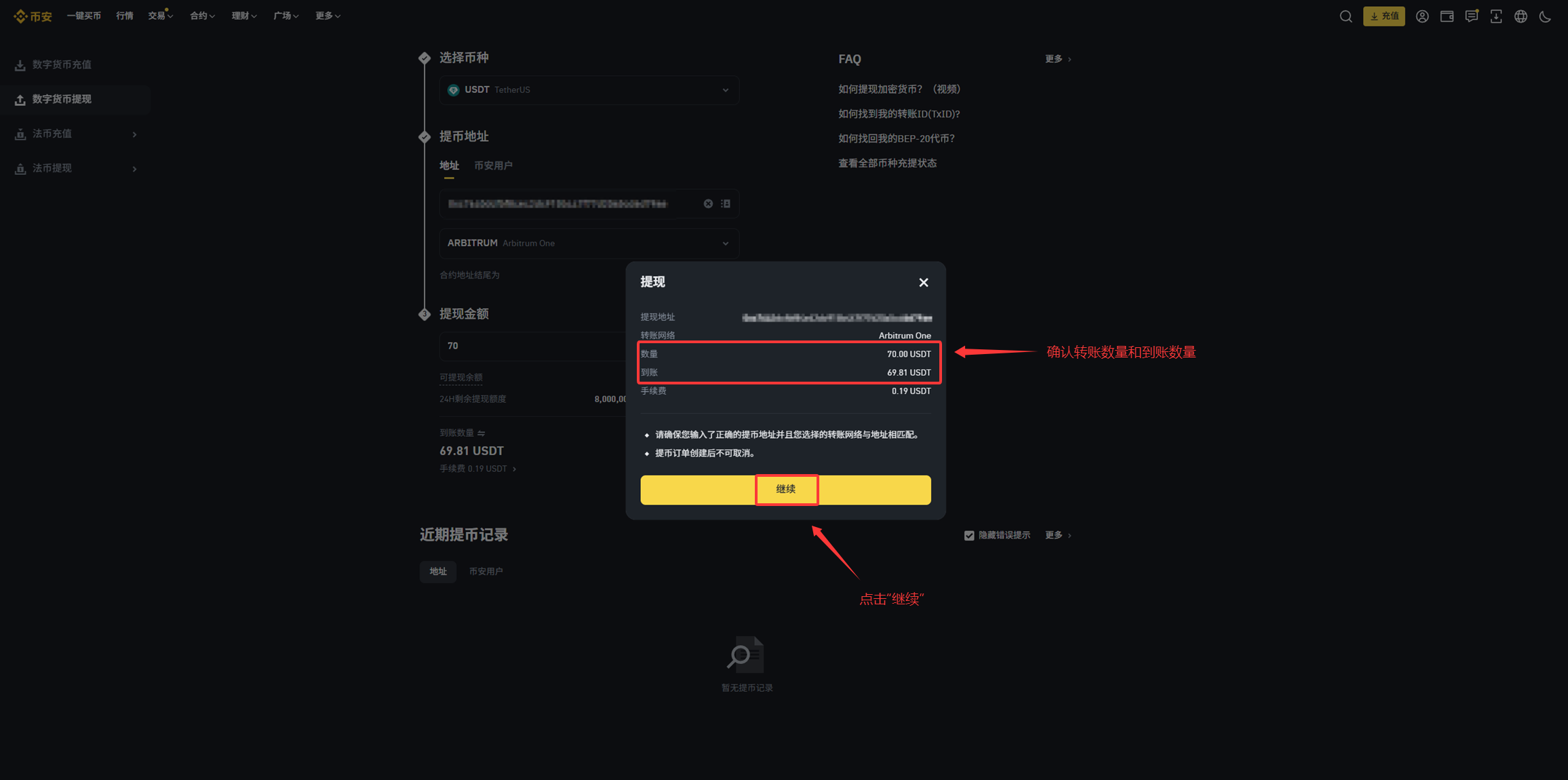
③ After checking and confirming that the withdrawal information is correct - click "Continue"
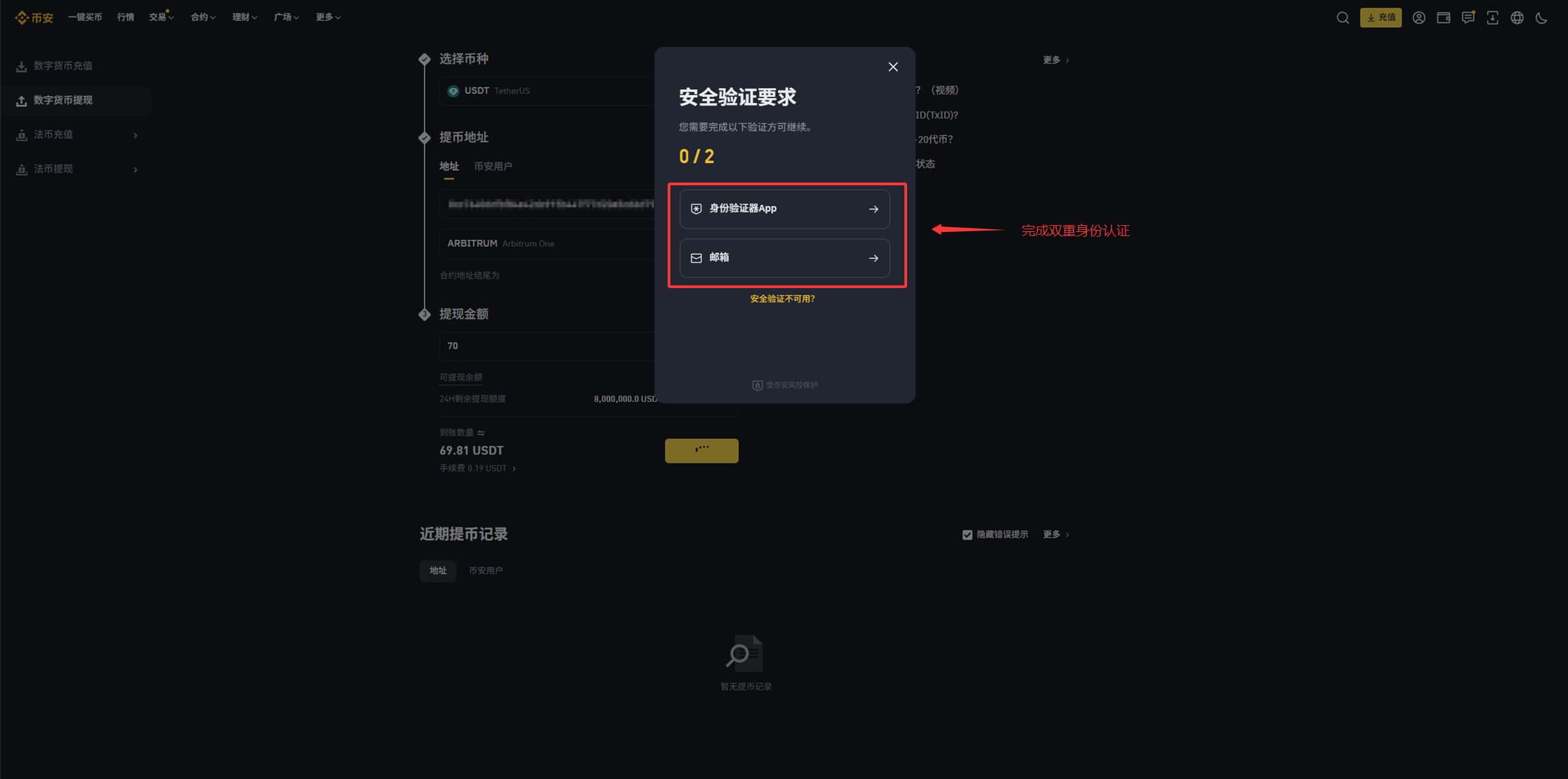
④ Enter verification information - Automatically submit the withdrawal request
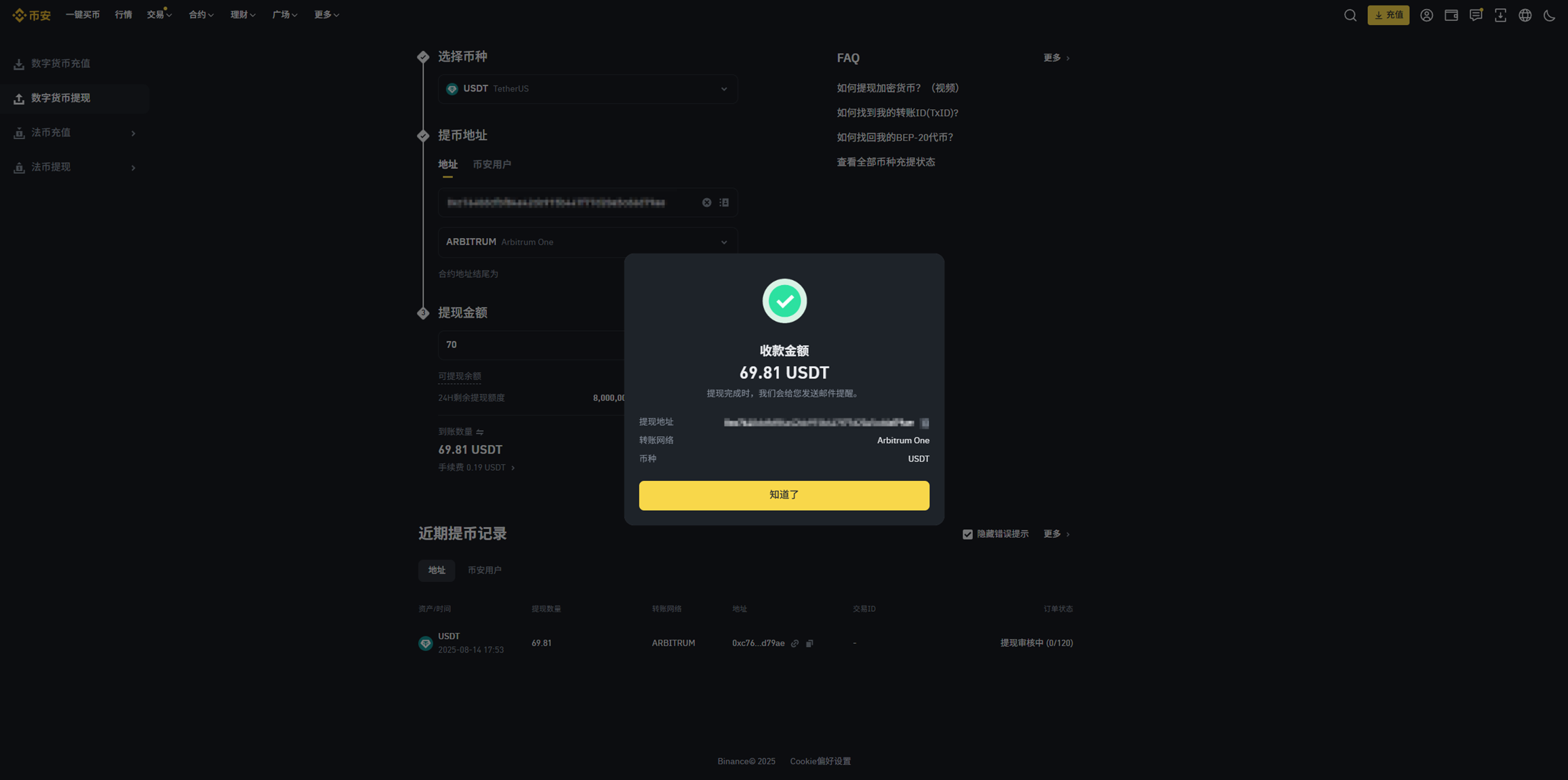
⑤ Return to AiCoin
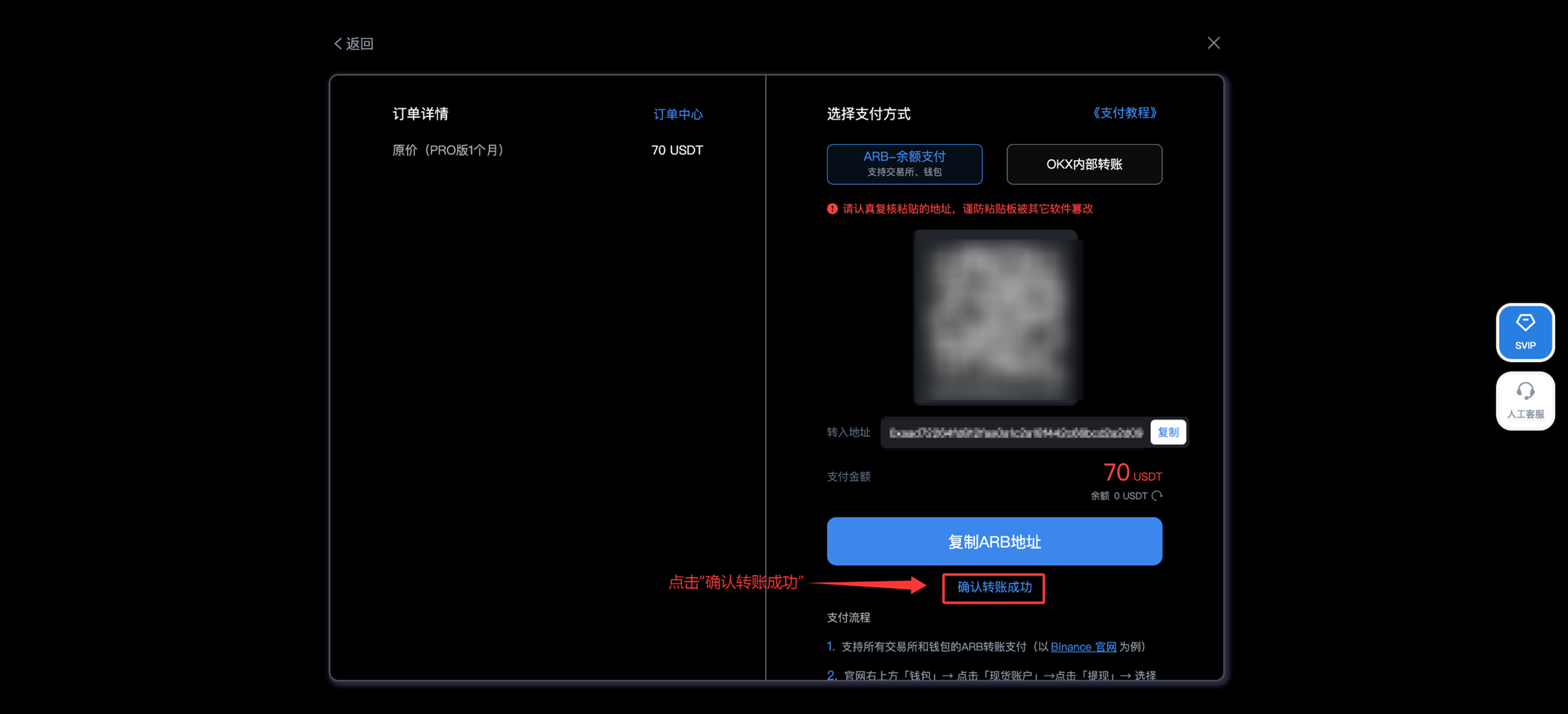
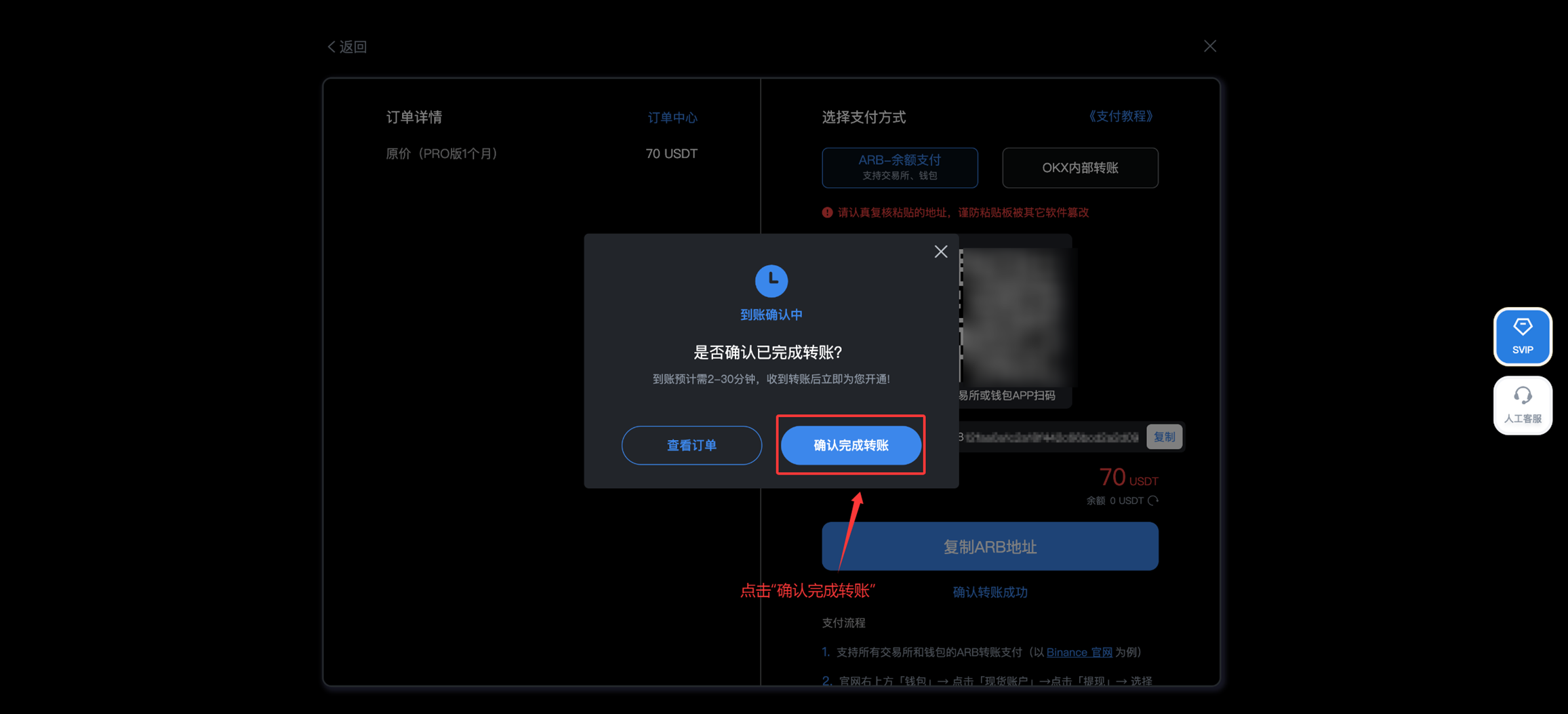
After completing the transfer operation, please return to the AiCoin membership purchase pop-up interface, click "Confirm Transfer Successful," and click "Confirm Completion of Transfer" in the pop-up, then wait for system confirmation
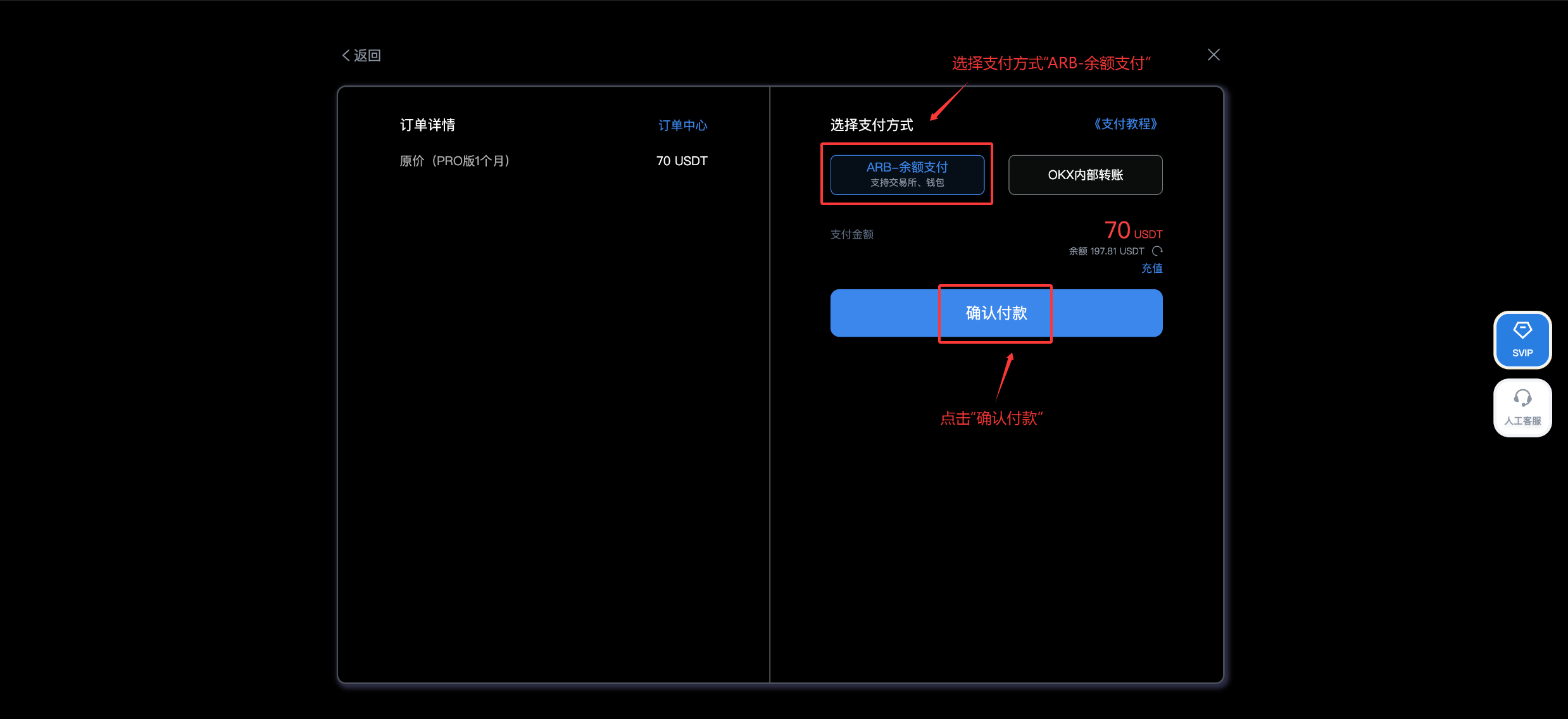
3.3 When the balance is sufficient, select "ARB-Balance Payment," and click "Confirm Payment"
4. Activation Successful
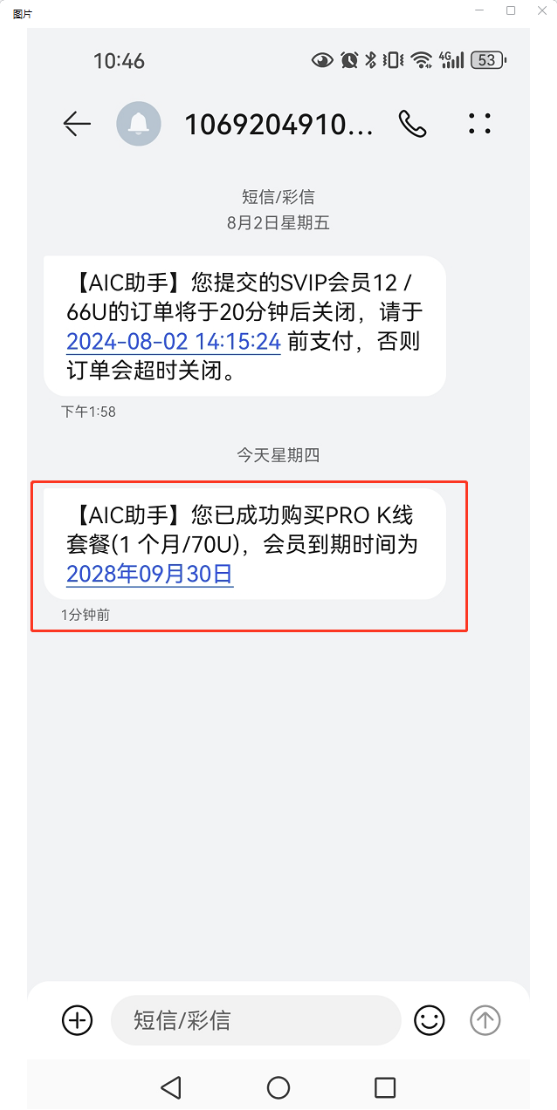
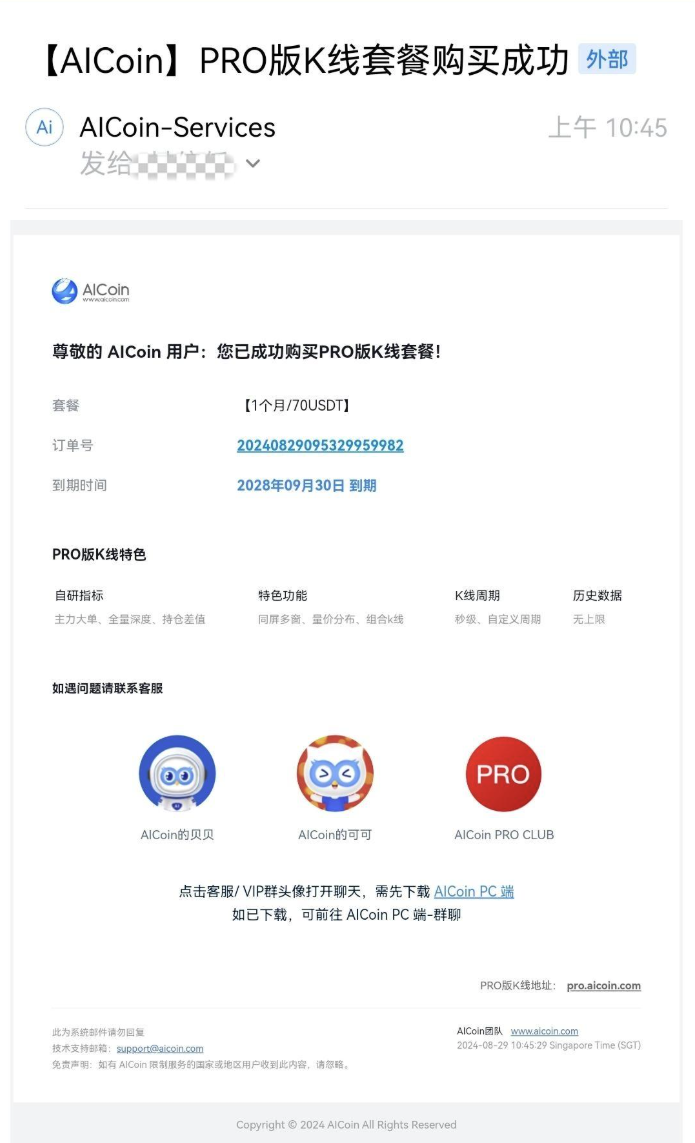
Once the system confirms receipt of the transfer, the order is successfully activated, and you will receive a notification of successful activation on your phone or email. Please pay attention.
免责声明:本文章仅代表作者个人观点,不代表本平台的立场和观点。本文章仅供信息分享,不构成对任何人的任何投资建议。用户与作者之间的任何争议,与本平台无关。如网页中刊载的文章或图片涉及侵权,请提供相关的权利证明和身份证明发送邮件到support@aicoin.com,本平台相关工作人员将会进行核查。