1. Floating Amount Simulates Natural Buy Orders + Multi-Wallet Earnings Overview at One Click
In on-chain trading, especially in the Meme coin battlefield, information asymmetry equals wealth disparity, and large-scale accumulation is a double-edged sword. A massive purchase can instantly spike prices, and it is easily detected by "smart money," exposing intentions; not to mention when managing multiple wallets, positions are scattered and orders are chaotic, making post-trade profit and loss statistics a headache.
True whales never make a "final decision" all at once. What they seek is low-key, natural, and batch-diversified purchases, making buy orders appear as if they are flowing naturally from retail investors.
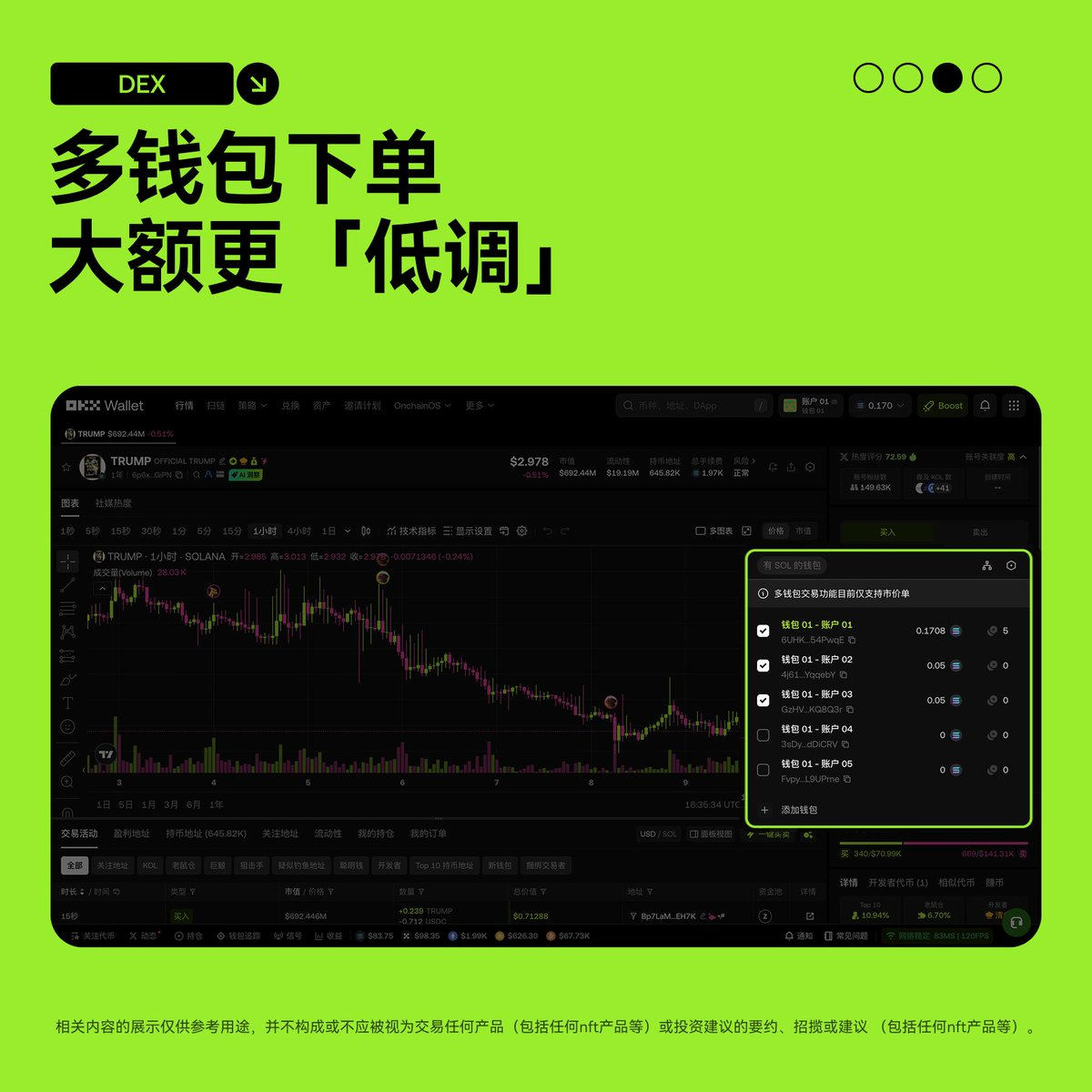
Now, OKX Wallet directly offers you a "dimensional reduction strike"!
OKX DEX (Web Version) officially launches the "Multi-Wallet Ordering" feature, allowing batch selection of wallets, setting floating ratios, and automatically splitting the total amount, perfectly simulating natural buy orders, making large trades more "low-key"!
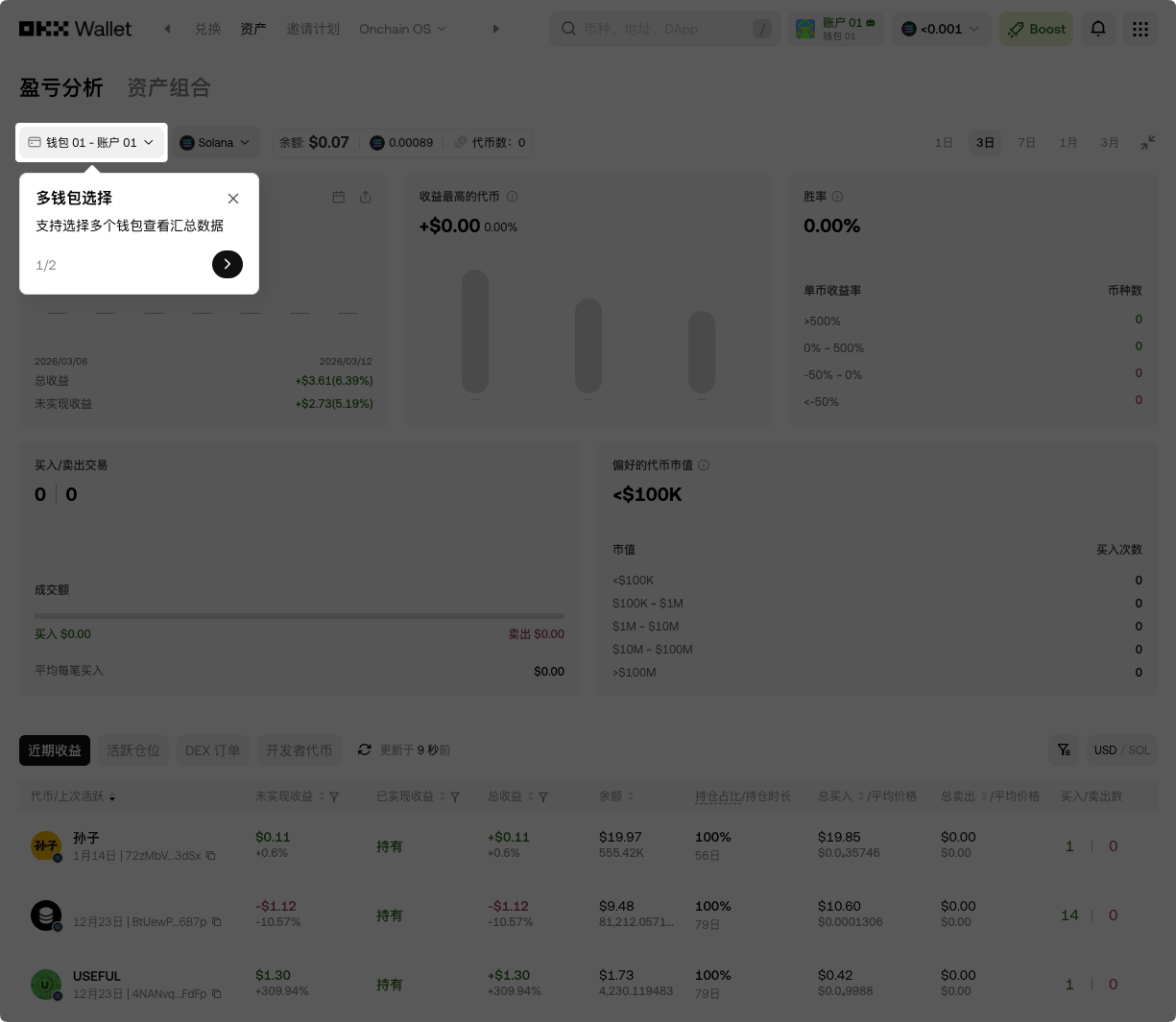
Simultaneously, the profit and loss analysis page "Multi-Wallet Earnings Overview" is launched, summarizing the earnings, positions, and historical orders of all wallets with one click, making profit and loss crystal clear!
This update is simply a boon for multi-address players and large accumulation parties. Today, I will guide you in mastering this "whale's low-key entry tool"!
2. In-depth Analysis: Why is "Multi-Wallet Ordering" a Dimensional Reduction Strike in On-Chain Trading?
You must have a deep understanding of the three major pain points of traditional single-wallet ordering:
- High Exposure for Large Amounts: A big single order can lift the market, and on-chain monitoring tools can easily detect "large investors entering," missing the best accumulation price.
- Unnatural Buy Orders: Concentrated purchases look like "market manipulation," easily triggering follow-up or reverse operations, increasing slippage and risks.
- Confusion in Multi-Wallet Management: Positions and orders scattered across a dozen addresses, profit calculations rely on manual Excel, which is inefficient and prone to errors.
OKX Wallet's "Multi-Wallet Ordering" + "Multi-Wallet Earnings Overview" directly solves all the above issues:
- Batch Selection + Floating Splits: Select multiple wallets at once, set the floating ratio, and the system automatically splits the total amount into slightly varied small orders, perfectly simulating retail natural buy orders, instantly making large transactions "invisible."
- Low-Key Accumulation: All others see are multiple small natural inflows, and they will never guess that the same person is controlling the market behind the scenes.
- Earnings Summary at a Glance: The profit and loss analysis page directly compiles all selected wallets' earnings, positions, and historical orders, eliminating the need to switch back and forth for manual statistics.
- Extremely Simple Operations: Currently only supports buy orders, but it covers most Meme hunting scenarios; one signature completes all!
In summary: Using a single wallet is for big players, using multiple wallets makes a true whale!
3. Practical Operation: Get Started with "Multi-Wallet Ordering" + Earnings Overview in 3 Minutes
The operation process is super easy:
Step 1: Enter the Trading Interface
Open the OKX Wallet Web version, switch to the DEX trading page, select the public chain you want to trade (e.g., Solana), search and enter the trading interface for your target token.
https://web3.okx.com/ul/joindex?ref=AICOIN88
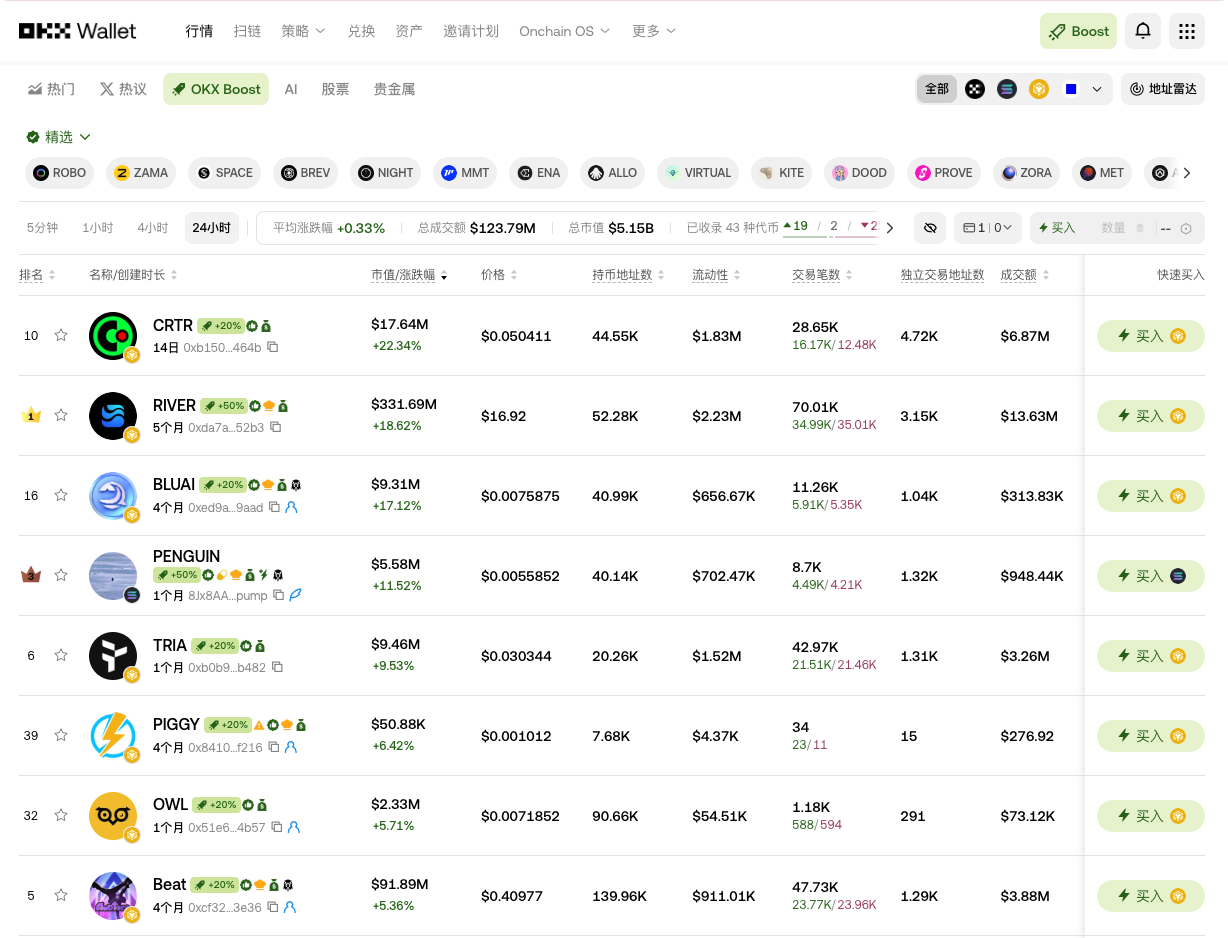
Step 2: Switch to Multi-Wallet Ordering Mode
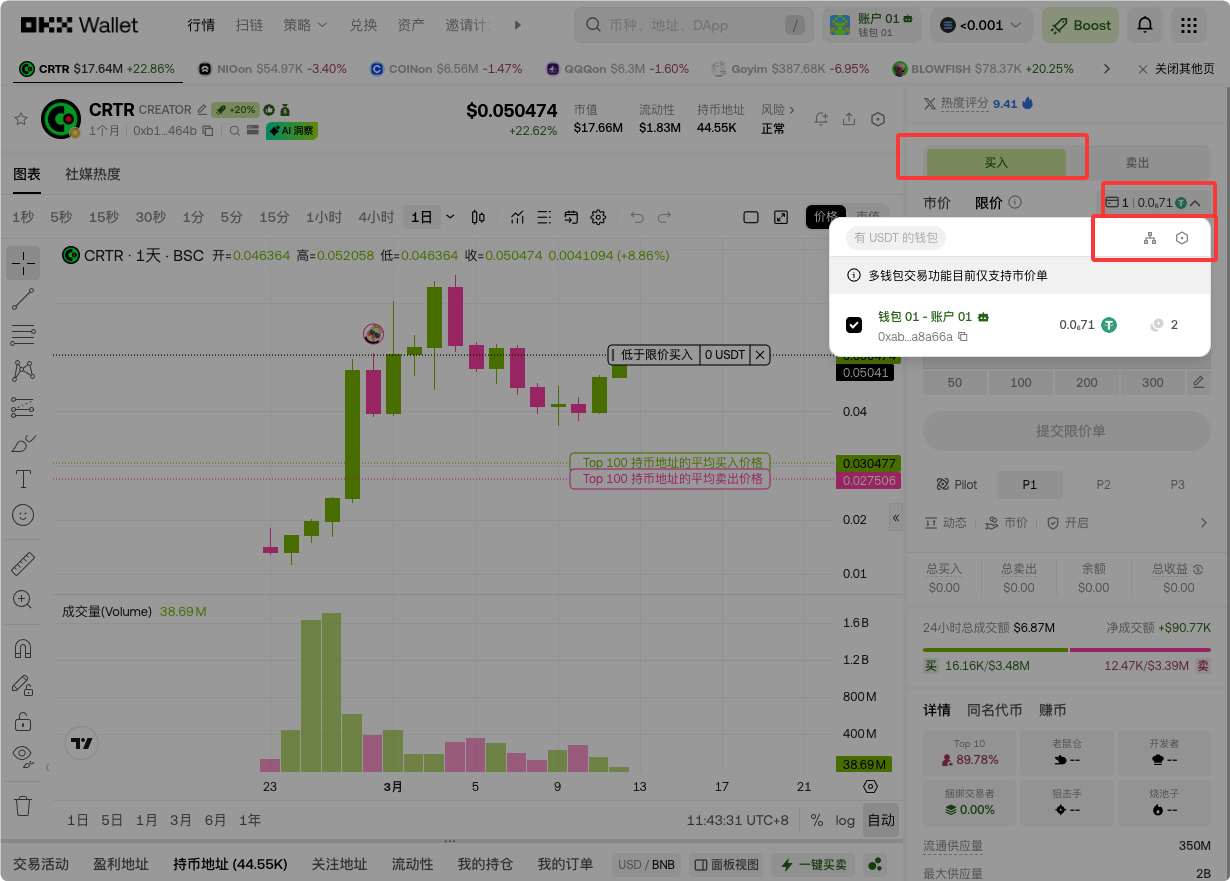
In the buy section, find the wallet tab and click to enter the multi-wallet selection panel (currently supports chains like SOL).
Step 3: Batch Select Wallets
Select the wallets you want to participate in building positions (supports selecting multiple at the same time), and the balances of unselected wallets will not be affected. You can also manage the wallet list with one click in the upper right corner.
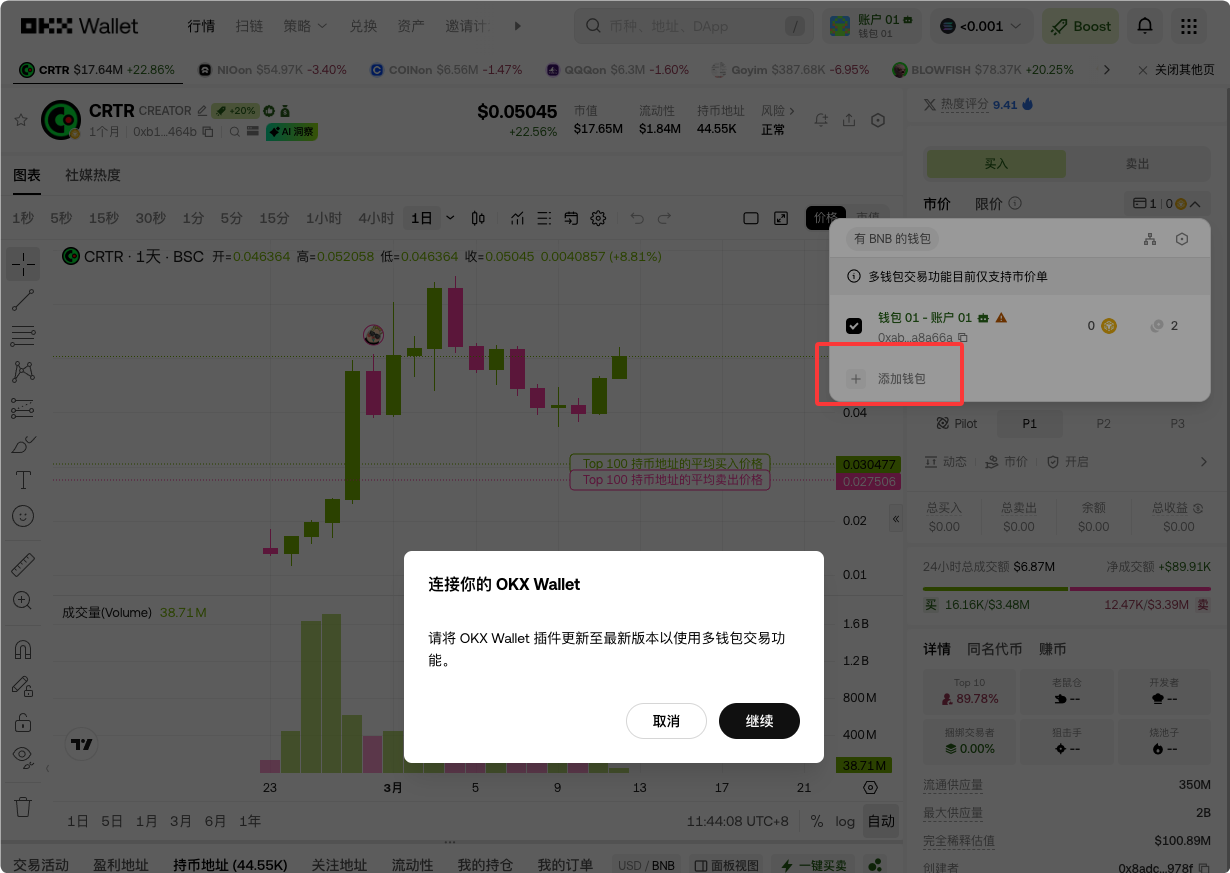
Step 4: Set Floating Ratio + Enter Total Amount
Click the settings button in the upper right corner to adjust the floating ratio (suggested 5%-15%, to have slight variations in each amount, making it more natural).
Input the total buy amount, and the system will automatically split proportionally to each selected wallet.
Step 5: Sign to Confirm, Execute with One Click
Click buy → sign authorization → the system automatically splits and submits multiple orders! The entire process only requires one signature, completed in milliseconds.
Step 6: View Multi-Wallet Earnings Overview
After the transaction is complete, enter the profit and loss analysis page (or Assets - My Orders), and switch directly to the "Multi-Wallet Earnings Overview" view:
- Total earnings summary
- Details of each wallet's positions
- Historical order records
All displayed on one screen, no more need to switch between wallets!
The entire process from opening the wallet to completing a large accumulation can be done in as little as 3 minutes, making it easy for both beginners and experienced users.
4. Advanced Tips: Double the Efficiency of Multi-Wallet Trading
- Floating Ratio Tips: Don't set them exactly the same; a random fluctuation of 5-10% is the most natural, avoiding detection by on-chain tools as the same control.
- Combine with Smart Accounts: If your wallet is upgraded to a smart account, you can further optimize gas fees for even more millisecond execution.
- Risk Control Reminder: Currently, the function only supports buy orders, and selling functions will be gradually launched later. It is recommended to test small amounts first, and then scale up.
- Applicable Scenarios: Early accumulation in Meme, large entry for RWA, cross-address diversified positions... As long as you have multiple wallets, this function is a must-have!
Take Action Now: Activate Your Low-Key Whale Mode!
From today, say goodbye to the "naked running" era of single wallets, and with OKX Wallet "Multi-Wallet Ordering" + "Multi-Wallet Earnings Overview," truly achieve lower-key large amounts, clearer earnings, and more effortless management!
Exclusive Benefits for Eco-Builders
Download/upgrade OKX Web3 Wallet now, and experience the new multi-wallet ordering feature!
https://static.rmgvx.com/upgradeapp/okx-android_aicoin20.apk
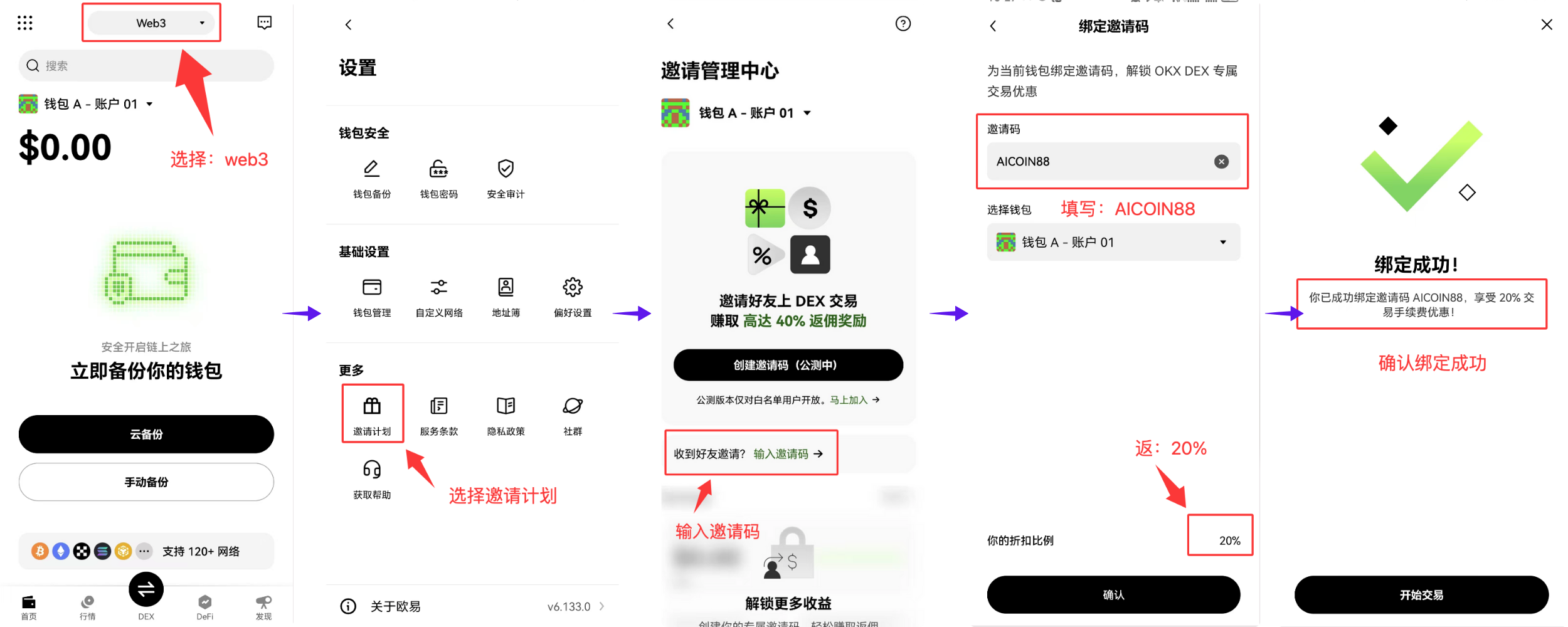
Use exclusive invitation code 【AICOIN88】 to bind your OKX Wallet, and enjoy 20% savings on transaction costs permanently!
https://web3.okx.com/ul/joindex?ref=AICOIN88
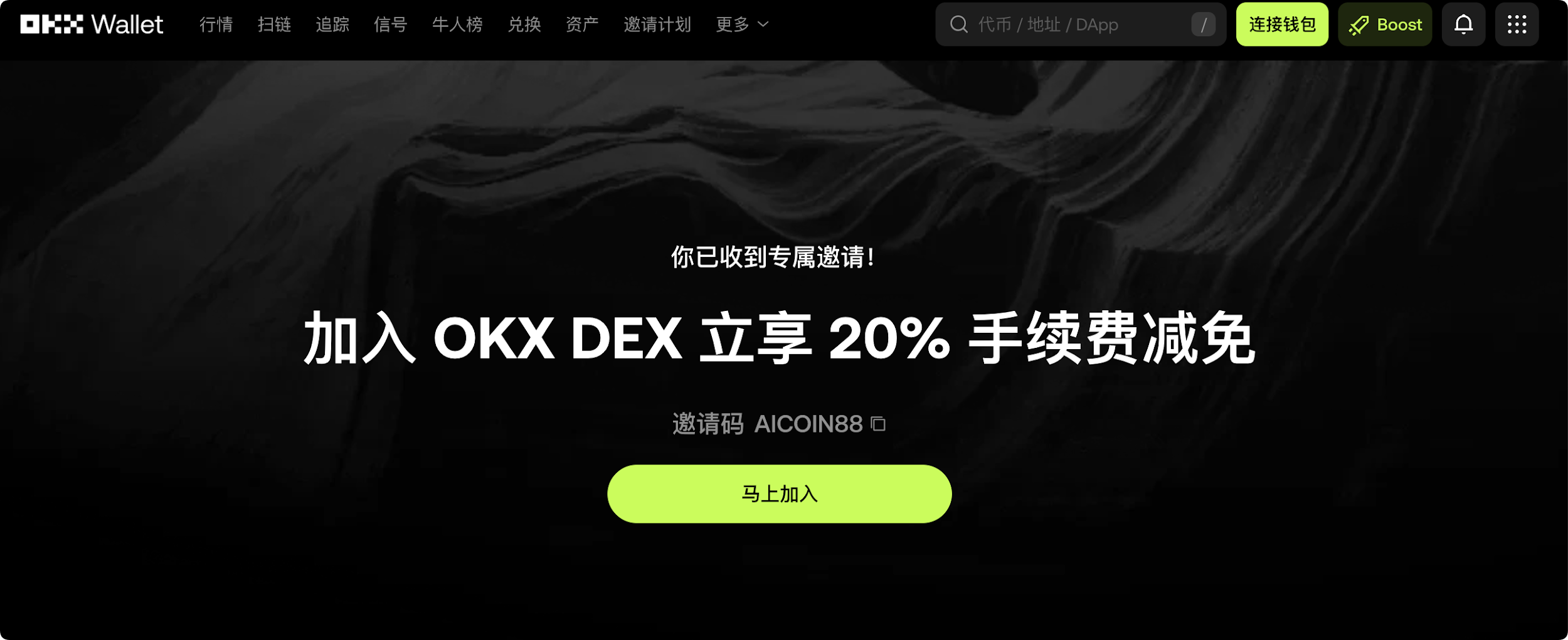
Every low-key build order saves you real costs, maximizing profits!
Safe, convenient, low-key, efficient—this is the new on-chain trading experience OKX Wallet brings you!
Go try it out, and you will be the first to use this feature, staying a step ahead of the market!
免责声明:本文章仅代表作者个人观点,不代表本平台的立场和观点。本文章仅供信息分享,不构成对任何人的任何投资建议。用户与作者之间的任何争议,与本平台无关。如网页中刊载的文章或图片涉及侵权,请提供相关的权利证明和身份证明发送邮件到support@aicoin.com,本平台相关工作人员将会进行核查。