Say goodbye to complexity, AI Agent can also be “plug and play”!
In the world of Web3, efficiency is money. Have you ever dreamed that with just one sentence, your AI Agent could automatically help you complete complex on-chain operations? Now, OKX Web3 Wallet's Onchain OS Plugin Store makes it all a reality!
The Plugin Store is a decentralized Agent plugin market that completely transforms the way AI Agents are used——your Agent no longer needs to piece together tools from scratch, but can load various on-chain skills directly like installing apps on a phone, ready to run without having to connect interfaces yourself.

This tutorial will walk you through the simple three steps to equip your AI Agent with “superpowers,” easily handling various on-chain applications such as lending, DEX, staking, perpetual contracts, and prediction markets, covering both Solana and EVM ecosystems comprehensively.
Step 1: Go to the Plugin Store and discover your AI Agent's “superpowers”
The Plugin Store is your “app store” for finding and installing skills for your AI Agent.
1. Open the OKX Web3 Wallet App.
2. Find and click on “Onchain OS” or the related entry in the wallet interface.
3. After entering Onchain OS, click on “Plugin Store” to access the plugin market.
Here, you can browse various on-chain skills contributed by community developers, covering all aspects of Web3.
Download OKX Wallet:
https://jump.do/xlink?checkProxy=true&proxyId=24
Step 2: Select and “load” your exclusive skills
The Plugin Store offers a wealth of on-chain skills, enabling your AI Agent to execute specific tasks.
1. Browse or search: Based on your needs, browse the list of skills in the Plugin Store or directly search for skills you are interested in, such as “lending”, “DEX”, “prediction markets”, etc.
2. Check skill details: Click on a skill to view its functionality introduction and understand what “superpowers” it can bring to your AI Agent.
3. One-click load: After finding the skill you need, click the “install” or “load” button. The wallet will prompt you for authorization confirmation, and once confirmed, the installation will be completed.
Tip: The Plugin Store has launched 38 on-chain skills covering multiple areas such as lending, DEX, staking, perpetual contracts, and prediction markets, supporting both Solana and EVM chains. You can choose and load according to your trading or management needs.
Step 3: Natural language conversation, let AI Agent execute automatically
Once the skills are loaded, your AI Agent is equipped to execute these on-chain operations. Now, you can command it to complete tasks through simple natural language conversation.
For example, you can say this to your AI Agent:
- “Help me swap 1 ETH for USDC on Uniswap.”
- “Check my lending position on Aave.”
- “Predict the outcome of a certain event on Polymarket.”
- “Help me open a long position for a perpetual contract of ETH on Hyperliquid.”
Your AI Agent will automatically understand your intent based on the skills you loaded and call the corresponding plugins to execute the operations on-chain. The entire process does not require you to manually connect complex smart contracts or DApp interfaces, truly achieving “one-sentence trading”.
Practical Tip: Sentiment Radar
The same token may have an increasing holding volume, but if the market sentiment is negative, it might indicate that shorts are increasing rather than longs entering. Simply looking at data is not enough; you need sentiment data for cross-validation.
The data source for Sentiment Radar is not randomly collected noise from Twitter. It is based on over 30,000 vetted KOLs in the global crypto core circle, each post receiving sentiment labels at the token level, with irrelevant content filtered out. You’re seeing the real sentiment direction from the core circle, not who is hyping up on Twitter.
A noteworthy characteristic of sentiment data is that it often leads price movements. For instance, not long ago, KOL sentiment flipped bullish for RAVE 24 hours before its price started to rise, and there was also a sentiment reversal before the subsequent crash; following the trend in RIVER’s holding volume immediately suggested shorting, which was validated. Such phenomena can be back-verified in historical data.
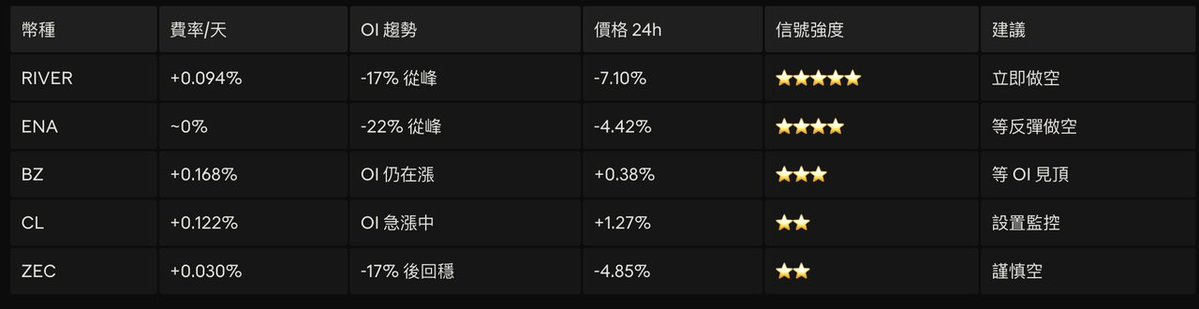
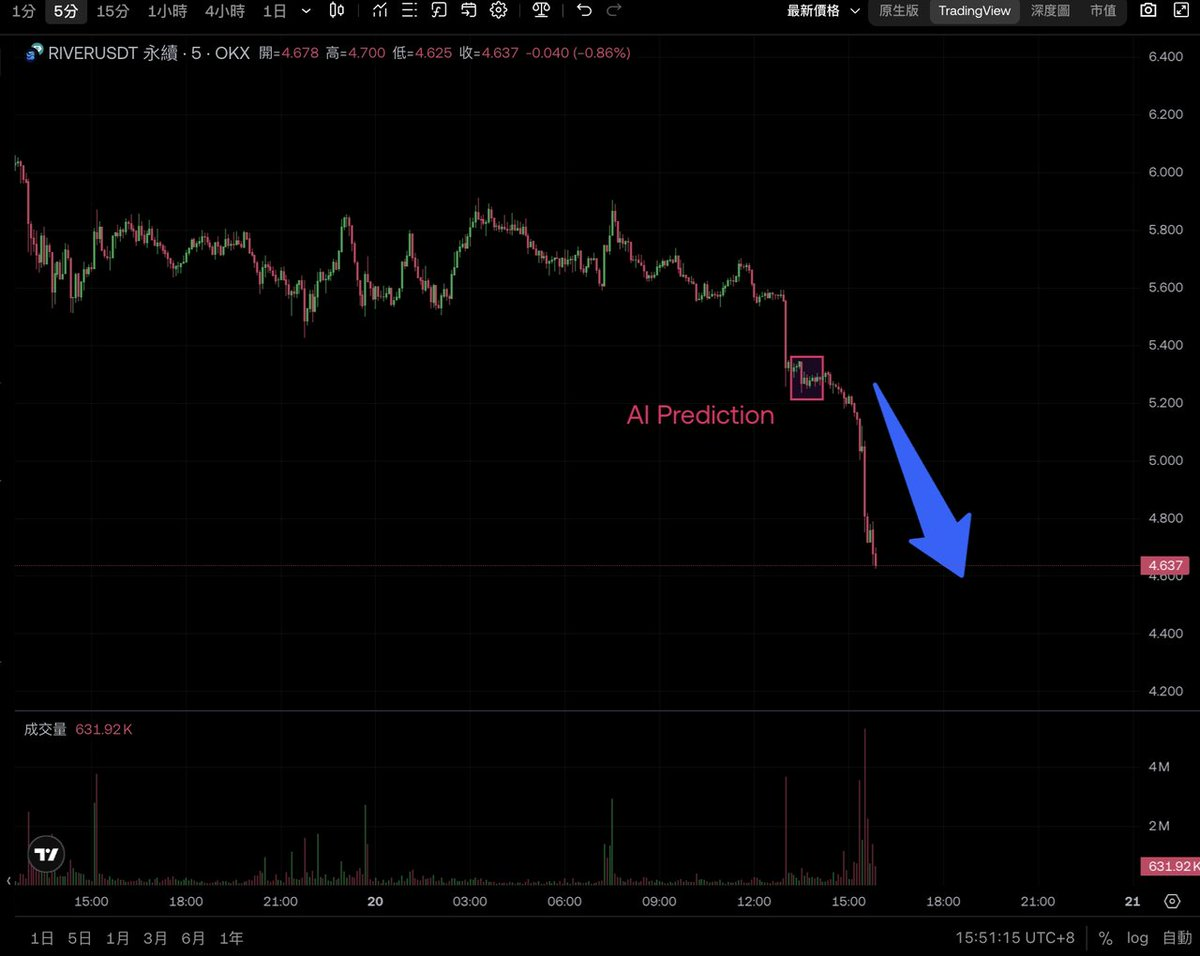
Sentiment Analysis — Check KOL sentiment scores and trends for a specific token or the overall market. You can view leaderboards or track the sentiment trends of individual tokens.
News Aggregation — Integrates reports from multiple crypto media and automatically removes duplicates for the same event. If six media report the same news, it won't waste tokens by pulling in six times; only one will be shown after being aggregated by importance.
Abnormal Movement Alerts — Tokens with sudden significant changes in sentiment scores will be flagged. When viewed alongside OI data, the dual signals of “funds are entering + sentiment is shifting” have higher credibility.
Covers all Web3 chain tokens and even U.S. stocks.
Conclusion: Your Web3 experience, defined by you!
The OKX Web3 Wallet's Onchain OS Plugin Store is bringing unprecedented convenience and intelligence to Web3 users. It turns the concept of the AI Agent from an unreachable idea into your accessible smart trading assistant.
Open your OKX Web3 Wallet now, go to the Plugin Store, and load the skills you need for your AI Agent, starting your smart Web3 journey! Let your AI Agent become your most capable on-chain assistant, helping you effortlessly manage assets and seize market opportunities!
Exclusive Benefits for AiCoin Users
Use OKX Web3 Wallet to “Invest in Assets Worldwide”!
Bind invitation code【AICOIN88】 to enjoy a 20% savings on trading costs (Gas optimization and other benefits)!
Download/upgrade OKX Web3 Wallet now to catch the wave:
https://jump.do/xlink?checkProxy=true&proxyId=24
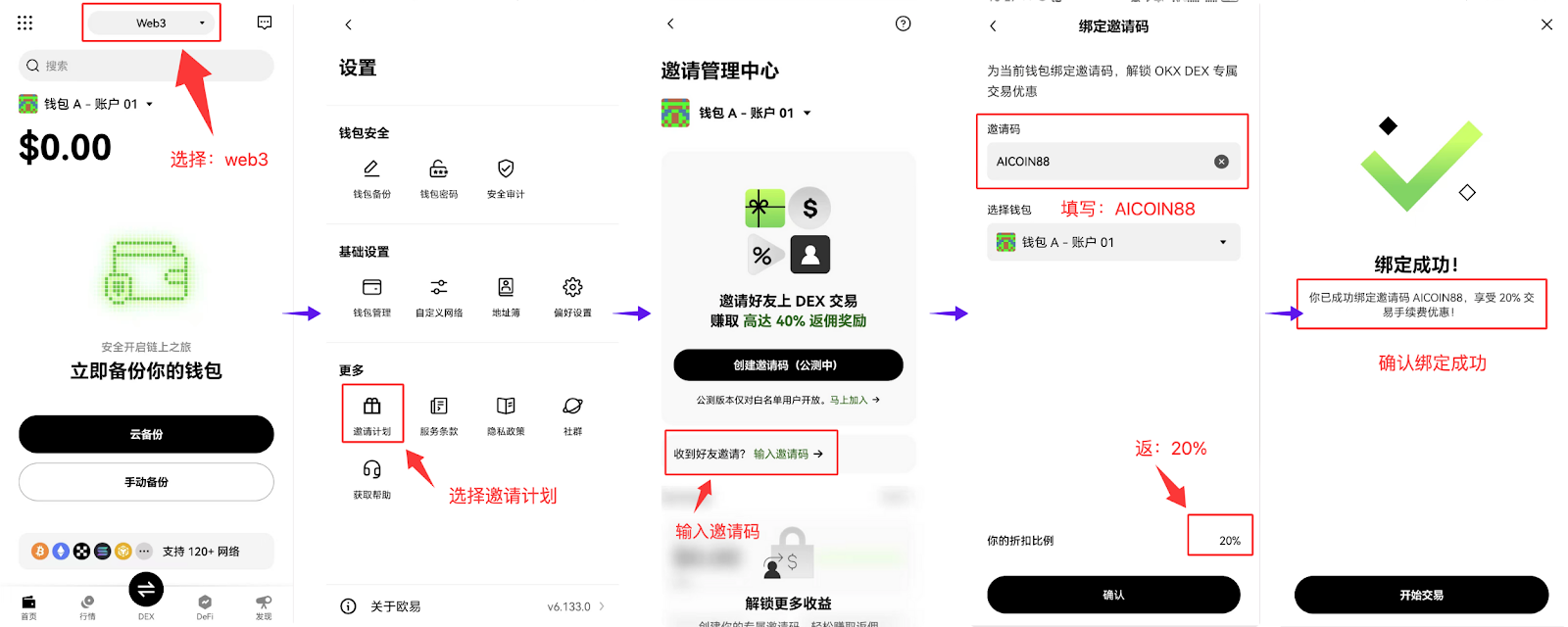
Bind OKX wallet with exclusive invitation code【AICOIN88】, operations are also simple on the web!
https://web3.okx.com/ul/joindex?ref=AICOIN88
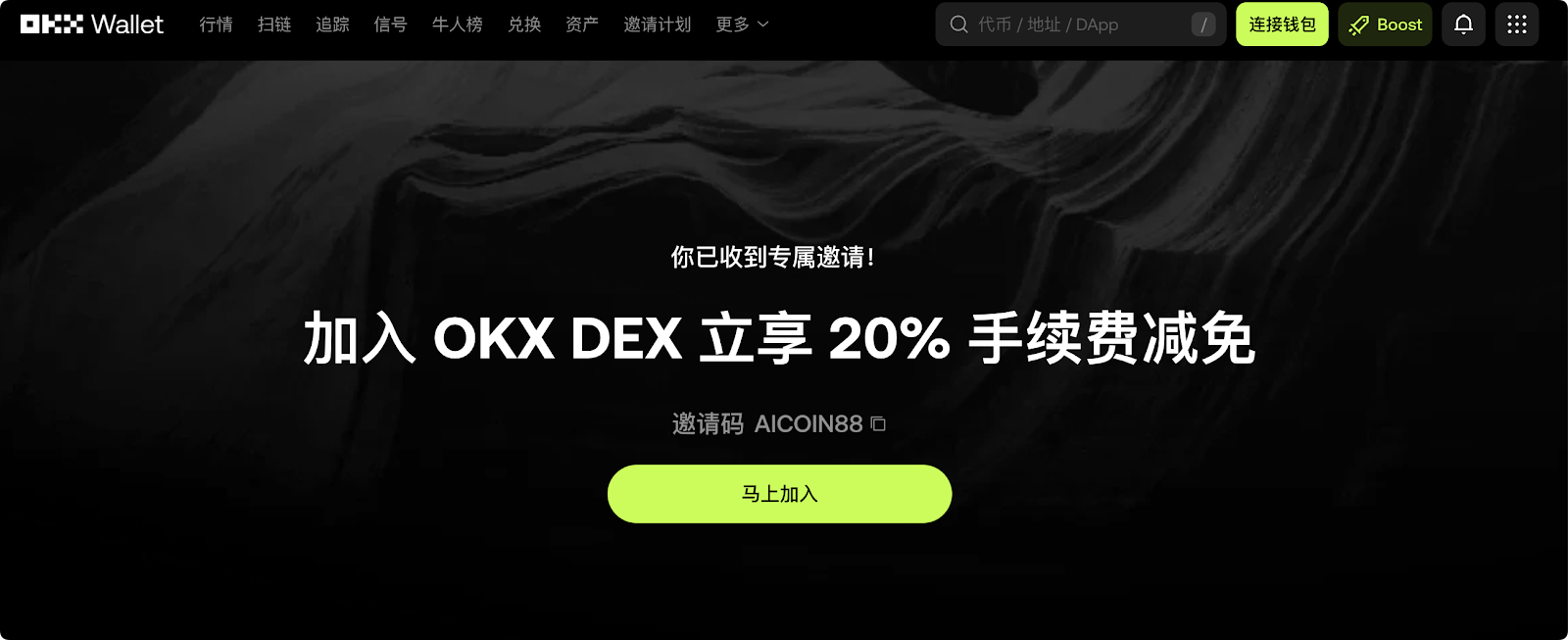
Don't wait, install the OKX wallet, bind the discount, and gain new wealth!
免责声明:本文章仅代表作者个人观点,不代表本平台的立场和观点。本文章仅供信息分享,不构成对任何人的任何投资建议。用户与作者之间的任何争议,与本平台无关。如网页中刊载的文章或图片涉及侵权,请提供相关的权利证明和身份证明发送邮件到support@aicoin.com,本平台相关工作人员将会进行核查。