In the Web3 world, people travel while money is "working overtime"! Can you earn passive income during Christmas without monitoring the market? As long as you use the OKX wallet for copy trading, you can follow the big players' on-chain transactions in just the time it takes to enjoy a cup of coffee.
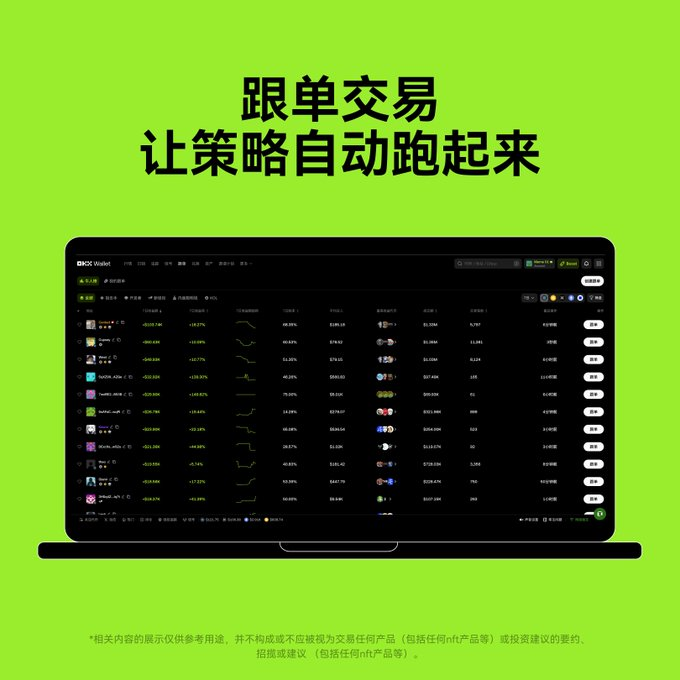
1. Copy Trading: Let Your Strategy Run Automatically
The copy trading feature of the OKX wallet's smart account allows you to automatically replicate the trading behavior of specified on-chain wallets. You can customize your buying and selling methods, add advanced filtering conditions (such as market cap, liquidity, token creation time, etc.), and set take profit/stop loss parameters. This feature is powered by the OKX wallet's smart account, resulting in lower execution delays and a smoother automated trading experience.
Traditional manual monitoring often leads to missed optimal entry and exit points, while copy trading helps you:
- Automatically replicate the operations of target wallets
- Suitable for following popular on-chain addresses, meme players, or users looking to reduce monitoring time
- Effectively reduce execution delays and enhance the automated experience
Currently, only smart accounts support the copy trading feature, compatible with chains like Solana and BSC, consistent with the "Top Traders List."
2. How to Perform Copy Trading in Web3?
Super simple, just a few steps:
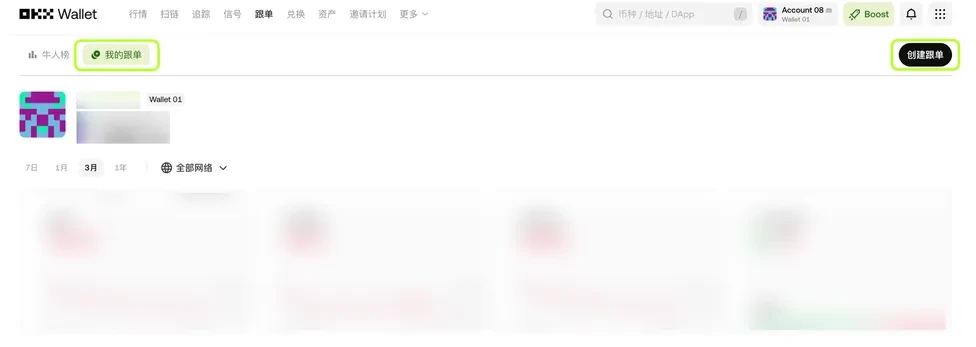
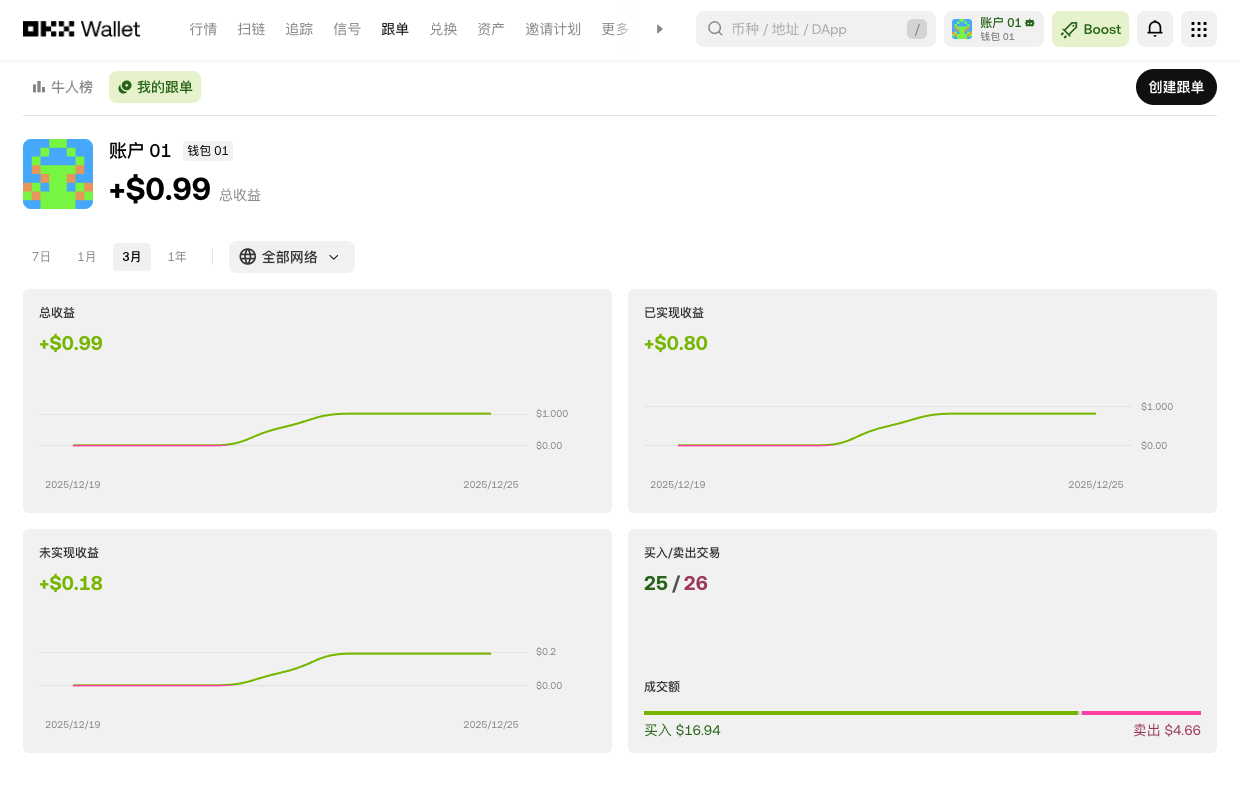
- Web Operation: Open the OKX Wallet official website → [Copy Trading] → [My Copy Trades] → [Create Copy Trade] to enter the creation process.
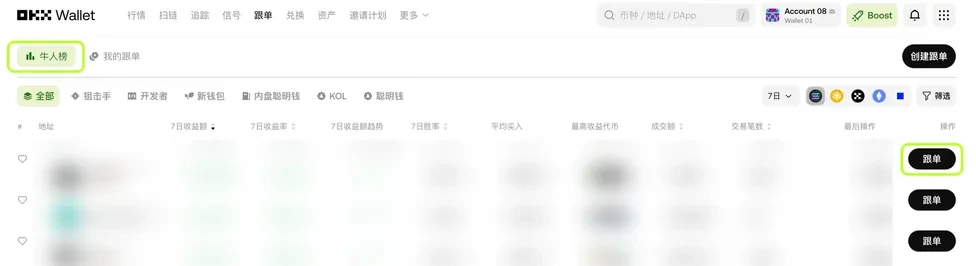
- You can directly browse on-chain wallets and their information through the "Top Traders List" and click the [Copy Trade] button to quickly create a copy trading task.
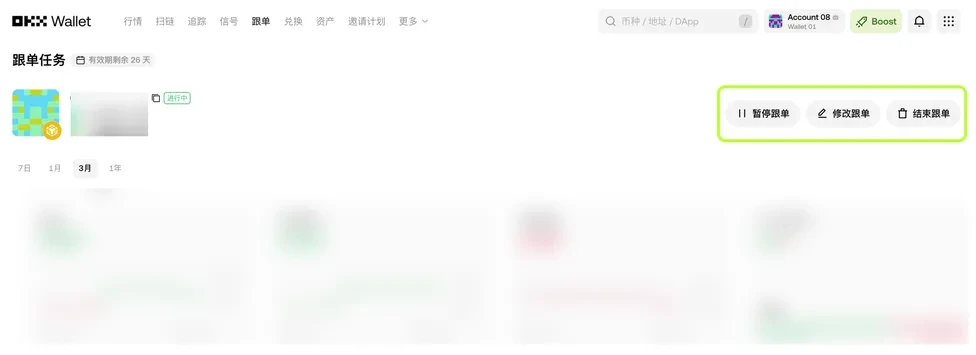
- After creation, pausing/restarting/stopping/modifying the copy trade is super convenient. You can also view data related to task earnings.
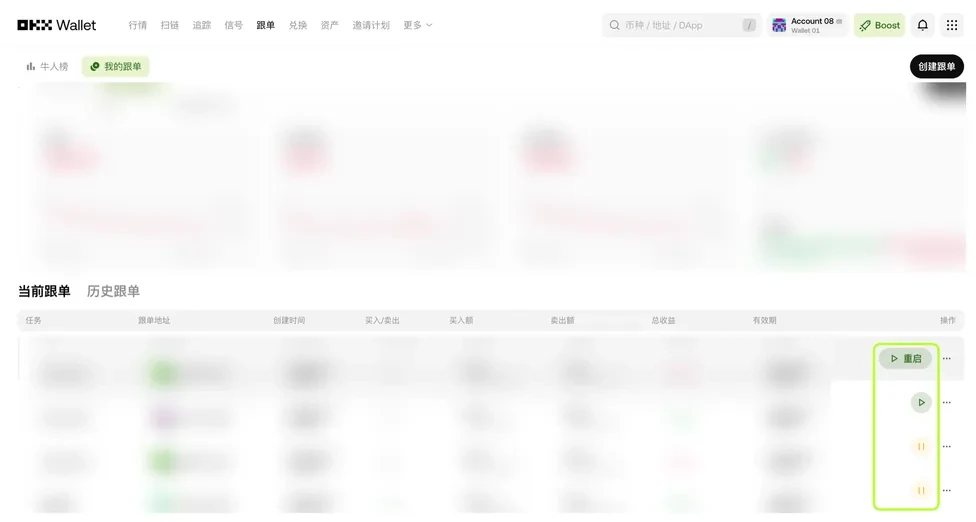
After creating a copy trading task, you can check the copy trading status on the [Copy Trading] page, pause or restart the task. You can also see the earnings data related to the task.
3. Why Use the Web3 Copy Trading Feature?
When using traditional trading models, you need to manually monitor trading opportunities for target wallets, but often miss the best timing due to delays. The copy trading feature can help you:
- Automatically replicate trading operations of target wallet addresses;
- Customize token filtering conditions;
- Automatically execute trades, reducing manual operations;
- Provide monitoring of copy trading profits and losses for easier evaluation of earnings.
4. How to Get the OKX Wallet and Save 20% on Trading Costs?
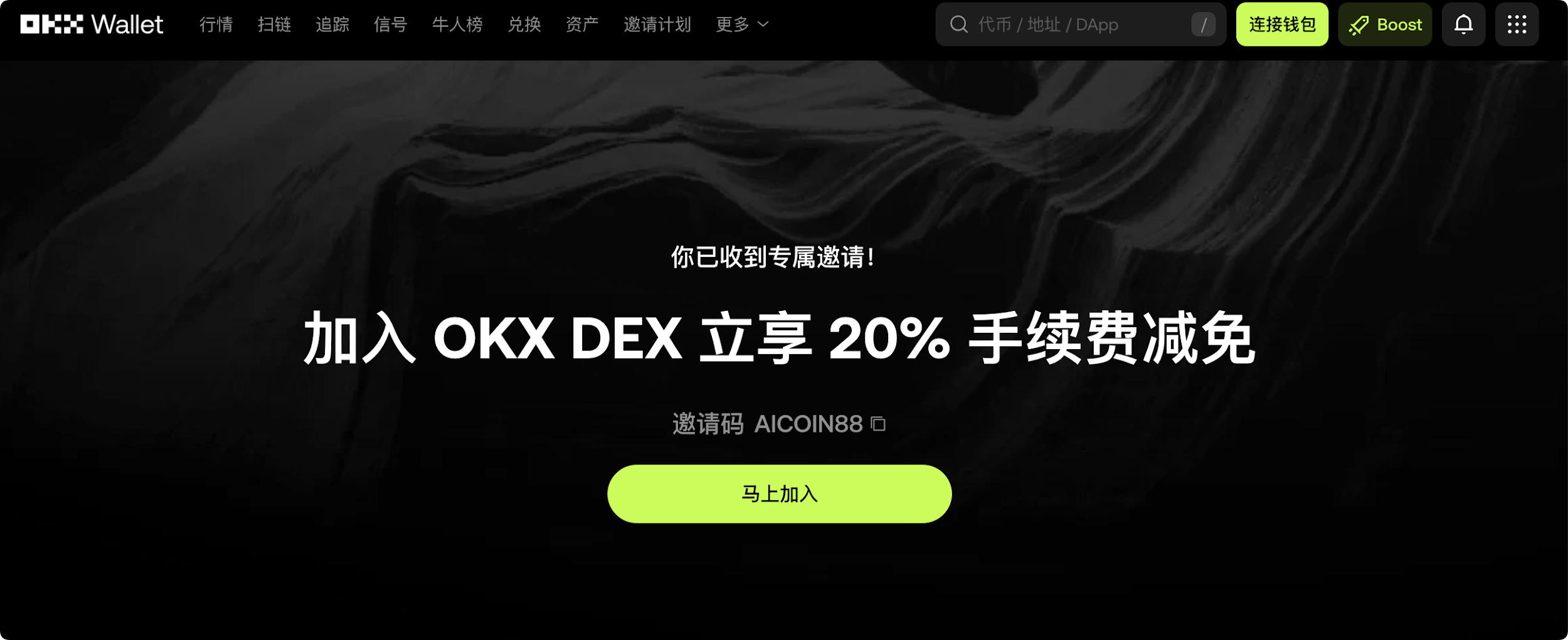
Method 1: AiCoin offers a binding OKX DEX web version invitation code (AICOIN88) exclusive discount for low-cost participation in on-chain trading.
By binding the invitation code AICOIN88 through the exclusive link below, you will receive:
✅ 20% fee discount! This means you can save 20% on every transaction on the DEX compared to others. Over time, this is a significant amount of wealth!
✅ Qualification to join our VIP benefits group! The group will periodically share wealth secrets, airdrop tutorials, and whale movement analysis to keep you ahead.
The operation is very simple:
Click the exclusive link below (the invitation code has been automatically filled for you):
https://web3.okx.com/ul/joindex?ref=AICOIN88
During the wallet creation/import process, confirm that the invitation code AICOIN88 is bound.
Done! Start enjoying the fee discount immediately!
Method 2: OKX App download link:
https://static.rmgvx.com/upgradeapp/okx-android_aicoin20.apk
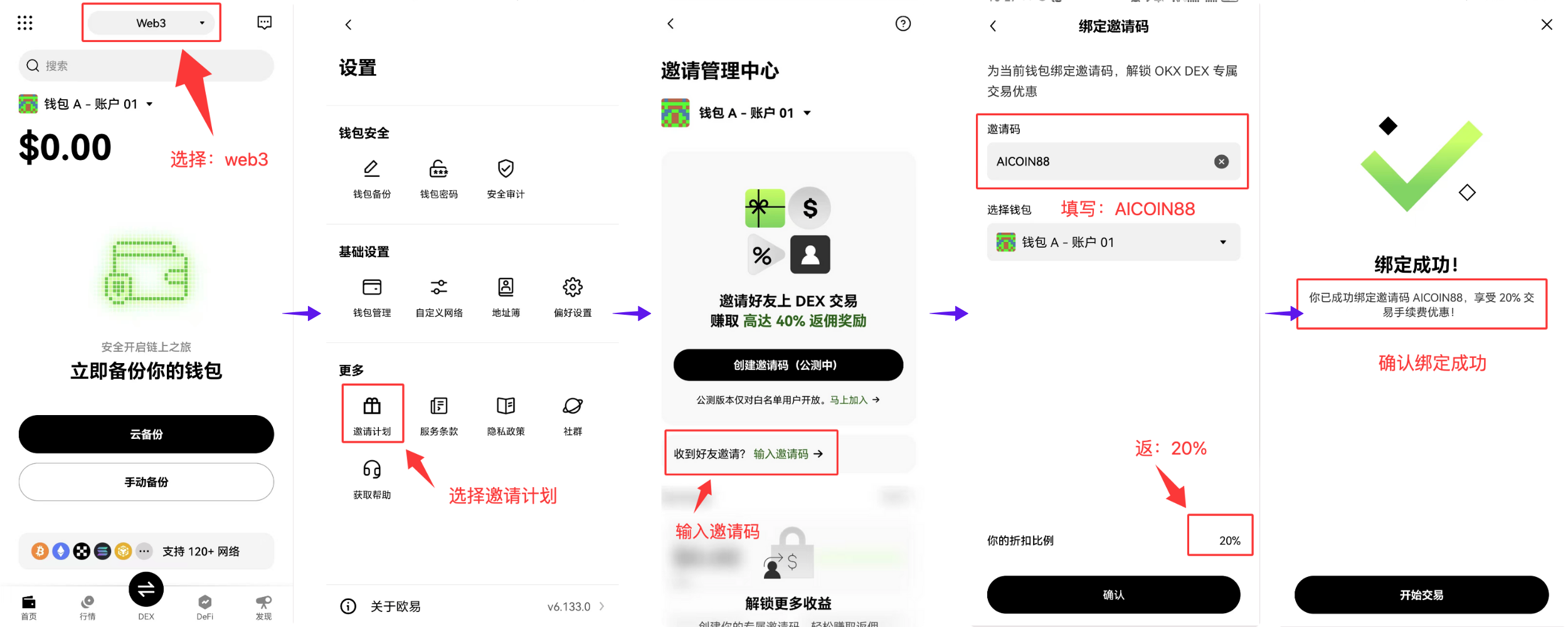
How to bind the invitation code (AICOIN88) in the App:
Start taking action and unlock the freedom of decentralized assets!
Official Telegram community: t.me/aicoincn
AiCoin Chinese Twitter: https://x.com/AiCoinzh
Exclusive 20% fee discount:
https://web3.okx.com/ul/joindex?ref=AICOIN88
OKX benefits group:
https://aicoin.com/link/chat?cid=l61eM4owQ
免责声明:本文章仅代表作者个人观点,不代表本平台的立场和观点。本文章仅供信息分享,不构成对任何人的任何投资建议。用户与作者之间的任何争议,与本平台无关。如网页中刊载的文章或图片涉及侵权,请提供相关的权利证明和身份证明发送邮件到support@aicoin.com,本平台相关工作人员将会进行核查。


